

Dashboard
The first screen of AI Training Admin. View storage and resource usage across all projects, experiment status, and recent activity.
Storage · Capacity
Storage usage and resource usage across all projects.
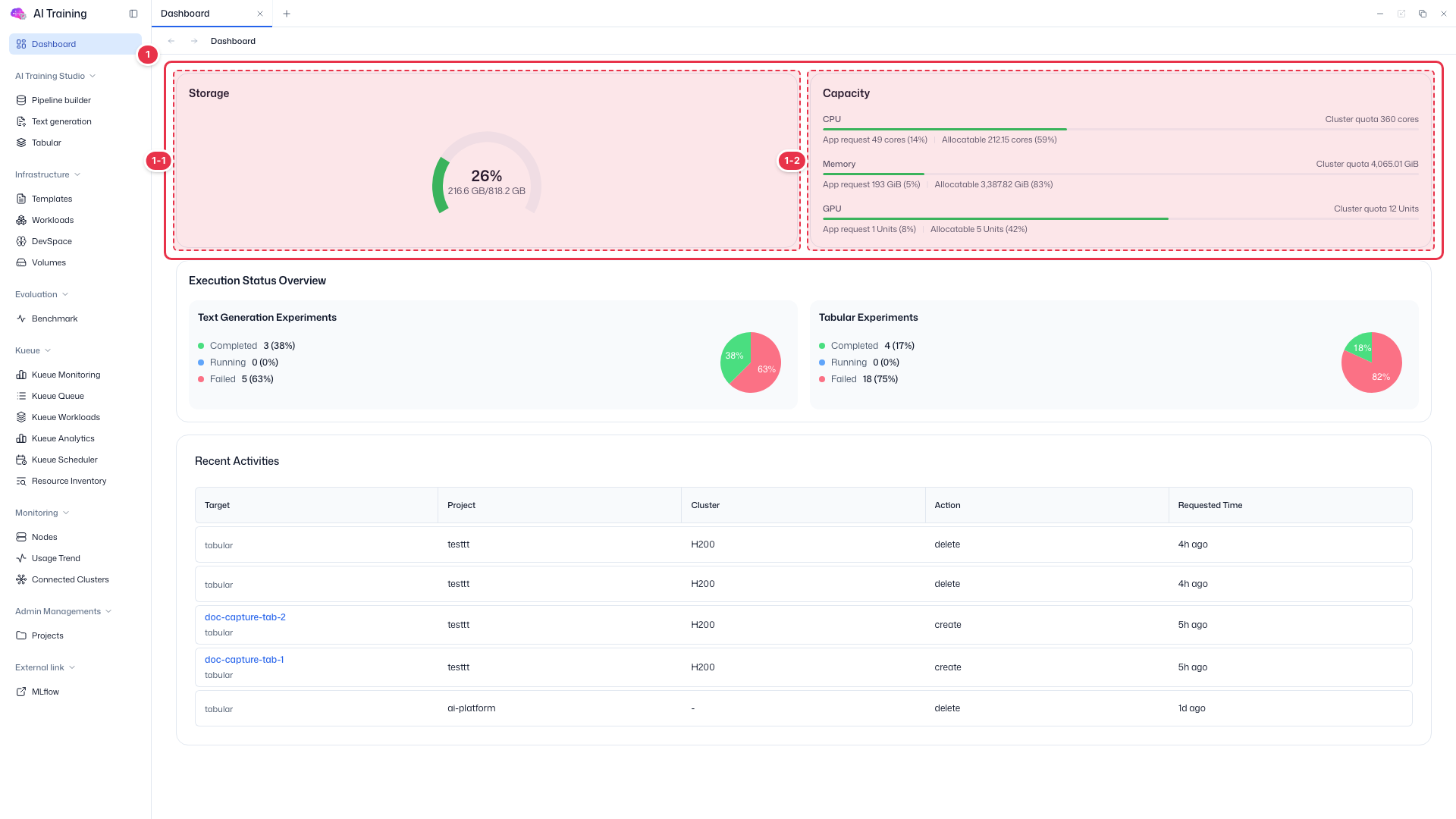
| No. | Feature | Item | Description |
|---|---|---|---|
| 1-1 | Storage | Storage usage | · Overall AI Training storage usage as a percentage and capacity. |
| 1-2 | Capacity | CPU · Memory · GPU | · AI Training’s total requests (App request) and the remaining allocatable amount against the cluster quota. |
Execution Status Overview
Summarizes experiment results across all projects by type.
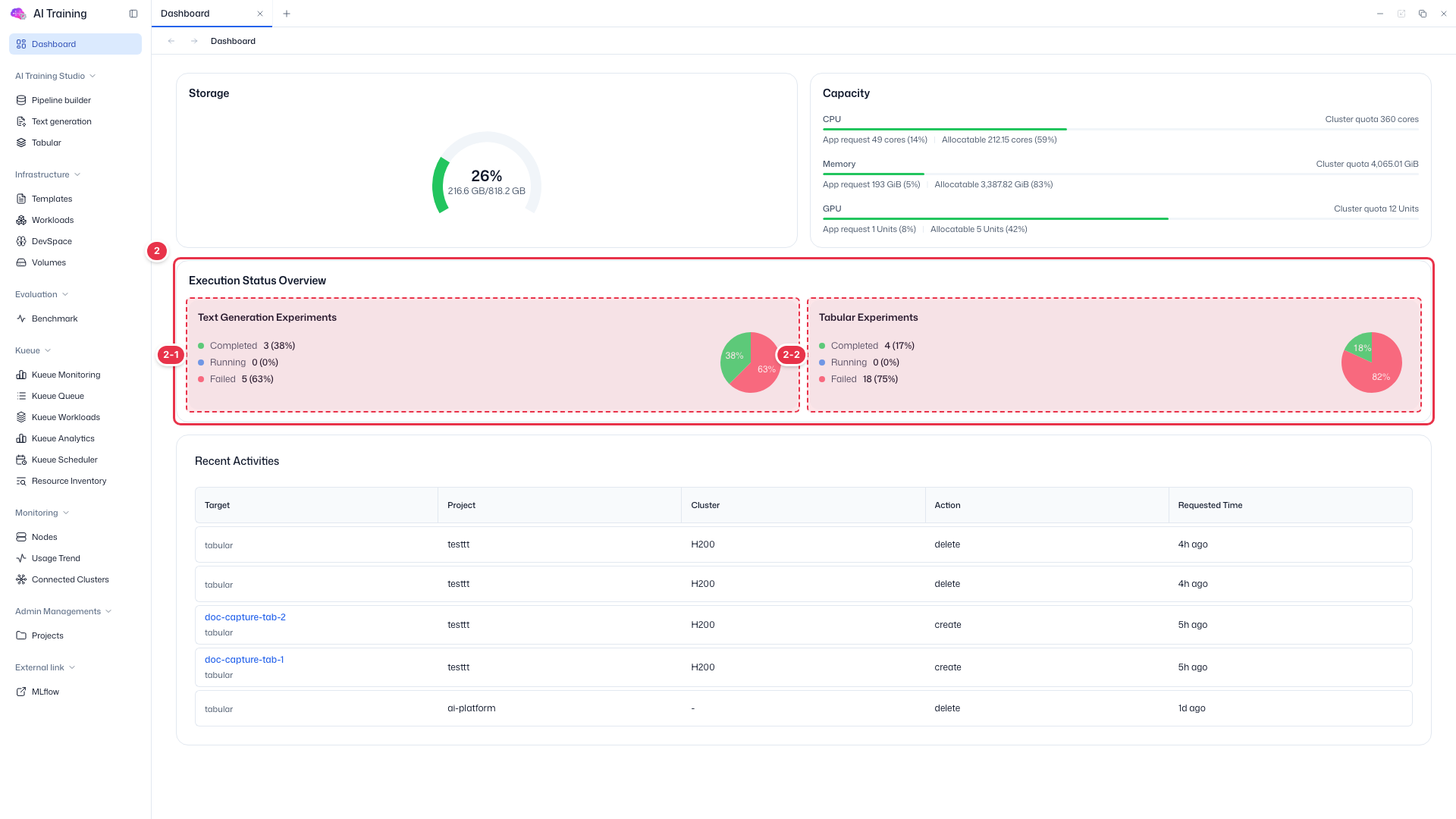
| No. | Feature | Item | Description |
|---|---|---|---|
| 2-1 | Text Generation Experiments | 완료 · 실행 중 · 실패 | · Count and share of Text Generation experiments by status, with a pie chart. |
| 2-2 | Tabular Experiments | 완료 · 실행 중 · 실패 | · Count and share of Tabular experiments by status. If the failure rate is high, check Kueue or logs first. |
Recent Activities
Recent activity across all projects.
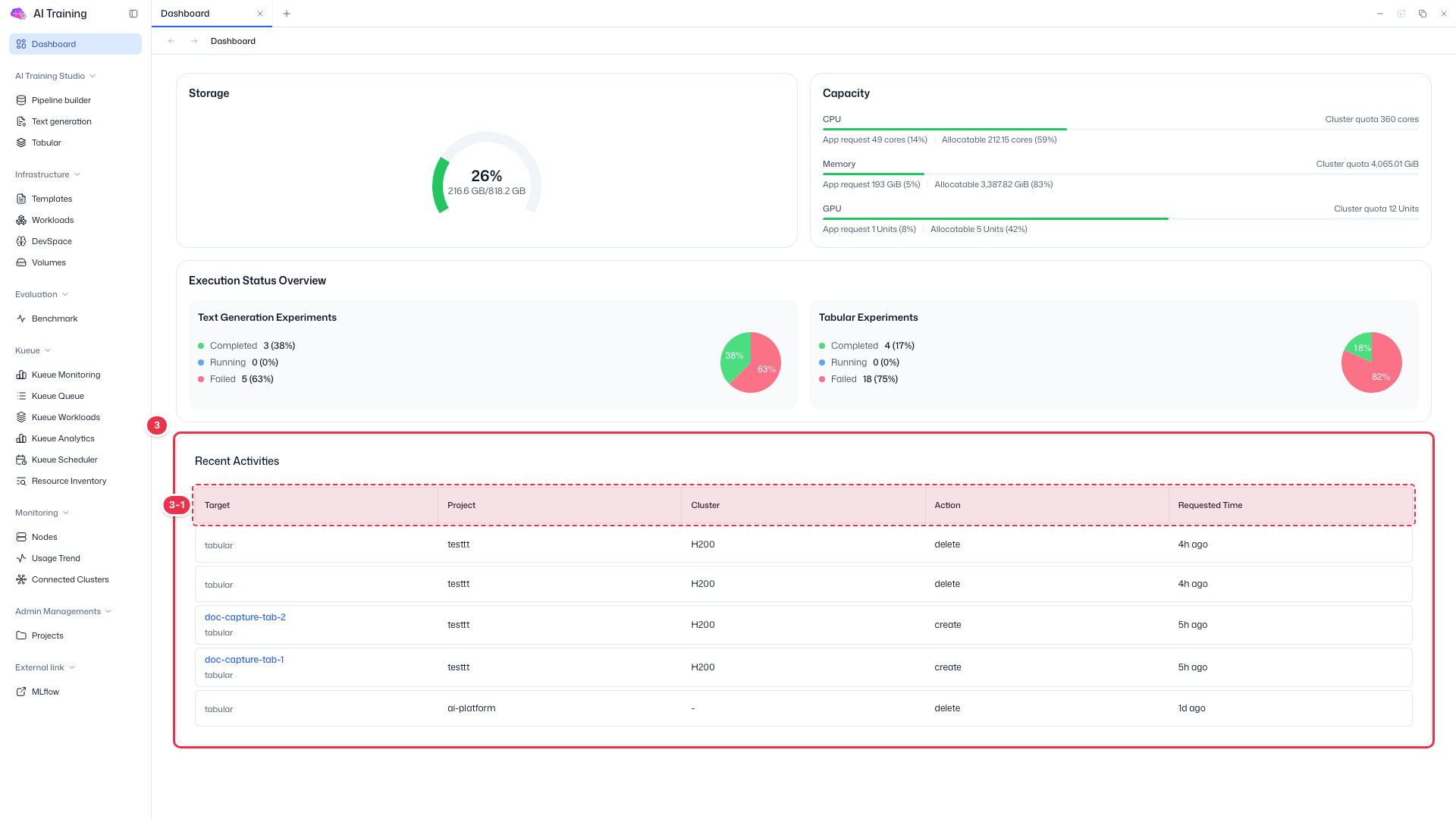
| No. | Feature | Item | Description |
|---|---|---|---|
| 3-1 | Columns | Target · Project · Cluster · Action · Requested Time | · Target resource and kind, its project and cluster, the action, and the request time. Unlike the user app, Project and Cluster columns are shown. |