

Browse DevSpaces
Browse DevSpaces across all projects. The admin app cannot create DevSpaces — it only views, edits, and deletes them. Create them in AI Training.
Go to the DevSpace list
In the left sidebar, click Infrastructure → DevSpace.
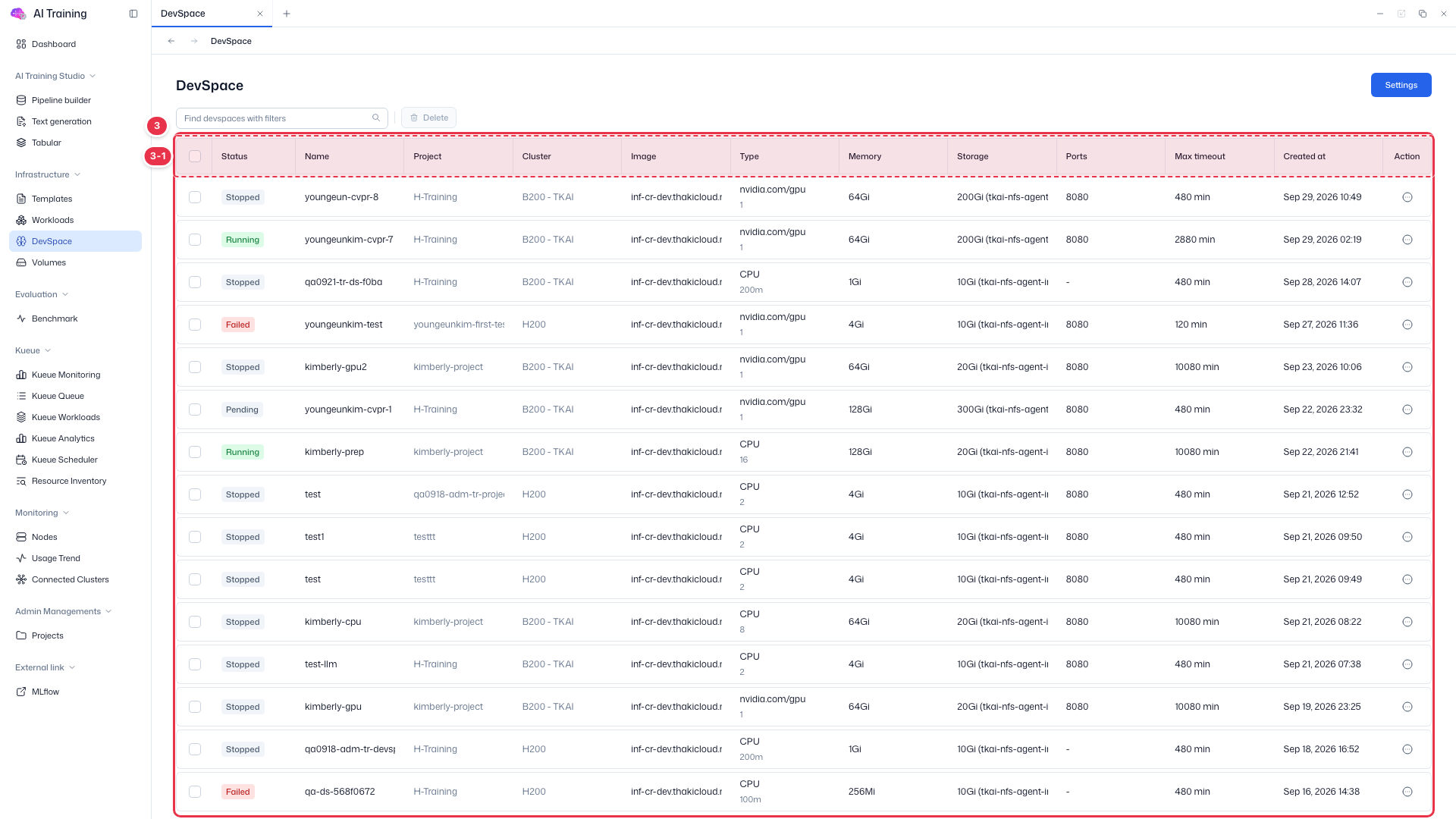
| Column | Description |
|---|---|
| Status / Name | DevSpace status and name |
| Project / Cluster | Project and cluster the DevSpace belongs to |
| Image / Type | Container image and type |
| Memory / Storage / Ports | Memory and storage specs and exposed ports |
| Max timeout / Created at | Maximum run time and creation time |
| Action | Row menu (edit, delete, etc.) |