

Create a DevSpace
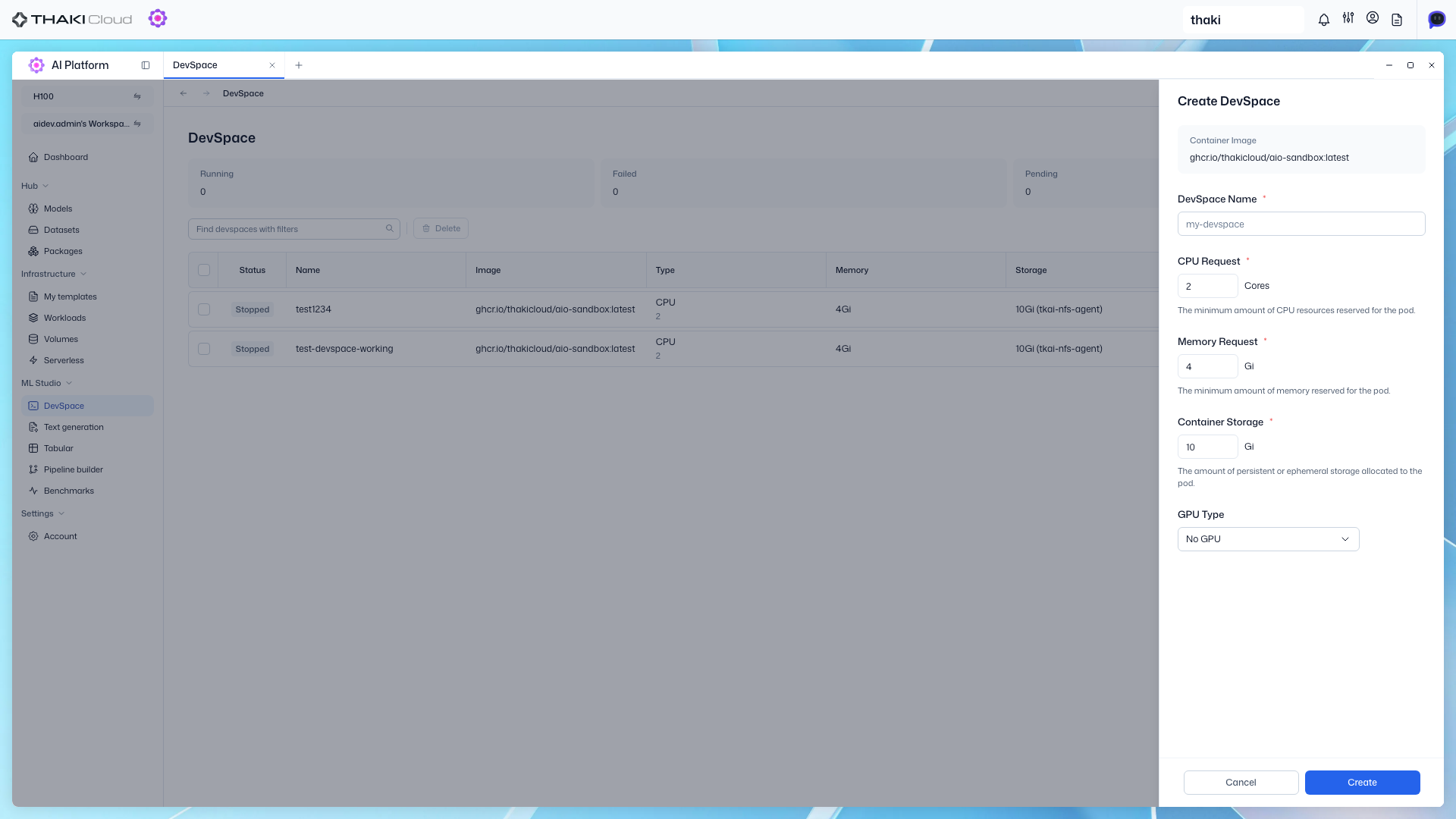
Create a new container-based development environment.
Step 1. Open Create DevSpace
Click the Create DevSpace button to open the modal.
Step 2. Fill in Settings
| Field | Required | Description |
|---|---|---|
| Name | ✓ | DevSpace name |
| CPU Request | ✓ | CPU resources — dropdown selection recommended |
| Memory Request | ✓ | Memory resources — dropdown selection recommended |
| Storage Size | ✓ | Persistent volume size — dropdown selection recommended |
| Configuration | ✓ | Resource configuration (GPU, etc.) — dropdown selection |
| Max Running Time | — | Default / Custom / No Limit |
Administrators set the defaults and Max Running Time upper limit.
If Custom input exceeds the limit, Create is disabled.
Step 3. Complete Creation
Click Create to create the DevSpace.