

Dashboard
The first screen of AI Inference Admin. View storage and resource usage across all projects, workload and volume status, and recent activity.
Storage · Capacity
Storage usage and resource usage across all projects.
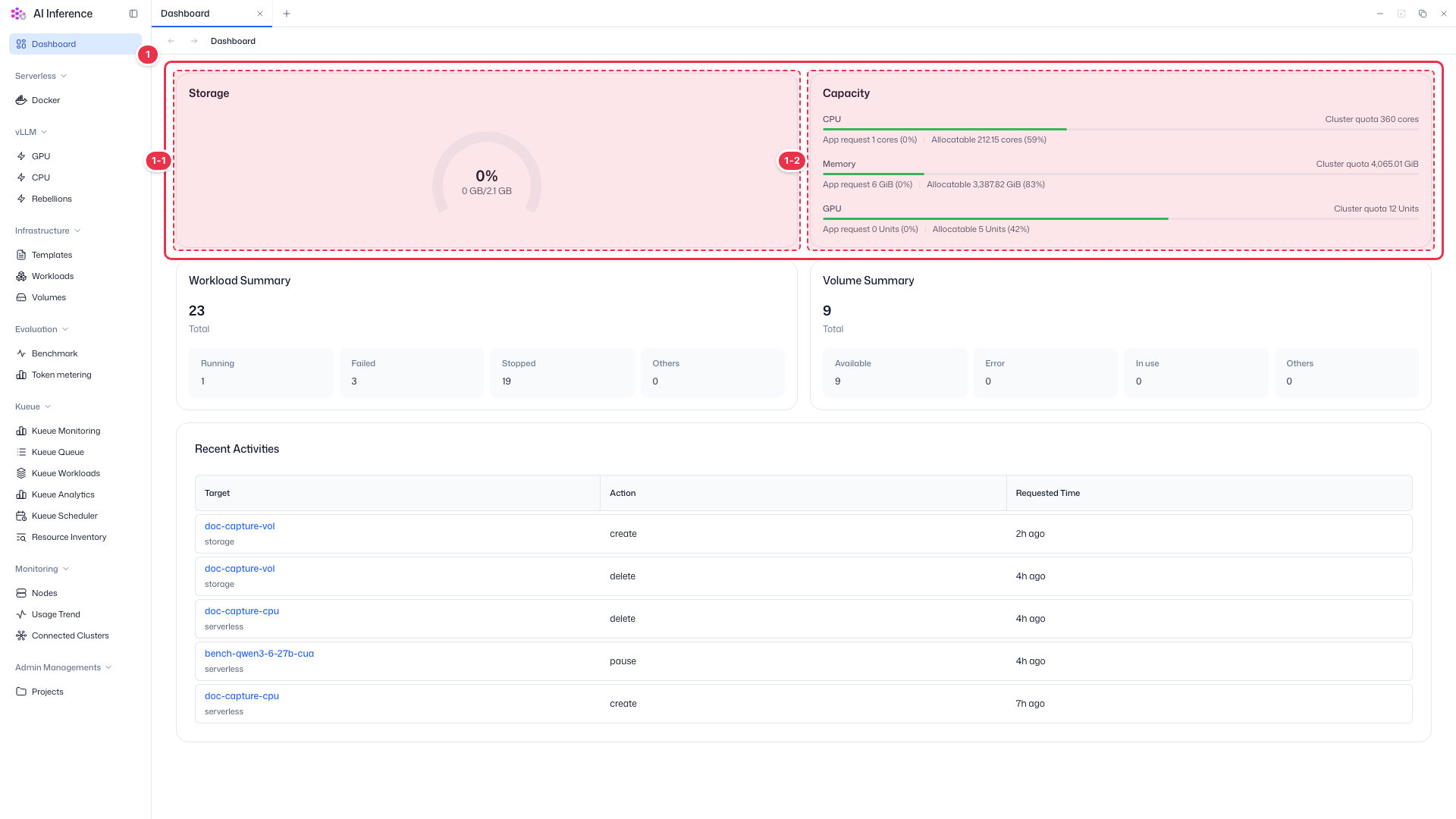
| No. | Feature | Item | Description |
|---|---|---|---|
| 1-1 | Storage | Storage usage | · Overall storage usage as a percentage and capacity. |
| 1-2 | Capacity | CPU · Memory · GPU | · AI Inference’s total requests (App request) and remaining allocatable amount against the cluster quota. An orange bar means little headroom is left. |
Summary cards
Summarizes workloads and volumes across all projects.
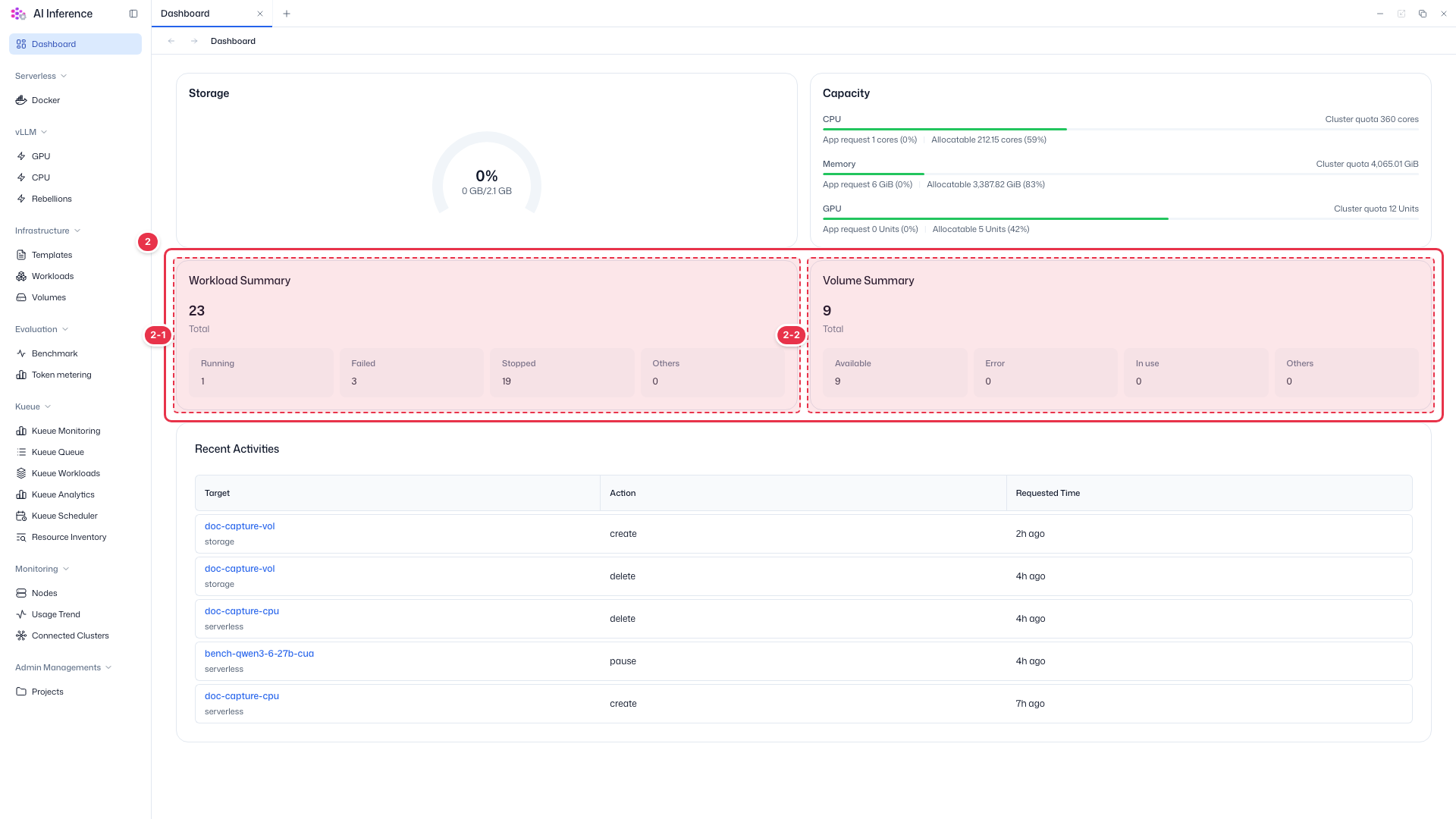
| No. | Feature | Item | Description |
|---|---|---|---|
| 2-1 | Workload Summary | Workloads | · Total workloads and the count by status (Running, Failed, Stopped, Others). |
| 2-2 | Volume Summary | Volumes | · Total volumes and the count by status (Available, Error, In use, Others). |
Recent Activities
Recent activity across all projects, such as creation, deletion, and wake-ups.
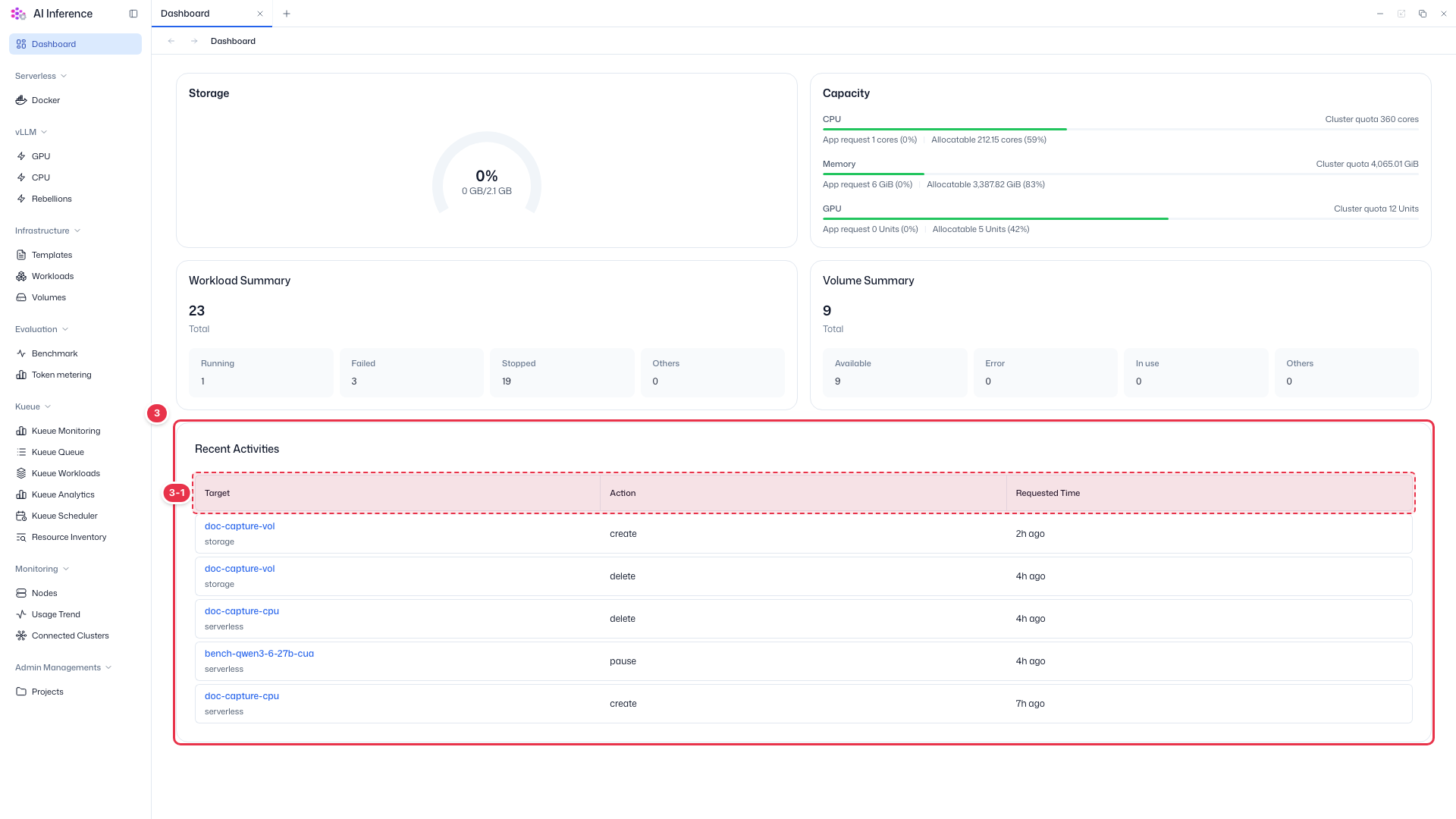
| No. | Feature | Item | Description |
|---|---|---|---|
| 3-1 | Columns | Target · Action · Requested Time | · Target resource and kind, the action, and the request time. Click a target name to open that resource. |