

Browse Endpoints
View endpoints of all projects. The screenshots use vLLM → GPU; the Docker, CPU, and Rebellions menus are the same except for the resource column.
Prerequisites
- An administrator account with access to AI Inference Admin
Sidebar
View all endpoints by type from the Serverless (Docker) and vLLM (GPU, CPU, Rebellions) menus. The four screens are the same except for the resource column.
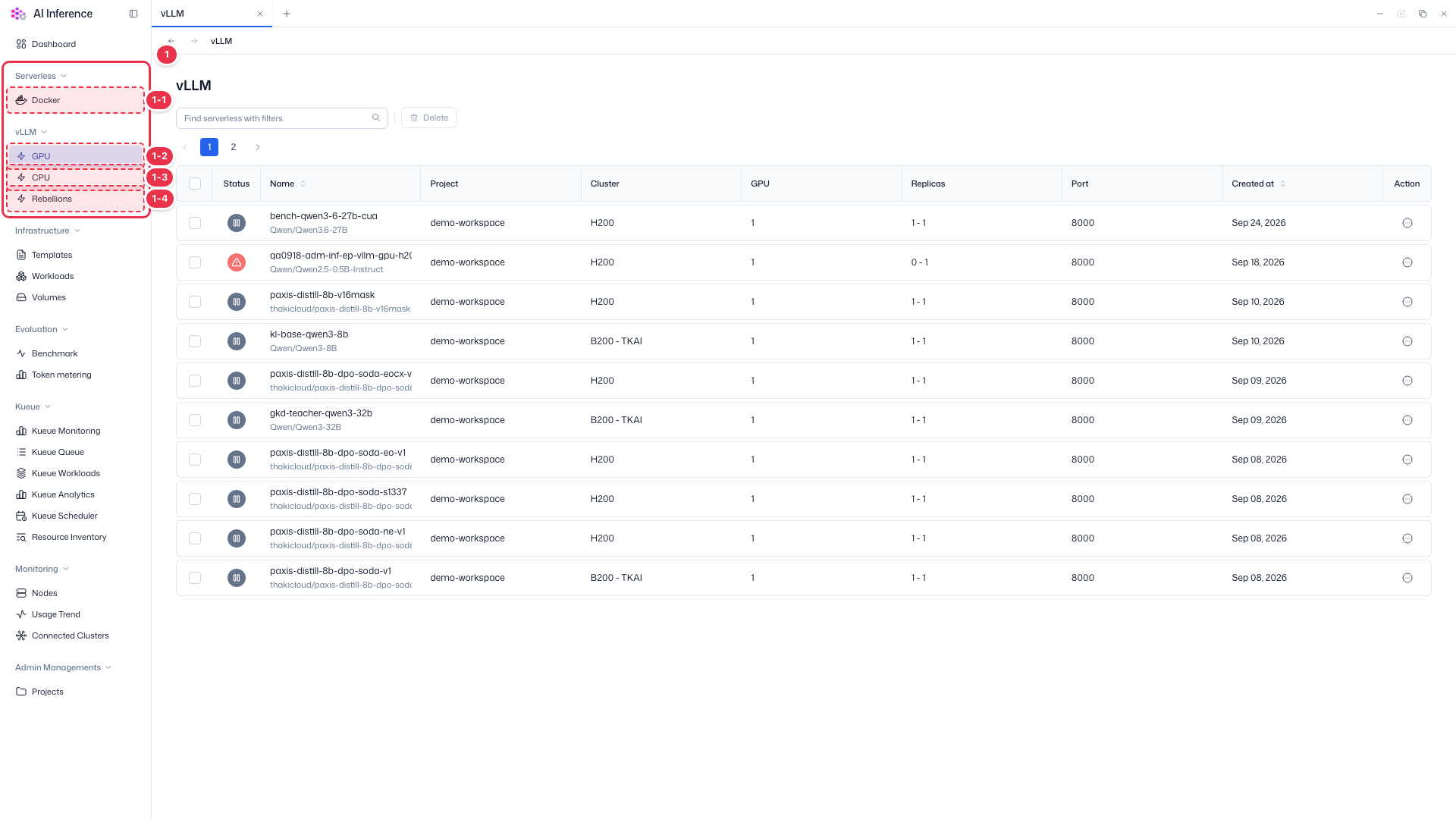
| No. | Feature | Item | Description |
|---|---|---|---|
| 1-1 | Docker | Docker menu | · View Docker endpoints of all projects. |
| 1-2 | GPU vLLM | GPU menu | · View GPU vLLM endpoints of all projects. |
| 1-3 | CPU vLLM | CPU menu | · View CPU vLLM endpoints of all projects. |
| 1-4 | Rebellions vLLM | Rebellions menu | · View Rebellions vLLM endpoints of all projects. |
Search · Bulk delete
Find endpoints across all projects by name and delete selected ones at once. Endpoints cannot be created in the admin app.
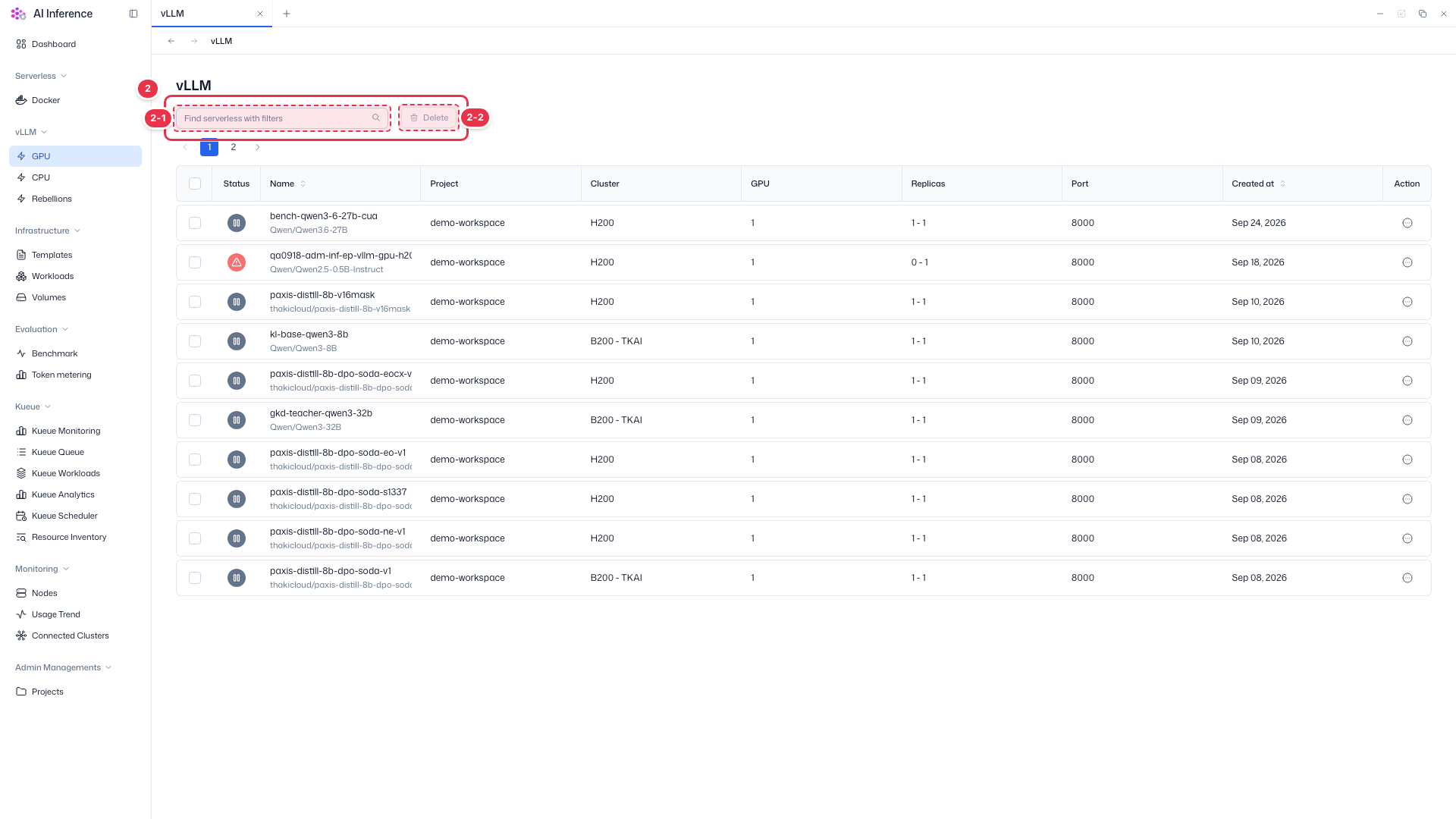
| No. | Feature | Item | Description |
|---|---|---|---|
| 2-1 | Search | Search box | · Filters the list by endpoint name. |
| 2-2 | Bulk delete | Delete button | · Deletes the endpoints checked in the table. You can delete other users’ endpoints, so take care. |
All endpoints
Shows endpoints of all projects and clusters in a table.
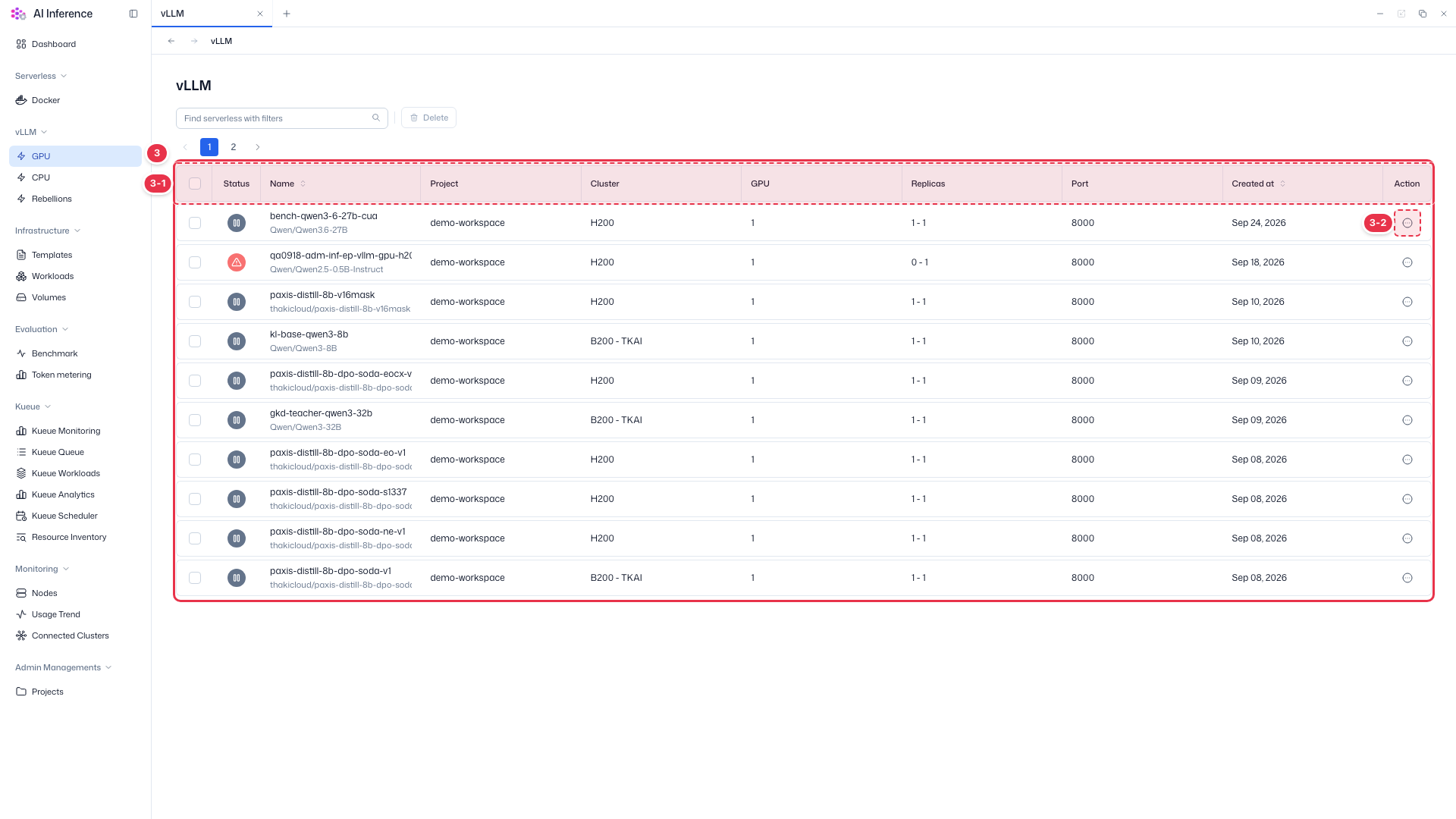
| No. | Feature | Item | Description |
|---|---|---|---|
| 3-1 | Columns | Status | Endpoint status. Green means running, gray paused, and red an error. |
| Name | Endpoint name, with the deployed model (or image) below it. | ||
| Project · Cluster | The project the endpoint belongs to and the cluster it runs on. Admin-only columns not shown in the user app. | ||
| GPU | GPU resources allocated to each replica. | ||
| Replicas · Port · Created at | Minimum - maximum replicas, request port, and creation date. | ||
| 3-2 | Row actions | Action (⋯) button | · Opens Service URL, View logs, Send prompt, Pause, Resume, Cancel, Edit, and Delete. They work the same as in the user app. |
The row action menu (Service URL, View logs, Send prompt, Pause, Resume, Cancel, Edit, Delete) works the same as in the user app → Manage endpoints.
Other users’ endpoints
In the admin app you can edit and delete endpoints of any project. Check with the owner before stopping or deleting an endpoint in use.