

Browse Endpoints
View the list of serverless endpoints created from Docker images.
Prerequisites
- An account with access to AI Inference
- The cluster and project to view, selected at the top of the sidebar
Click Serverless → Docker in the sidebar to open the endpoint list. Follow the numbers on the screenshots below.
Sidebar
Open the endpoint list from the Docker menu in the Serverless group.
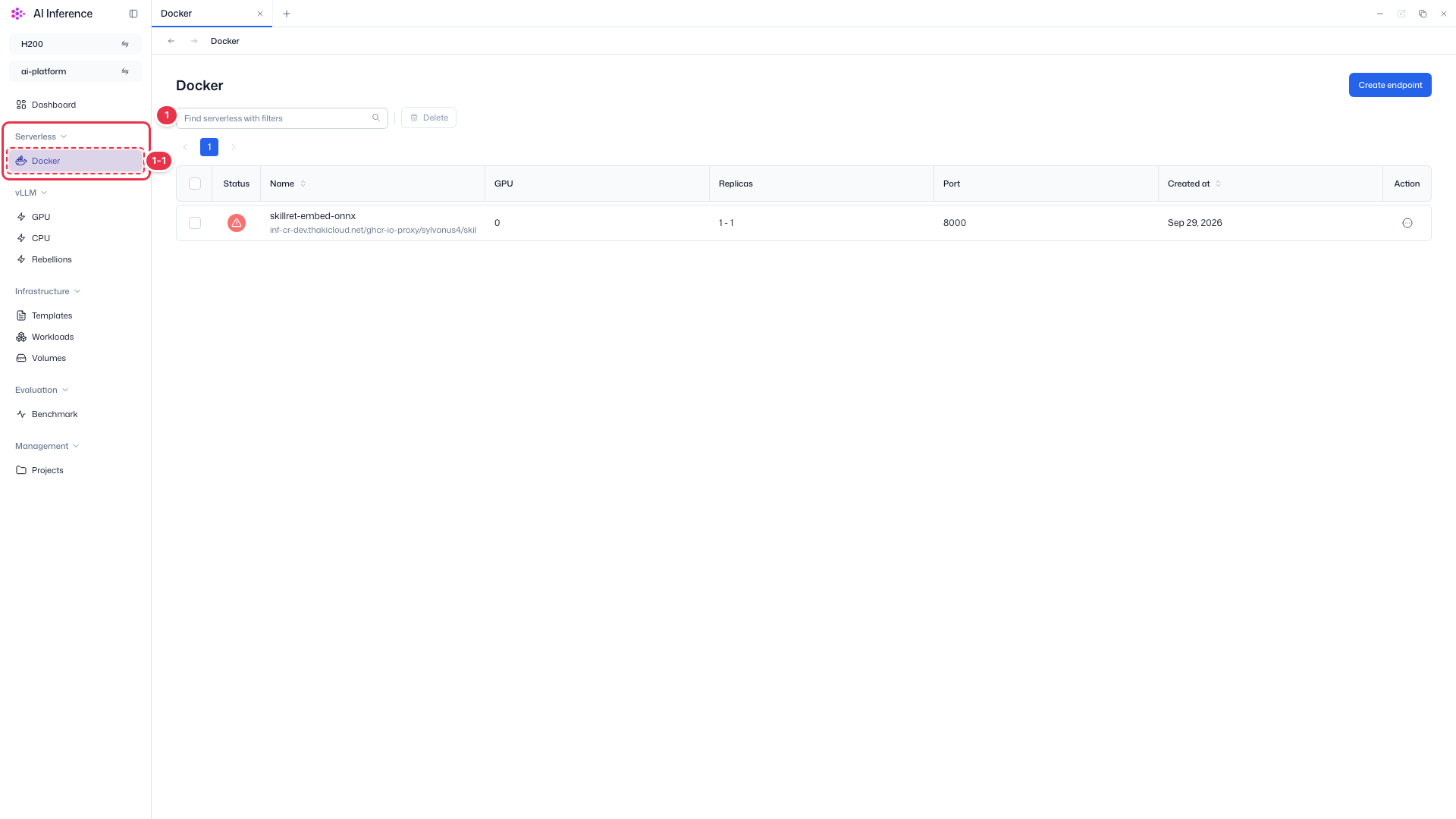
| No. | Feature | Item | Description |
|---|---|---|---|
| 1-1 | Docker | Docker menu | · Screen for serverless endpoints that run your own container image. |
Search · Bulk delete
Find endpoints by name and delete selected endpoints at once.
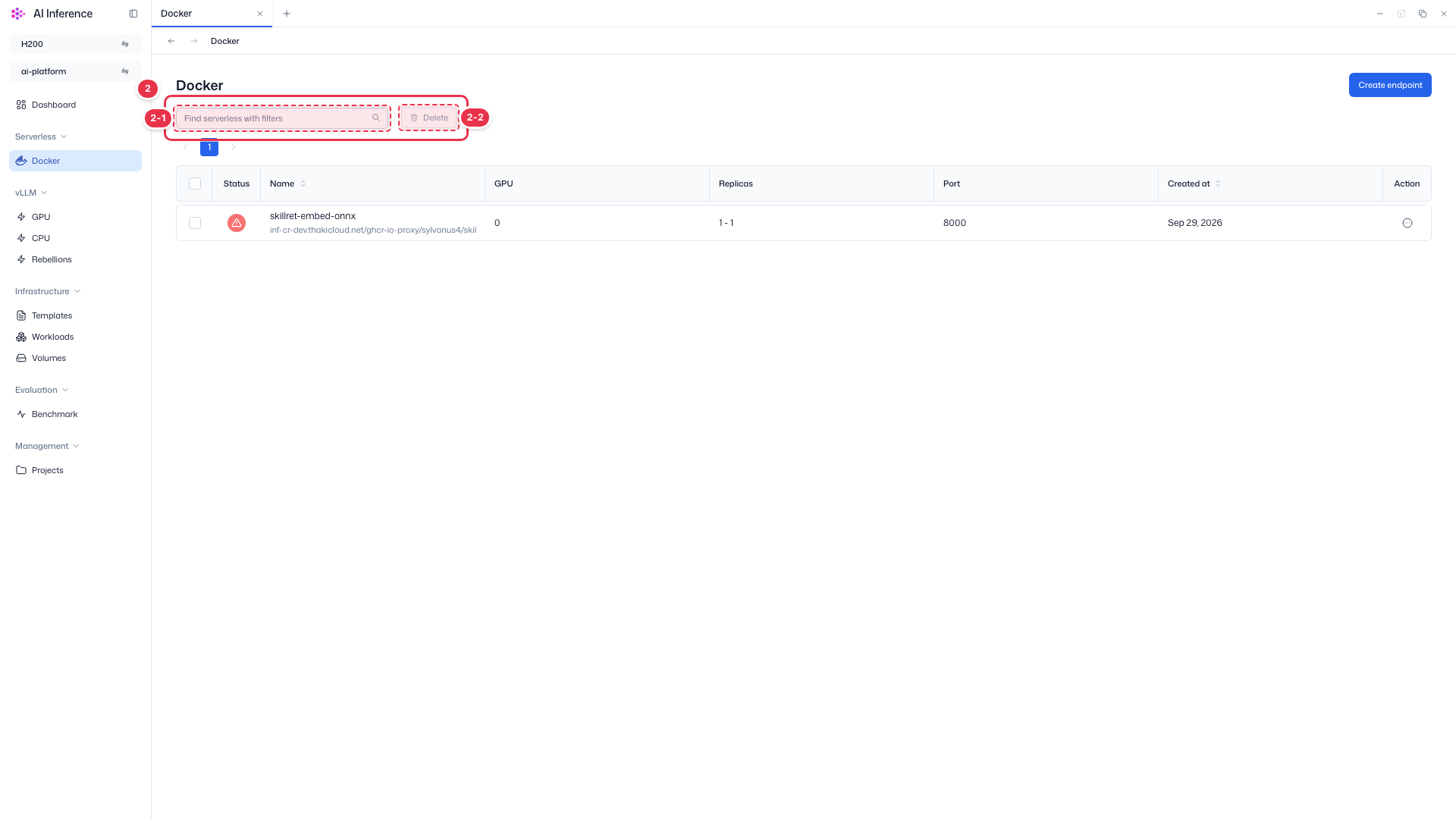
| No. | Feature | Item | Description |
|---|---|---|---|
| 2-1 | Search | Search box | · Filters the list by endpoint name. |
| 2-2 | Bulk delete | Delete button | · Deletes the endpoints checked in the table. Enabled only when at least one row is selected. |
Create endpoint
Opens the screen for creating a new endpoint.
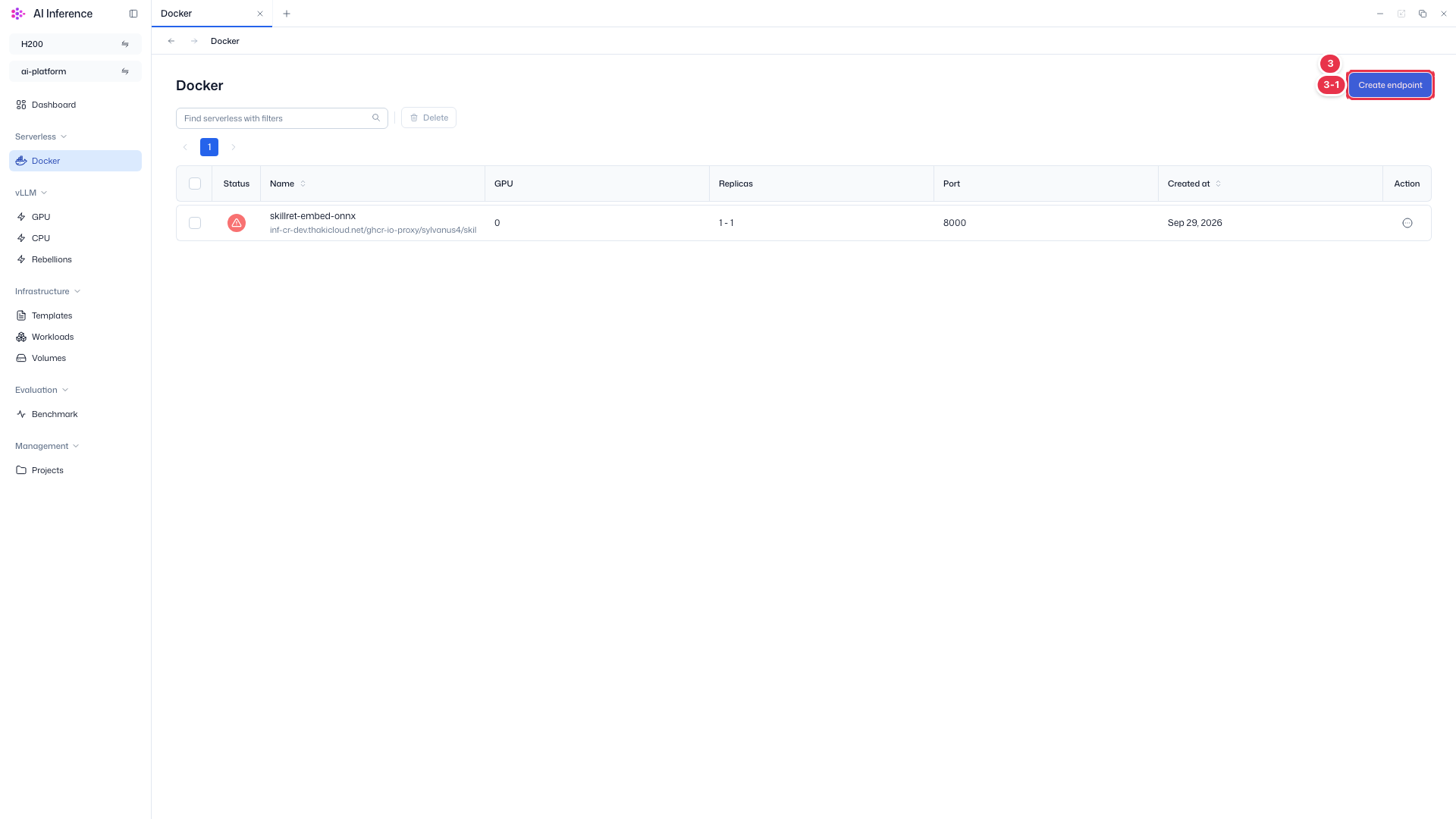
| No. | Feature | Item | Description |
|---|---|---|---|
| 3-1 | Create endpoint | Create endpoint button | · Click the button at the top right to open the endpoint creation screen. |
Endpoint list
Shows the endpoints of the current project and cluster in a table.
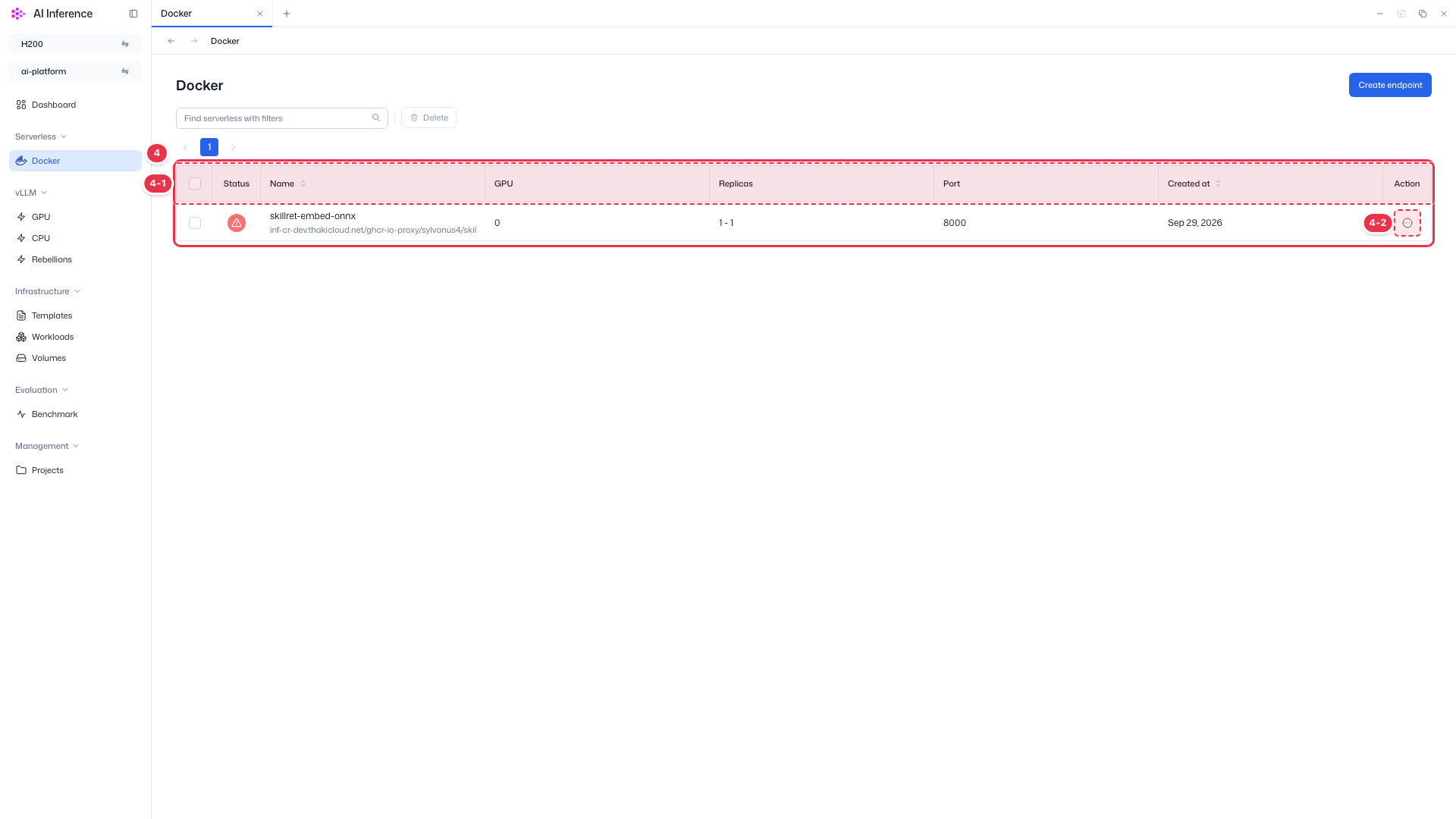
| No. | Feature | Item | Description |
|---|---|---|---|
| 4-1 | Columns | Status | Endpoint status. Green means running, gray means paused (including scaled to zero with no requests), and red means an error. |
| Name | Endpoint name, with the deployed model (or image) below it. | ||
| GPU | GPU resources allocated to each replica. | ||
| Replicas | Minimum - maximum replicas. With a minimum of 0, the endpoint scales down to zero when idle. | ||
| Port | Port on which the endpoint receives requests. | ||
| Created at | Date the endpoint was created. | ||
| 4-2 | Row actions | Action (⋯) button | · Click the button at the end of a row to open that endpoint’s action menu. |
Row action menu
Actions available for each endpoint. Some items are disabled depending on the endpoint status.
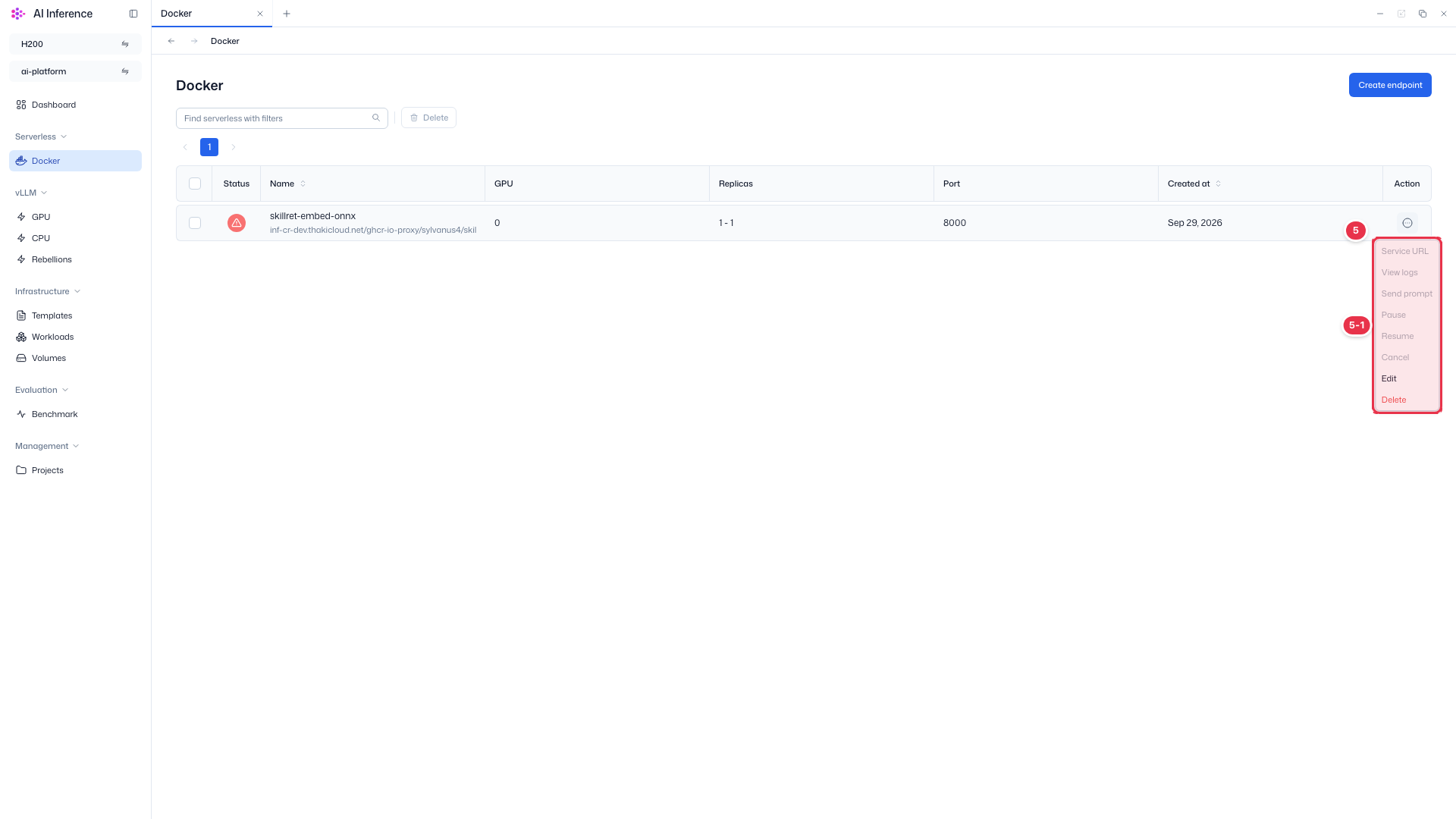
| No. | Feature | Item | Description |
|---|---|---|---|
| 5-1 | Menu items | Service URL | View and copy the endpoint URL. |
| View logs | View pod events and container logs. | ||
| Send prompt | Send a test prompt to a running endpoint and check the response. | ||
| Pause | Pause a running endpoint. | ||
| Resume | Resume a paused endpoint. | ||
| Cancel | Cancel an endpoint deployment that is in progress. | ||
| Edit | Open the screen for editing replicas and resources. | ||
| Delete | Delete the endpoint. A confirmation modal opens first. |
For how to use each item in the row action menu, see Manage endpoints. Docker endpoints use the same menu.