

Browse Endpoints
View the list of vLLM endpoints. The screenshots use the CPU menu; the GPU and Rebellions menus are the same except for the resource column (GPU / NPU).
Prerequisites
- An account with access to AI Inference
- The cluster and project to view, selected at the top of the sidebar
Sidebar
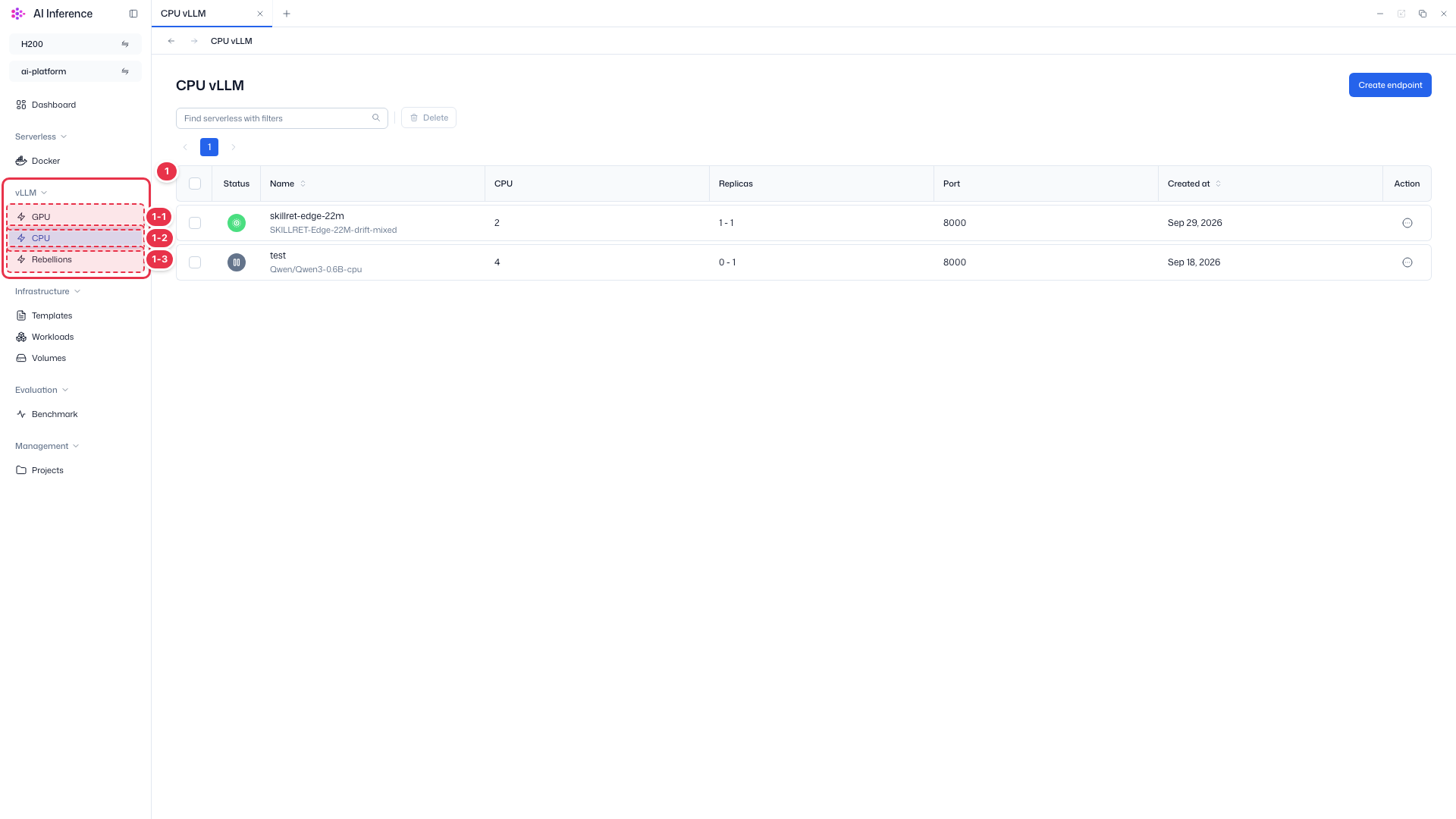
Open the endpoint list for each compute type (GPU, CPU, Rebellions) from the vLLM group. The three screens are the same except for the resource column.
| No. | Feature | Item | Description |
|---|---|---|---|
| 1-1 | GPU vLLM | GPU menu | · Opens the screen for vLLM endpoints running on GPU. |
| 1-2 | CPU vLLM | CPU menu | · Opens the screen for vLLM endpoints running on CPU. |
| 1-3 | Rebellions vLLM | Rebellions menu | · Opens the screen for vLLM endpoints running on Rebellions NPU. |
Search · Bulk delete
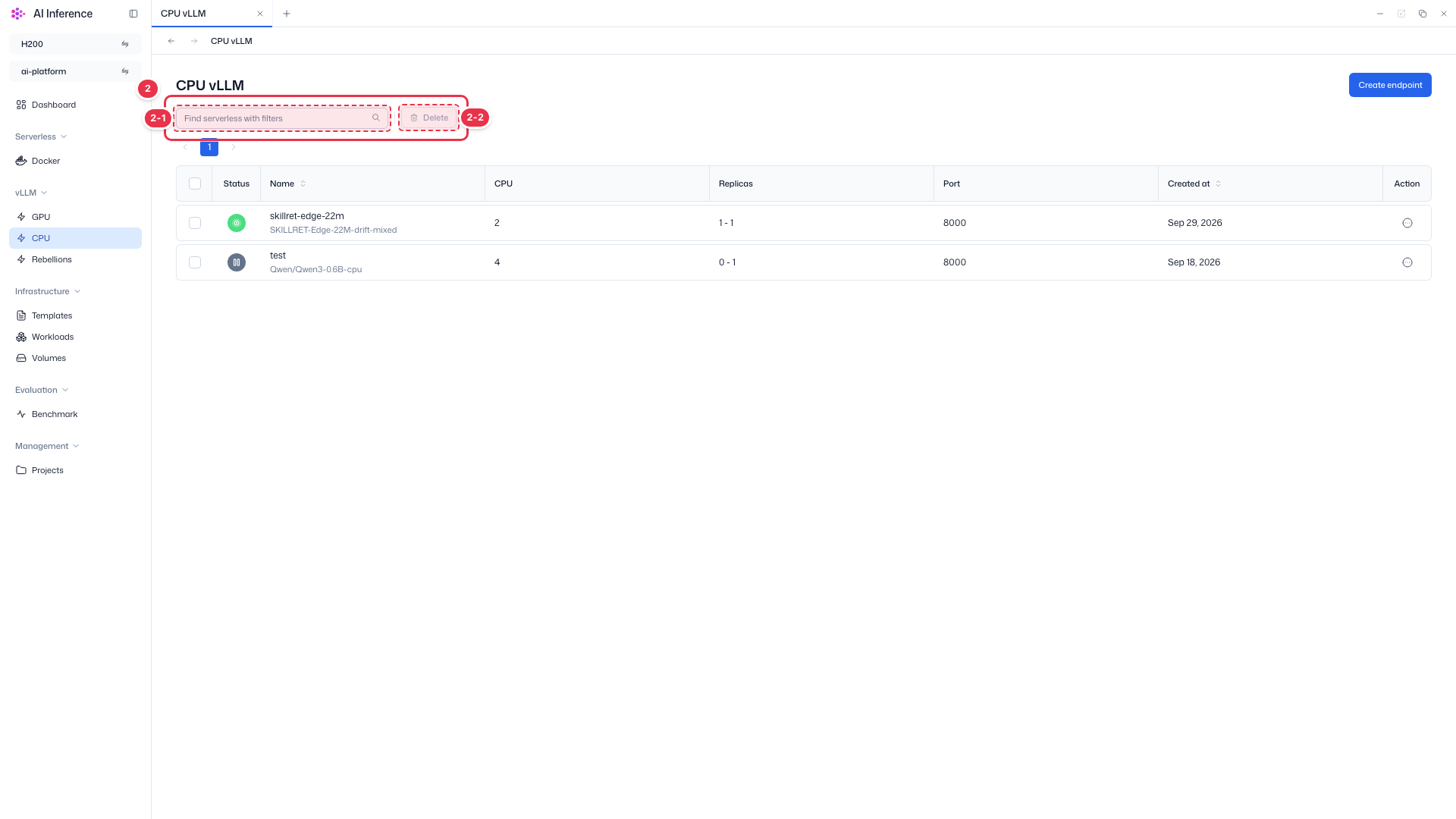
Find endpoints by name and delete selected endpoints at once.
| No. | Feature | Item | Description |
|---|---|---|---|
| 2-1 | Search | Search box | · Filters the list by endpoint name. |
| 2-2 | Bulk delete | Delete button | · Deletes the endpoints checked in the table. Enabled only when at least one row is selected. |
Create endpoint
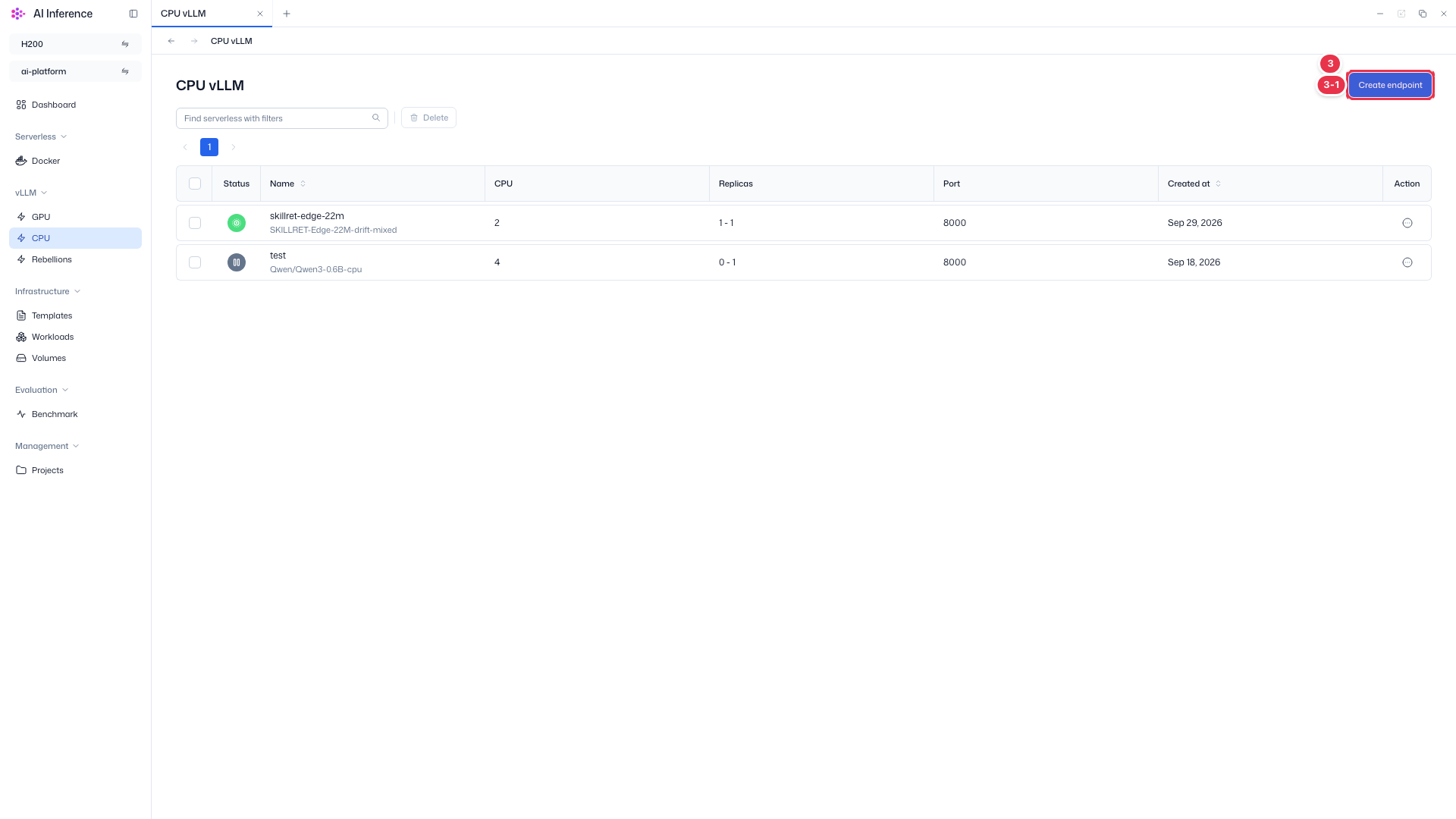
Opens the screen for creating a new endpoint.
| No. | Feature | Item | Description |
|---|---|---|---|
| 3-1 | Create endpoint | Create endpoint button | · Click the button at the top right to open the endpoint creation screen. |
Endpoint list
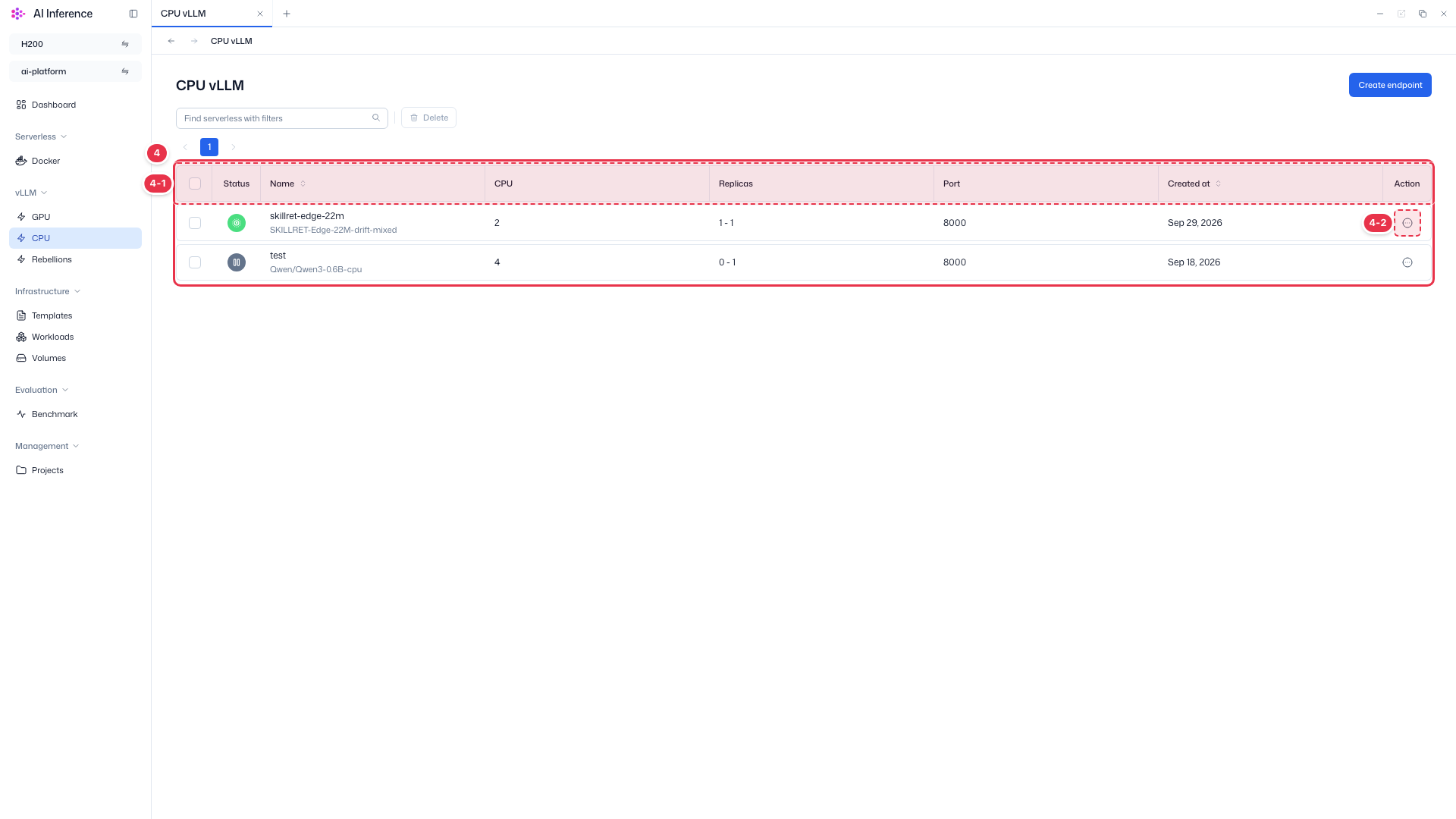
Shows the endpoints of the current project and cluster in a table.
| No. | Feature | Item | Description |
|---|---|---|---|
| 4-1 | Columns | Status | Endpoint status. Green means running, gray means paused (including scaled to zero with no requests), and red means an error. |
| Name | Endpoint name, with the deployed model (or image) below it. | ||
| CPU | CPU resources allocated to each replica. | ||
| Replicas | Minimum - maximum replicas. With a minimum of 0, the endpoint scales down to zero when idle. | ||
| Port | Port on which the endpoint receives requests. | ||
| Created at | Date the endpoint was created. | ||
| 4-2 | Row actions | Action (⋯) button | · Click the button at the end of a row to open that endpoint’s action menu. |
Row action menu
Actions available for each endpoint. Some items are disabled depending on the endpoint status.
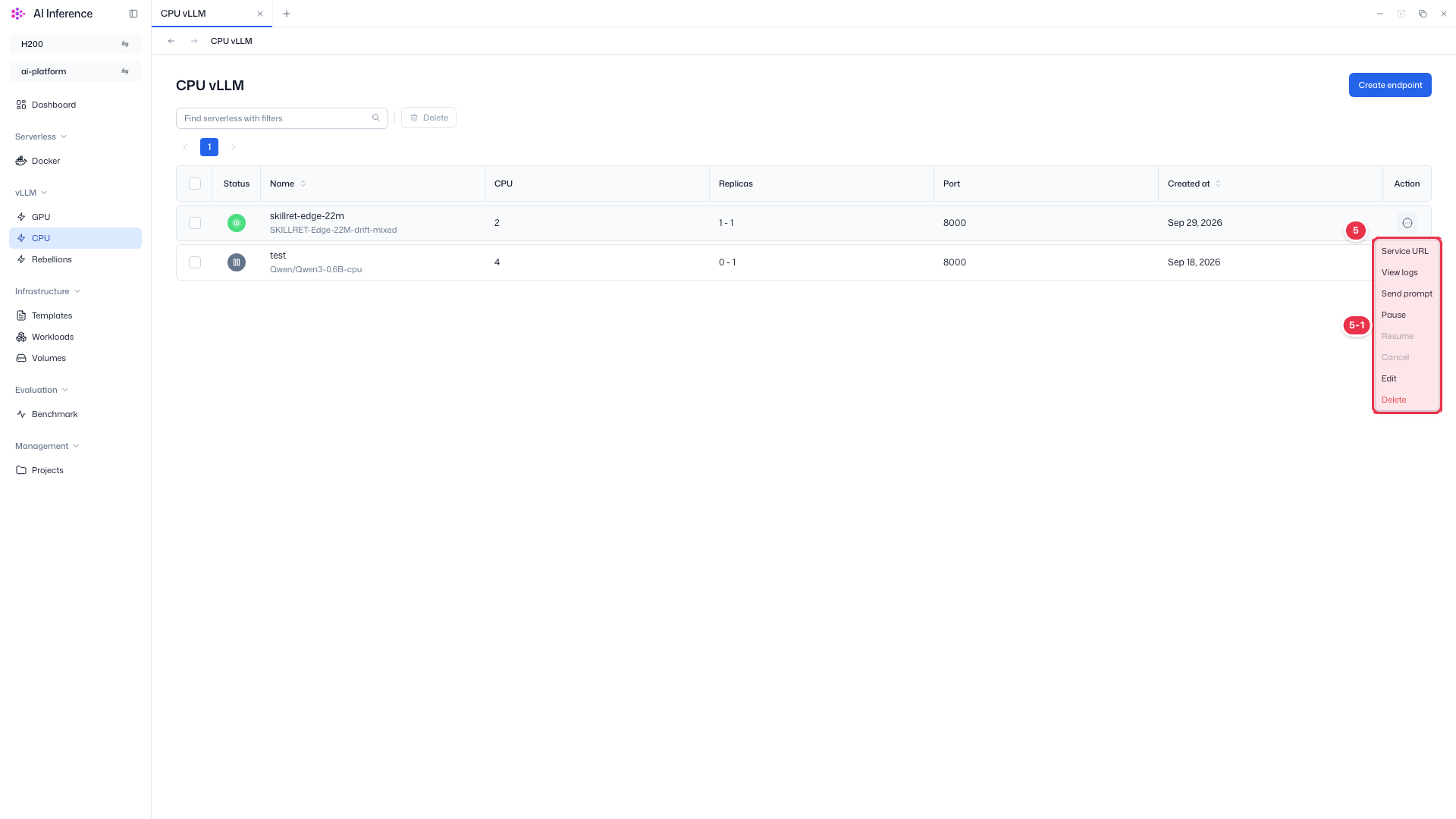
| No. | Feature | Item | Description |
|---|---|---|---|
| 5-1 | Menu items | Service URL | View and copy the endpoint URL. |
| View logs | View pod events and container logs. | ||
| Send prompt | Send a test prompt to a running endpoint and check the response. | ||
| Pause | Pause a running endpoint. | ||
| Resume | Resume a paused endpoint. | ||
| Cancel | Cancel an endpoint deployment that is in progress. | ||
| Edit | Open the screen for editing replicas and resources. | ||
| Delete | Delete the endpoint. A confirmation modal opens first. |
Endpoints with a minimum of 0 replicas
An endpoint with Replicas 0 - N scales down to zero when idle and may appear gray (paused). It starts again automatically when a request arrives.