

Token Metering
Aggregate the tokens and requests handled by endpoints over a period. Break usage down by project, user, model, or endpoint and download it as CSV for usage reviews or internal chargeback.
Prerequisites
- An administrator account with access to AI Inference Admin
Click Evaluation → Token metering in the sidebar.
Period · Export
Choose the period to aggregate and download the results as CSV.
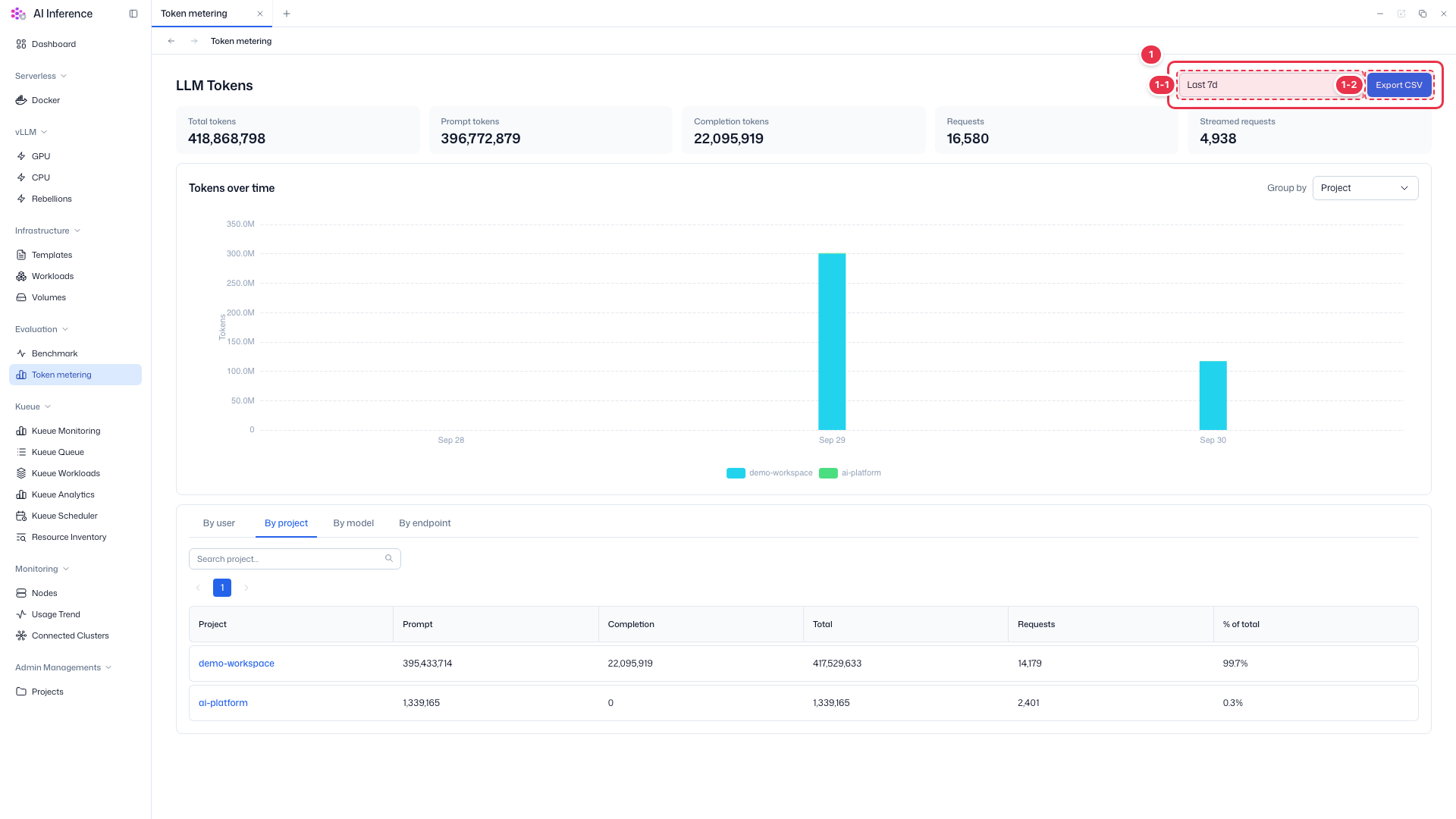
| No. | Feature | Item | Description |
|---|---|---|---|
| 1-1 | Period | Last 7d, etc. | · Choose a preset period such as the last 7 days, or a custom range. |
| 1-2 | Export CSV | Export | · Downloads the aggregated results for the current period and grouping as a CSV file. |
Summary metrics
Total tokens and requests handled by endpoints in the selected period.
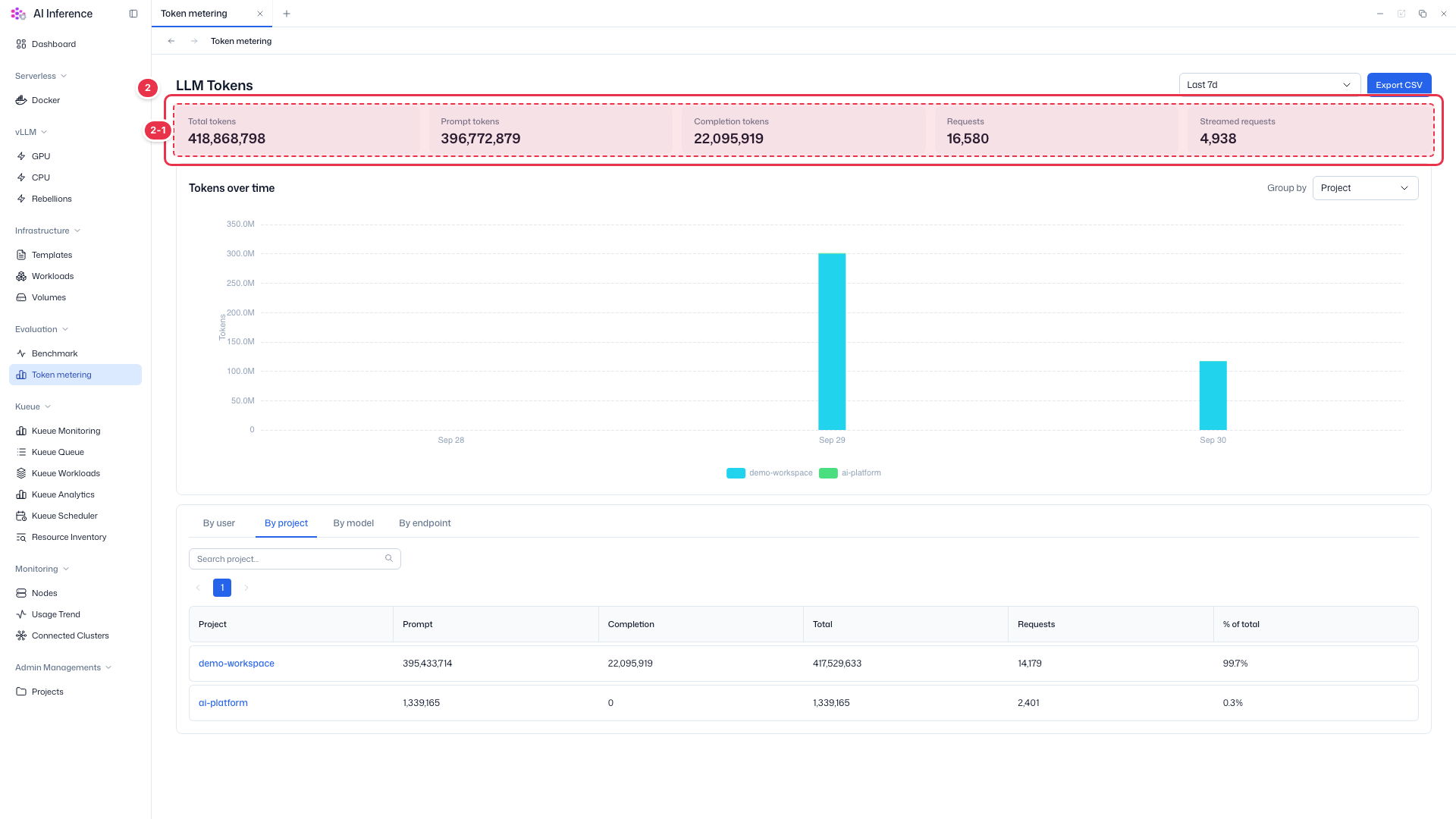
| No. | Feature | Item | Description |
|---|---|---|---|
| 2-1 | Metrics | Total tokens | All tokens, input and output combined. |
| Prompt tokens | Input tokens received in requests. | ||
| Completion tokens | Output tokens generated by models. | ||
| Requests | Number of requests handled. | ||
| Streamed requests | Requests answered with streaming. |
Tokens over time
Daily token usage as bars.
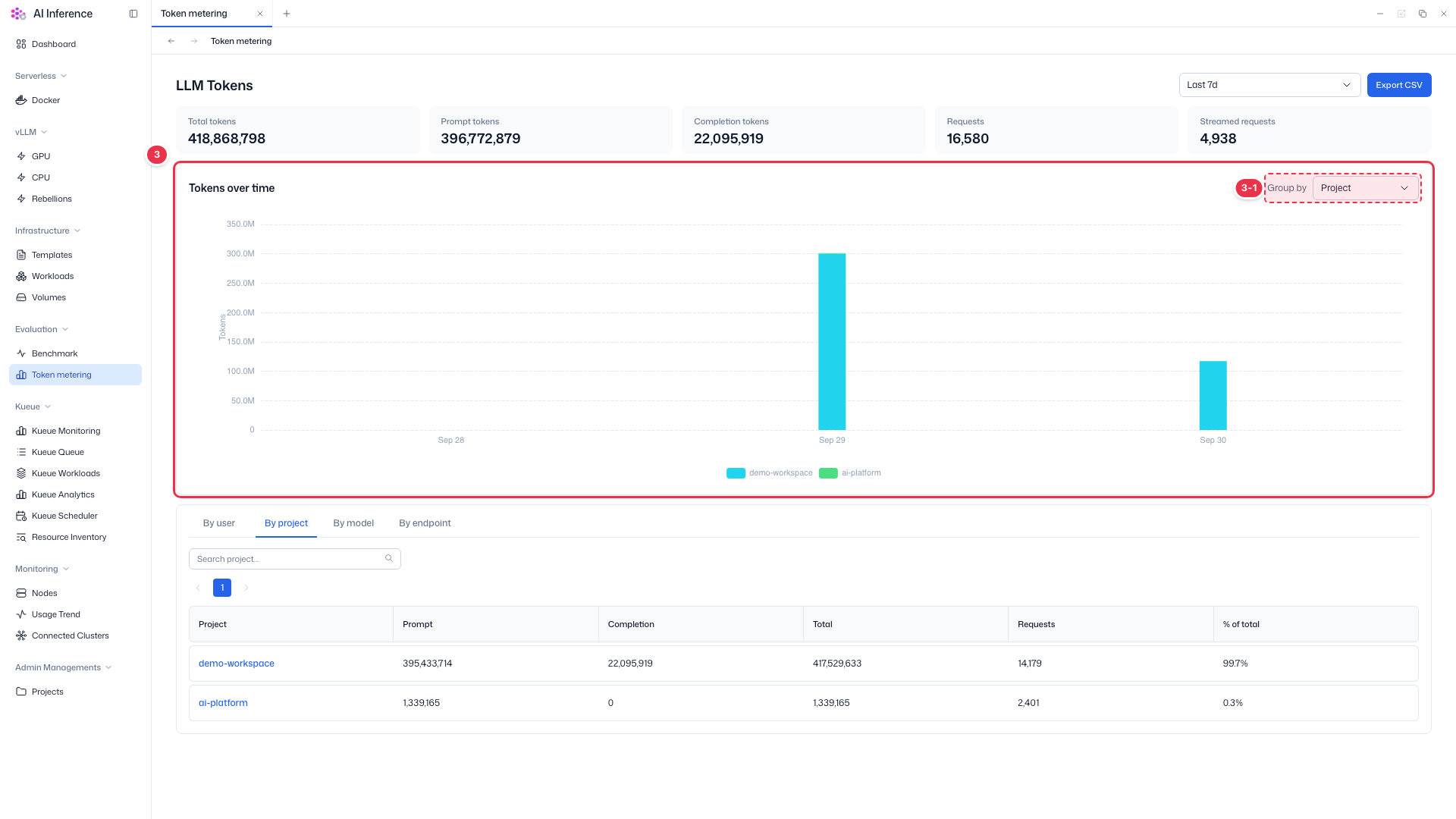
| No. | Feature | Item | Description |
|---|---|---|---|
| 3-1 | Group by | Bar grouping | · Choose whether bars are split by project, user, model, or endpoint. |
Usage breakdown
View token usage by user, project, model, or endpoint in a table.
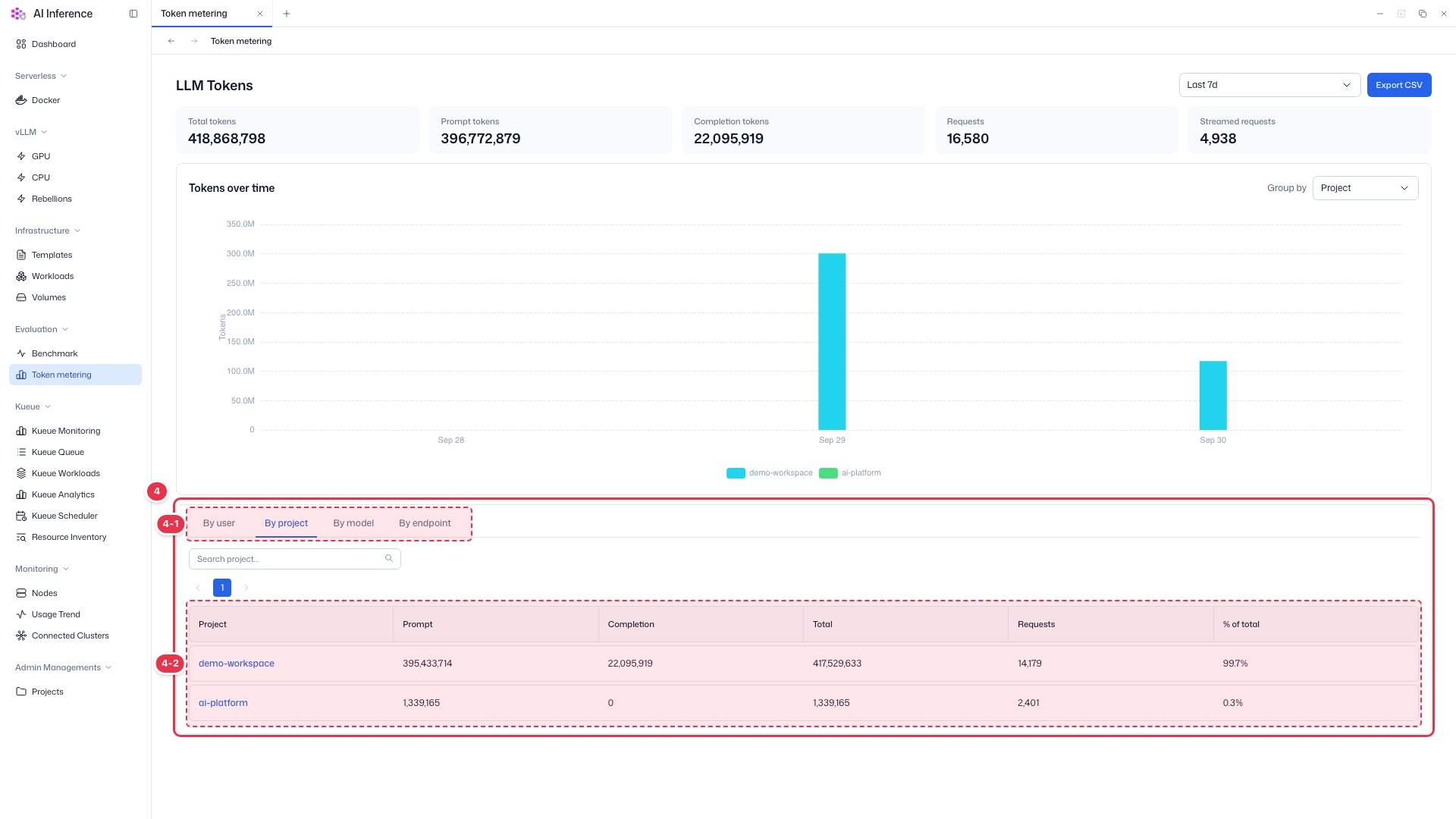
| No. | Feature | Item | Description |
|---|---|---|---|
| 4-1 | Tabs | By user / By project / By model / By endpoint | · Choose how to break down the table. Use the search box to find an item. |
| 4-2 | Columns | Prompt · Completion · Total · Requests · % of total | · Input, output, and total tokens, request count, and share of the total for each item. Click a project name to open it. |