

Create an Endpoint
Choose a model to serve and create a vLLM endpoint. The screenshots use the GPU menu.
Prerequisites
- The cluster and project for the endpoint selected
- Remaining quota for the resource (GPU, CPU, or NPU) — check Capacity on the Dashboard
Step 1. Open the creation screen
In the vLLM → GPU (or CPU, Rebellions) list, click Create endpoint at the top right.
Step 2. Enter the settings
Basic Information
Enter the endpoint name and choose the model to serve.
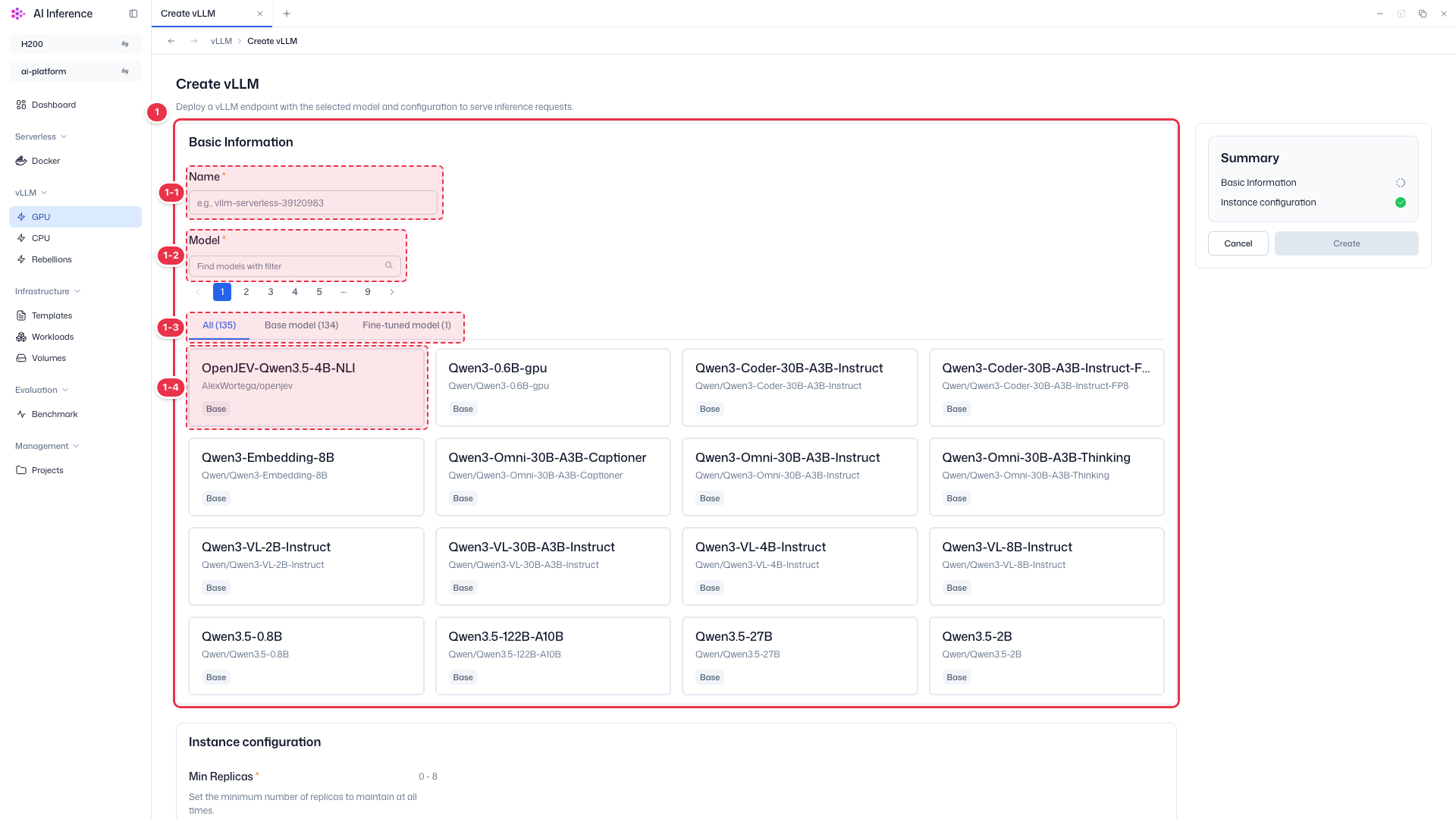
| No. | Feature | Item | Description |
|---|---|---|---|
| 1-1 | Name | Required | · Enter the endpoint name. |
| 1-2 | Model search | Search box | · Filters the model list by name. |
| 1-3 | Model type | All / Base model / Fine-tuned model | · View all models, provided base models, or your fine-tuned models. The number in parentheses is the model count. |
| 1-4 | Model | Model card (required) | · Click a model card to select the model to serve. The selected model appears as a tag below the cards. |
Instance configuration
Set the number of replicas and the port.
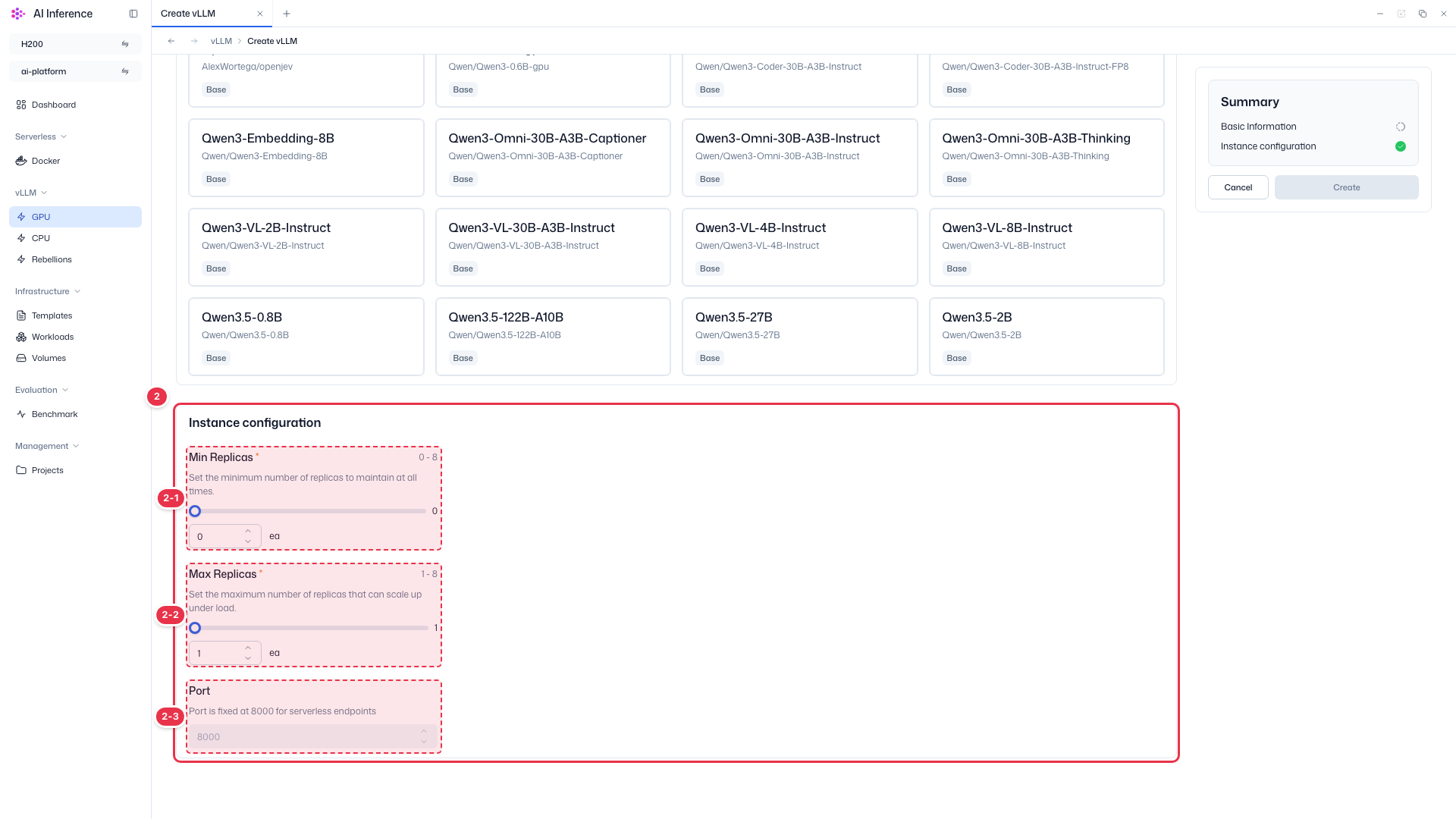
| No. | Feature | Item | Description |
|---|---|---|---|
| 2-1 | Min Replicas | Required (0–8) | · Minimum replicas to keep. With 0, the endpoint scales down to zero and uses no resources when idle. |
| 2-2 | Max Replicas | Required (1–8) | · Maximum replicas the endpoint can scale up to under load. |
| 2-3 | Port | Fixed at 8000 | · The port of serverless endpoints is fixed at 8000 and cannot be changed. |
Summary
Shows the completion status of each section and finishes creation.
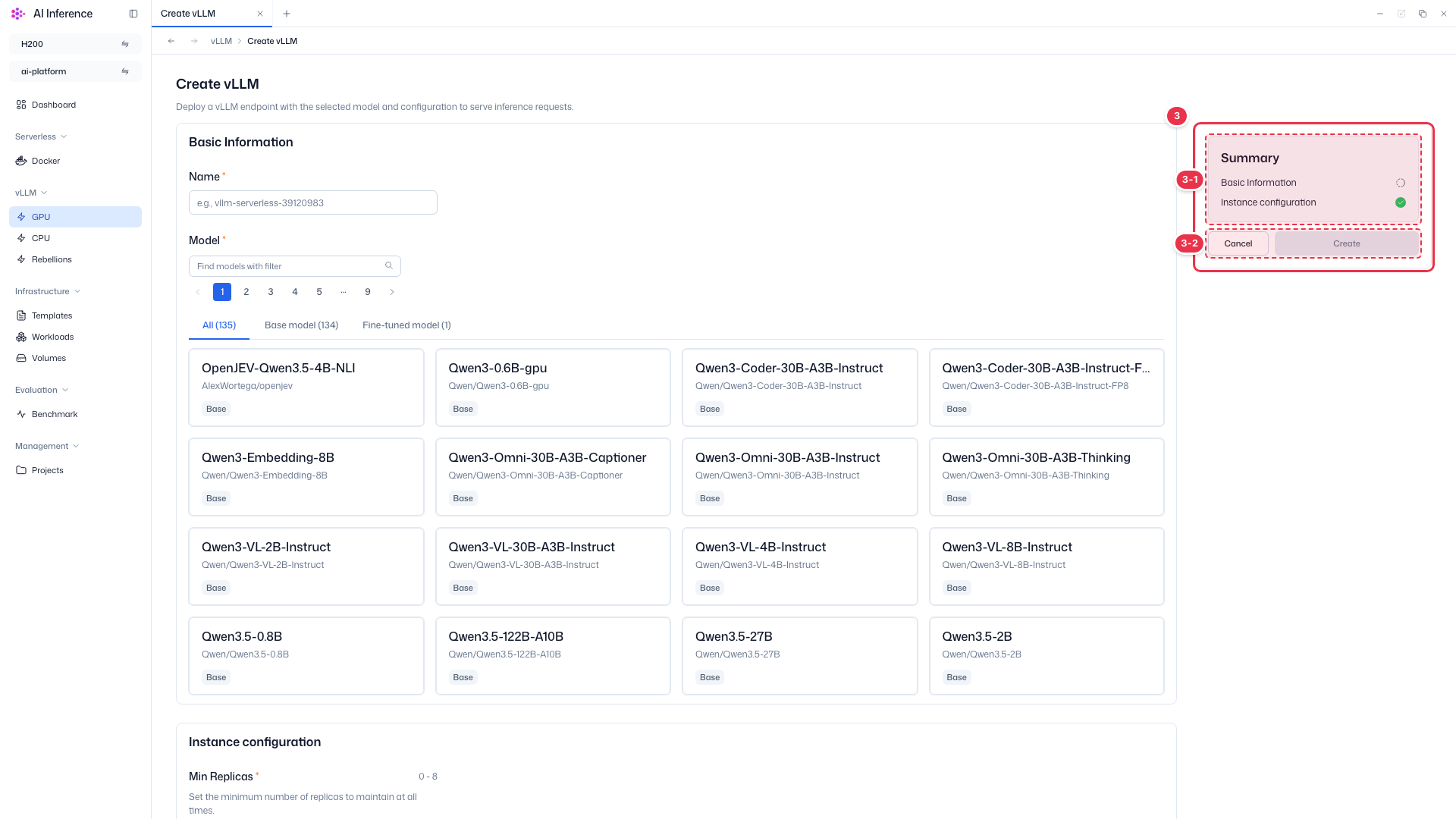
| No. | Feature | Item | Description |
|---|---|---|---|
| 3-1 | Progress | Sections | · A green check appears on each section once its required values are filled. CPU and Rebellions endpoints have an extra Resources section. |
| 3-2 | Create | Create button | · Enabled once a name and model are set. Click to create the endpoint and return to the list. Cancel discards your input and returns to the list. |
CPU and Rebellions endpoints
The CPU and Rebellions creation screens have an extra Resources section for the CPU and memory requests and limits of each replica.
Step 3. Check the result
Click Create to return to the list, where the new endpoint appears. Pulling and starting the model can take a while. When it is ready, check the response with Send prompt.