

Manage Endpoints
Use the Action (⋯) menu on a list row to view the endpoint URL, send a test prompt, view logs, edit settings, or delete the endpoint. Docker endpoints use the same menu.
Prerequisites
- The project containing the endpoint selected
- Send prompt and View logs are available only for running endpoints
Service URL
Shows the URL for calling the endpoint.
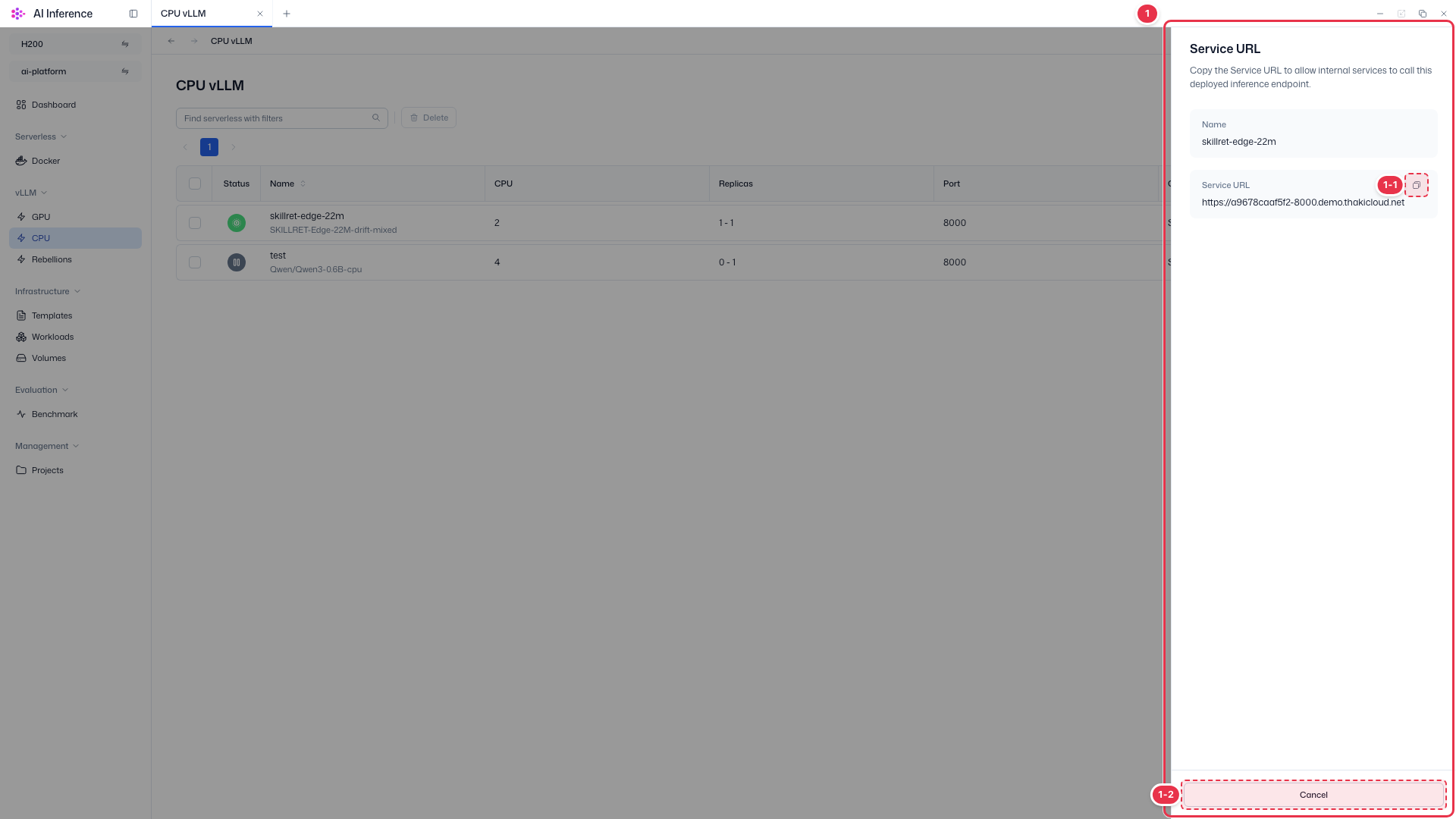
| No. | Feature | Item | Description |
|---|---|---|---|
| 1-1 | Copy URL | Copy to clipboard | · Copies the URL to the clipboard. Send OpenAI-compatible API requests to this URL. |
| 1-2 | Close | Cancel | · Closes the window. |
Send prompt
Send a prompt to a running endpoint to check that it responds correctly.
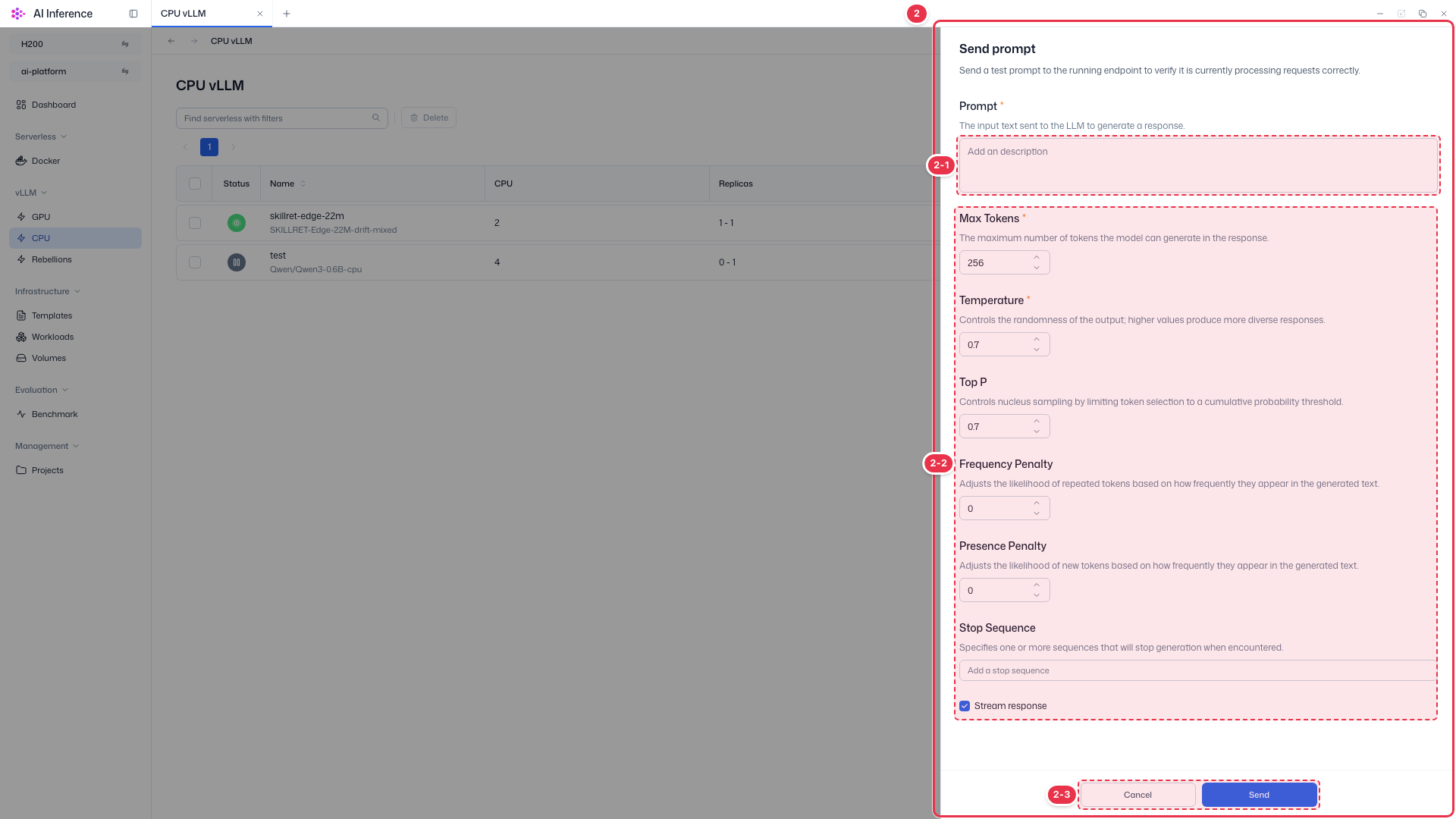
| No. | Feature | Item | Description |
|---|---|---|---|
| 2-1 | Prompt | Required | · The input text sent to the model. |
| 2-2 | Generation options | Max Tokens | Maximum tokens to generate (default 256). |
| Temperature | Higher values produce more diverse responses (default 0.7). | ||
| Top P | Limits candidate tokens by cumulative probability (default 0.7). | ||
| Frequency / Presence Penalty | Adjusts how likely tokens repeat or new tokens appear. | ||
| Stop Sequence | Generation stops when this string appears. | ||
| Stream response | When checked, the response is shown as it is generated. | ||
| 2-3 | Send | Send button | · Sends the prompt and shows the response in the drawer. |
View logs
View the endpoint pod’s events and container logs.
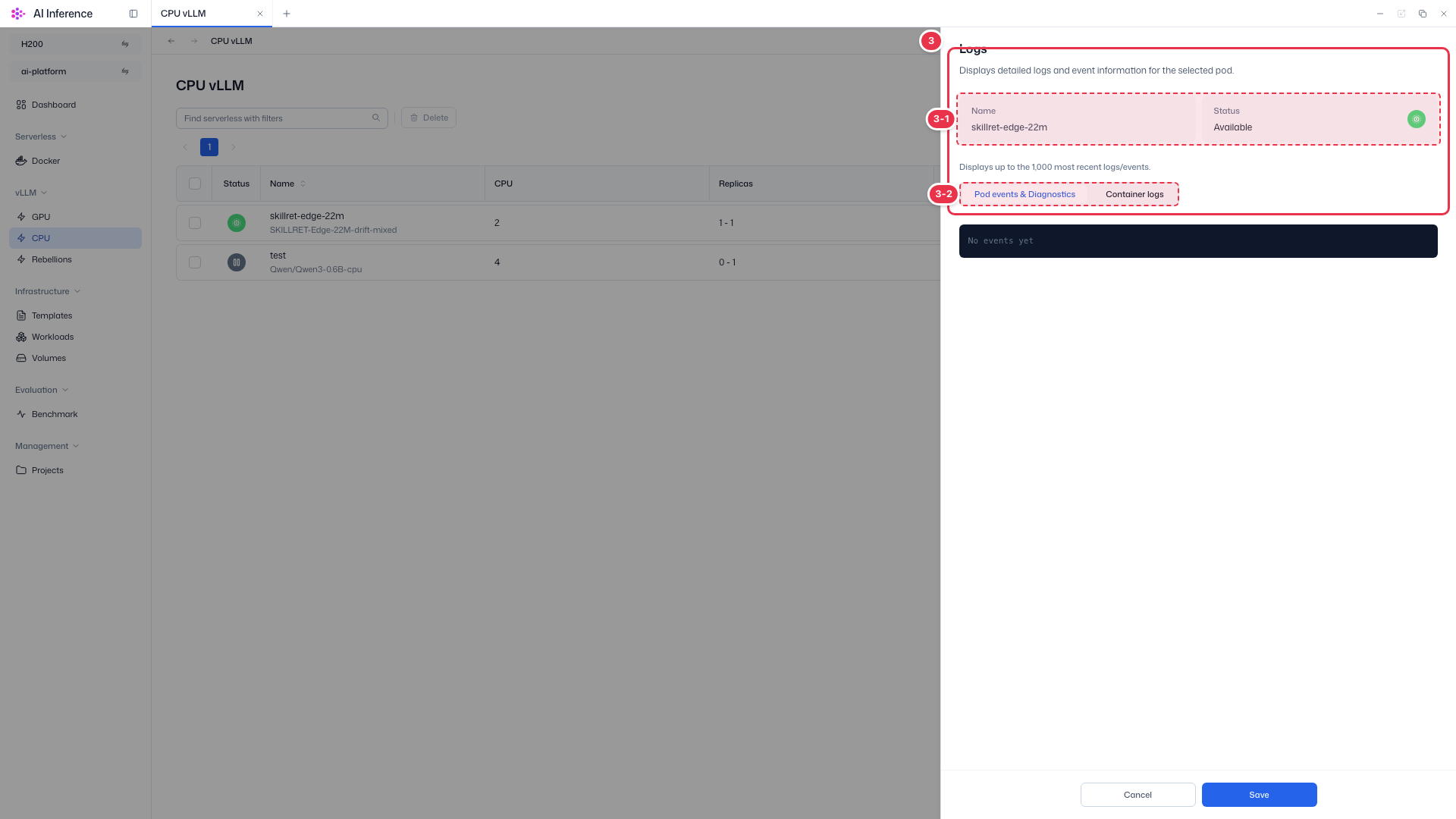
| No. | Feature | Item | Description |
|---|---|---|---|
| 3-1 | Target | Name · Status | · Name and current status of the endpoint. |
| 3-2 | Log type | Pod events & Diagnostics / Container logs | · Switch between pod events (creation, failed health checks, etc.) and container stdout logs. Up to the 1,000 most recent entries are shown. If the endpoint does not start, check Pod events first. |
Edit
The name and model cannot be changed; only replicas and resources can be edited.
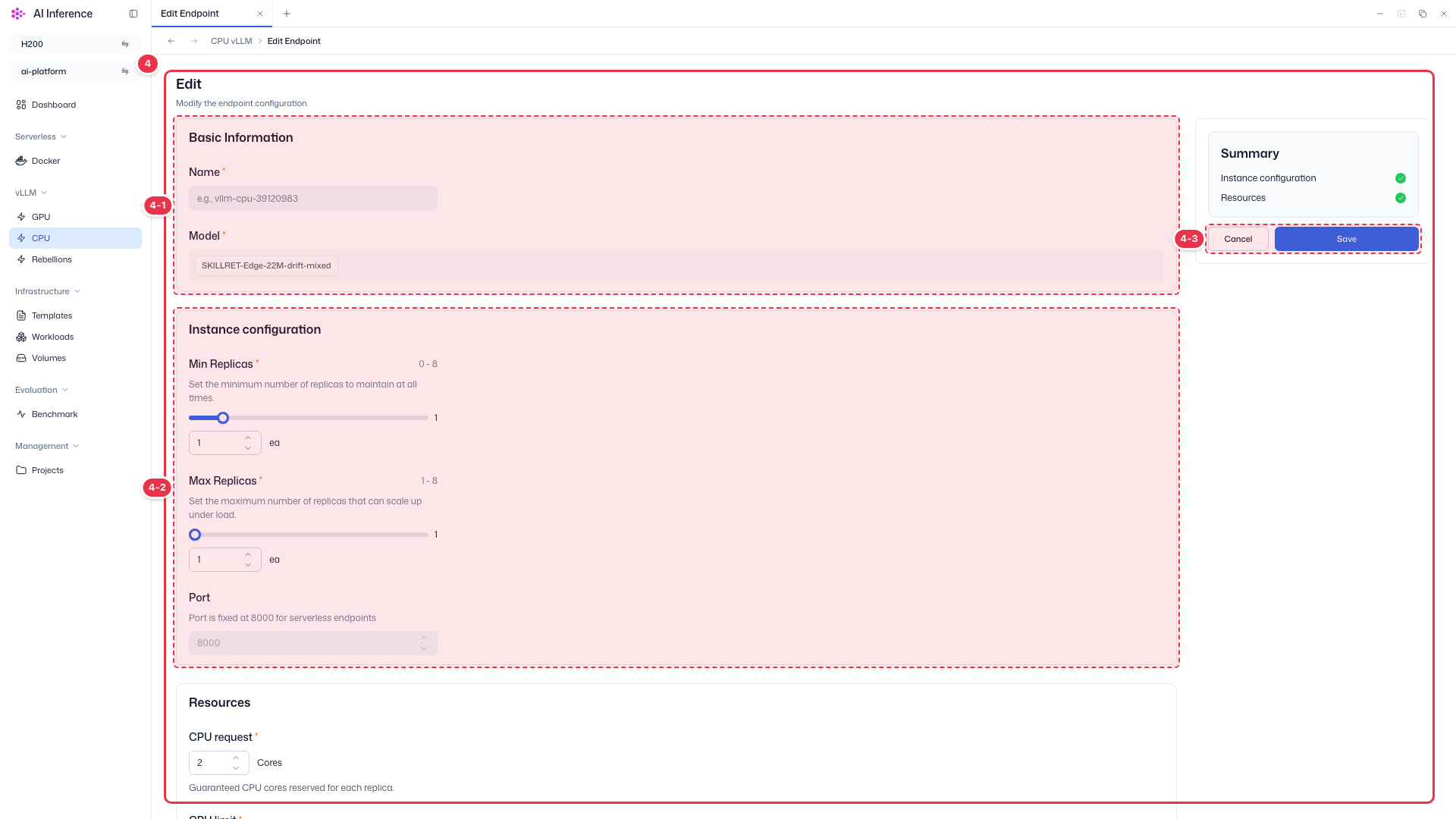
| No. | Feature | Item | Description |
|---|---|---|---|
| 4-1 | Basic Information | Read-only | · The name and model are grayed out and cannot be edited. |
| 4-2 | Instance configuration | Min / Max Replicas | · Change the minimum and maximum replicas. The port is fixed at 8000. Change CPU and memory requests and limits under Resources below. |
| 4-3 | Save | Save | · Click Save to apply the changes. Cancel discards them and returns to the list. |
Delete
Confirm before deleting the endpoint. Deletion cannot be undone.
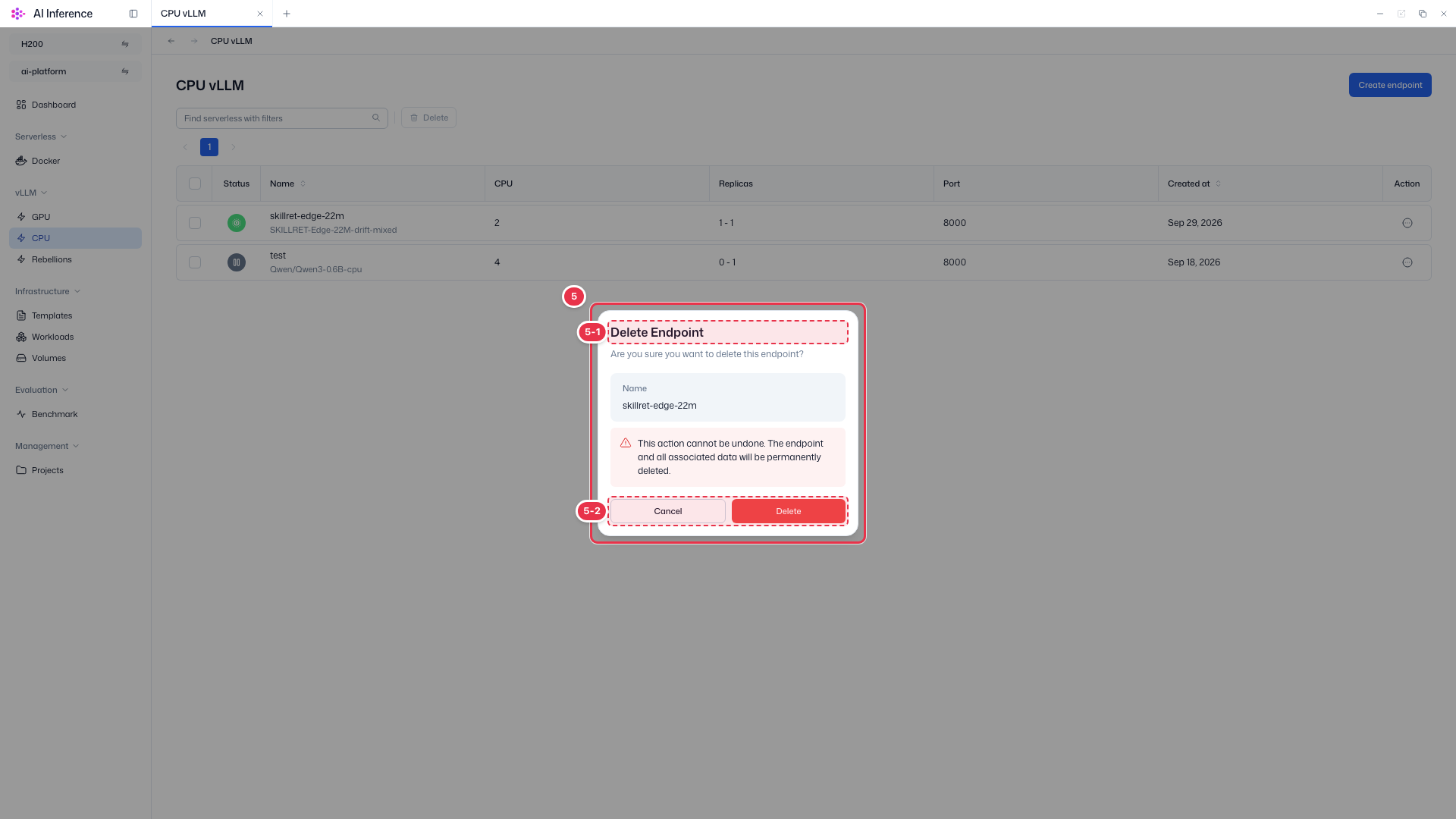
| No. | Feature | Item | Description |
|---|---|---|---|
| 5-1 | Confirmation | Delete Endpoint | · Check the name of the endpoint to delete. |
| 5-2 | Cancel / Delete | Cancel · Delete | · Click Delete to delete the endpoint. Cancel closes the window. |
Pause · Resume · Cancel deployment
- Pause — stops a running endpoint. Resources are released but settings are kept.
- Resume — runs a paused endpoint again.
- Cancel — enabled only while a deployment is in progress; cancels that deployment.