

Alert board
The single screen where you review and process alerts fired across the platform.
- Path: Alert › Alerts › Alert board
- Screen title: Alert status board
Sidebar (SNB)
From the Alerts group in the left sidebar, move to Alert board (alert list) or Delivery settings (delivery rules).
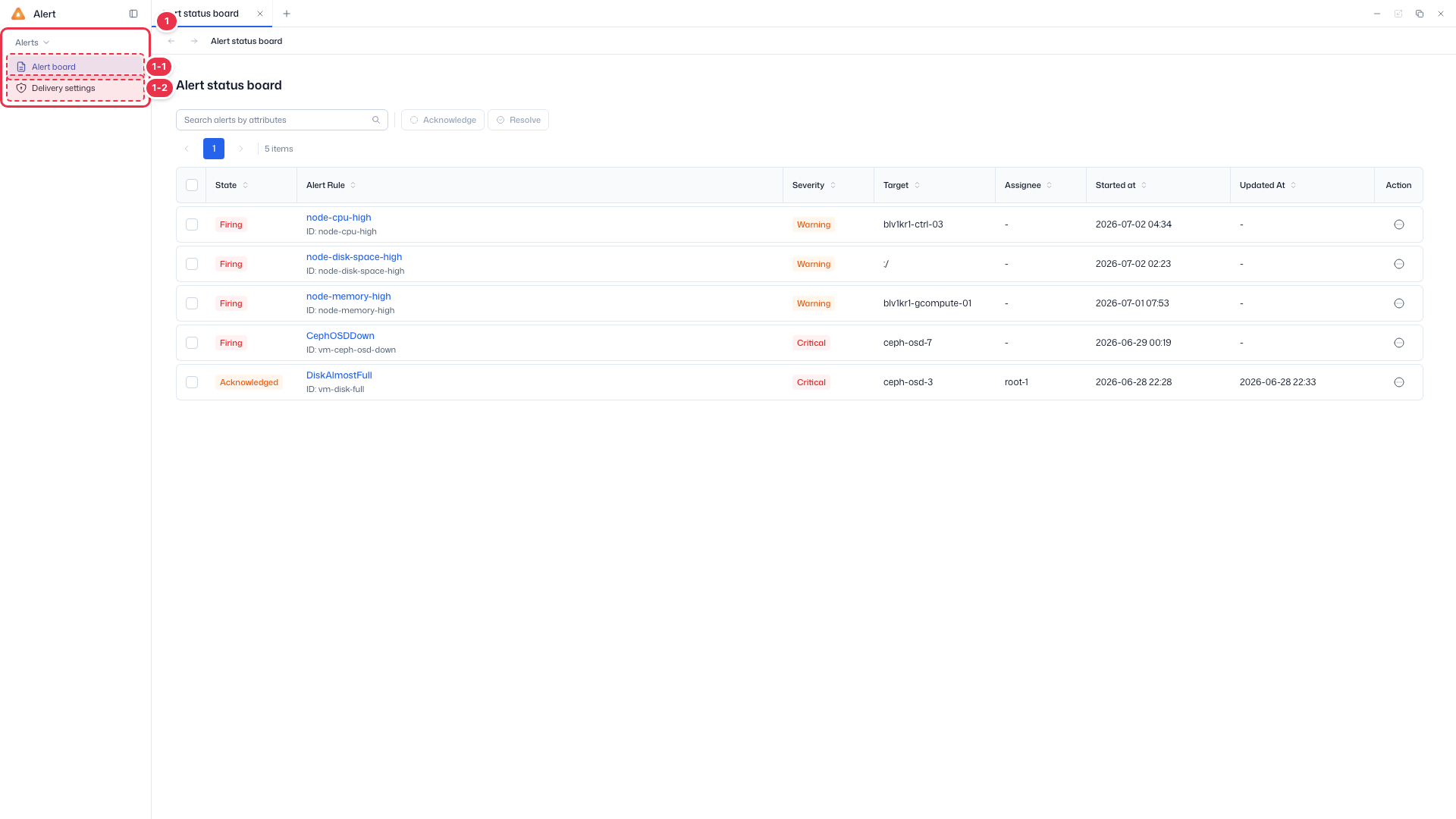
| No. | Feature | Item | Description |
|---|---|---|---|
| 1-1 | Alert board | Alert board | · Review, check, and resolve fired alerts (Alert status board). |
| 1-2 | Delivery settings | Delivery settings | · Manage delivery rules that decide which channel and recipients an alert is sent to. |
Search · Bulk actions
Search alerts and bulk Acknowledge or Resolve the selected ones.
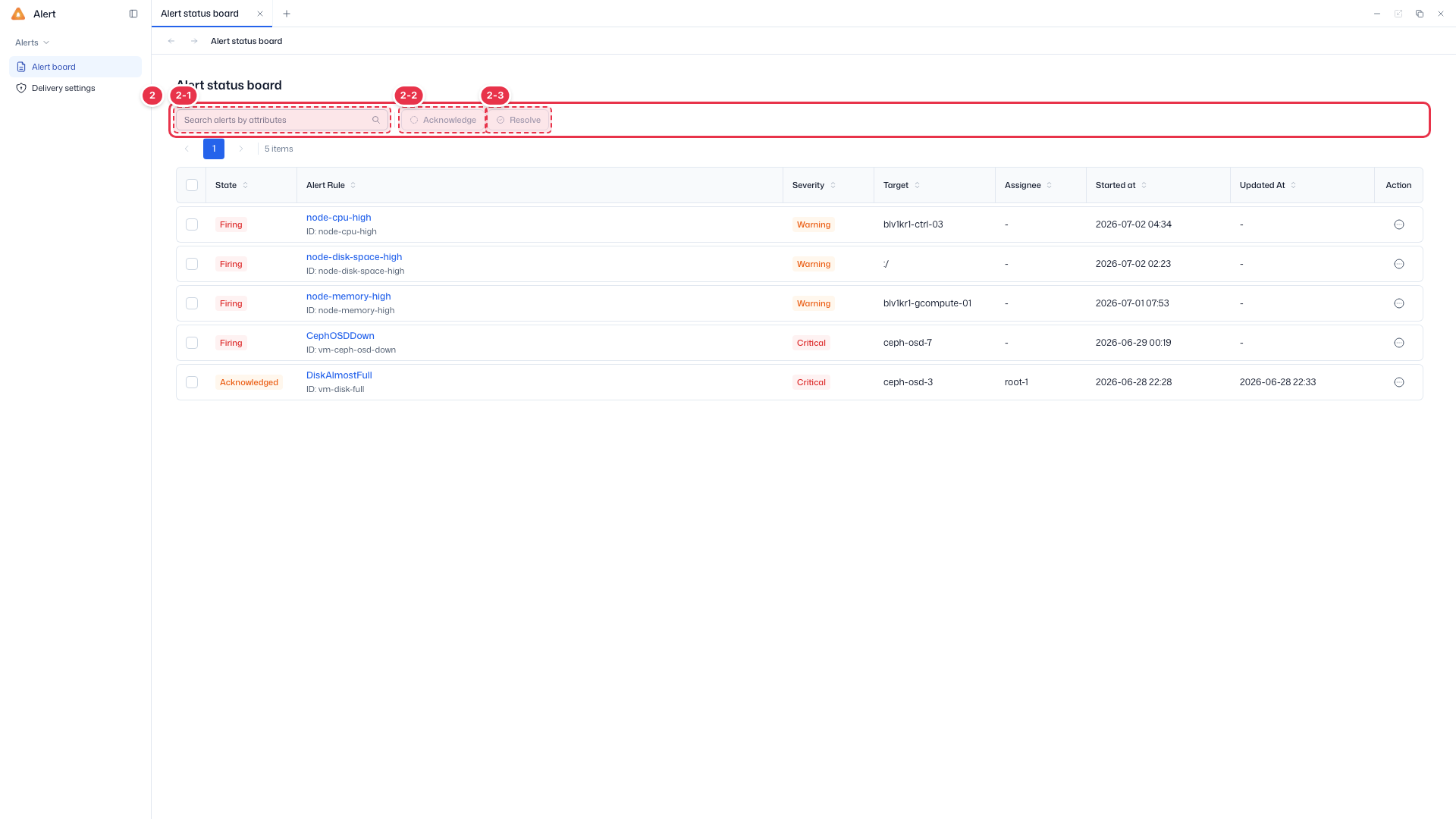
| No. | Feature | Item | Description |
|---|---|---|---|
| 2-1 | Search | Search | · Search by attributes such as state, severity, or target. |
| 2-2 | Acknowledge | Acknowledge | · Acknowledge the checked alerts — mark that an operator is aware of them. |
| 2-3 | Resolve | Resolve | · Resolve the checked alerts — close them as handled. |
List table
List of fired alerts (read-only). Click an alert name to open its detail.
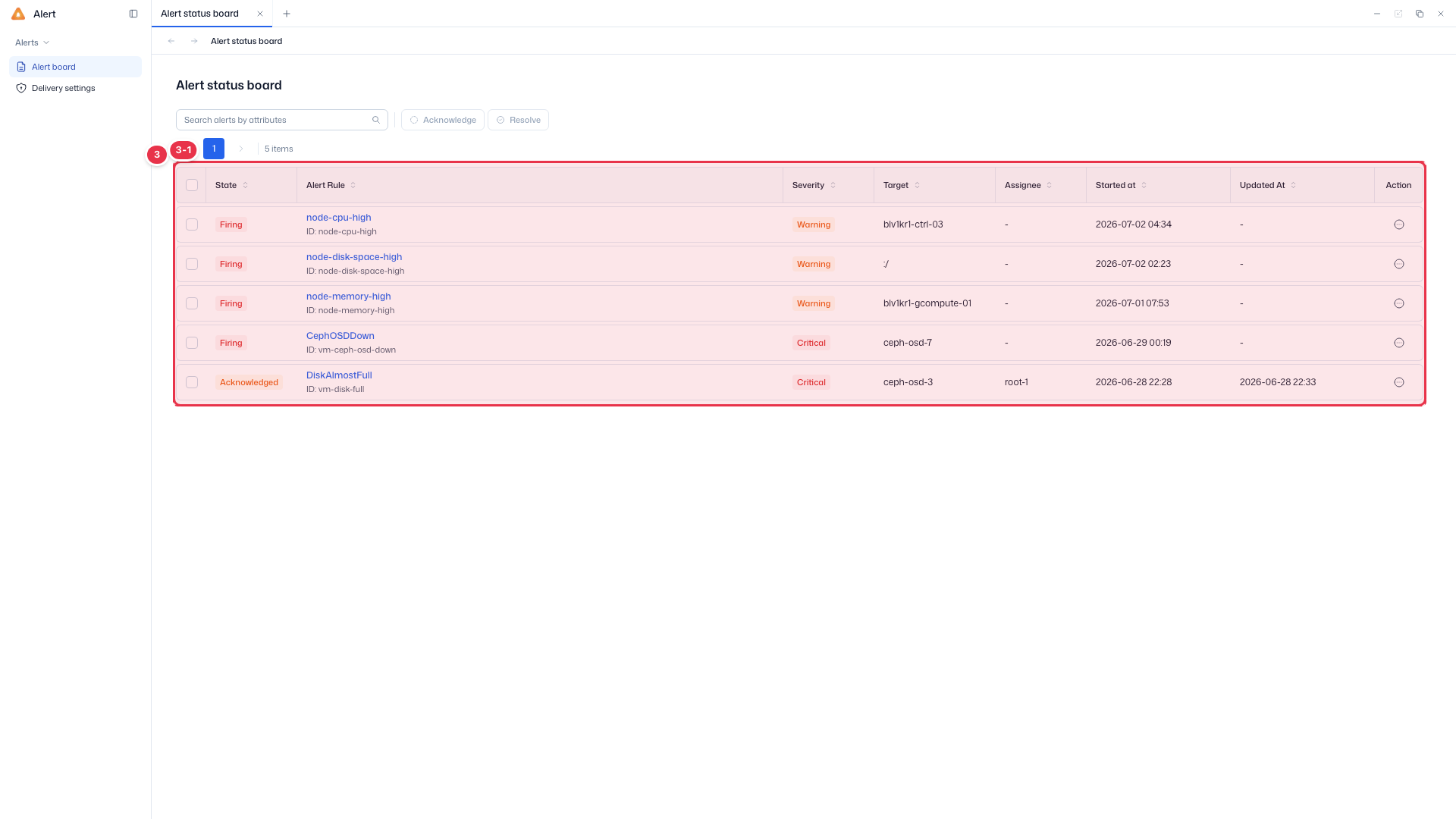
| No. | Feature | Item | Description |
|---|---|---|---|
| 3-1 | Columns | State | Firing · Acknowledged · Resolved. |
| Alert Rule | Alert rule name and ID (click to open detail). | ||
| Severity | Warning · Critical. | ||
| Target | The object the alert refers to (node, OSD, path, etc.). | ||
| Assignee | Assignee (set on Acknowledge). | ||
| Started at / Updated At | First fired time / last updated time. | ||
| Action | Per-row action menu. |
Default scope
On entry, the board prioritizes alerts that need action.
| Item | Default |
|---|---|
| State | Shows Firing · Acknowledged (Resolved is hidden by default; use a filter to view it) |
| Severity | All (Critical · Warning) |
| Sort | Started at, newest first (descending) |
Typing text without choosing a filter key searches by Alert Rule.
Actions by state
The visible buttons and checkbox depend on the alert's state.
| State | Acknowledge | Resolve | Checkbox |
|---|---|---|---|
| Firing | shown | hidden | selectable |
| Acknowledged | hidden | shown | selectable |
| Resolved | hidden | hidden | not selectable |
Processing alerts
- Select the checkboxes of the alerts to process (No. 3).
- Use Acknowledge (No. 2-2) to acknowledge multiple alerts at once, or Resolve (No. 2-3) for handled ones.
- Click an alert name (Alert Rule) to open the alert detail.
Processing order
The order Firing → Acknowledged → Resolved is enforced — you cannot Resolve without acknowledging first. A Comment is required when resolving, and a bulk Resolve applies the same Comment to all selected alerts.
Next steps
- Alert detail — summary, Timeline, and delivery history
- Delivery settings — configure alert delivery rules