

Saved queries
The screen for managing and re-running search queries saved from Log explorer.
- Path: Log › Log › Saved queries
Sidebar (SNB)
From the Log group in the left sidebar, move to Log explorer, Saved queries, or Live tail.
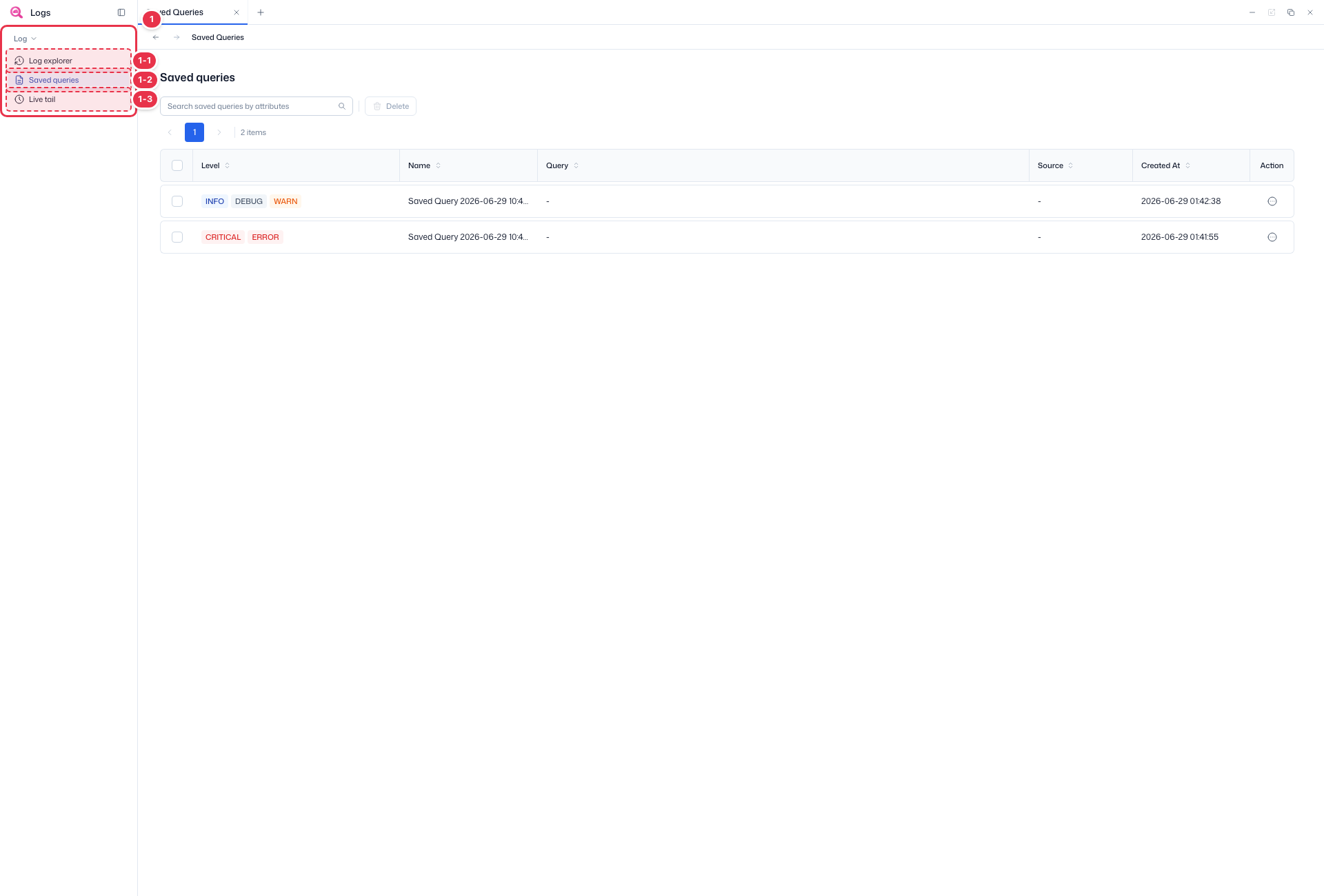
| No. | Feature | Item | Description |
|---|---|---|---|
| 1-1 | Log explorer | Log explorer | · Search and explore platform logs. |
| 1-2 | Saved queries | Saved queries | · Manage and re-run saved search queries. |
| 1-3 | Live tail | Live tail | · Follow incoming logs in real time. |
Search · Delete
Search saved queries and delete selected ones.
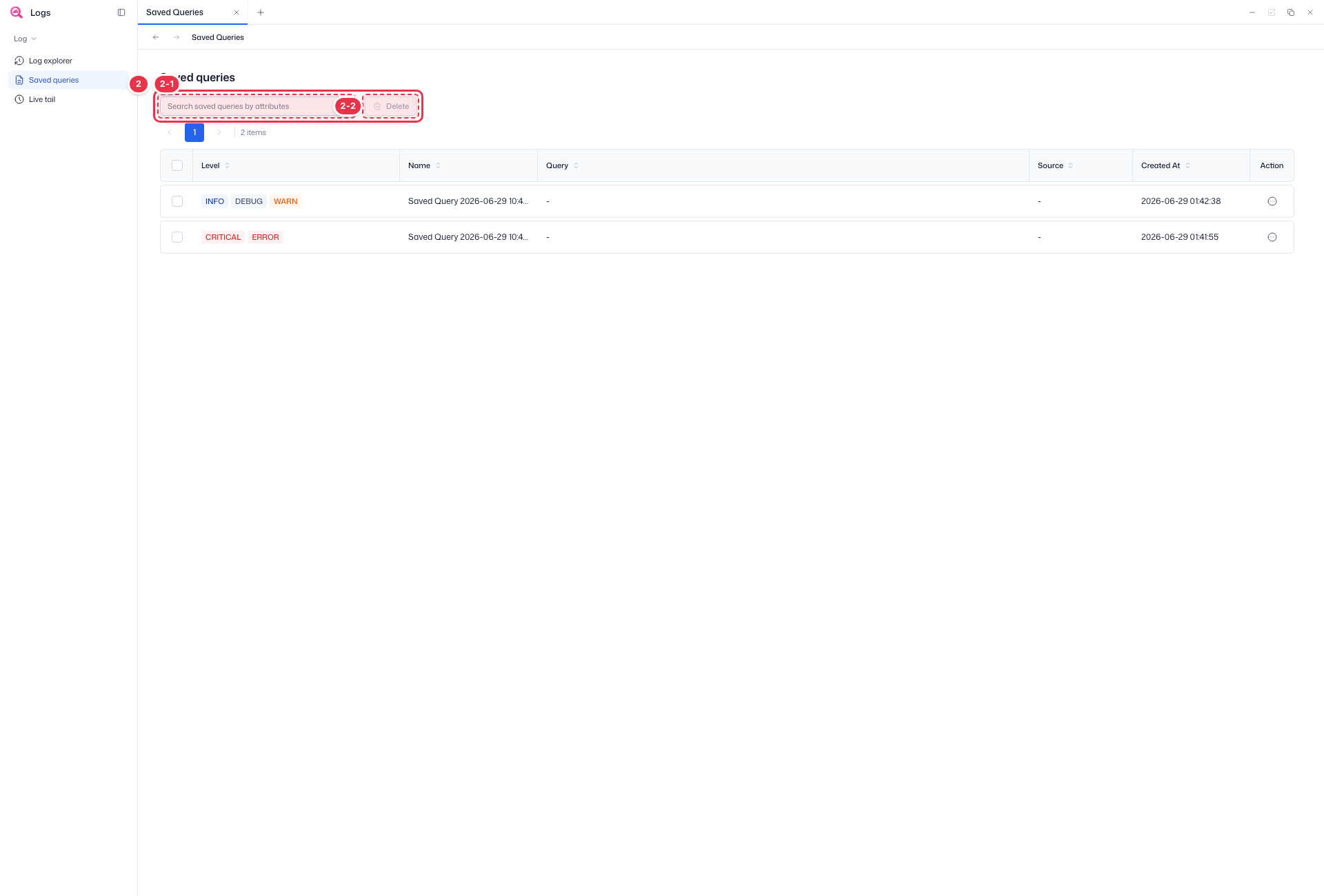
| No. | Feature | Item | Description |
|---|---|---|---|
| 2-1 | Search | Search saved queries by attributes | · Search saved queries by name, level, etc. |
| 2-2 | Delete | Delete | · Delete the checked saved queries. |
Saved queries table
List of saved search queries.
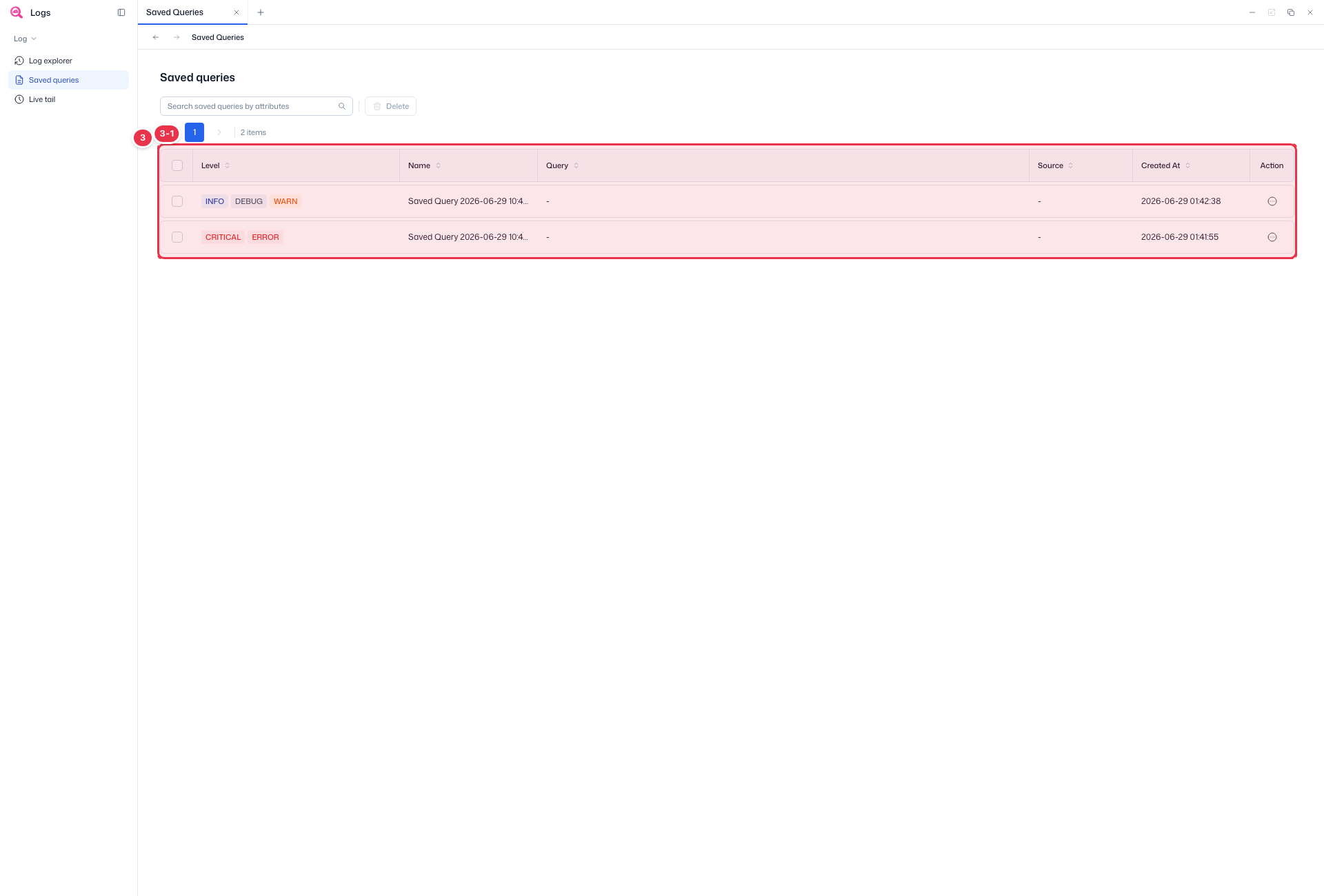
| No. | Feature | Item | Description |
|---|---|---|---|
| 3-1 | Columns | Level | Log levels in the query (INFO·DEBUG·WARN·ERROR·CRITICAL). |
| Name | Saved query name. | ||
| Query | Saved search conditions. | ||
| Source | Query source. | ||
| Created At | Time saved. | ||
| Action | Per-row actions (run, delete, etc.). |
Usage
- Queries saved with Save Query in Log explorer appear in the list.
- Find a query with search (No. 2-1) and run it from the row Action, or check queries and remove them with Delete (No. 2-2).
Each query is managed by its log Level, Name, Query conditions, Source, and Created At.
Next steps
- Log explorer — search and explore logs
- Live tail — real-time log monitoring