

Host aggregates
A unit for logically grouping hosts. Each aggregate is mapped to at most one availability zone (AZ) and forms the basis for instance scheduling.
- Path: Cloud Builder › Computer Nodes › Host Aggregates
- Search:
Search host aggregates by attributes(default filter key: Name) - No checkboxes · CSV export supported
AZ ↔ Aggregate relationship
An AZ is not an independent object; it exists as a host aggregate carrying availability_zone metadata. Multiple aggregates can share the same AZ metadata, so AZ ← Aggregate is 1:N, and the AZ is the union of the hosts of those aggregates. Also, due to an OpenStack constraint, a host can belong to only one AZ.
List screen
Sidebar (SNB)
From the left sidebar, move to each screen.
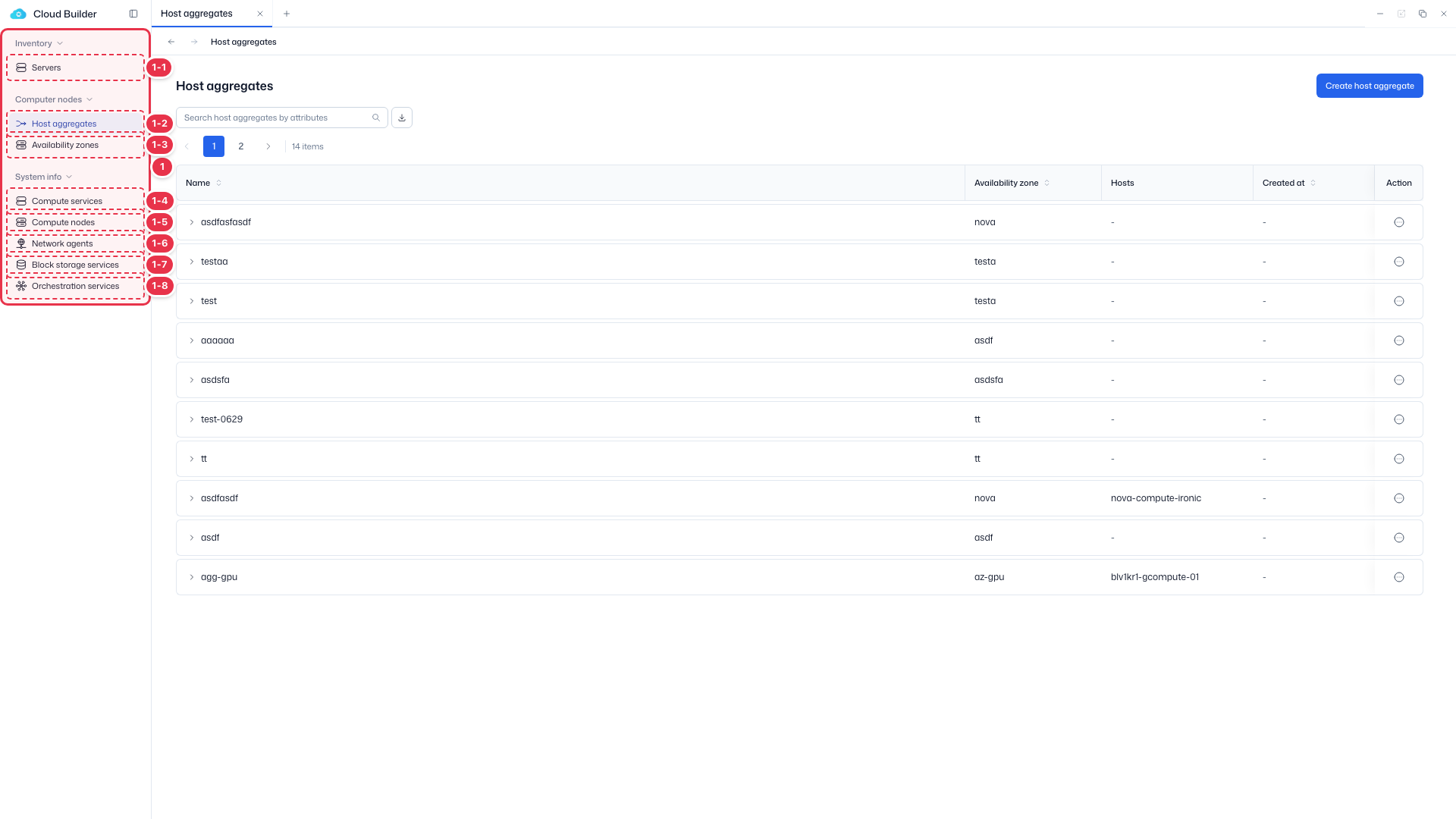
| No. | Feature | Item | Description |
|---|---|---|---|
| 1-1 | Servers | Servers | · Bare-metal server inventory (register, allocate, delete). |
| 1-2 | Host aggregates | Host aggregates | · Logical groups of hosts. |
| 1-3 | Availability zones | Availability zones | · Availability zones (AZ). |
| 1-4 | Compute services | Compute services | · Service endpoint status. |
| 1-5 | Compute nodes | Compute nodes | · Nodes, hypervisors, and resource providers. |
| 1-6 | Network agents | Network agents | · Neutron agent status. |
| 1-7 | Block storage services | Block storage services | · Cinder services and backends. |
| 1-8 | Orchestration services | Orchestration services | · Heat engine status. |
Search · Create
Search host aggregates or create a new one.
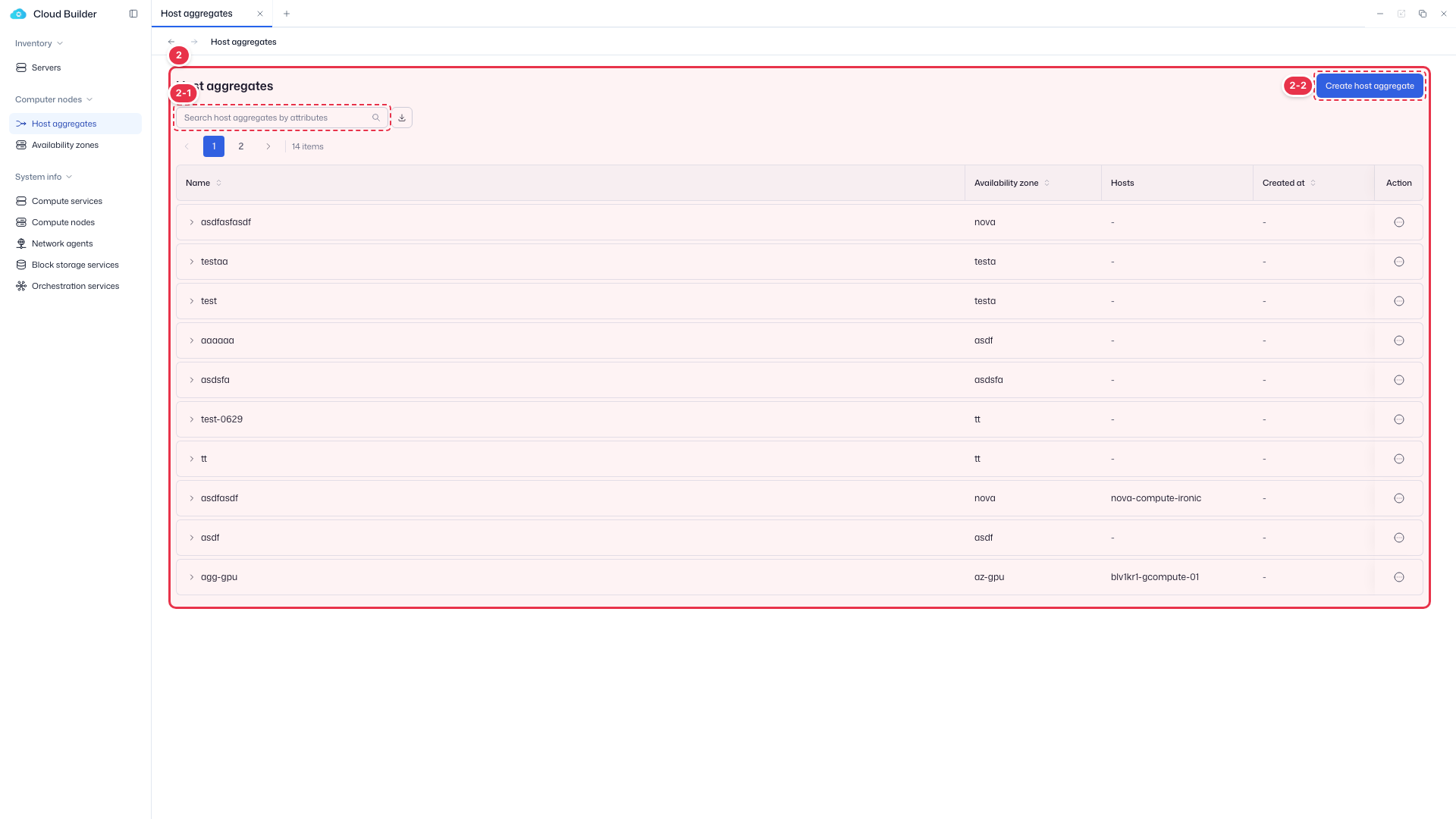
| No. | Feature | Item | Description |
|---|---|---|---|
| 2-1 | Search | Search | · Search by attributes such as name. |
| 2-2 | Create | Create host aggregate | · Open the drawer to create a new host group. |
List table
List of host aggregates. Use the toggle to the left of the name to expand Metadata.
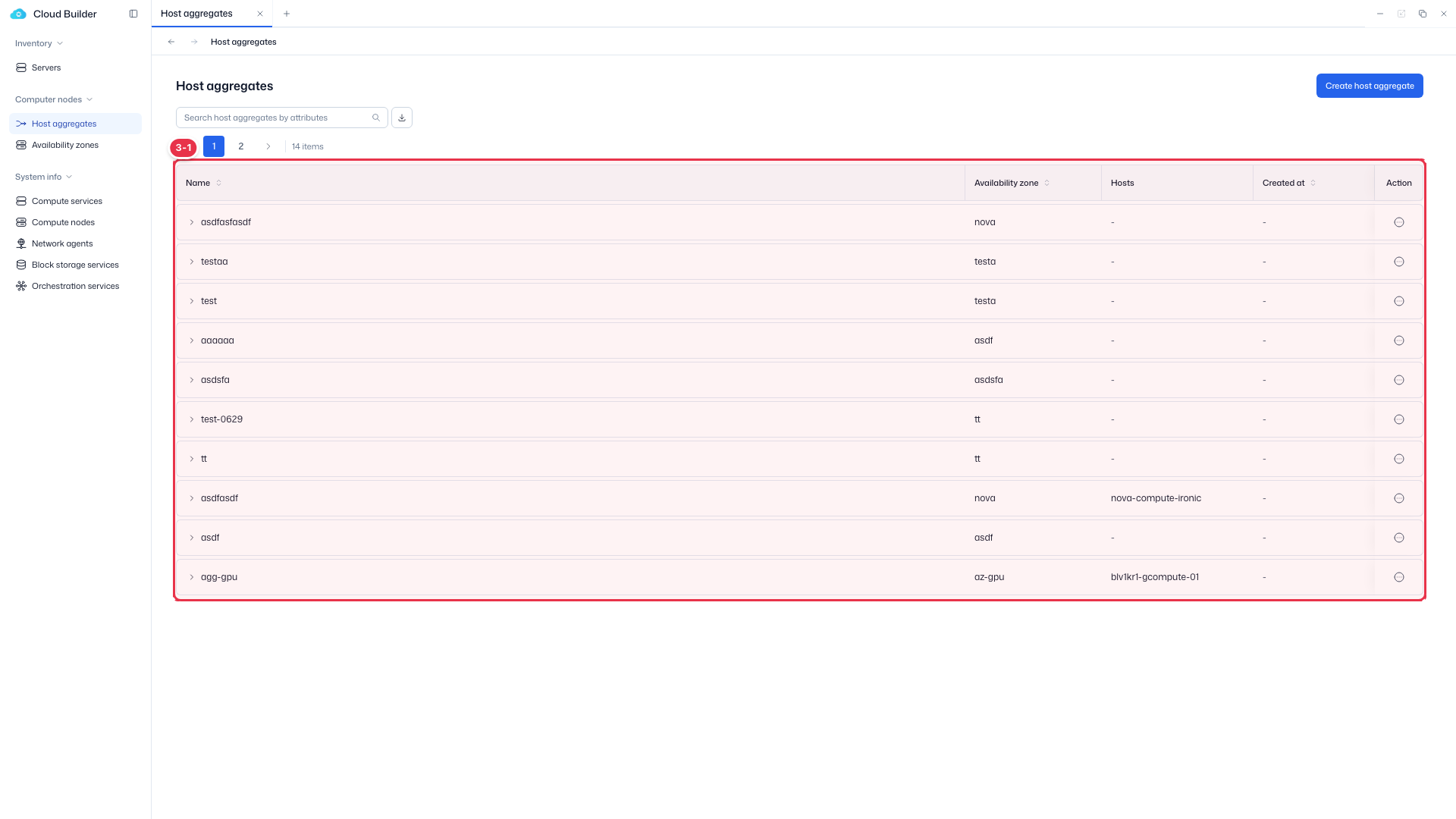
| No. | Feature | Item | Description |
|---|---|---|---|
| 3-1 | List columns | Name | Aggregate name (shows Metadata when expanded). |
| Availability zone | Mapped availability zone. Shows - if none. | ||
| Hosts | First host + a +N badge (hover to see all). | ||
| Created at | Creation time. | ||
| Action | Edit / Manage hosts / Manage metadata / Delete. |
Create
Create a new host aggregate by specifying a name and availability zone.
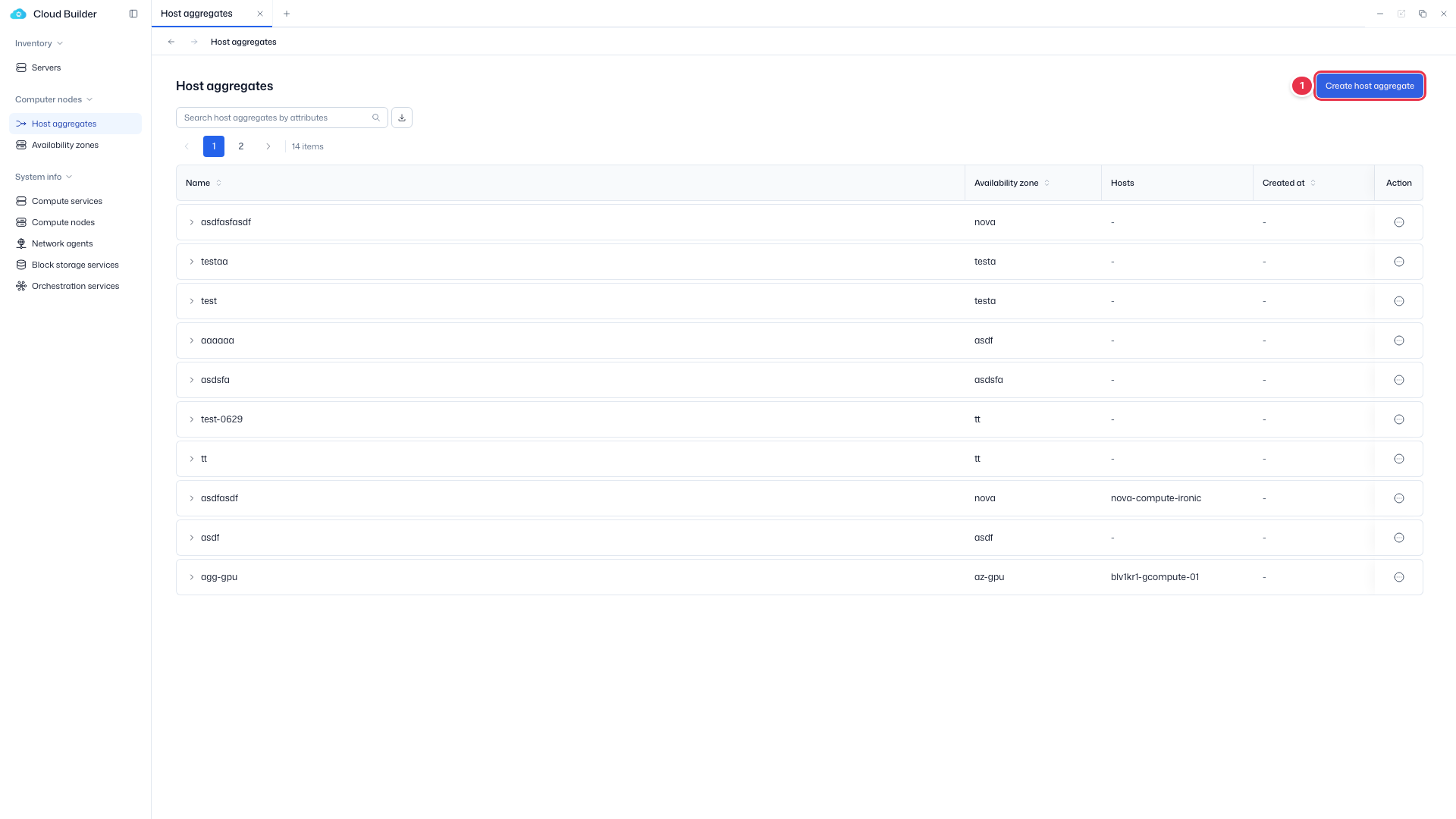
Create entry
Click to open the create drawer.
Create drawer
Create a host aggregate by specifying a name and availability zone.
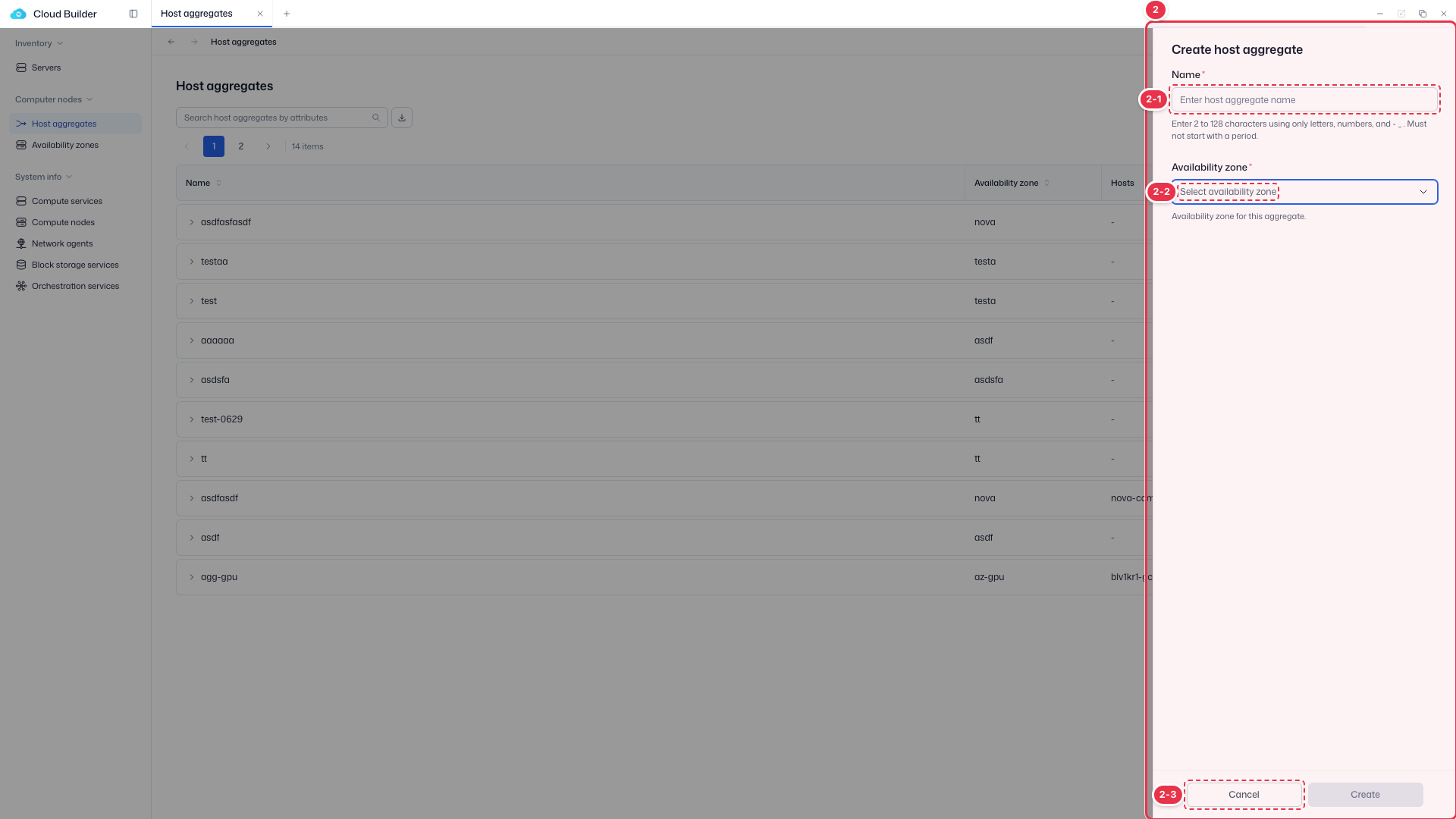
| No. | Feature | Item | Description |
|---|---|---|---|
| 2-1 | Name | Name * | · Thaki unified naming rule (2–128 chars, starts with a letter/number, no Korean). |
| 2-2 | Availability zone | Availability zone * | · Select the availability zone to map (up to 1). |
| 2-3 | Create / Cancel | Create / Cancel | · Create: create. Cancel: close. |
Edit
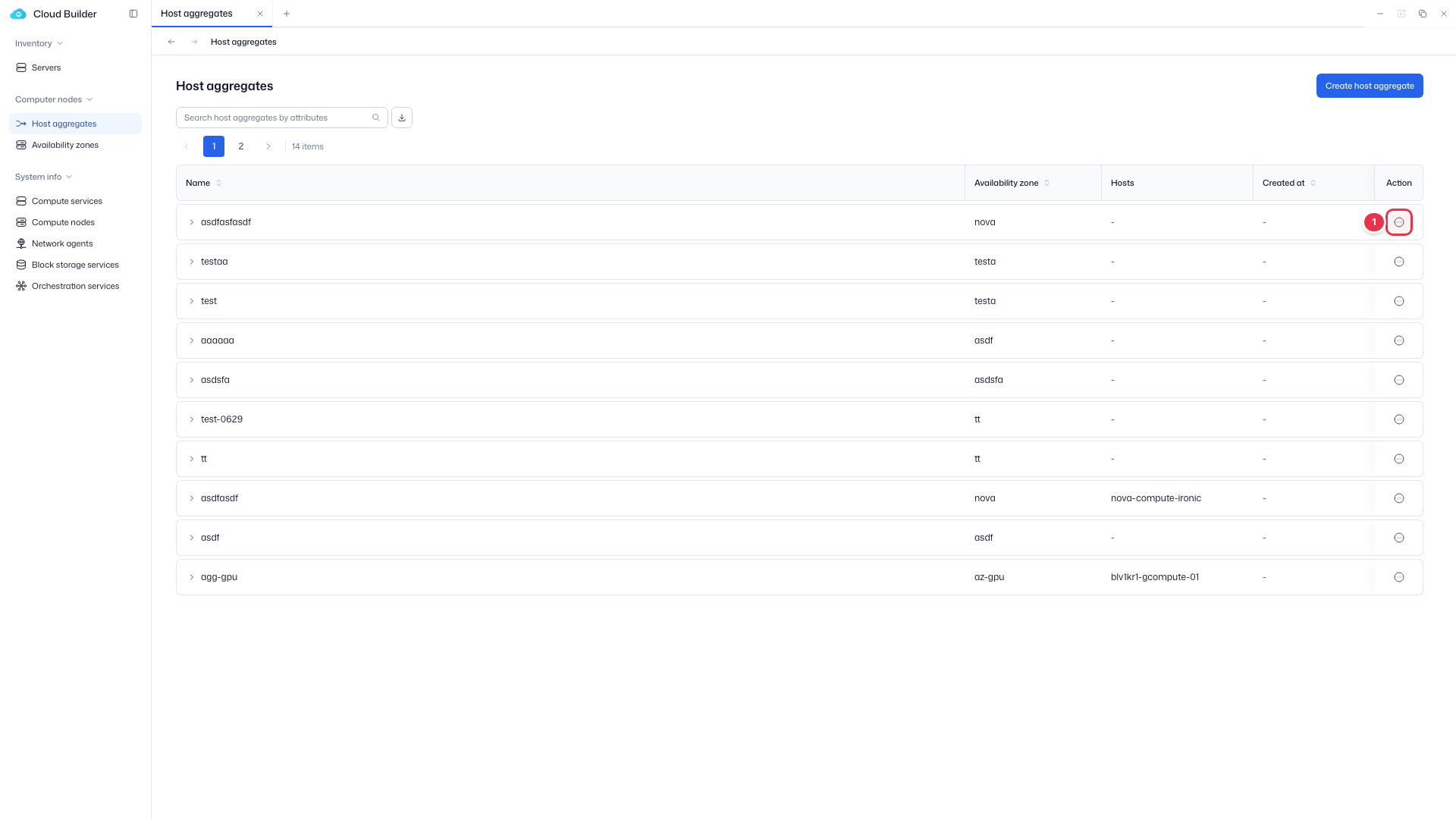
Use Edit in the row actions to change the name and availability zone.
Edit entry (row action)
Choose Edit from the row menu.
Edit drawer
Change the name and availability zone.
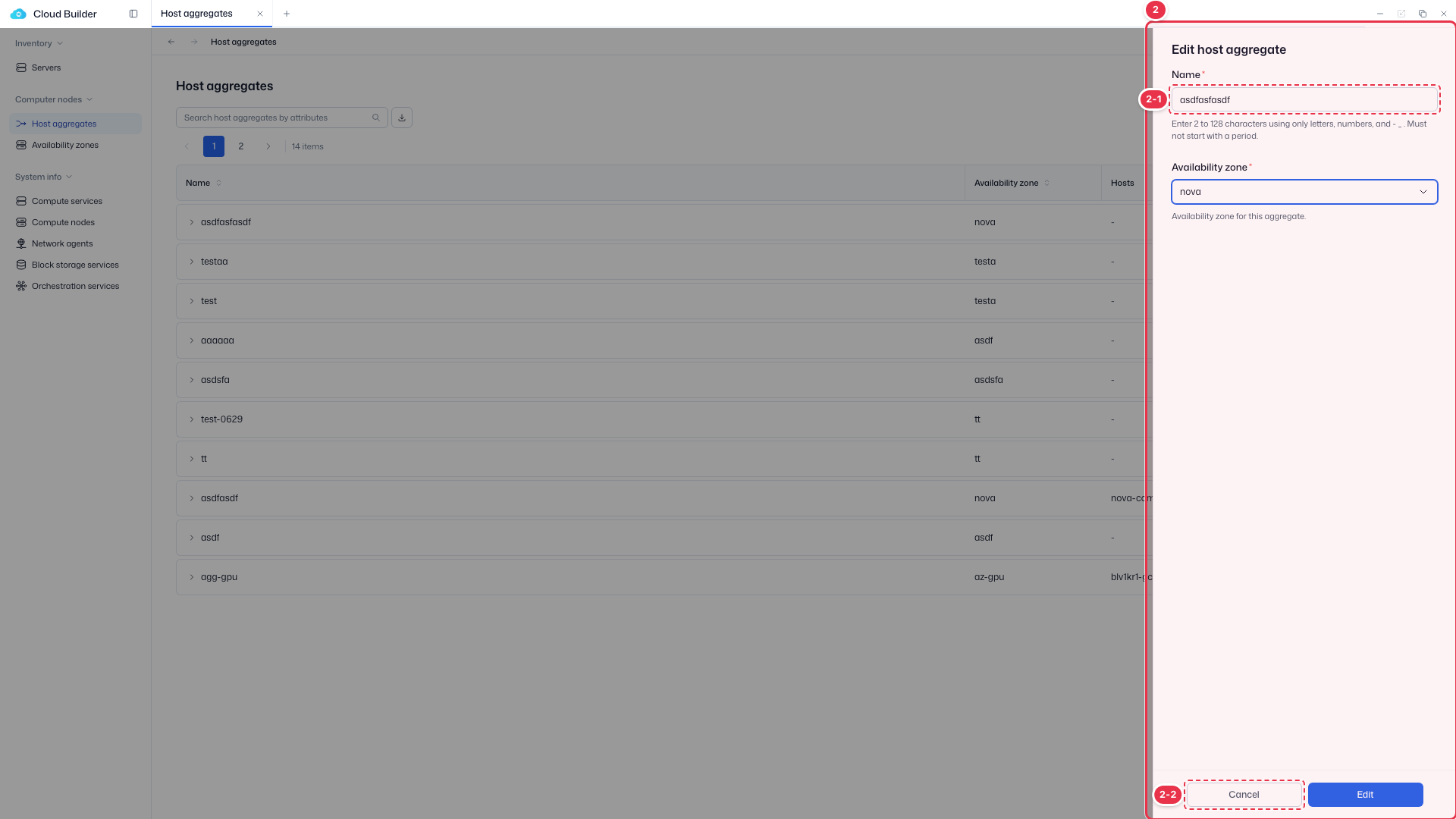
| No. | Feature | Item | Description |
|---|---|---|---|
| 2-1 | Name | Name | · Change the aggregate name. |
| 2-2 | Edit / Cancel | Edit / Cancel | · Edit: save. Cancel: close. |
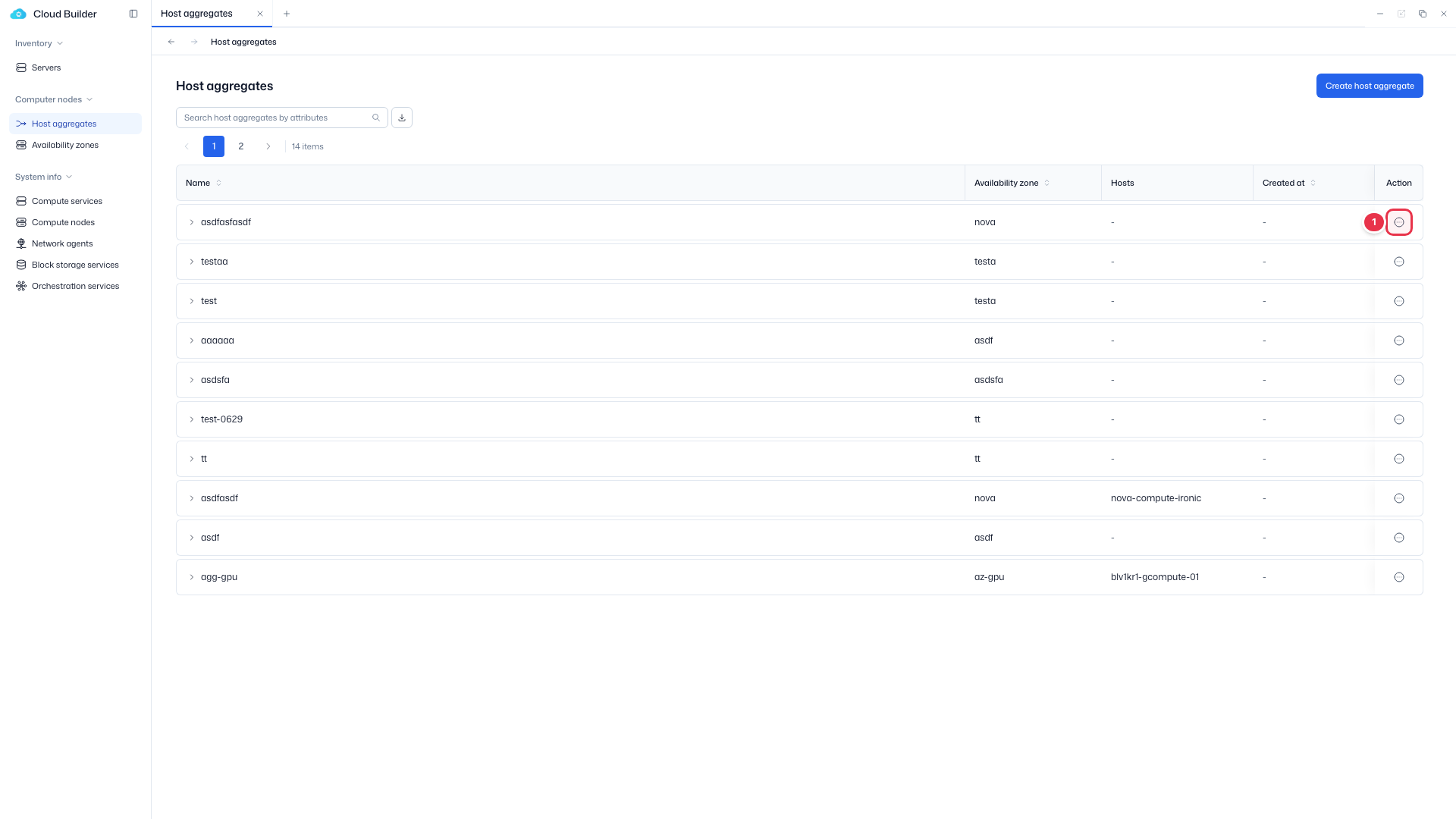
Manage hosts
Add or remove hosts in the aggregate. Because of the OpenStack constraint that a host can belong to only one AZ, whether a host can be added depends on whether the target aggregate has an AZ.
Manage hosts entry (row action)
Choose Manage hosts from the row menu.
Manage hosts drawer
Add or remove hosts in the aggregate. Due to the AZ constraint (a host belongs to one AZ), hosts in a different AZ are disabled.
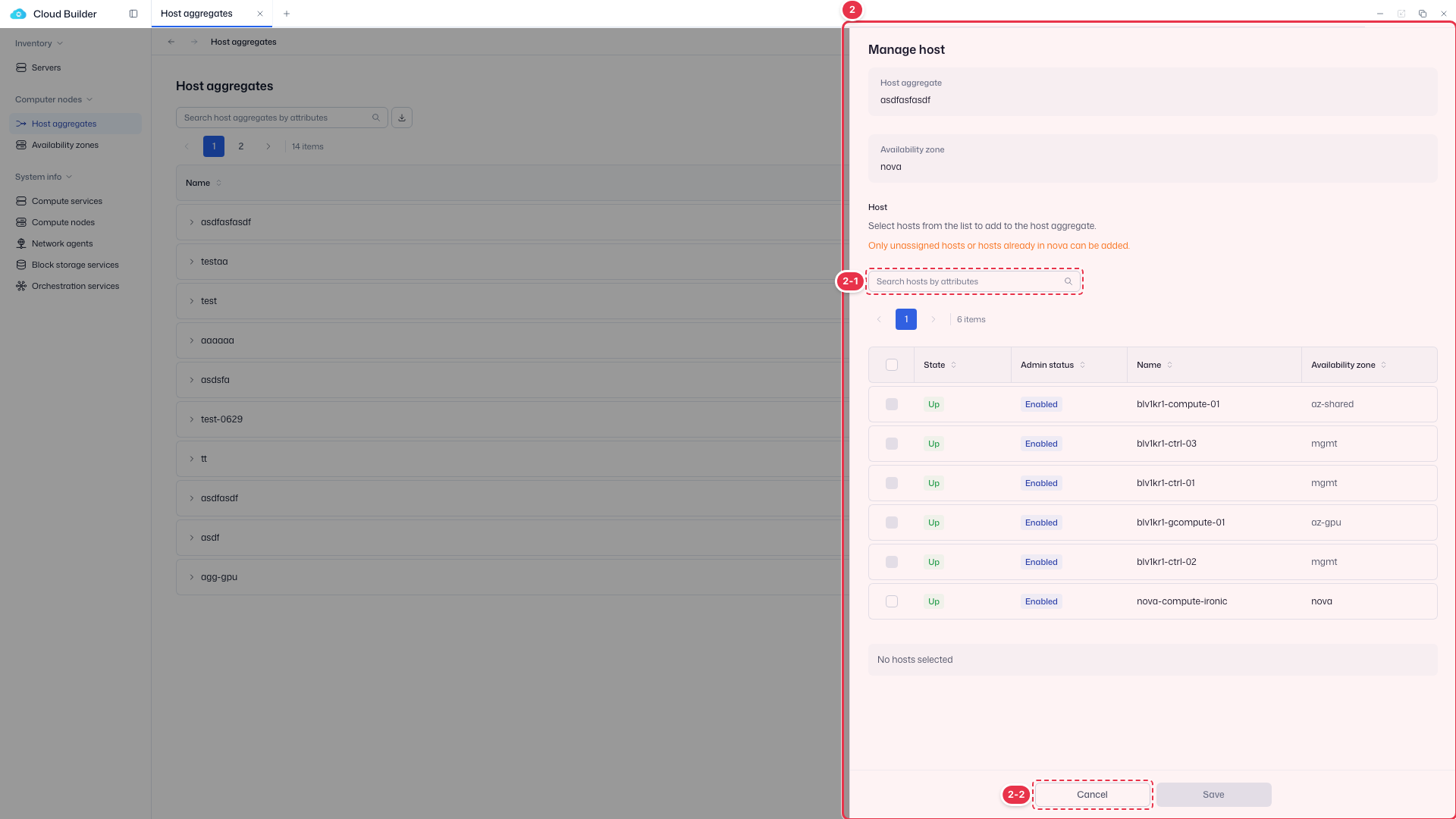
| No. | Feature | Item | Description |
|---|---|---|---|
| 2-1 | Search hosts | Search hosts | · Search and select hosts to add or remove. |
| 2-2 | Save / Cancel | Save / Cancel | · Save: apply. Cancel: close. |
| Target aggregate's AZ | Host's current AZ | Add |
|---|---|---|
| None | Anything | ✅ (no conflict check) |
| Present | Unassigned | ✅ Enrolled into that AZ when added |
| Present | Same AZ | ✅ |
| Present | Different AZ | ❌ Conflict (409) → blocked in advance |
- Hosts belonging to a different AZ have a disabled checkbox and a reason tooltip ("Already belongs to {AZ}").
- Hosts that already belong are shown as selected, and deselecting (removing) them is allowed.
Manage metadata
Edit the aggregate's key-value metadata.
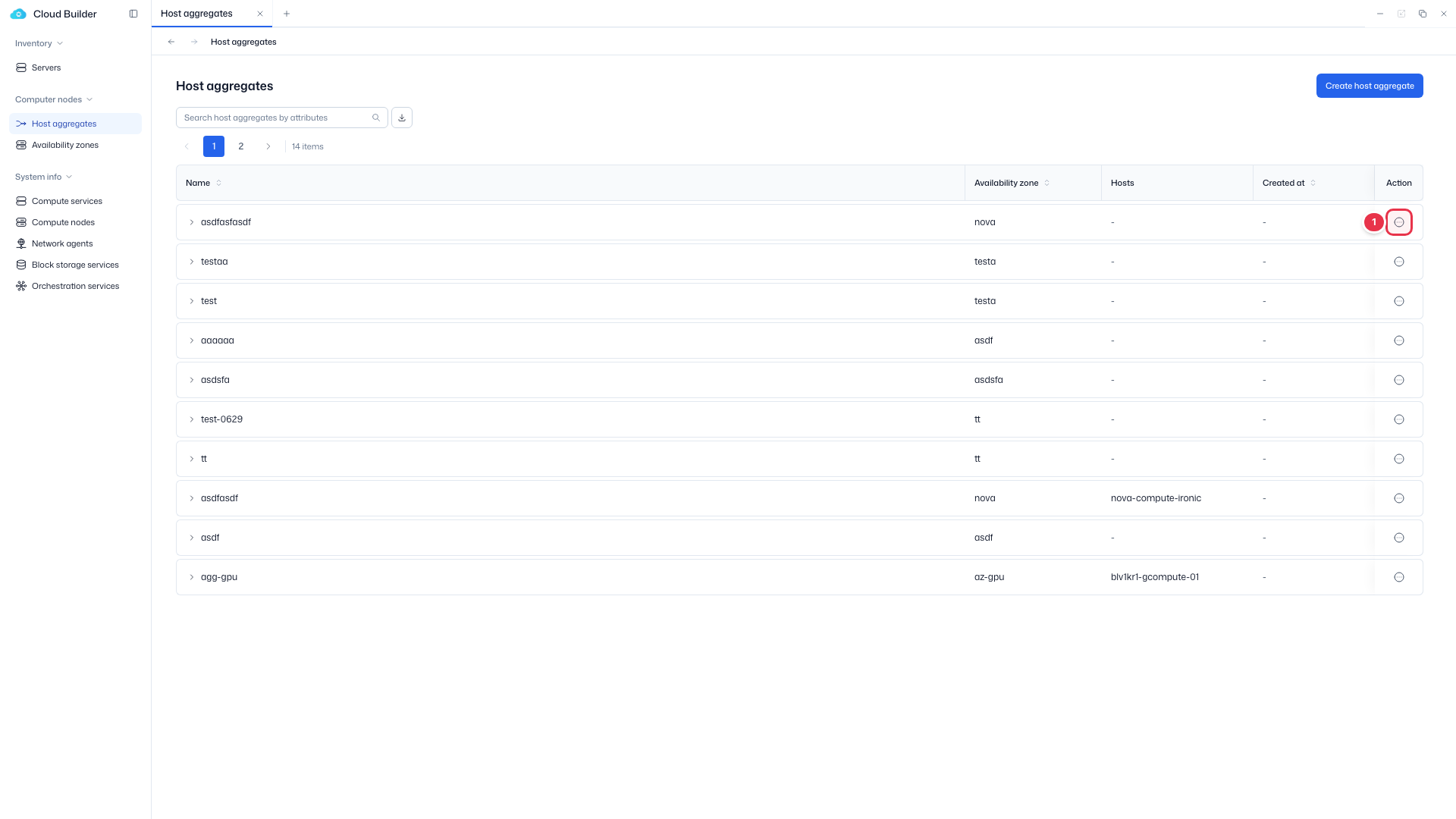
Manage metadata entry (row action)
Choose Manage metadata from the row menu.
Manage metadata drawer
Edit the key-value metadata of the aggregate.
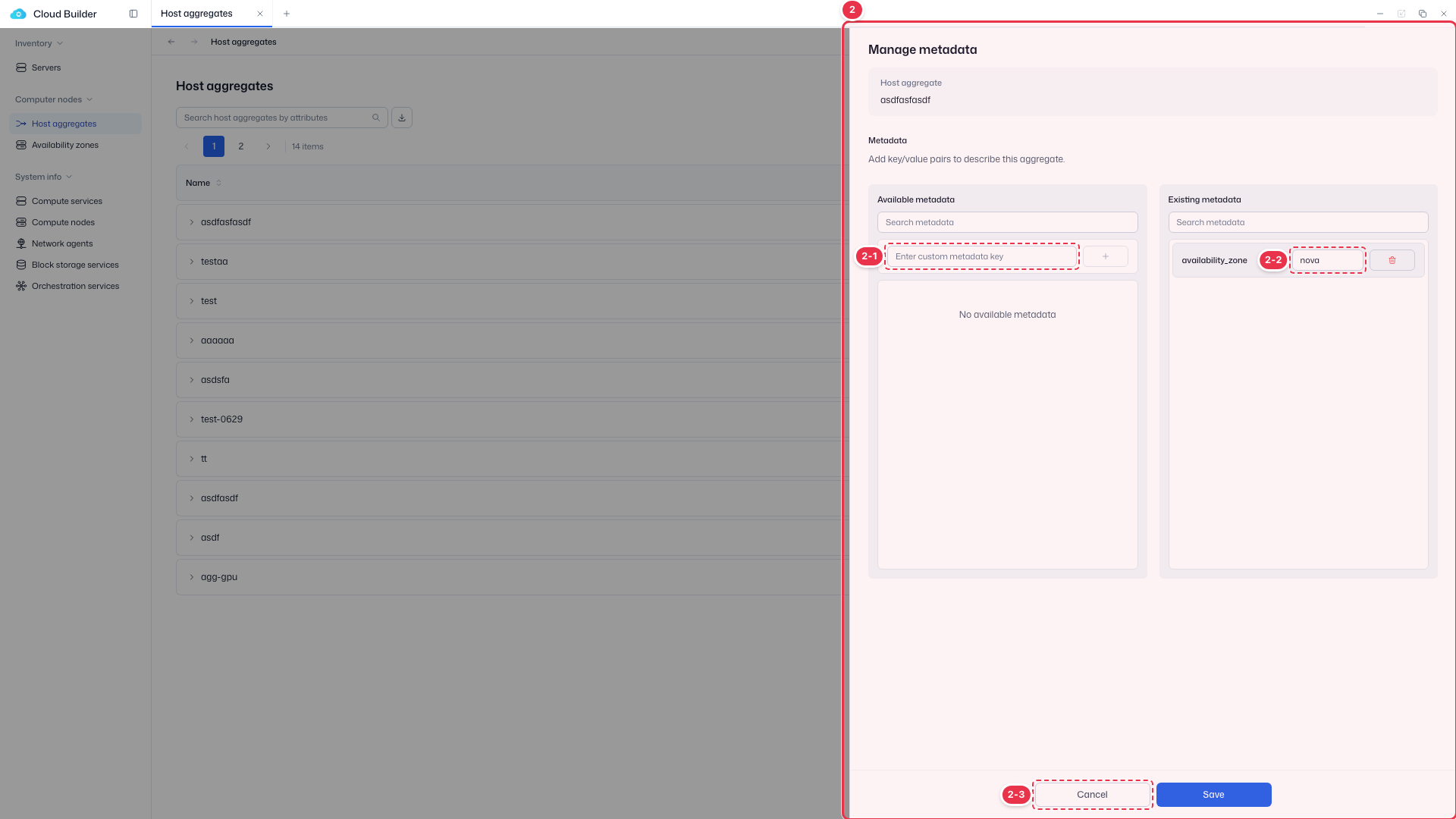
| No. | Feature | Item | Description |
|---|---|---|---|
| 2-1 | Key | Metadata key | · Enter a custom metadata key. |
| 2-2 | Value | Value | · Enter the value for the key. |
| 2-3 | Save / Cancel | Save / Cancel | · Save: apply. Cancel: close. |
Delete
Use Delete in the row actions to delete the host aggregate.
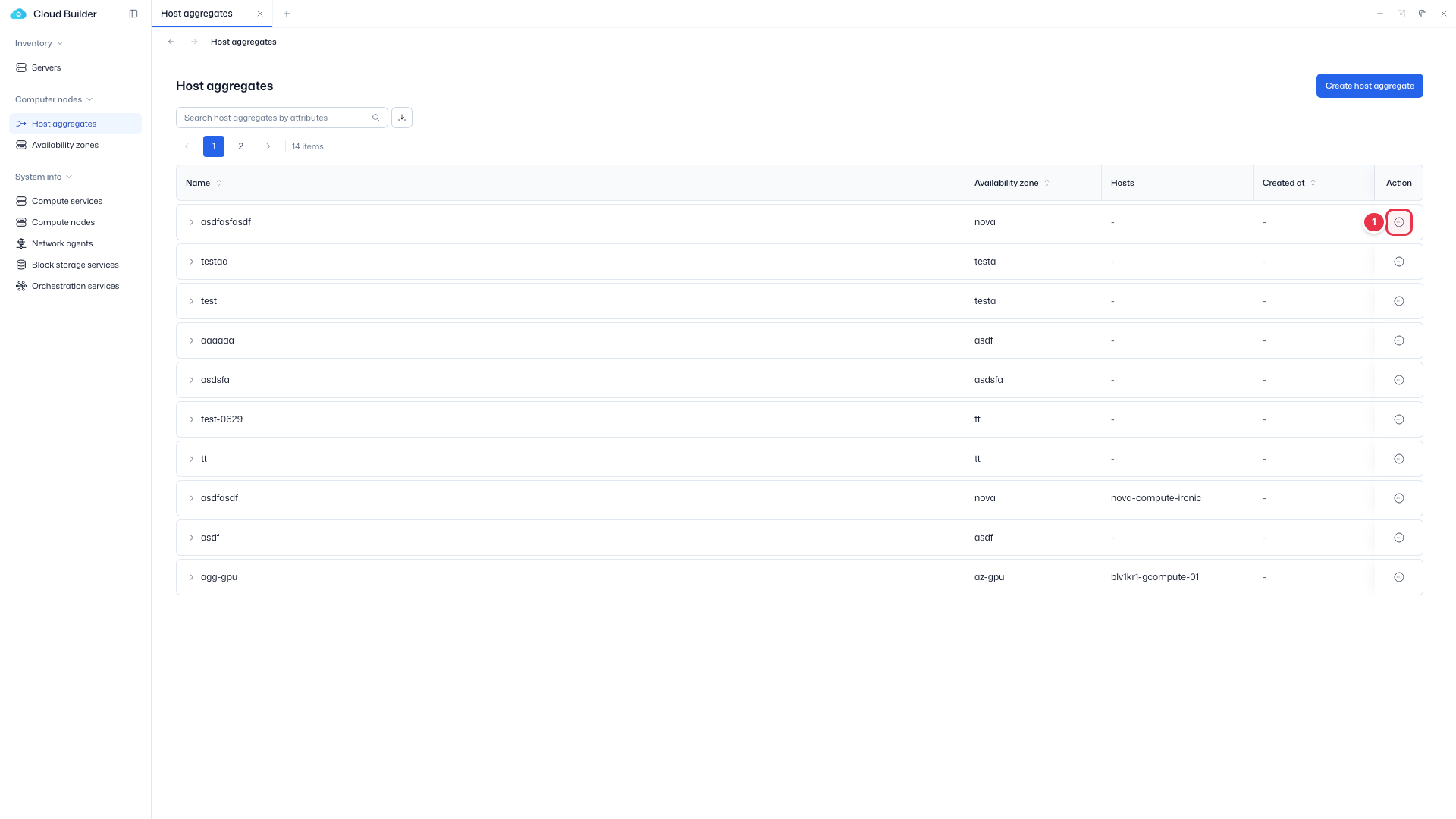
Delete entry (row action)
Choose Delete from the row menu. Disabled if it contains hosts.
Delete confirmation modal
Delete the host aggregate.
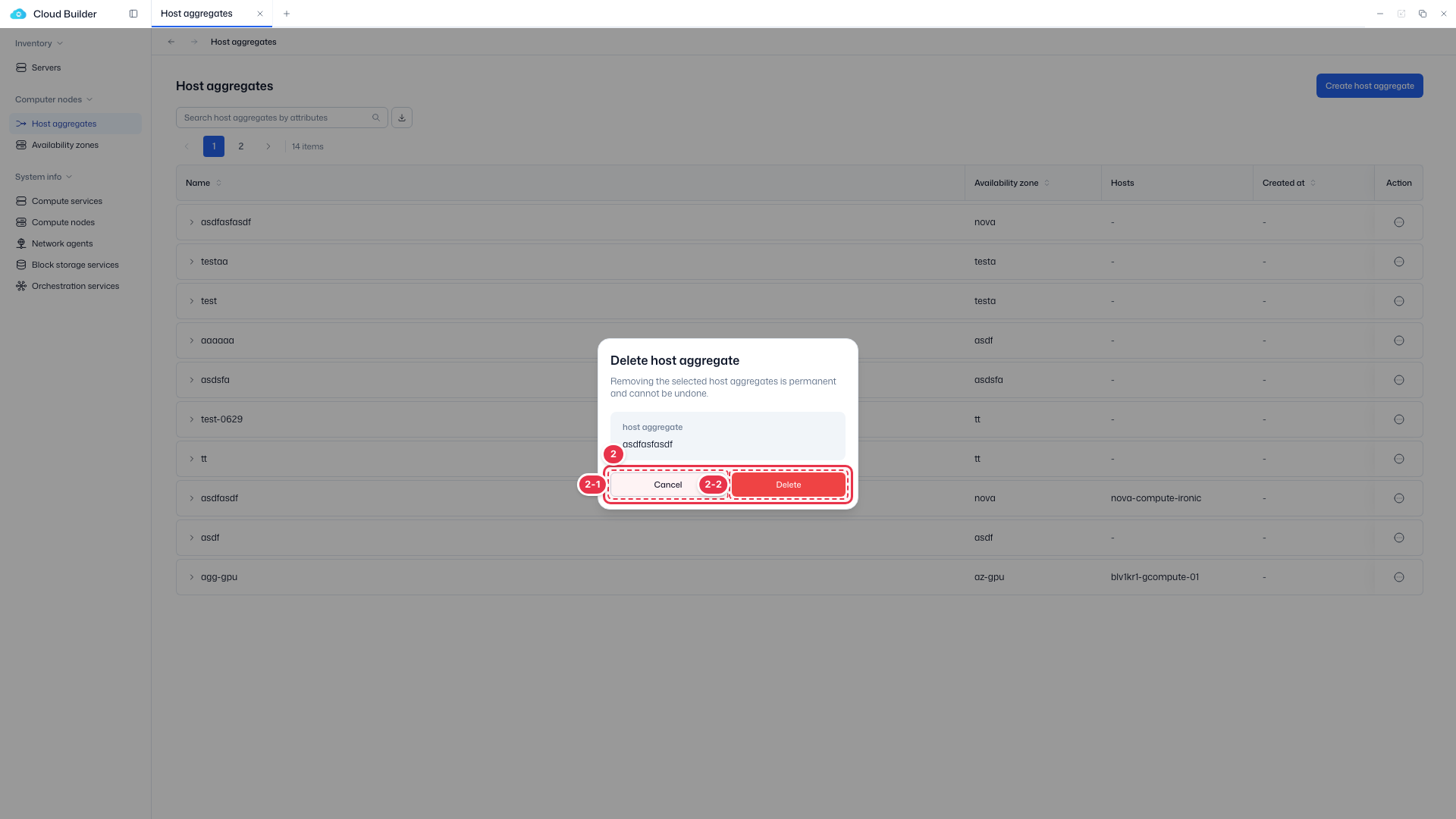
| No. | Feature | Item | Description |
|---|---|---|---|
| 2-1 | Cancel | Cancel | · Close. |
| 2-2 | Delete | Delete | · Permanently delete. |
Delete constraint
If it contains hosts, Delete is disabled. Tooltip: "Remove all hosts from the aggregate before deleting".