

Edit a Dataset
Edit the details of a Custom dataset you uploaded. The file cannot be changed. Thaki datasets cannot be edited.
Step 1. Open the Edit drawer
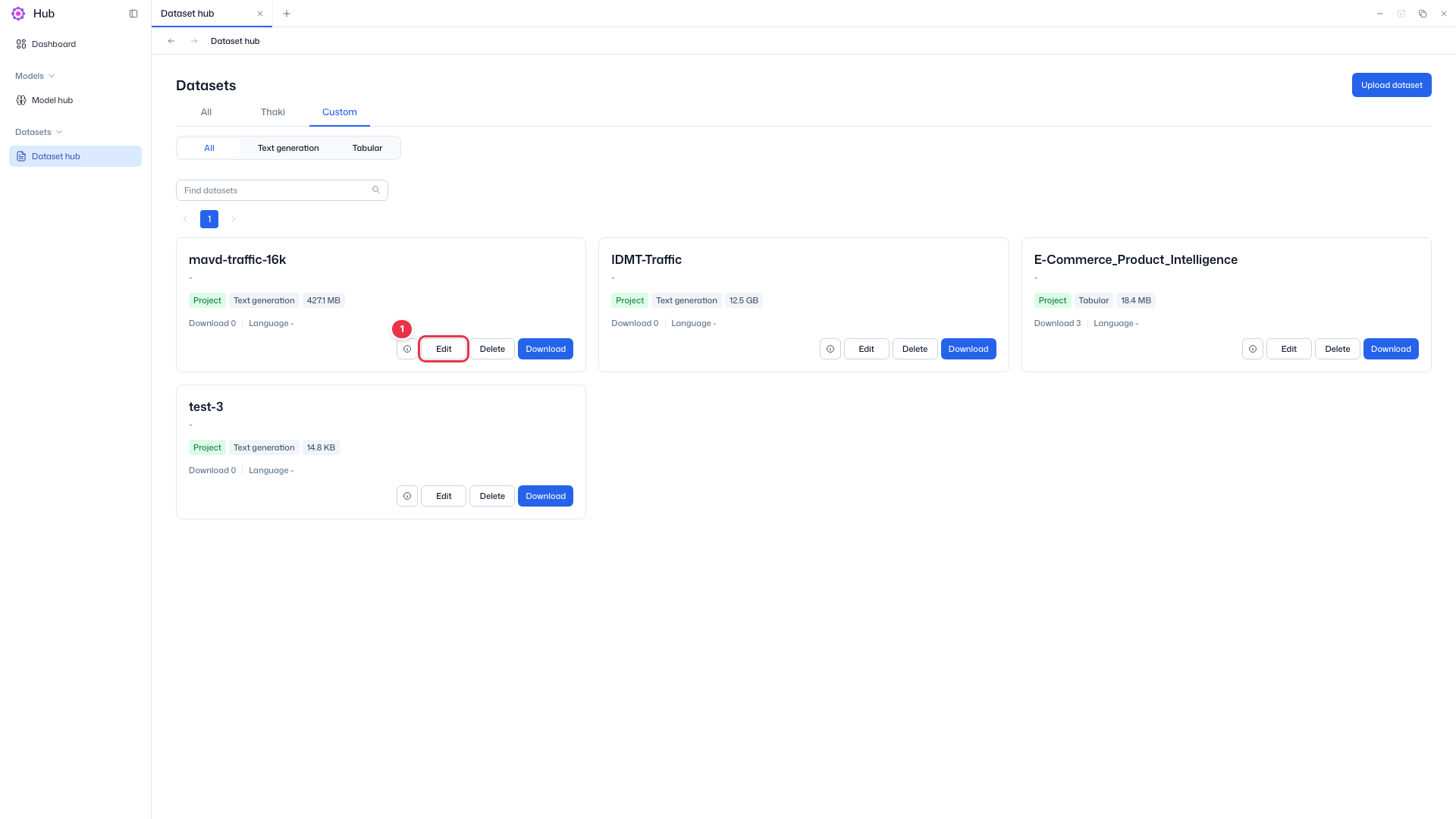
In Datasets → Dataset hub, choose the Custom tab and click Edit on the card.
Edit button
The Edit button on a Custom tab card. Thaki dataset cards do not have it.
Edit dataset drawer
Opens with current values filled in. You can change the details but not the file.
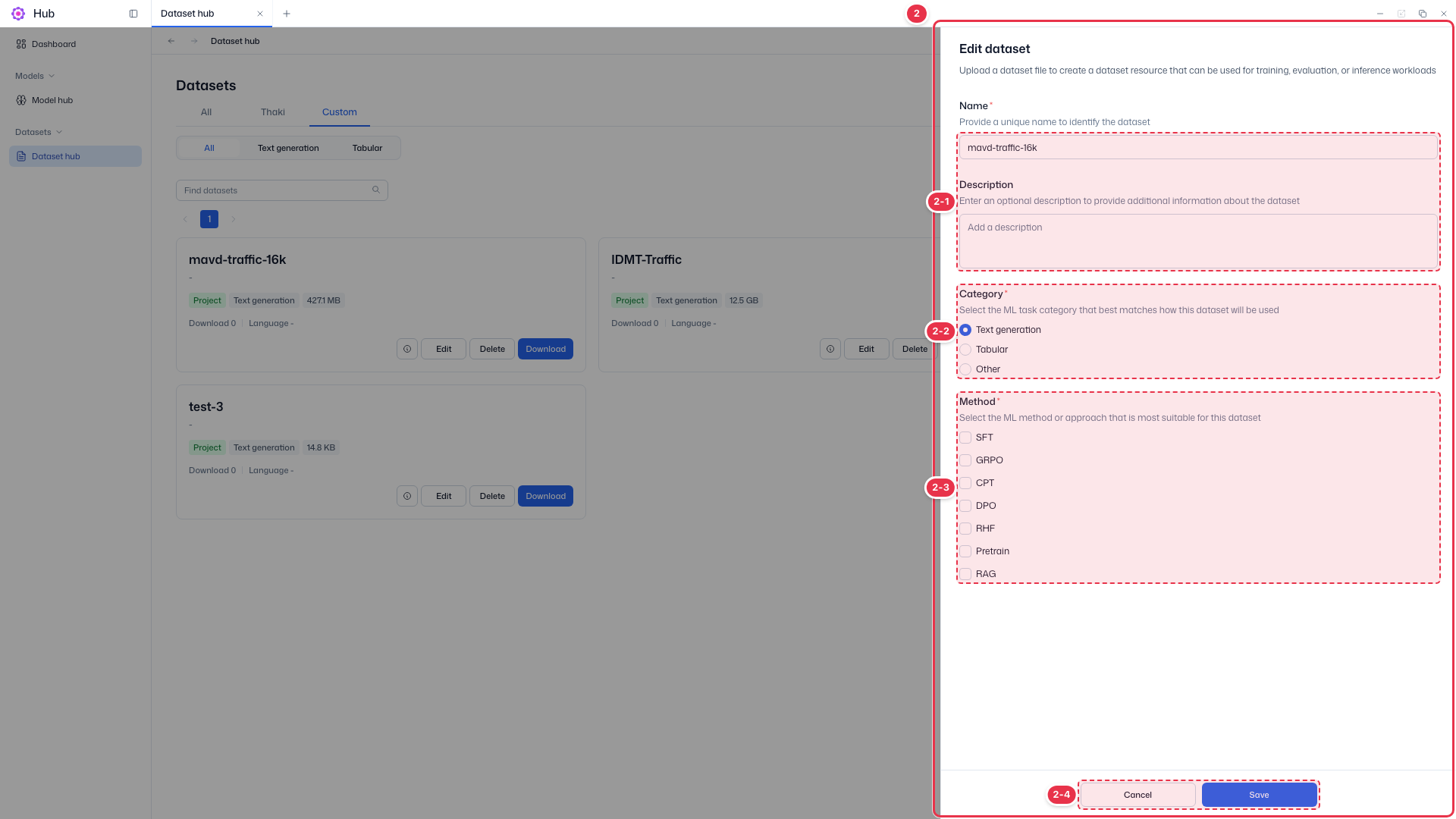
| No. | Feature | Item | Description |
|---|---|---|---|
| 2-1 | Name · Description | Name · Description | · Edit the name (required) and description (optional). |
| 2-2 | Category | Category | · Choose one of Text generation, Tabular, or Other. |
| 2-3 | Method | Method | · Choose all methods that fit. |
| 2-4 | Save | Cancel · Save | · Save applies the changes; Cancel closes the drawer. |
Step 2. Save
Input rules are the same as in Upload a dataset. Click Save; on success, Dataset "{dataset_name}" updated successfully appears.