

Network agents
A screen for checking whether Neutron (network) agents are running properly on each host. When a network failure occurs (a VM cannot get an IP, external communication fails, etc.), you can quickly narrow down the cause by seeing which agent is Down/Disabled.
- Path: Cloud Builder › System Info › Network Agents
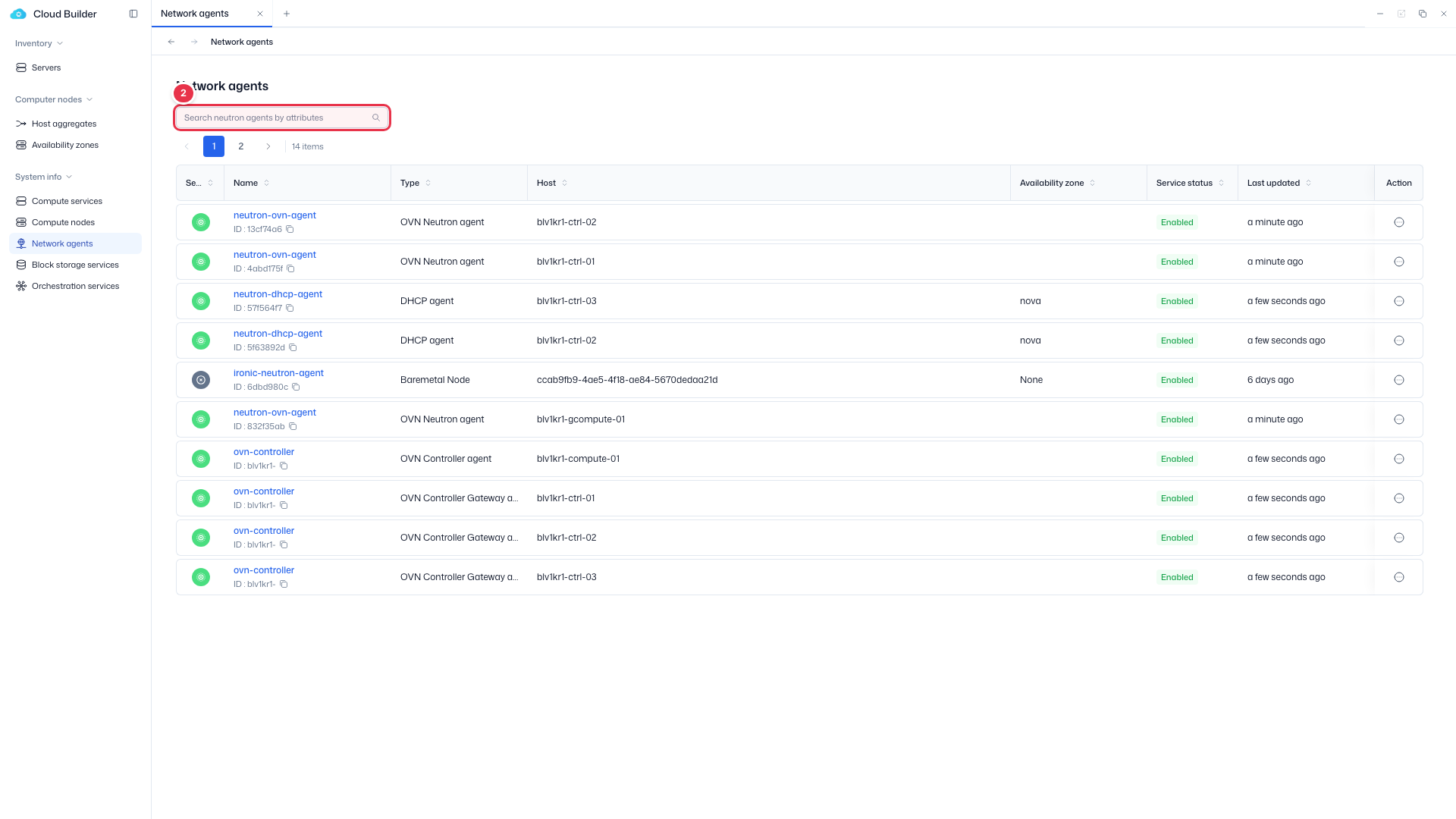
- Search: Attribute-based text search (default filter key: Name)
- No checkboxes · CSV export supported
For Service State/Status definitions, see Compute nodes — Status definitions. Type is one of OVN Metadata agent / OVN Controller agent / OVN Controller Gateway agent / DHCP agent, etc.
Sidebar (SNB)
From the left sidebar, move to each screen.
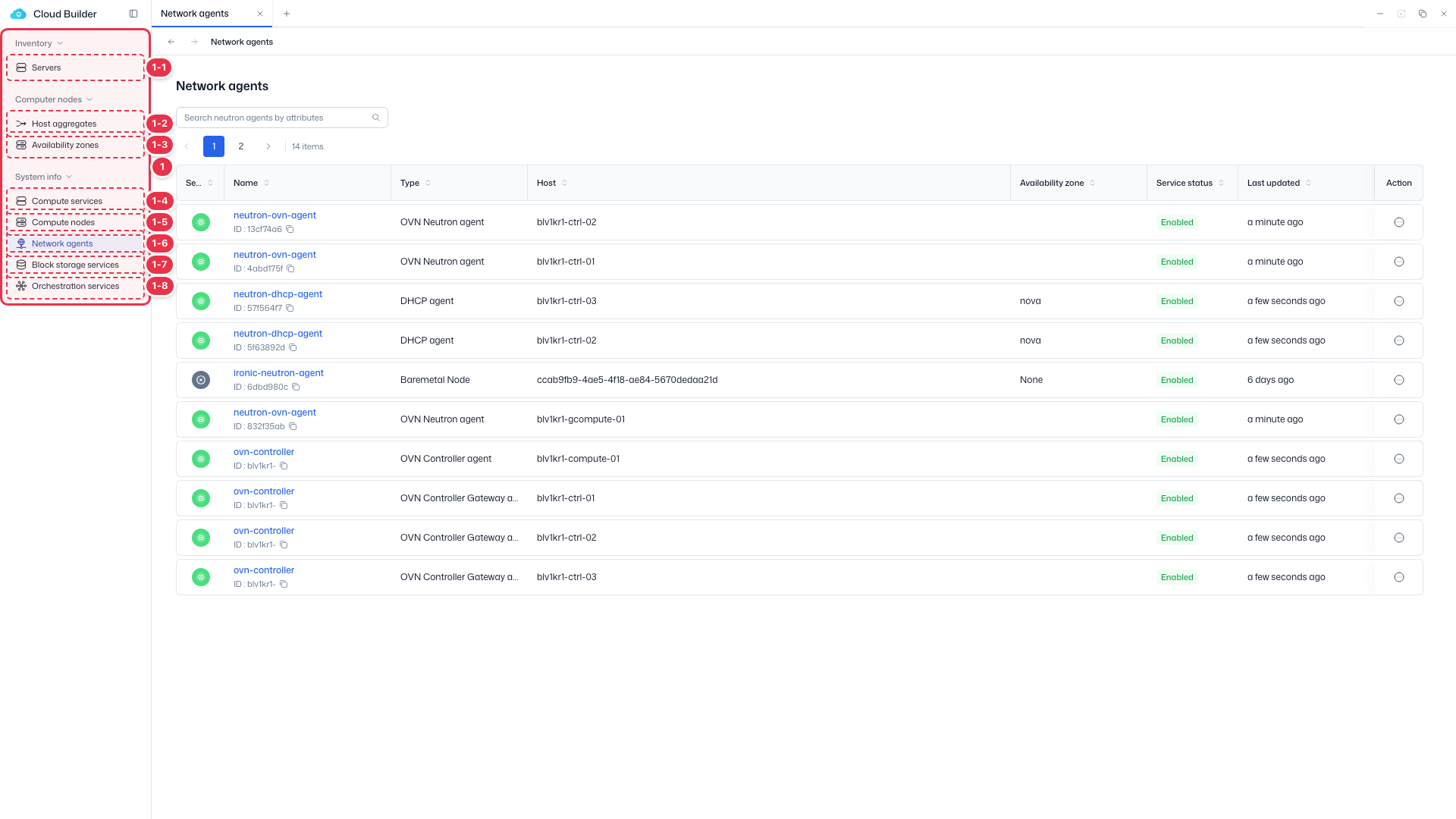
| No. | Feature | Item | Description |
|---|---|---|---|
| 1-1 | Servers | Servers | · Bare-metal server inventory (register, allocate, delete). |
| 1-2 | Host aggregates | Host aggregates | · Logical groups of hosts. |
| 1-3 | Availability zones | Availability zones | · Availability zones (AZ). |
| 1-4 | Compute services | Compute services | · Service endpoint status. |
| 1-5 | Compute nodes | Compute nodes | · Nodes, hypervisors, and resource providers. |
| 1-6 | Network agents | Network agents | · Neutron agent status. |
| 1-7 | Block storage services | Block storage services | · Cinder services and backends. |
| 1-8 | Orchestration services | Orchestration services | · Heat engine status. |
Search
Search the list by attribute.
List table
Neutron agent status. Click Name to open details (Basic info, Configuration).
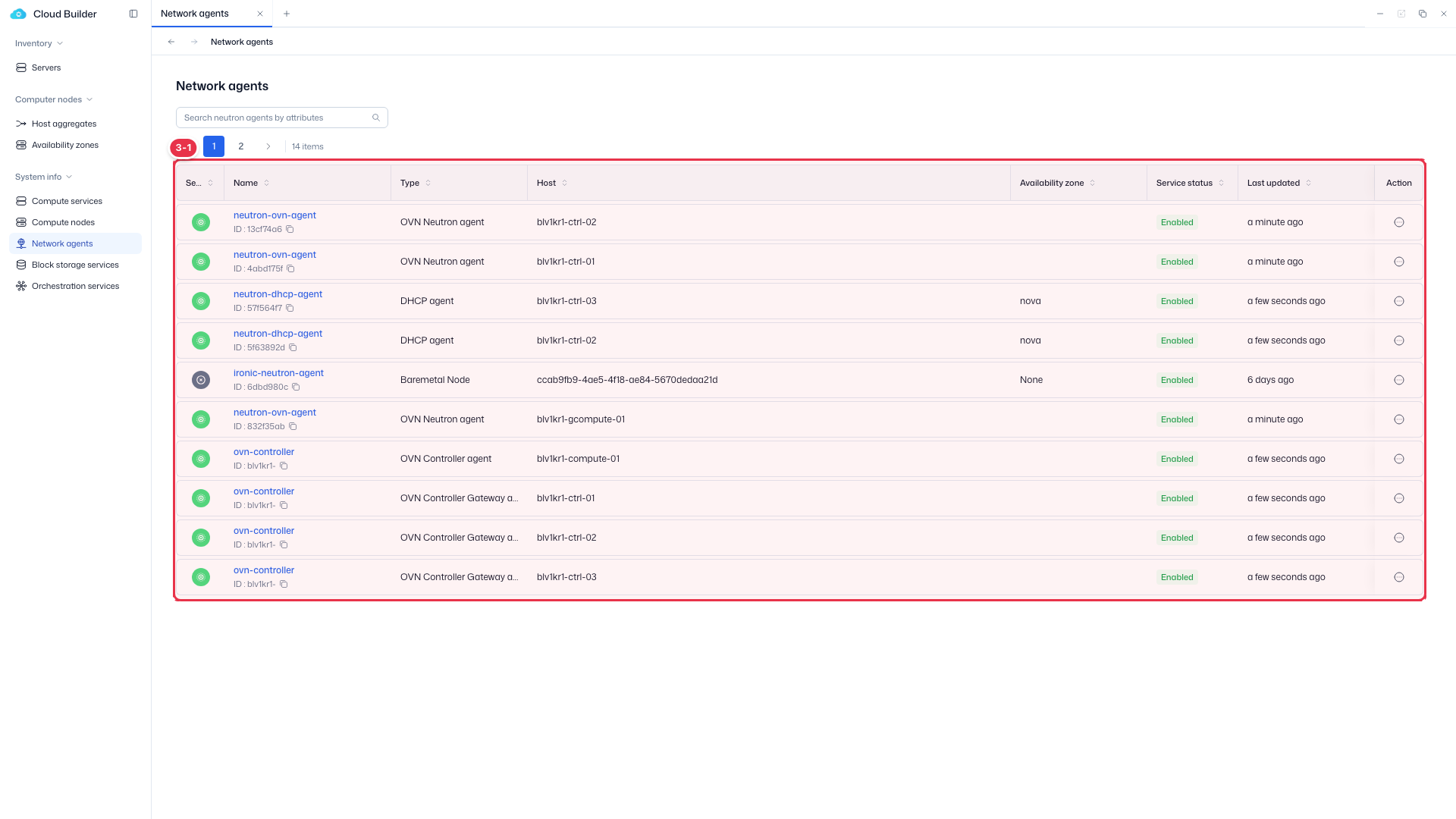
| No. | Feature | Item | Description |
|---|---|---|---|
| 3-1 | Columns | Service state | 🟢 Up / 🔴 Down. |
| Name / Type | Agent name (detail link) / type such as OVN·DHCP. | ||
| Host / Availability zone | Host / availability zone. | ||
| Service status | Enabled / Disabled. | ||
| Action | Enable / Disable. |
Enable / Disable
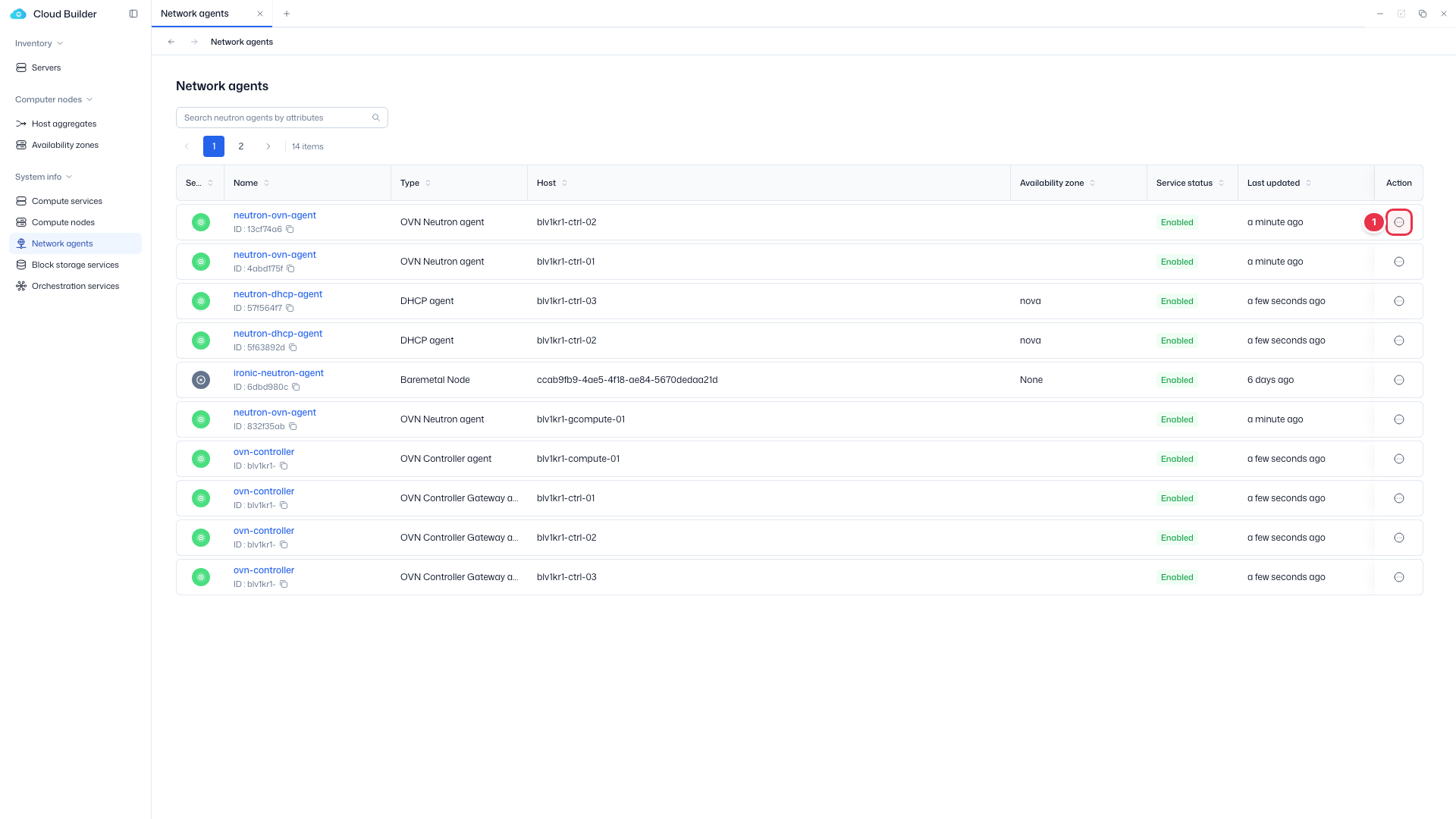
From the row action menu, change the agent's policy status. The confirmation text is "Change this agent status to {Enabled/Disabled}?", and a Reason is required when disabling. For modal details and follow-up, see Compute nodes — Enable/Disable.
Disable entry (row action)
Choose Disable from the row menu (when Enabled).
Disable confirmation modal
Excludes it from scheduling (policy status Disabled). A Reason is required.
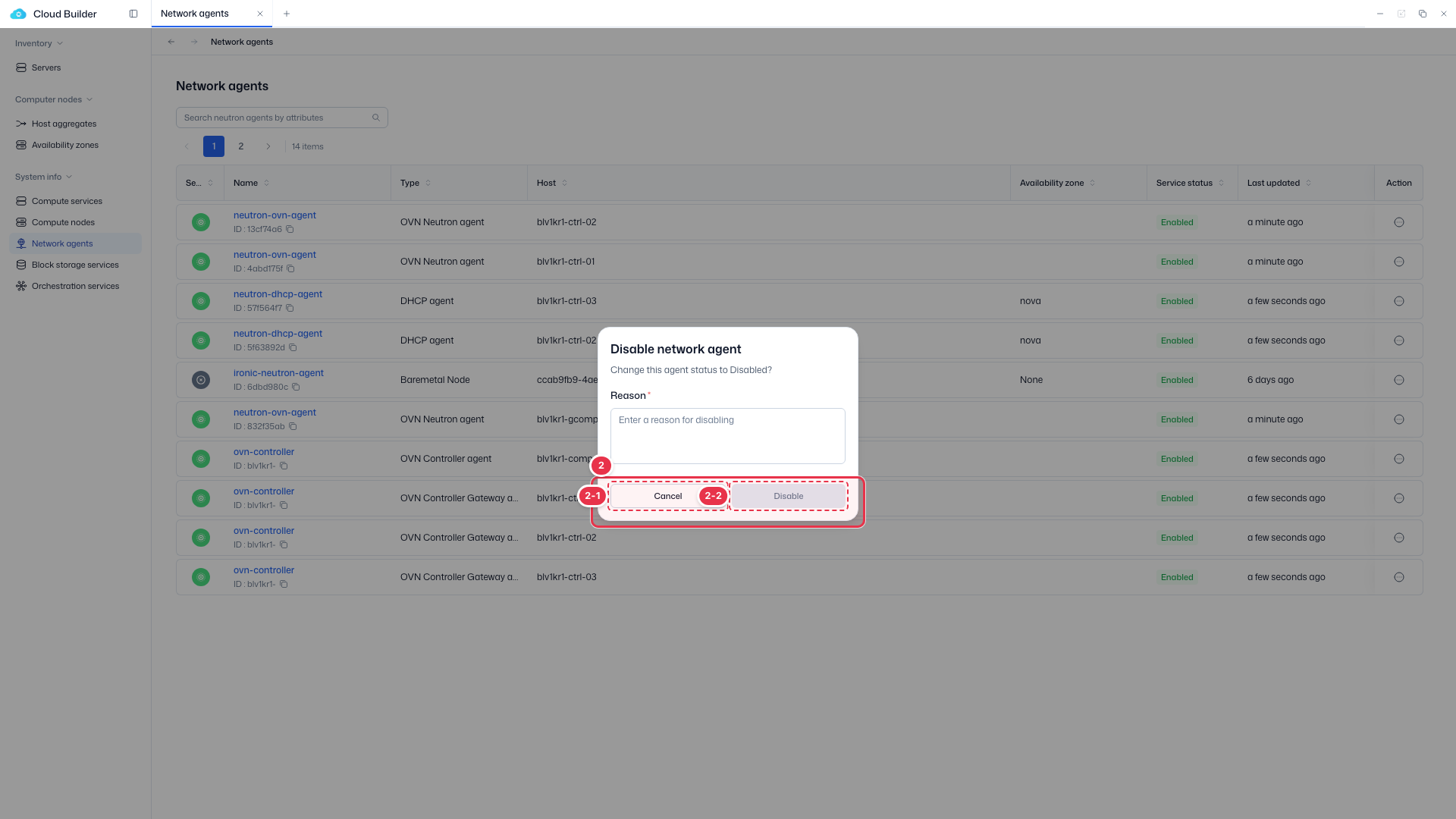
| No. | Feature | Item | Description |
|---|---|---|---|
| 2-1 | Cancel | Cancel | · Close. |
| 2-2 | Disable | Disable | · Apply after entering a Reason. The status changes to Disabled. |
Agent details
Click the Name link to go to the individual agent details.
- Header InfoGrid: Service State · Service Status · ID (copy) · Created at
- Header buttons: The action opposite to the current status (Disable/Enable)
- Basic Information tab: Type · Host · Availability zone · Topic · Resources synced · Heartbeat timestamp · Started at · Description
- Configuration tab: Shows the agent's
configurationsas a JSON view, with Copy at the top right to copy everything