

Audit reports
Generate reports from audit logs for compliance and incident investigation. Enter from Reports in the left sidebar.
Permission · asynchronous generation
Generating and downloading reports requires administrator (SysAdmin·Domain Admin) privileges. Generation is asynchronous, and only reports in the completed state can be downloaded.
Reports list
Review the status, type, format, and period of generated reports, and click a name to open its detail.
Sidebar (SNB)
From the left sidebar, move to each Audit screen (Dashboard · Audit logs · Reports).
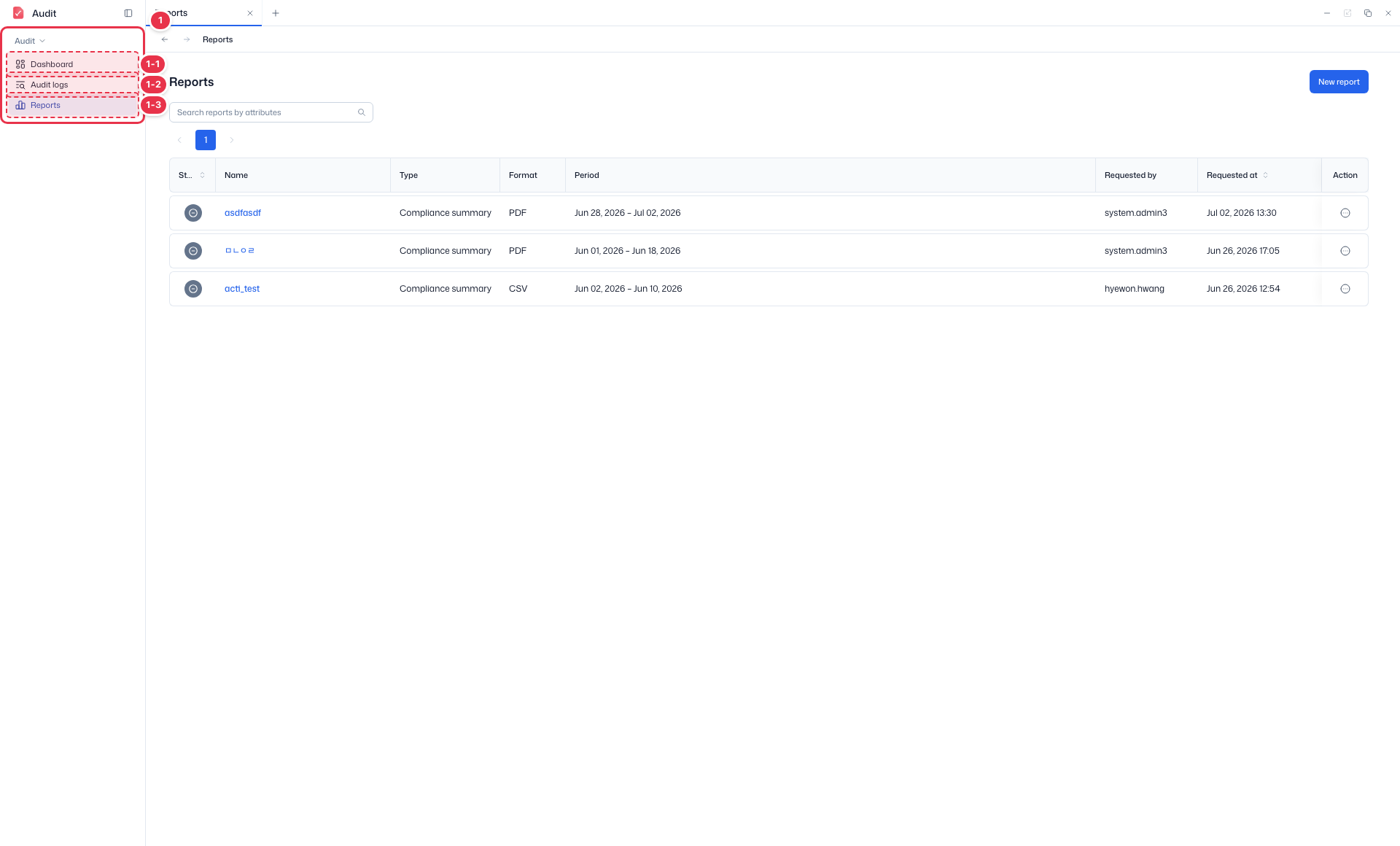
| No. | Feature | Item | Description |
|---|---|---|---|
| 1-1 | Dashboard | Dashboard | · Summarizes audit status and statistics. |
| 1-2 | Audit logs | Audit logs | · Review and filter audit event logs across the platform. |
| 1-3 | Reports | Reports | · Generate and export audit reports. |
Search · New report
Search reports or create a new one.
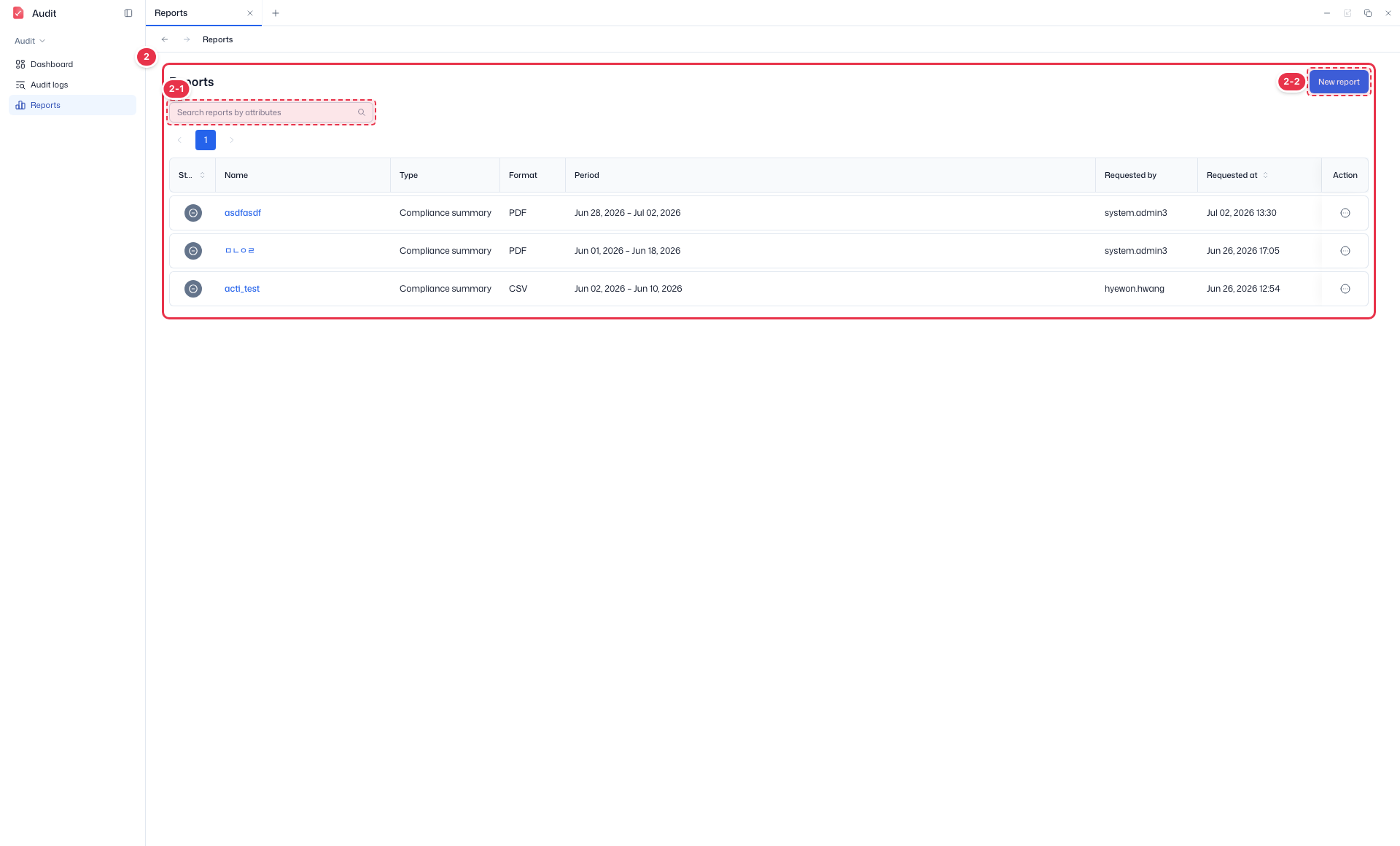
| No. | Feature | Item | Description |
|---|---|---|---|
| 2-1 | Search | Search reports by attributes | · Filter reports by name and other attributes. |
| 2-2 | New report | New report | · Open the new audit report drawer. |
Reports table
List of generated audit reports. Click a name to open its detail.
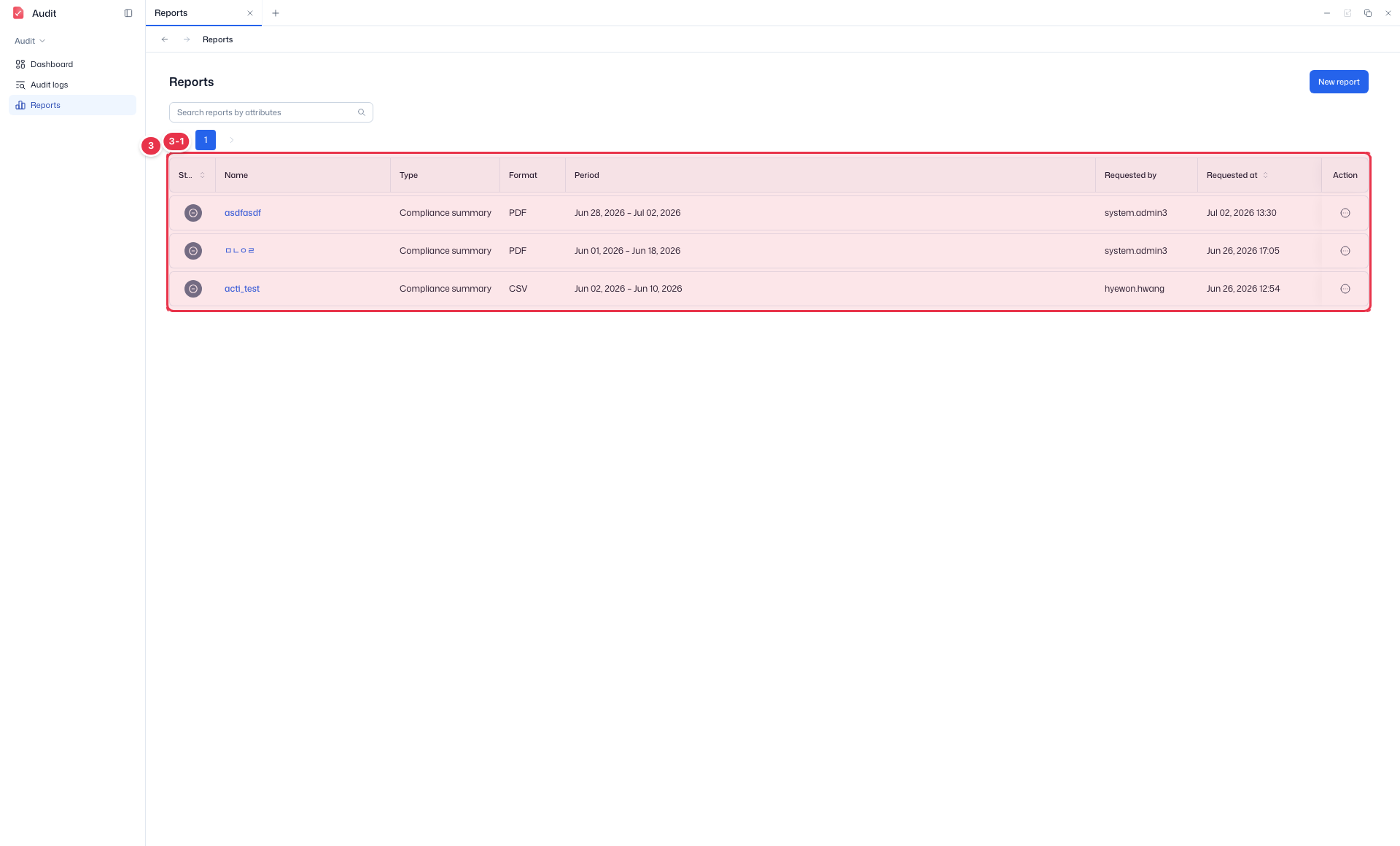
| No. | Feature | Item | Description |
|---|---|---|---|
| 3-1 | Columns | Status | Report generation status. |
| Name | Report name. Click to open the detail. | ||
| Type / Format | Report type (e.g., Compliance summary) and file format (PDF/CSV). | ||
| Period | Report target period. | ||
| Requested by / Requested at | Requesting user and creation time. | ||
| Action | Row menu (download, delete, etc.). |
Create a new report
- Click New report (No. 2-2) in the reports list.
- Set name, type, period, filters, and format in the drawer.
- Click Create to generate the report; check its status in the list and download it once completed.
New report drawer
Opened by New report. Set name, type, period, filters (Action/Actor/Target), and format to generate an audit report.
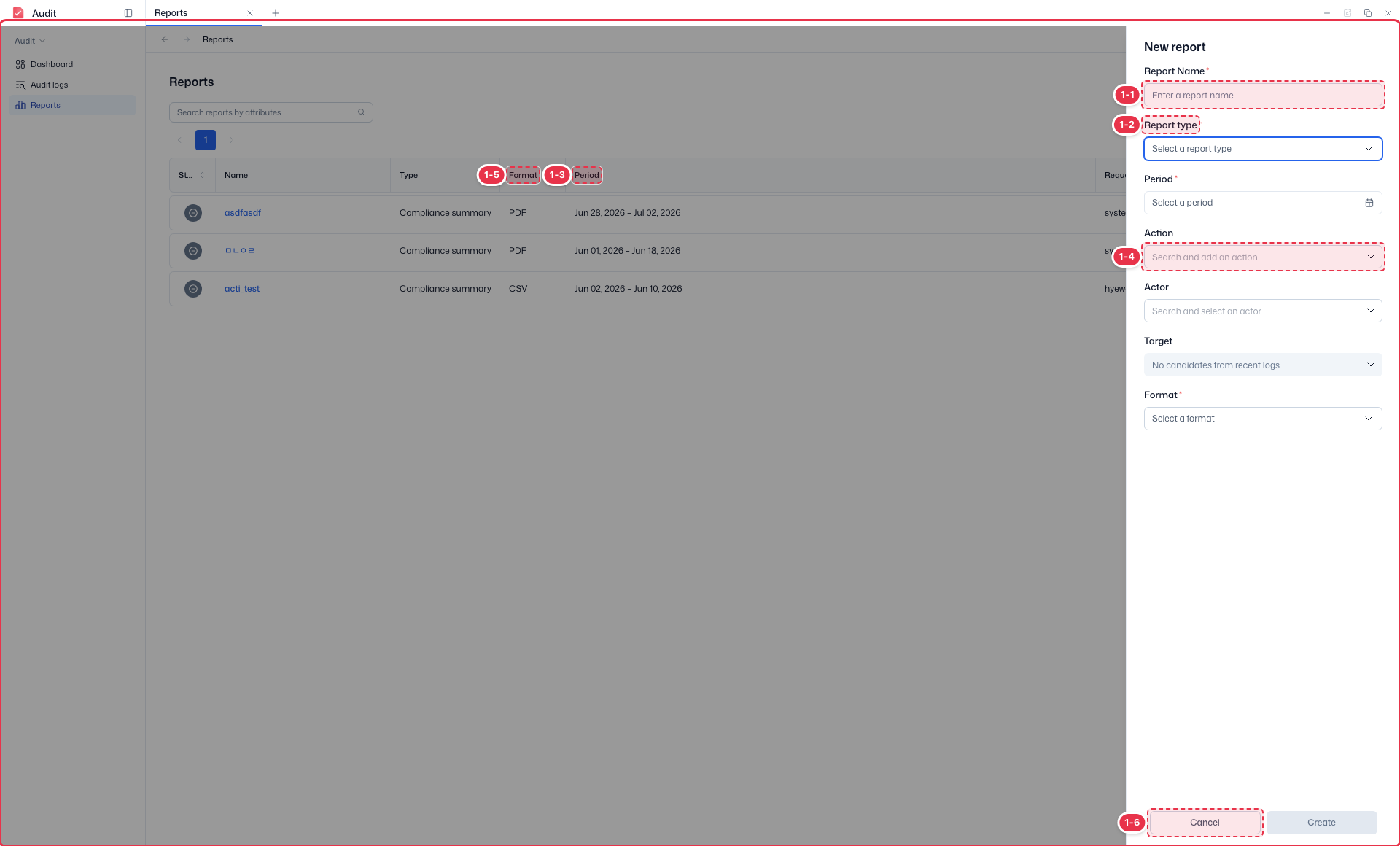
| No. | Feature | Item | Description |
|---|---|---|---|
| 1-1 | Report name | Report Name * | · Enter the report name. |
| 1-2 | Report type | Report type * | · Choose a report type such as Compliance summary. |
| 1-3 | Period | Period * | · Select the report target period (Select a period). |
| 1-4 | Filters | Action · Actor · Target | · Narrow the report scope by Action, Actor, and Target (optional). |
| 1-5 | Format | Format * | · Choose an output format such as PDF or CSV. |
| 1-6 | Cancel / Create | Cancel / Create | · Create: generate the report. Cancel: close. |
Name (No. 1-1): required and must be unique (1–255 chars). On duplicate, an inline error appears and creation is disabled.
Report type (No. 1-2): choose one of the 7 types below.
Type Meaning Audit summary (audit_summary) Overall summary of audit activity in the period Activity report (activity_report) Activity aggregated by action × actor type Compliance summary (compliance_summary) Counts and verification by compliance label Access history (access_history) Resource access/view history Sensitive data access (sensitive_access) Sensitive-event access history Failed events (failed_events) Aggregation of failed/denied events Admin actions (admin_actions) Aggregation of admin-privilege actions Action · Actor · Target (No. 1-4): narrow the scope by a specific action, actor (TPN), or target (TRN) (optional). Candidates are loaded from recent logs/stats.
Format (No. 1-5): choose among
PDF/Excel/CSV/JSON.Create is enabled only when all required fields (name·type·period·format) are filled.
Report status
Check generation progress in the Status column of the list. Pending/processing reports refresh their status periodically.
| Status | Meaning | Download |
|---|---|---|
| pending | Generation requested | ✗ |
| processing | Generation in progress | ✗ |
| completed | Generated successfully | ✓ |
| failed | Failed due to exception/timeout (can regenerate) | ✗ |
Click a report Name to open its detail, review the generation parameters, row count, and completion time, and download the file when completed.