

Compute nodes
A screen for viewing the per-host status of Nova (compute) components, hypervisor resource capacity, and per-resource-provider utilization. It is organized into 3 tabs (Compute hosts / Hypervisors / Resource provider).
- Path: Cloud Builder › System Info › Compute Nodes
Status definitions (common)
System Info screens distinguish two kinds of status.
| Category | Value | Meaning |
|---|---|---|
| Service State (running) | 🟢 Up / 🔴 Down | Whether the process is actually running (runtime result) |
| Service Status (policy) | Enabled / Disabled | Whether the operator includes it in scheduling (operational intent) |
| Status | State | Interpretation |
|---|---|---|
| Enabled | Up | Normal (in service + running properly) |
| Disabled | Up | Planned isolation (under maintenance, running but unused) |
| Enabled | Down | Suspected failure (in service but down) |
| Disabled | Down | Isolated + not running |
Sidebar (SNB)
From the left sidebar, move to each screen.
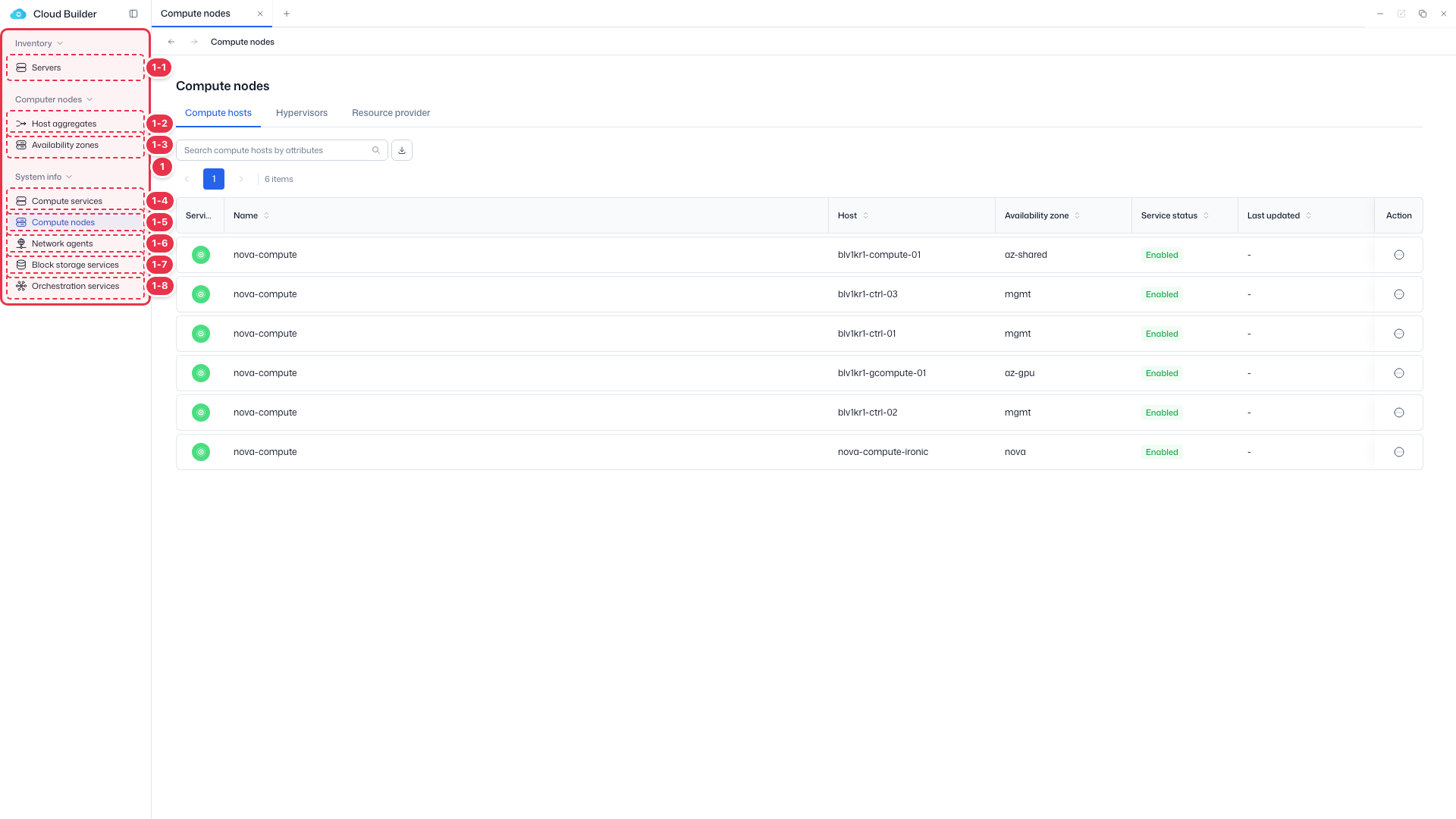
| No. | Feature | Item | Description |
|---|---|---|---|
| 1-1 | Servers | Servers | · Bare-metal server inventory (register, allocate, delete). |
| 1-2 | Host aggregates | Host aggregates | · Logical groups of hosts. |
| 1-3 | Availability zones | Availability zones | · Availability zones (AZ). |
| 1-4 | Compute services | Compute services | · Service endpoint status. |
| 1-5 | Compute nodes | Compute nodes | · Nodes, hypervisors, and resource providers. |
| 1-6 | Network agents | Network agents | · Neutron agent status. |
| 1-7 | Block storage services | Block storage services | · Cinder services and backends. |
| 1-8 | Orchestration services | Orchestration services | · Heat engine status. |
Tabs
Made up of 3 tabs. Each tab shows compute status from a different perspective.
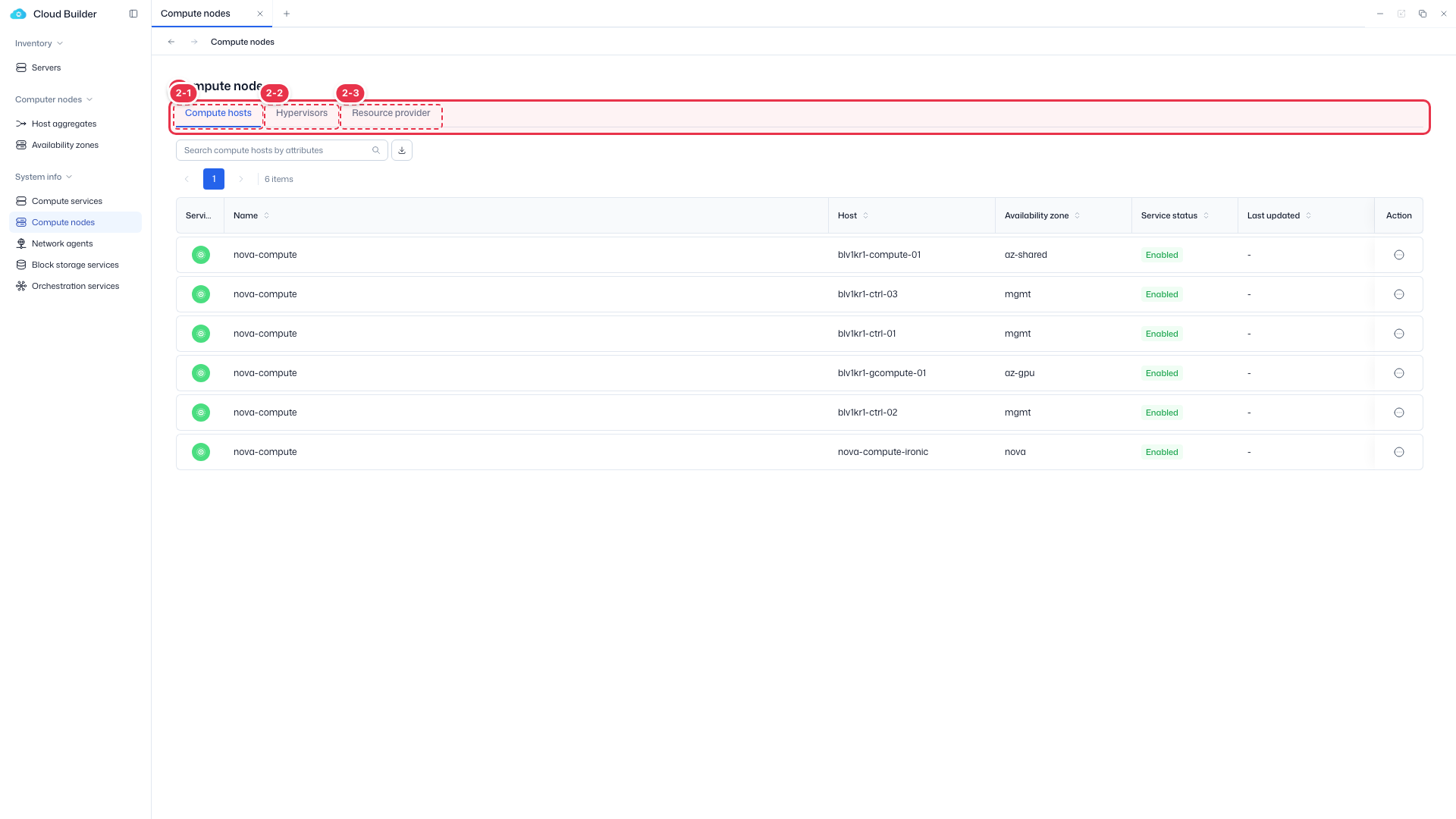
| No. | Feature | Item | Description |
|---|---|---|---|
| 2-1 | Compute hosts | Compute hosts | · Service status (Enabled/Disabled) and running state + Enable/Disable. |
| 2-2 | Hypervisors | Hypervisors | · Per-host CPU/memory/GPU/instance capacity (read-only). |
| 2-3 | Resource provider | Resource provider | · Per-provider usage and overcommit ratios (read-only). |
Compute hosts table
Compute host service status.
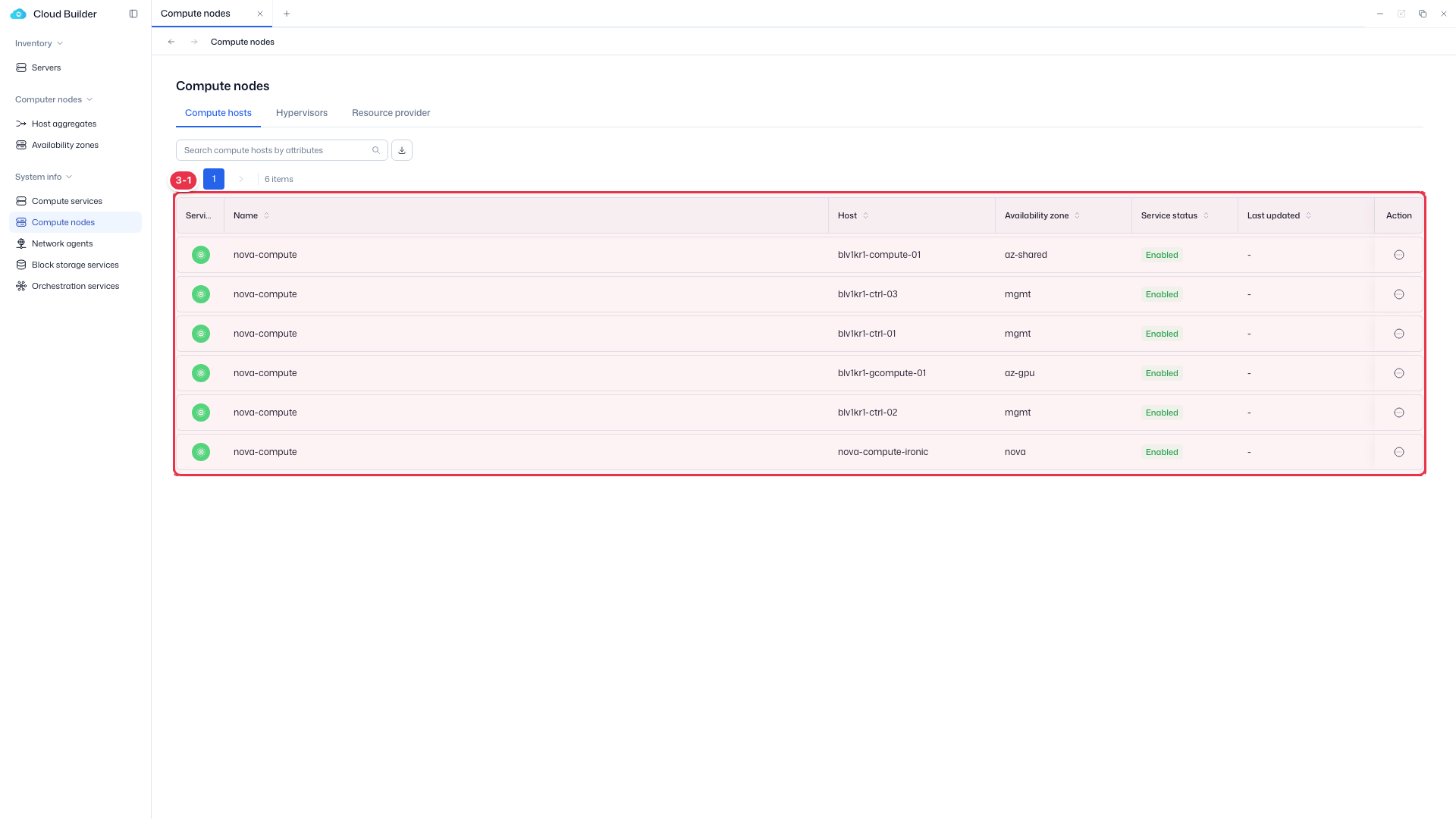
| No. | Feature | Item | Description |
|---|---|---|---|
| 3-1 | Columns | Service state | 🟢 Up / 🔴 Down (running state). |
| Name / Host | Service binary name / host. | ||
| Availability zone | Availability zone. | ||
| Service status | Enabled / Disabled (policy status). | ||
| Action | Enable / Disable. |
Hypervisors table
Per-hypervisor resource capacity (read-only).
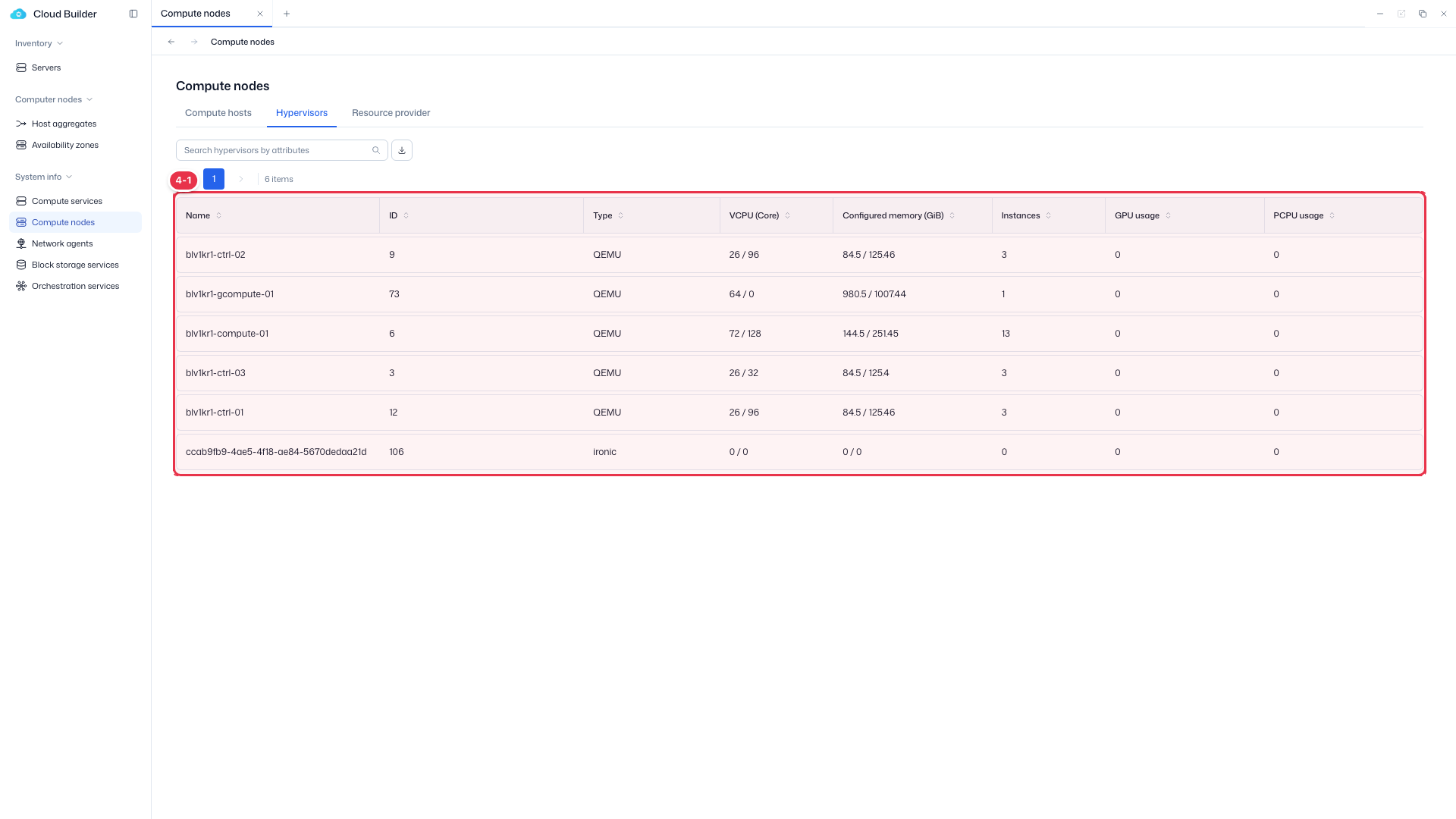
| No. | Feature | Item | Description |
|---|---|---|---|
| 4-1 | Columns | Name / ID / Type | Host name / ID / KVM·Ironic·QEMU. |
| VCPU (Core) | In use / total. | ||
| Configured memory (GiB) | In use / total. | ||
| Instances / GPU / PCPU usage | Instance count, GPU and physical CPU usage. |
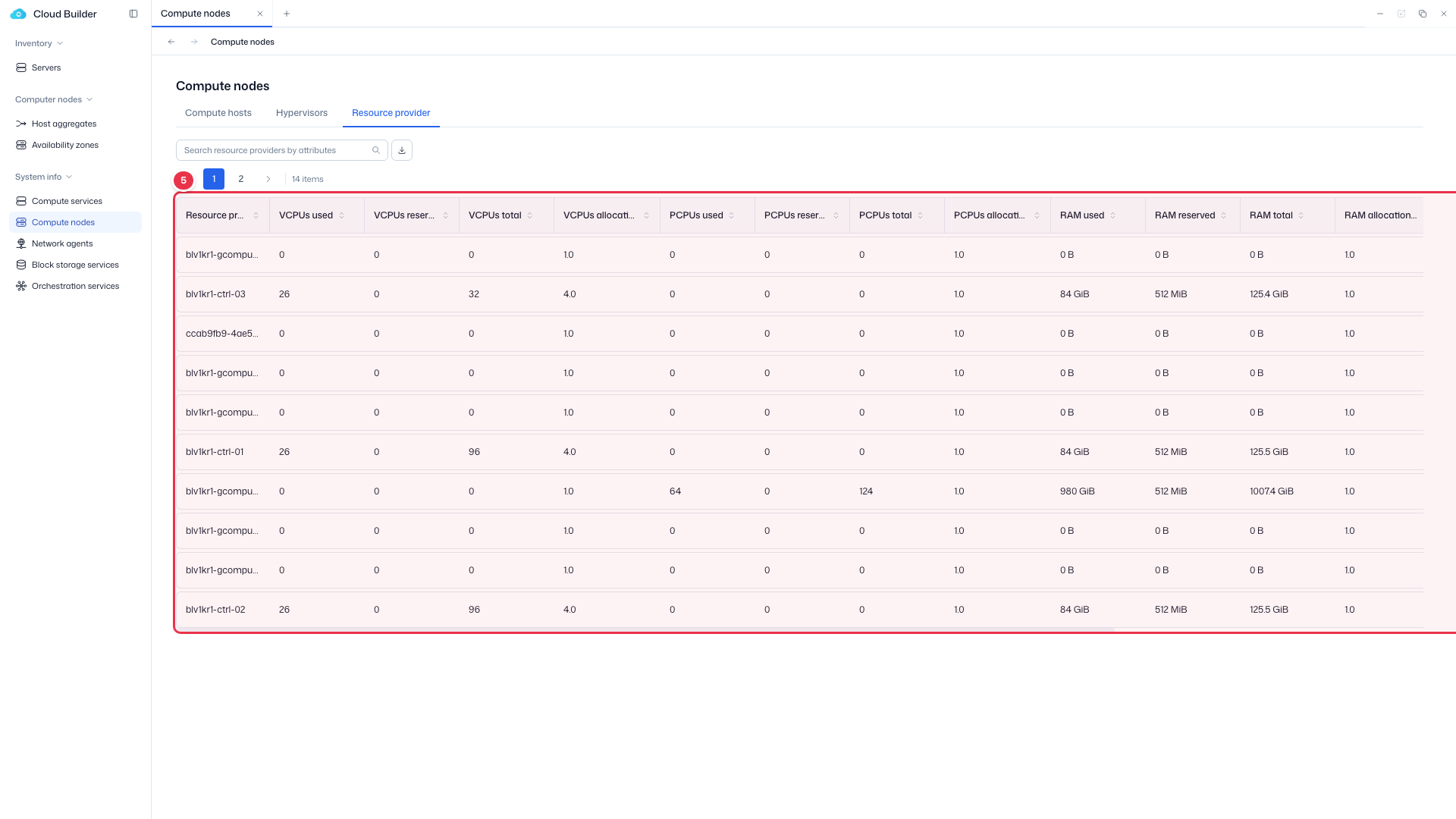
Resource provider table
Per-provider used, reserved, total, and allocation ratio for VCPU, PCPU, RAM, and Storage (horizontal scroll).
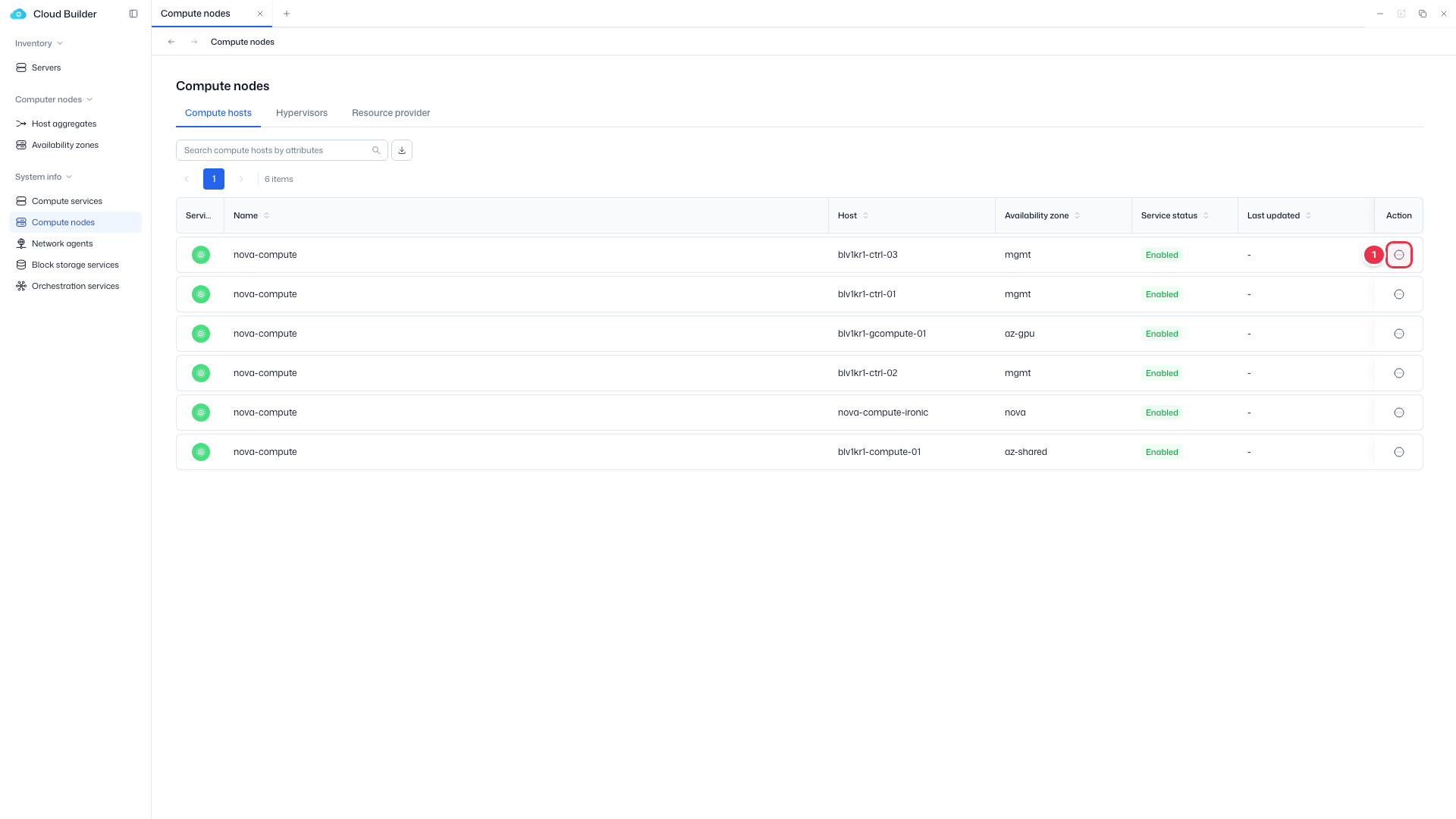
Enable / Disable
From the row action menu (Action column) of Compute hosts, Network agents, and Block storage, change the policy status (Service Status) of the service/agent. Only the action opposite to the current status is shown.
| Modal | Confirmation text | Input | Buttons | Follow-up |
|---|---|---|---|---|
| Enable | "Change this service status to Enabled?" | - | Cancel / Enable | Changes to Enabled, refreshes the list |
| Disable | "Change this service status to Disabled?" | Reason required | Cancel / Disable (destructive, enabled after entering a reason) | Changes to Disabled, saves the reason, refreshes the list |
For Network agents, the confirmation text is "Change this agent status to …".
Disable entry (row action)
Choose Disable from the row menu (when Enabled).
Disable confirmation modal
Excludes it from scheduling (policy status Disabled). A Reason is required.
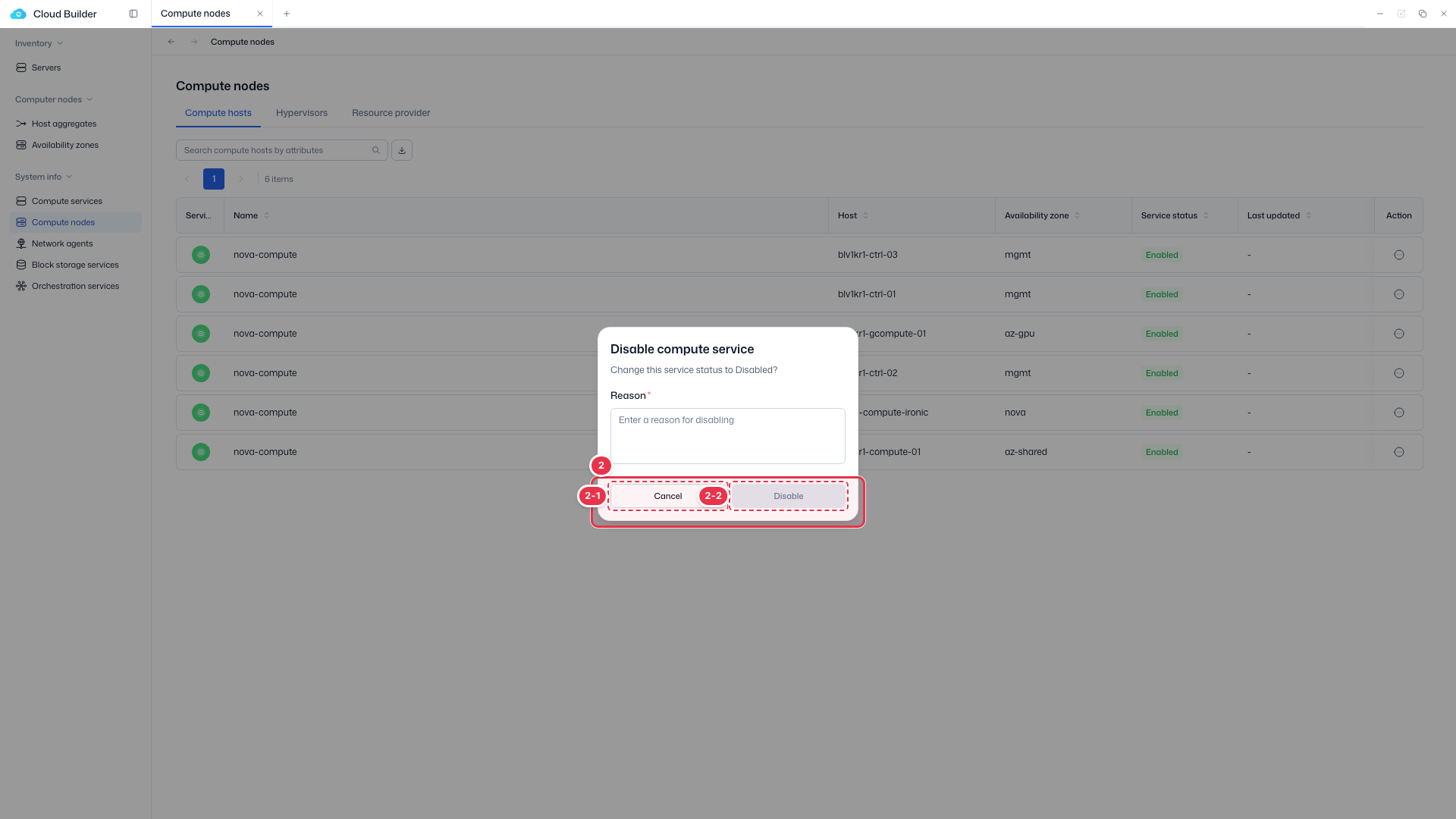
| No. | Feature | Item | Description |
|---|---|---|---|
| 2-1 | Cancel | Cancel | · Close. |
| 2-2 | Disable | Disable | · Apply after entering a Reason. The status changes to Disabled. |