

Browse Datasets (Dataset hub)
Find datasets provided by ThakiCloud and datasets users uploaded, check details and data previews, and download them.
Step 1. Open Dataset hub
In the left sidebar, click Datasets → Dataset hub. Follow the numbers on the screens below.
SNB
Hub menus. Switch between models and datasets.
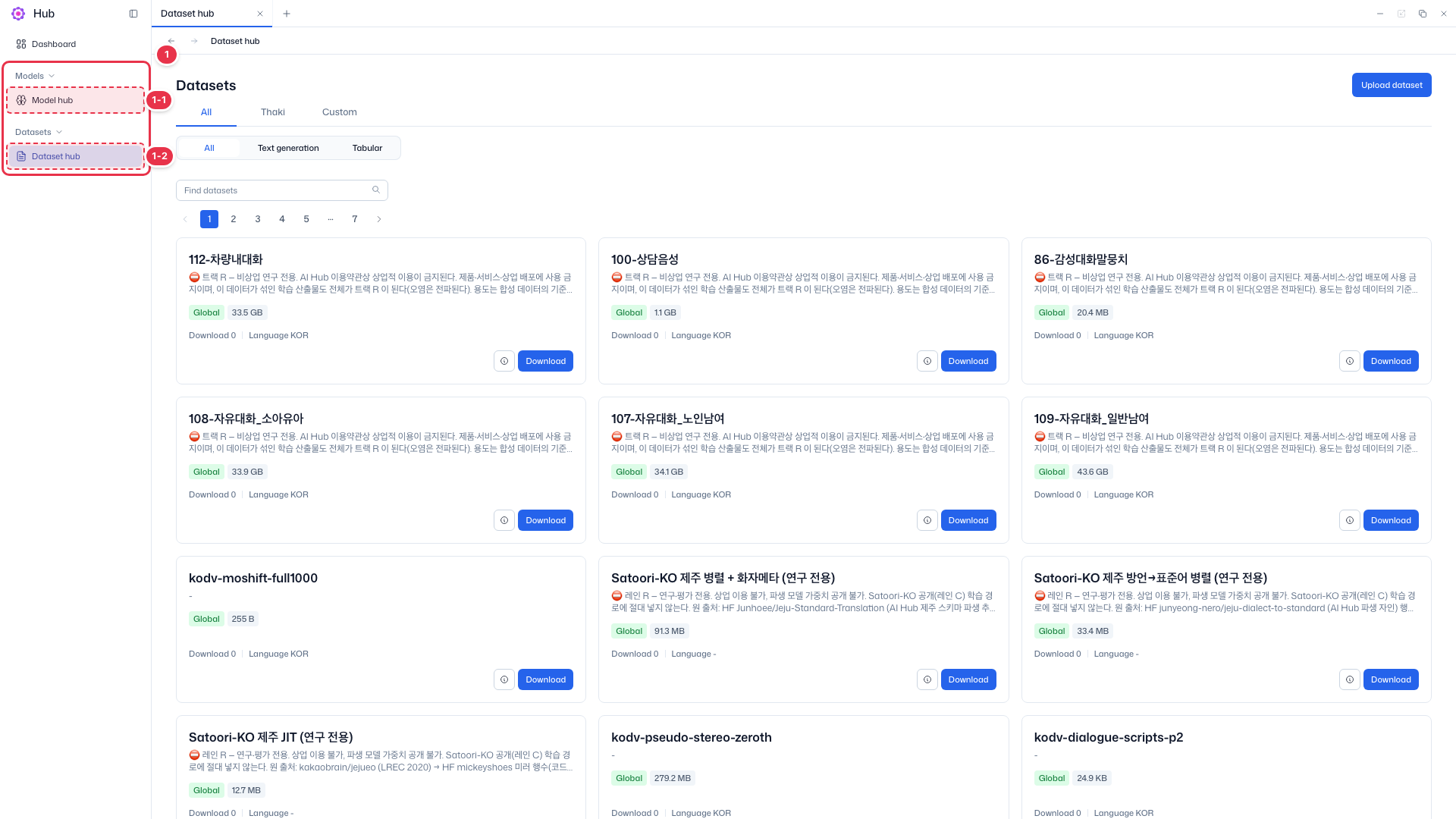
| No. | Feature | Item | Description |
|---|---|---|---|
| 1-1 | Models | Model hub | · Click to go to the model list. |
| 1-2 | Datasets | Dataset hub | · Current screen. Browse datasets in Hub as cards. |
Search · Filters
Narrow the dataset list by source, type, and name.
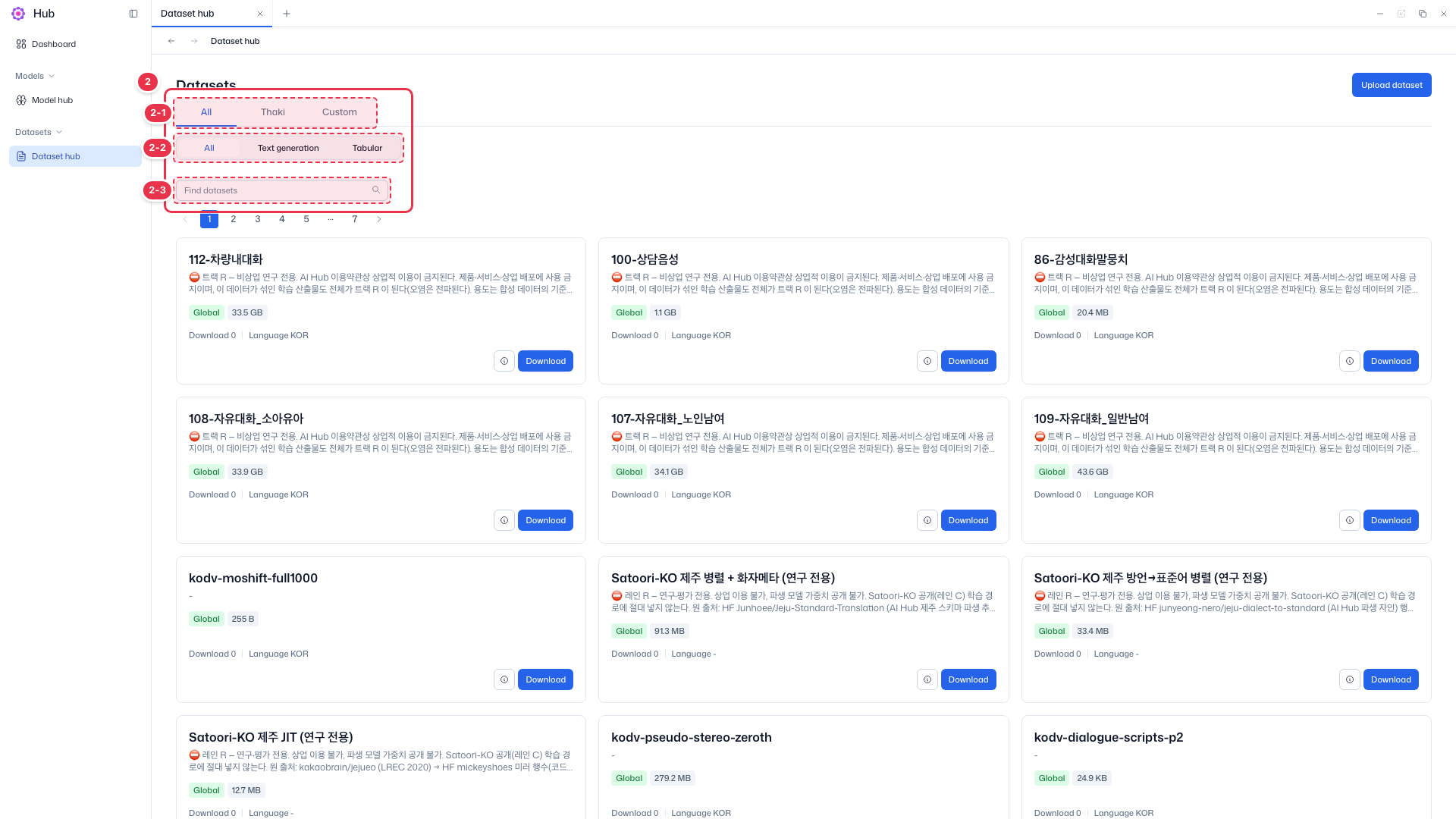
| No. | Feature | Item | Description |
|---|---|---|---|
| 2-1 | Source tabs | All · Thaki · Custom | · Thaki shows datasets provided by ThakiCloud; Custom shows datasets users uploaded. Only Custom datasets can be edited or deleted. |
| 2-2 | Type chips | All · Text generation · Tabular | · Filter by dataset type. |
| 2-3 | Search | Find datasets | · Search by dataset name. |
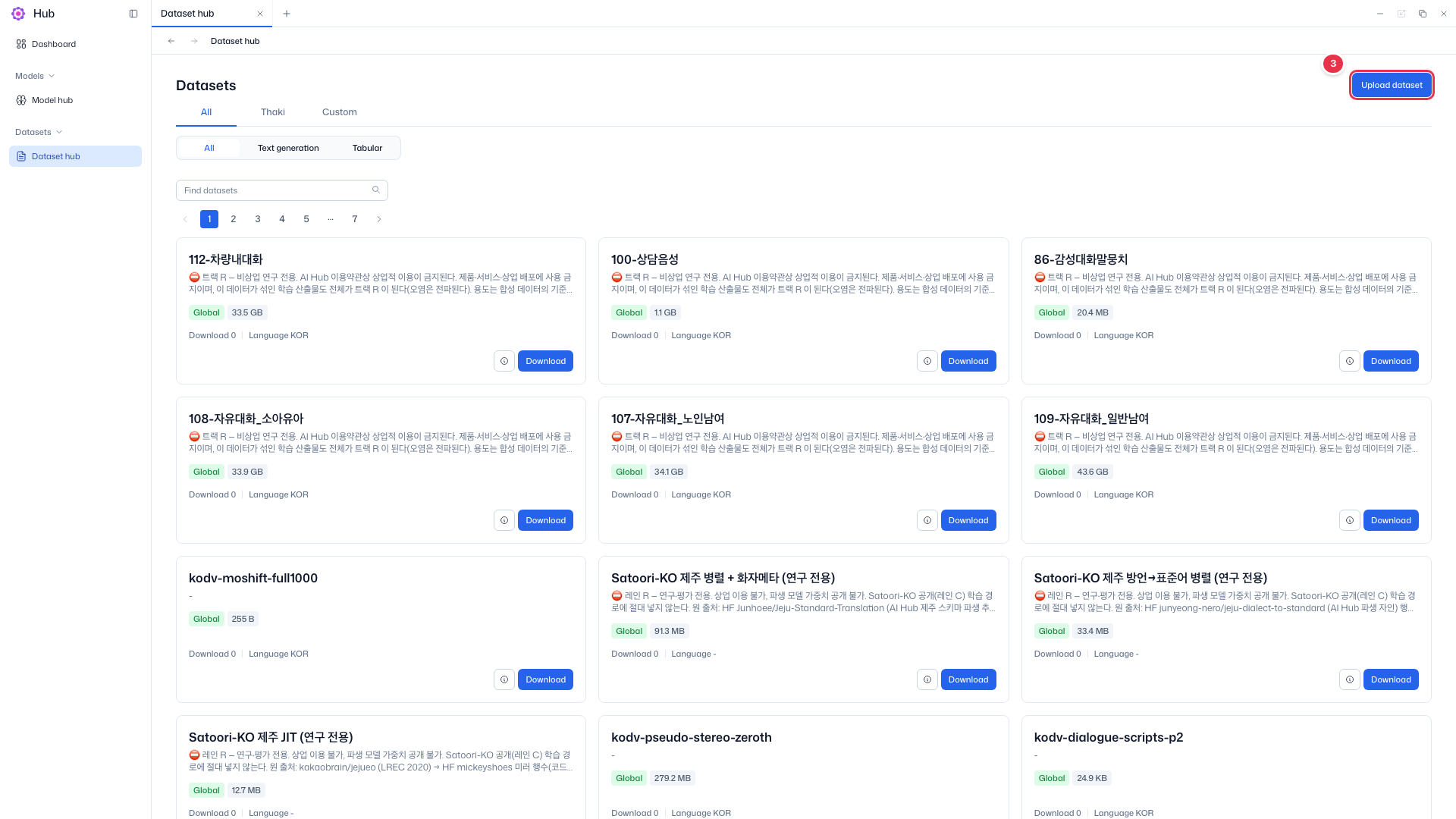
Upload
Click to open the upload drawer on the right.
Dataset card
Each dataset is one card.
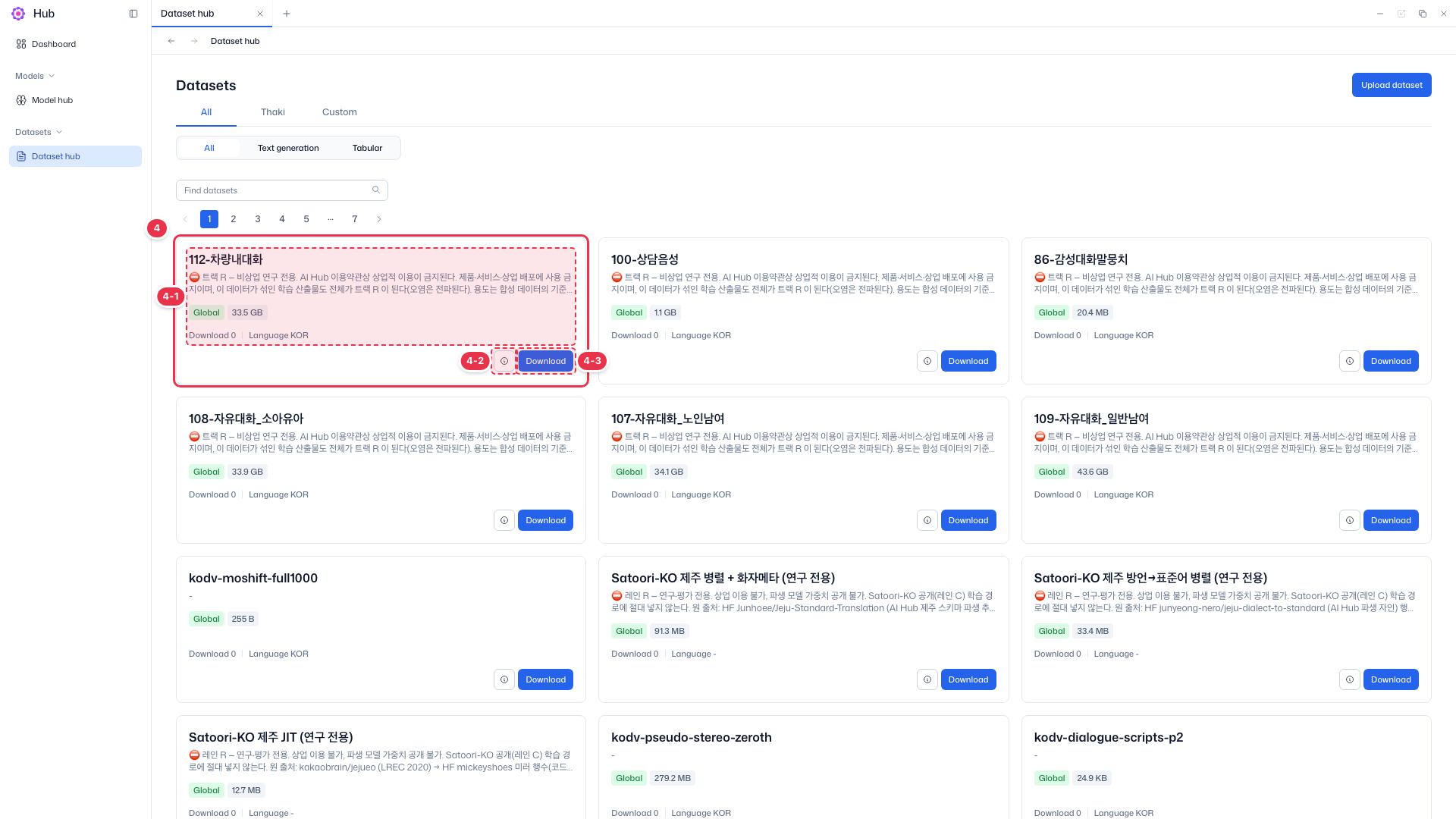
| No. | Feature | Item | Description |
|---|---|---|---|
| 4-1 | Card info | Name · Description · Tags · Downloads · Language | · Dataset name and description, scope (Global, Project) and size tags, download count, and language. |
| 4-2 | View details | ⓘ button | · Click to go to the dataset detail (Data viewer) screen. |
| 4-3 | Download | Download | · Download the dataset file. |
Cards on the Custom tab also have Edit and Delete buttons. See Edit a dataset and Delete a dataset.
Step 2. View dataset details
Click the ⓘ button on a card (number 4-2) to go to the detail screen (Data viewer).
Summary
Top of the detail screen.
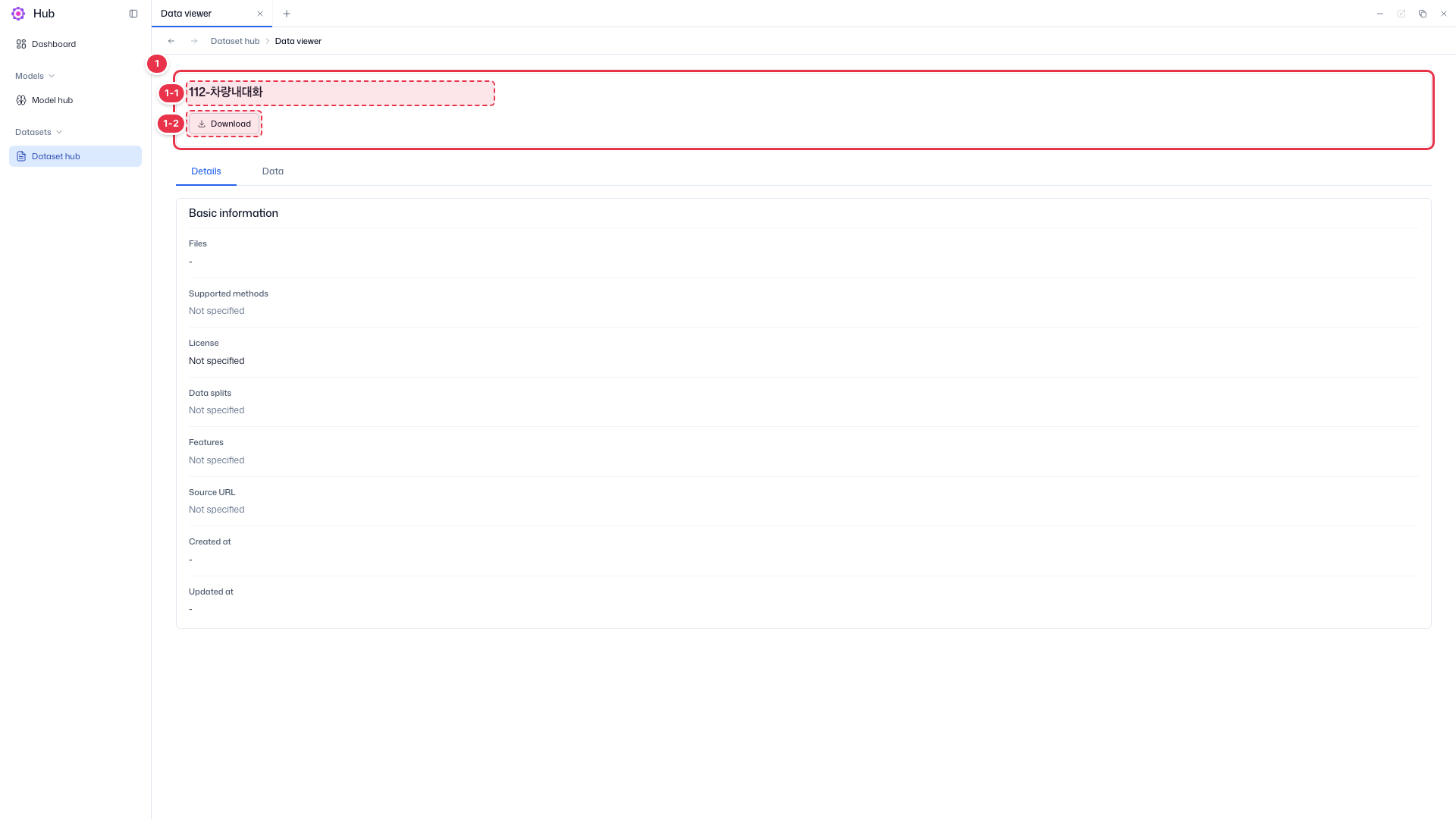
| No. | Feature | Item | Description |
|---|---|---|---|
| 1-1 | Name | Dataset name | · Name of the dataset you are viewing. |
| 1-2 | Download | Download | · Download the dataset file. |
Details tab
The Details tab shows basic information; the Data tab previews the data. Formats that cannot be previewed show No data available.
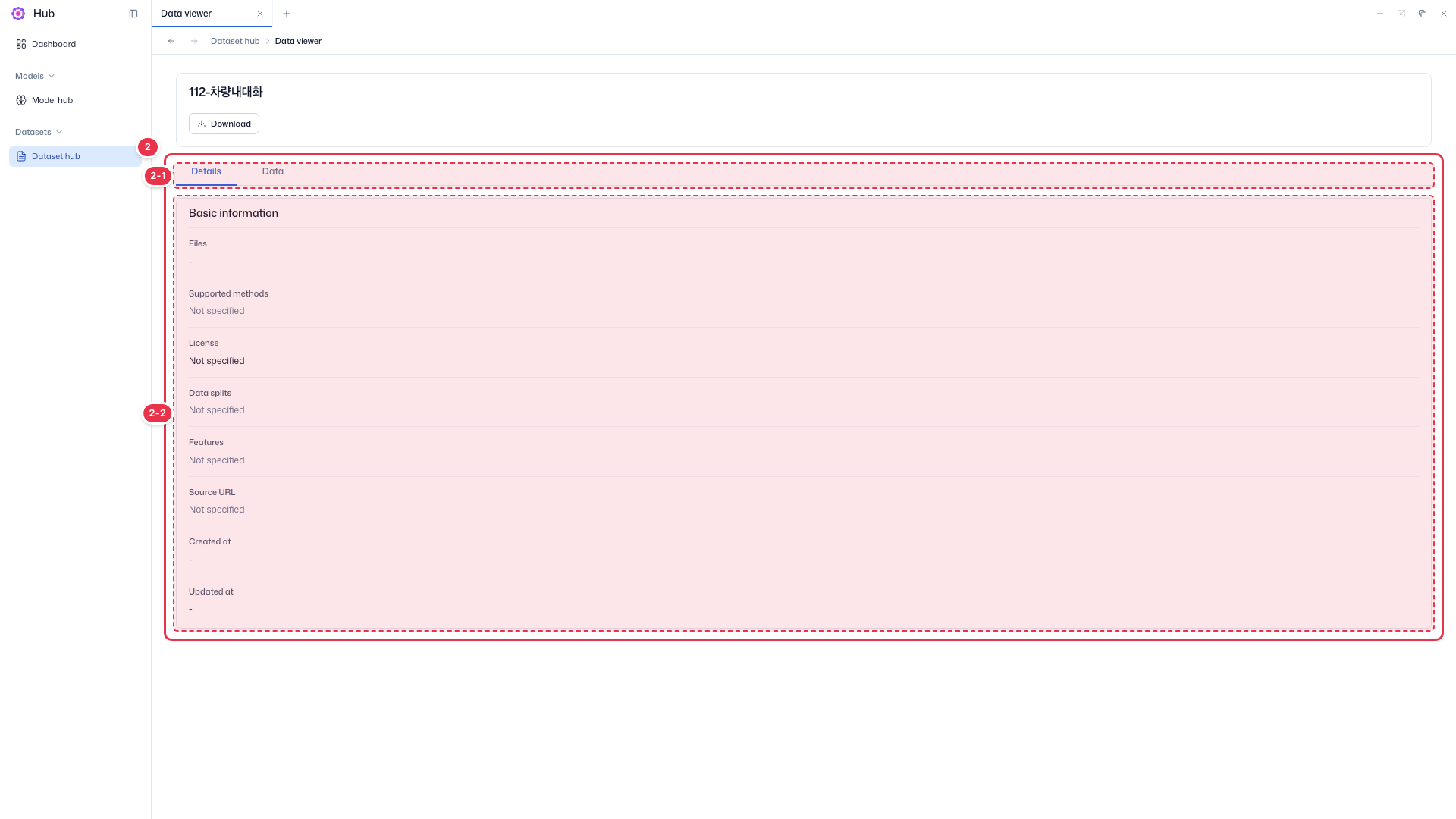
| No. | Feature | Item | Description |
|---|---|---|---|
| 2-1 | Tabs | Details · Data | · Switch between details and data preview. |
| 2-2 | Basic information | Files | Files in the dataset. |
| Supported methods | Training methods chosen at upload (SFT, DPO, etc.). | ||
| License | License. | ||
| Data splits · Features | Data splits (train/test, etc.) and column information. | ||
| Source URL | Original source address. | ||
| Created at · Updated at | Creation time and last update time. |
Data tab — preview by data format
| Format | Preview |
|---|---|
| Tabular | File name and a table, 10 rows per page |
| Text | File name and up to 100 lines |
| Conversation | File name and statistics (average messages per sample, average content length, messages per role) |
Step 3. Download a dataset
Click Download on a card or on the detail screen. Both Thaki and Custom datasets can be downloaded.