

Delete a Dataset
Delete a Custom dataset you uploaded. Thaki datasets cannot be deleted.
Step 1. Start deleting
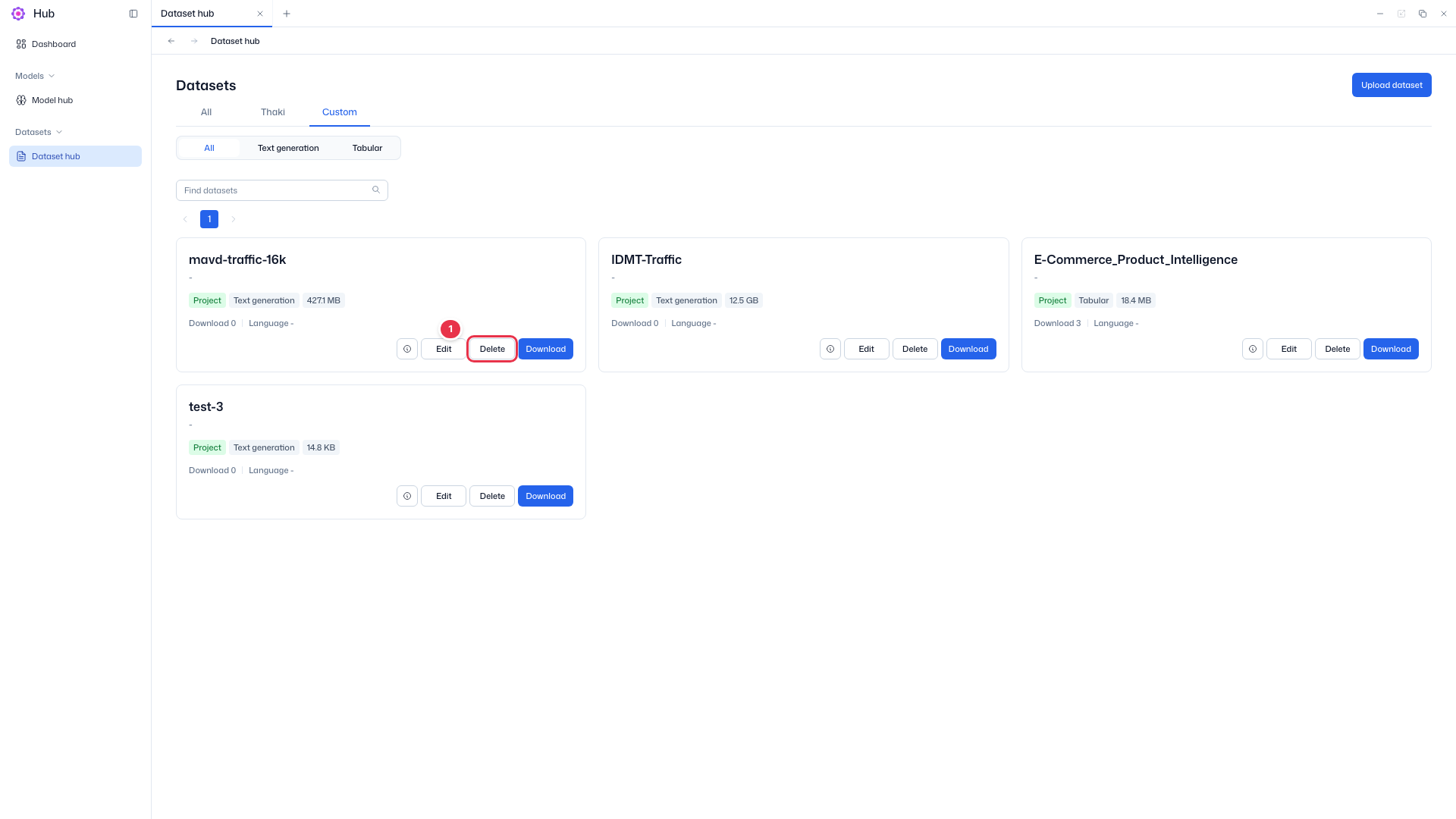
In Datasets → Dataset hub, choose the Custom tab and click Delete on the card.
Delete button
The Delete button on a Custom tab card. Thaki dataset cards do not have it.
Delete dataset modal
Warns that deletion cannot be undone and shows the target.
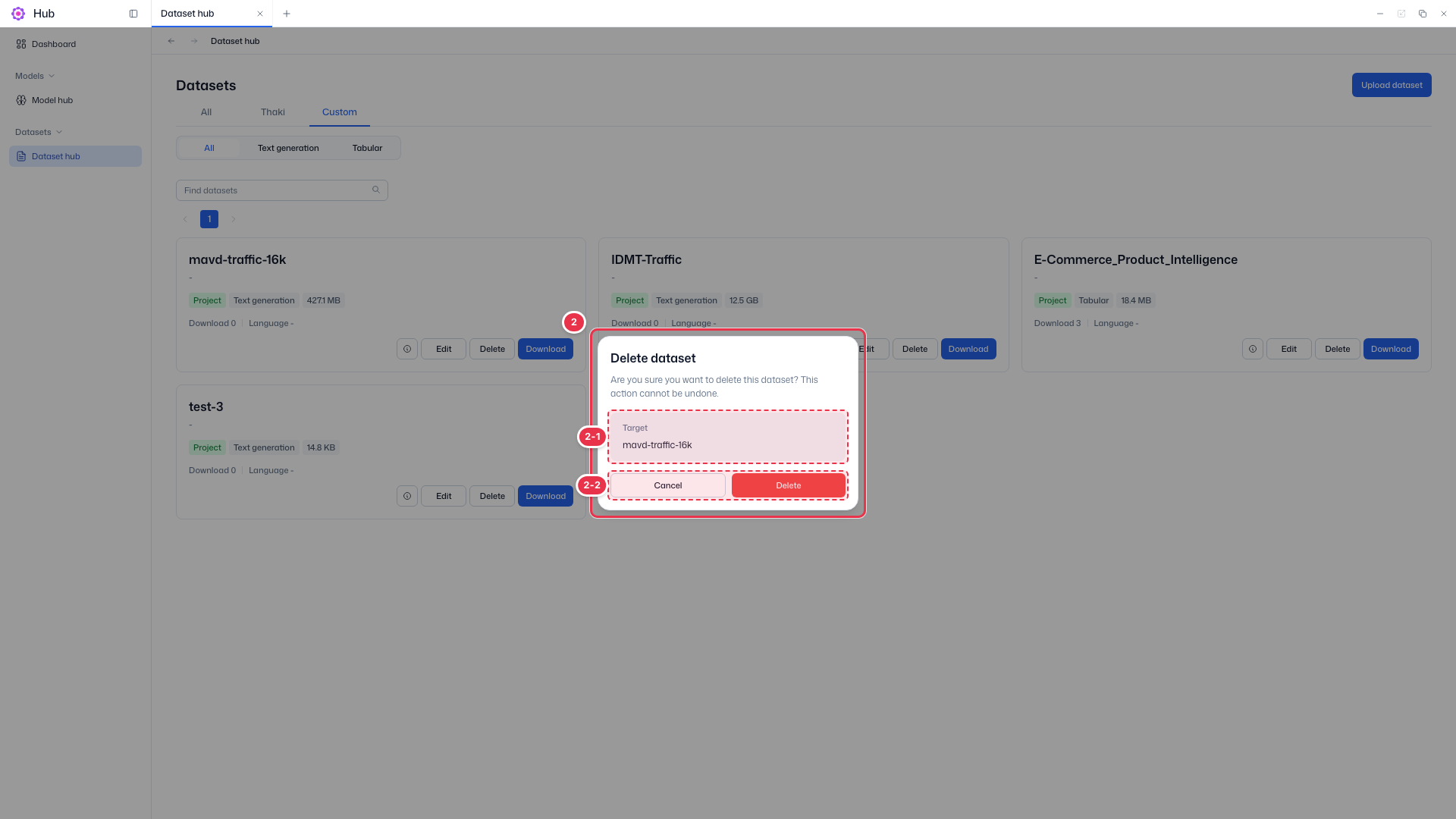
| No. | Feature | Item | Description |
|---|---|---|---|
| 2-1 | Target | Target | · Name of the dataset to delete. Check that it is correct. |
| 2-2 | Delete | Cancel · Delete | · Delete removes the dataset; Cancel closes the modal. |
Step 2. Confirm
Check the target under Target in the modal and click Delete. Deletion cannot be undone. On success, Dataset "{dataset_name}" deleted successfully appears.