

Upload a Dataset
Upload a dataset file and register its details. Uploaded datasets appear on the Custom tab.
Prerequisites
- A file in a supported format:
.zip,.csv,.tsv,.xlsx,.xls(up to 10 GB, one file)
Step 1. Open the upload drawer
In Datasets → Dataset hub, click Upload dataset at the top right.
Upload drawer
Opens from the Upload dataset button at the top right of the list. Add a file and details, then upload.
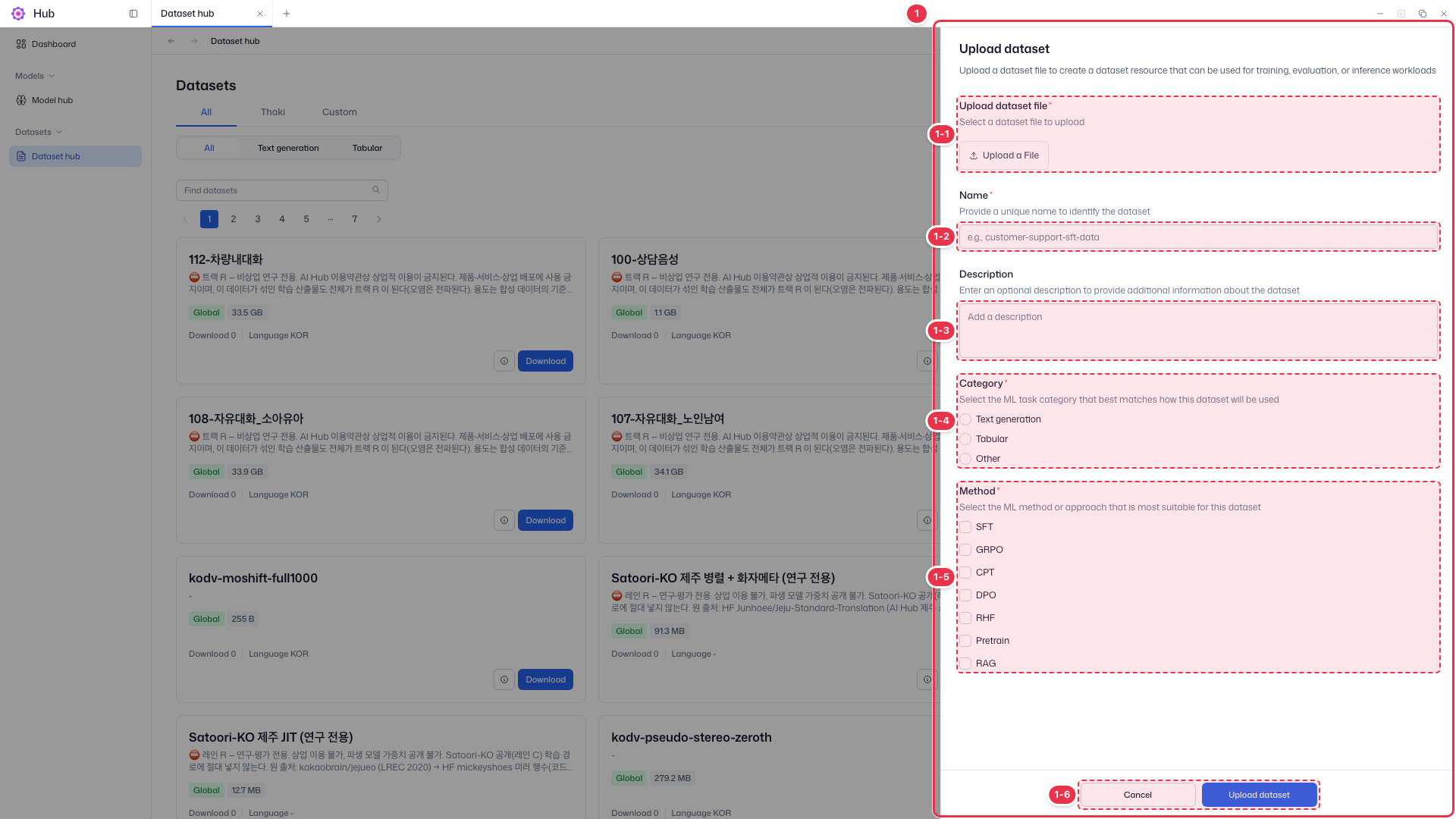
| No. | Feature | Item | Description |
|---|---|---|---|
| 1-1 | File | Upload dataset file (required) | · Click Upload a File to choose the file. |
| 1-2 | Name | Name (required) | · A unique name to identify the dataset. |
| 1-3 | Description | Description (optional) | · Description of the dataset. |
| 1-4 | Category | Category (required, one) | · Choose one of Text generation, Tabular, or Other. |
| 1-5 | Method | Method (required, multiple) | · Choose all methods that fit: SFT, GRPO, CPT, DPO, RHF, Pretrain, RAG. |
| 1-6 | Upload | Cancel · Upload dataset | · Upload dataset uploads it; Cancel closes the drawer. |
Step 2. Enter details
| Field | Required | Rule |
|---|---|---|
| Name | Required | 1–255 characters |
| Description | Optional | Up to 5,000 characters |
| Category | Required | Choose one: Text generation, Tabular, Other |
| Method | Required | Choose one or more: SFT, GRPO, CPT, DPO, RHF, Pretrain, RAG |
Step 3. Upload
Click Upload dataset (number 1-6). On success, Dataset "{dataset_name}" uploaded successfully appears.