

Availability zones
A physically/logically separated fault-domain unit that determines the target scope of instance scheduling. It is defined based on host aggregates.
- Path: Cloud Builder › Computer Nodes › Availability Zones
- Search:
Search availability zones by attributes(default filter key: Name) - No checkboxes · CSV export supported
Available is a derived, read-only value
Available is not a value set by the operator; it displays OpenStack os-availability-zone's zoneState.available directly.
- Empty AZ (0 hosts) →
No - Has hosts and an enabled nova-compute service →
Yes - Has hosts but all nova-compute services are disabled →
No
Operational control to open or close an AZ is performed not through this value but by enabling/disabling the nova-compute service of that AZ's hosts in Compute nodes.
List screen
Sidebar (SNB)
From the left sidebar, move to each screen.
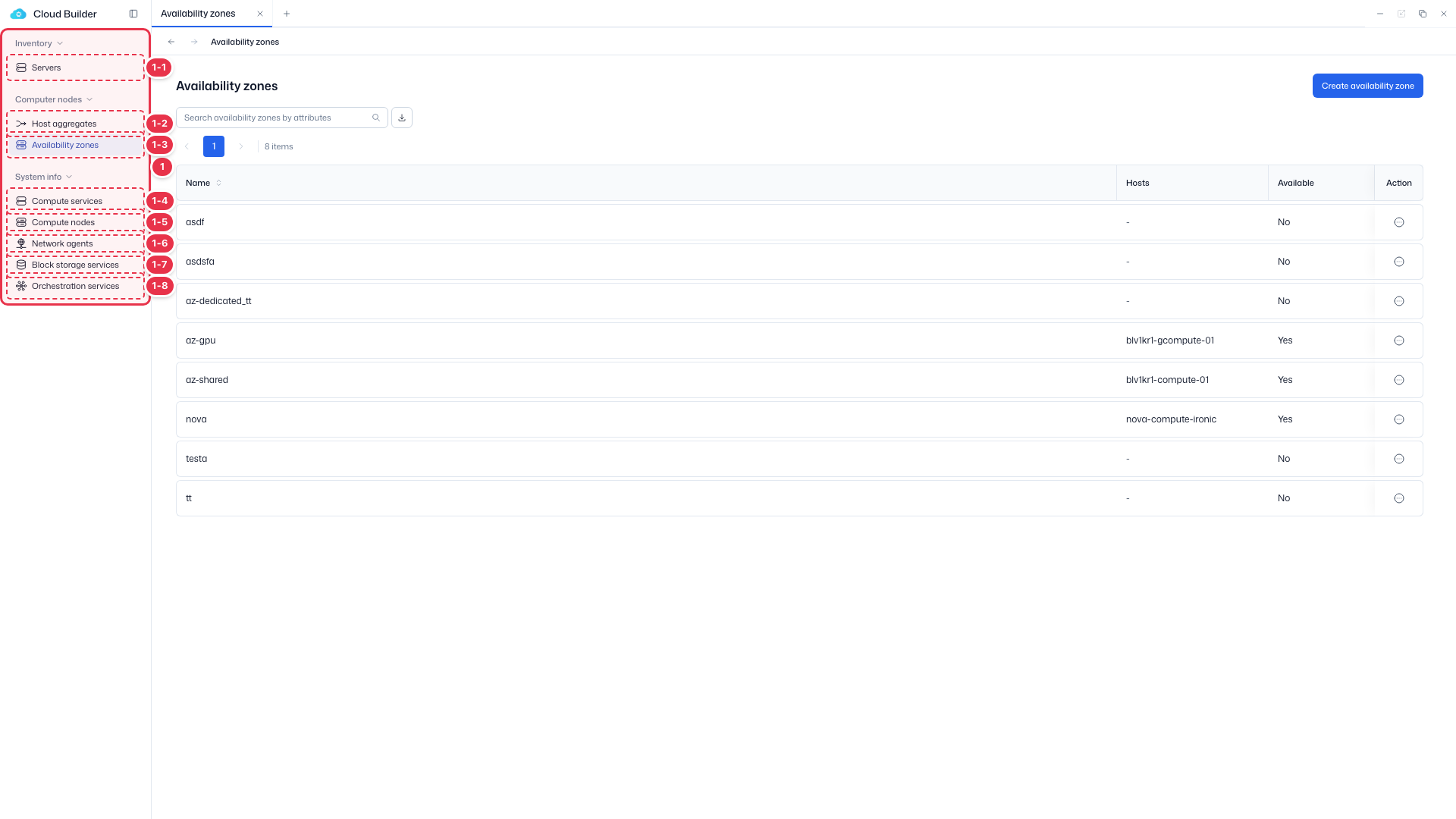
| No. | Feature | Item | Description |
|---|---|---|---|
| 1-1 | Servers | Servers | · Bare-metal server inventory (register, allocate, delete). |
| 1-2 | Host aggregates | Host aggregates | · Logical groups of hosts. |
| 1-3 | Availability zones | Availability zones | · Availability zones (AZ). |
| 1-4 | Compute services | Compute services | · Service endpoint status. |
| 1-5 | Compute nodes | Compute nodes | · Nodes, hypervisors, and resource providers. |
| 1-6 | Network agents | Network agents | · Neutron agent status. |
| 1-7 | Block storage services | Block storage services | · Cinder services and backends. |
| 1-8 | Orchestration services | Orchestration services | · Heat engine status. |
Search · Create
Search availability zones or create a new one.
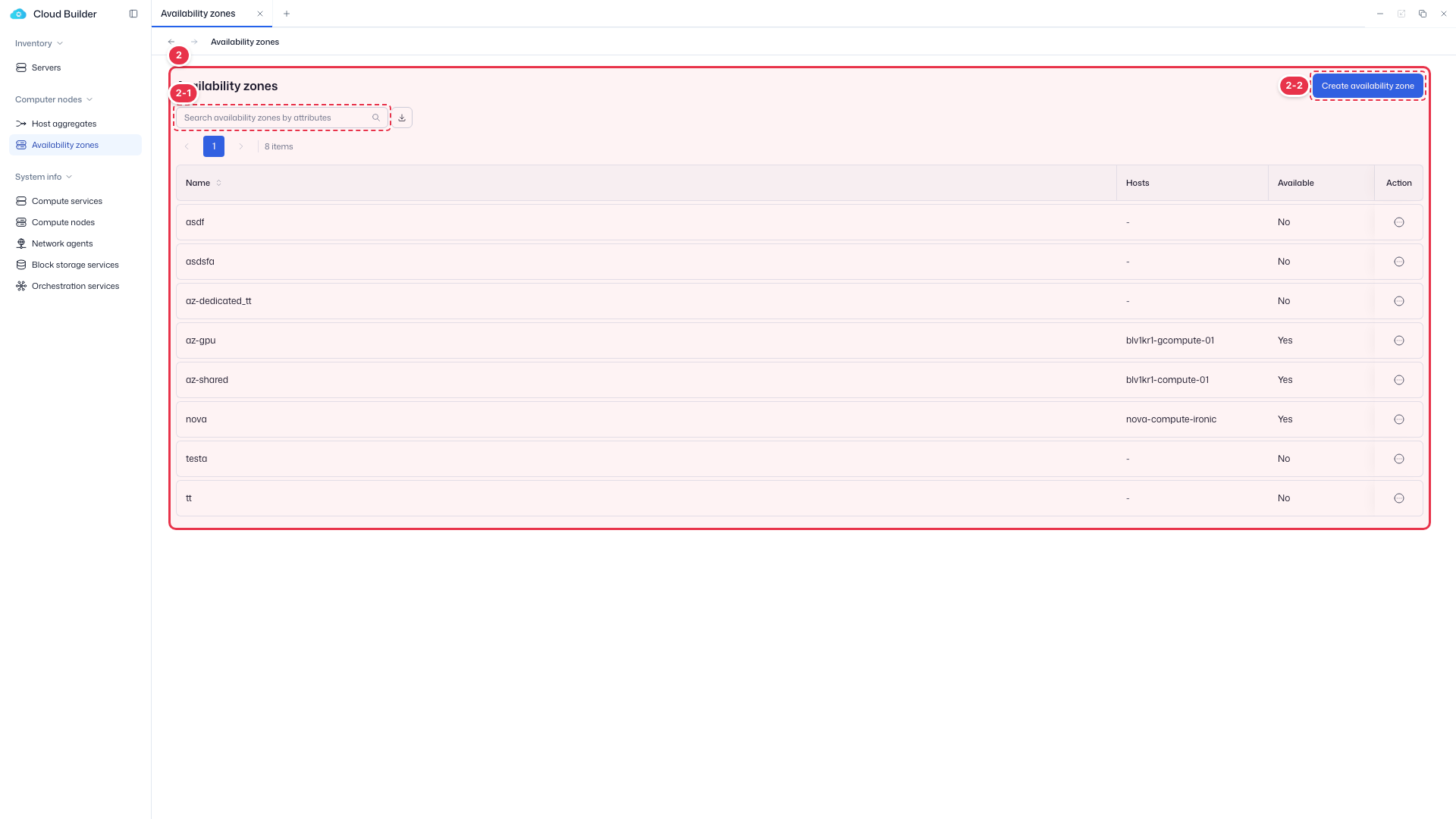
| No. | Feature | Item | Description |
|---|---|---|---|
| 2-1 | Search | Search | · Search by name. |
| 2-2 | Create | Create availability zone | · Open the drawer to create a new availability zone. |
List table
List of availability zones.
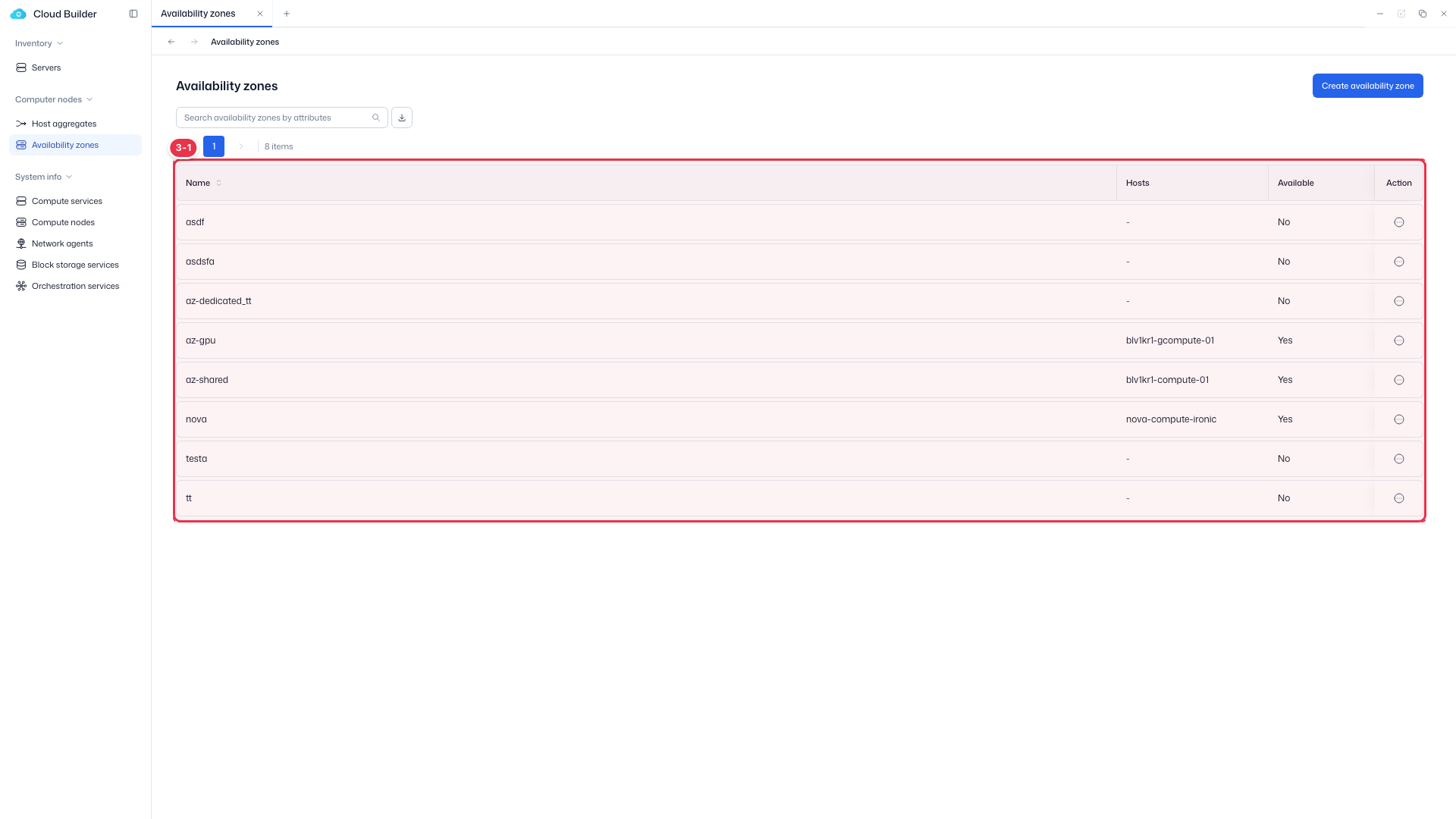
| No. | Feature | Item | Description |
|---|---|---|---|
| 3-1 | List columns | Name | Availability zone name. |
| Hosts | First host + a +N badge. | ||
| Available | Yes/No — read-only derived value (based on os-availability-zone). | ||
| Action | Edit / Delete. |
Create
Create a new availability zone by entering only a name. Create/Edit use the drawer on the right (400px).
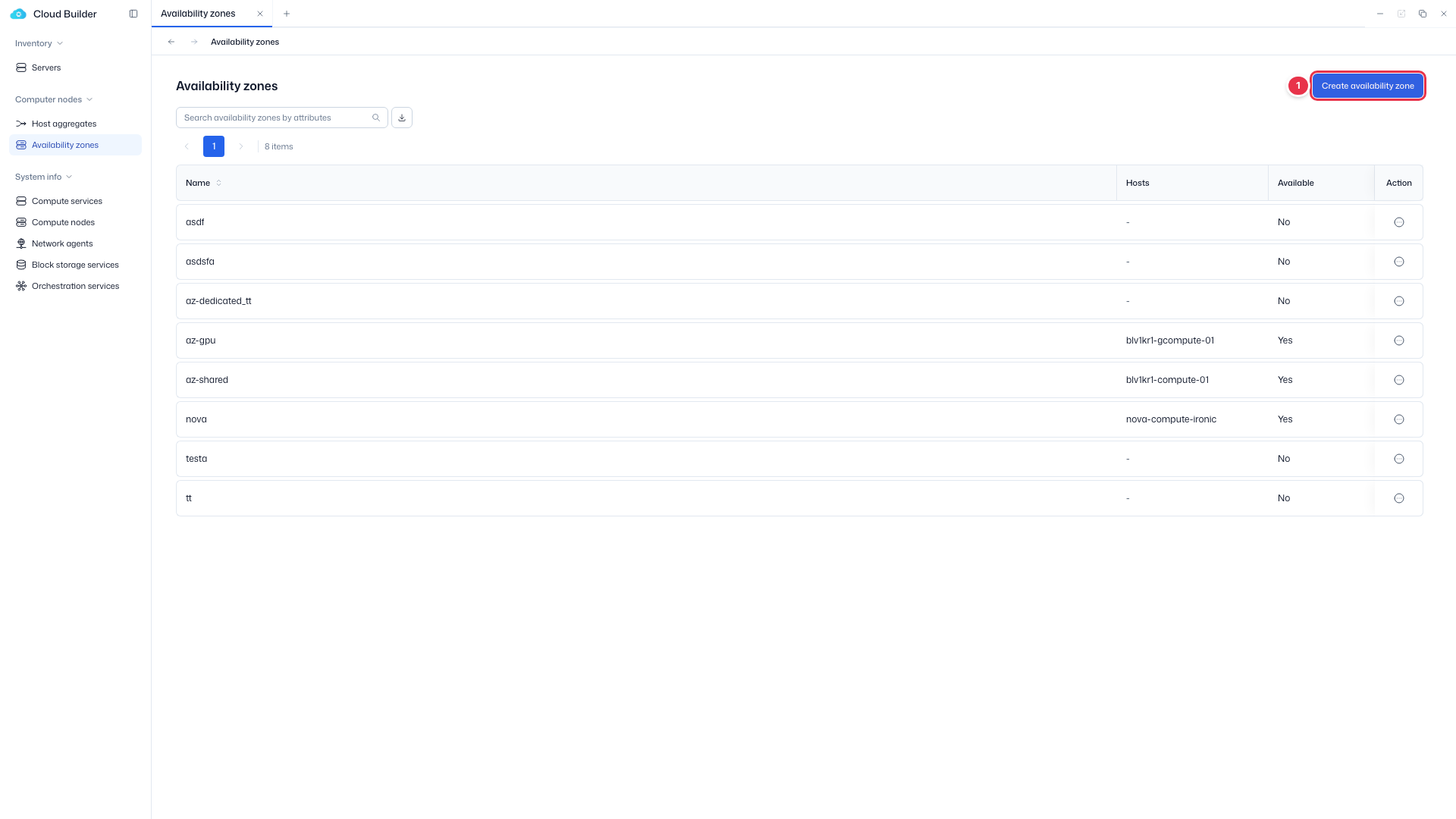
Create entry
Click to open the create drawer (400px).
Create drawer
Create an availability zone by entering only a name (Available is a derived value and has no input).
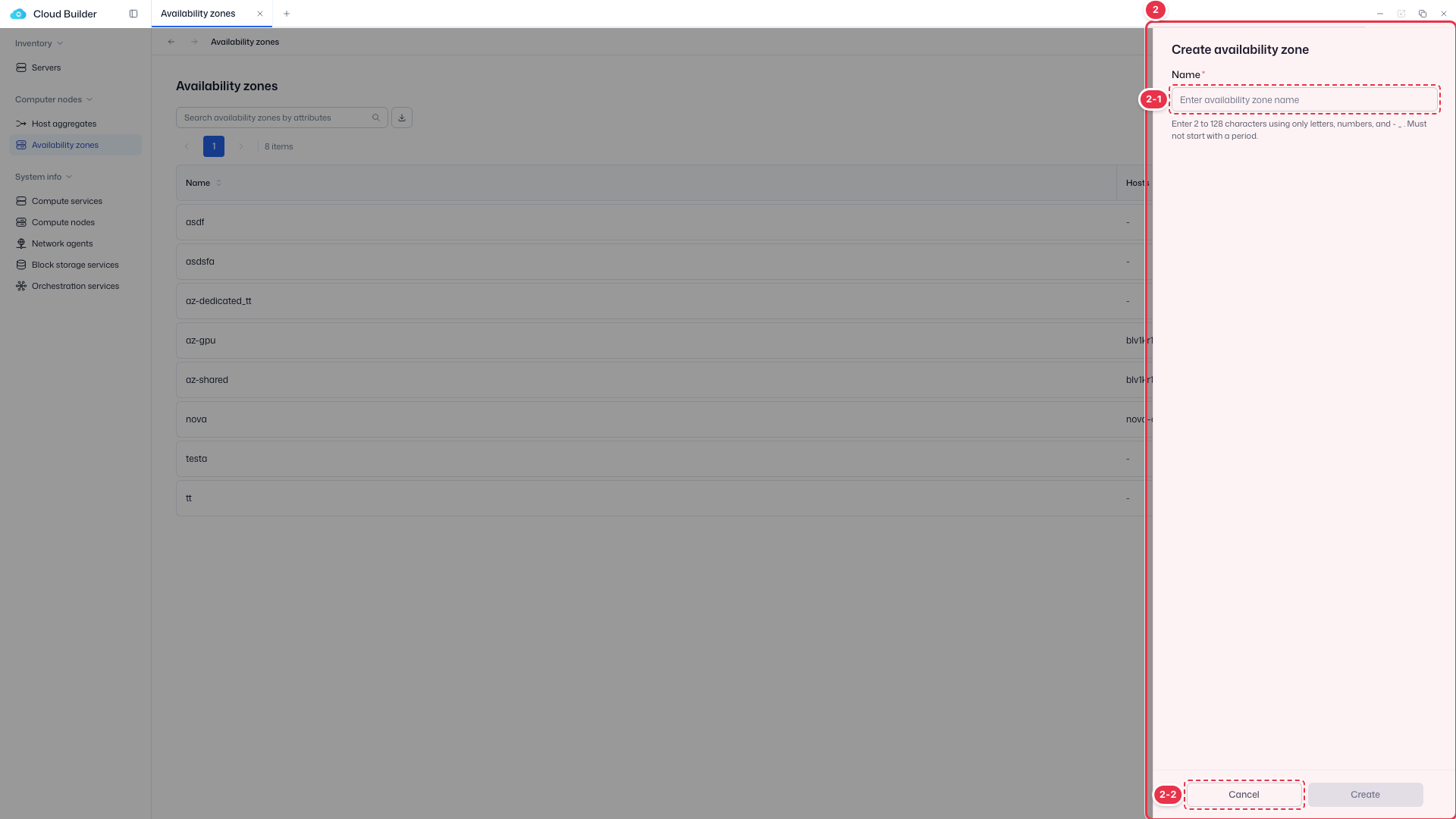
| No. | Feature | Item | Description |
|---|---|---|---|
| 2-1 | Name | Name * | · Thaki unified naming rule (2–128 chars, starts with a letter/number, no Korean). |
| 2-2 | Create / Cancel | Create / Cancel | · Create: create. Cancel: close. |
Name input rules (Thaki unified rules)
| Rule | Condition |
|---|---|
| Length | 2–128 characters |
| Allowed characters | A-Z a-z 0-9 · - · _ · . |
| Starting character | Starts with a letter or number (cannot start with dot, hyphen, or underscore) |
| Korean | Not allowed |
| Duplicates | Case-insensitive, duplicates not allowed (hard block) |
Shares the same rules as host aggregate names. The input accepts only Name (no Available input — it is a derived value).
Edit
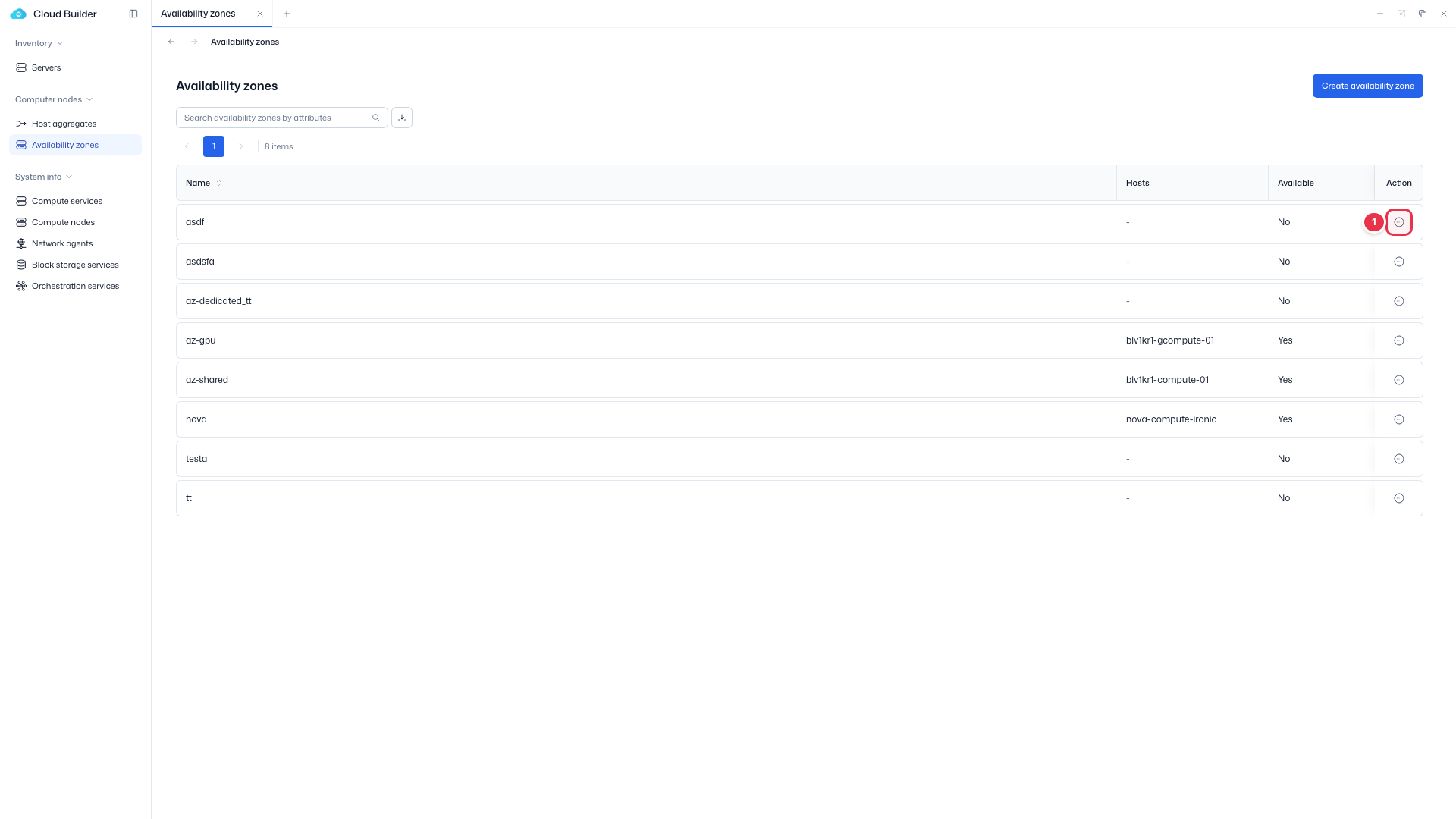
Use Edit in the row actions to change the availability zone name (rename).
Edit entry (row action)
Choose Edit from the row menu.
Edit drawer
Change the availability zone name (rename).
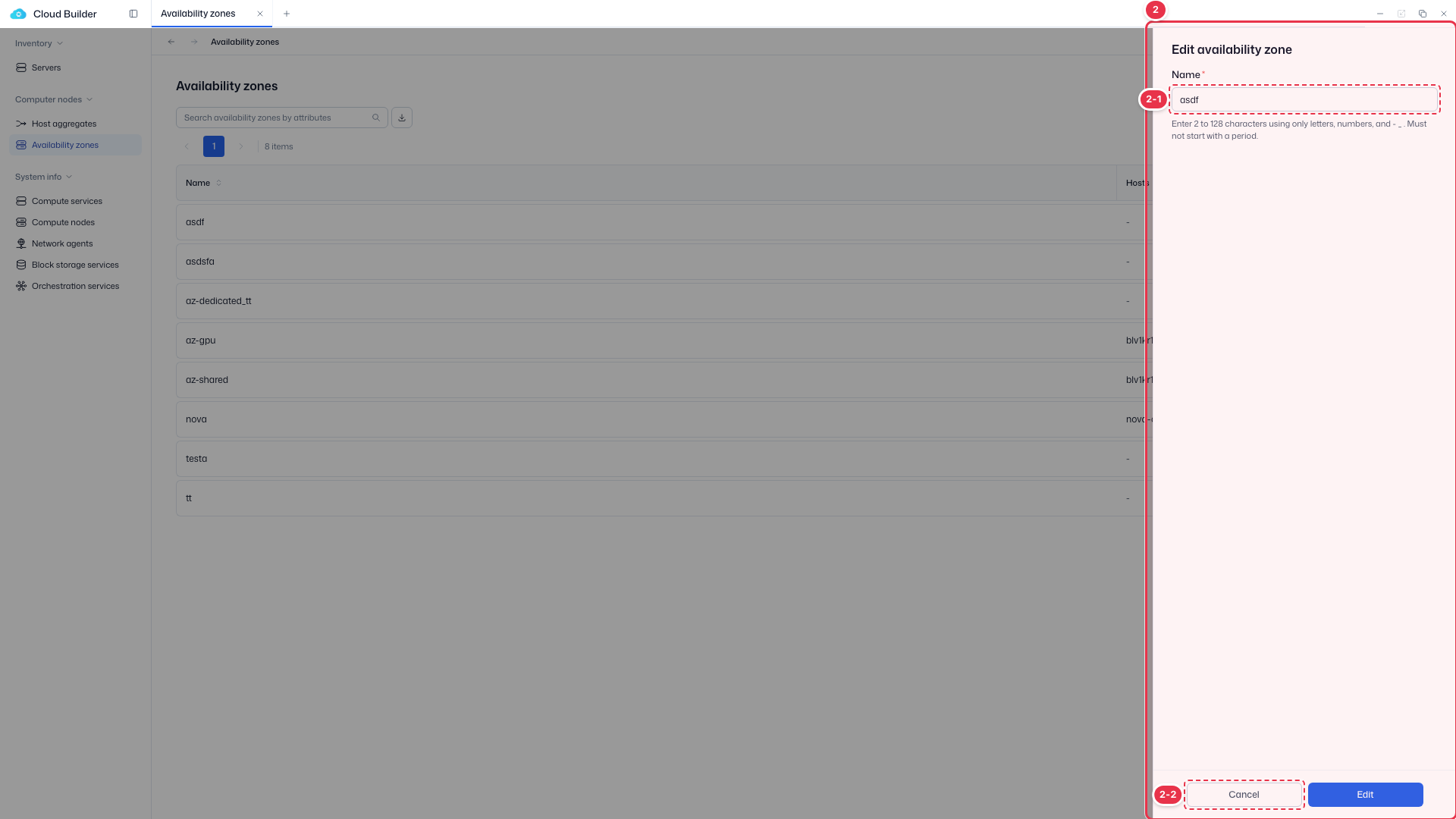
| No. | Feature | Item | Description |
|---|---|---|---|
| 2-1 | Name | Name | · Change the availability zone name. |
| 2-2 | Edit / Cancel | Edit / Cancel | · Edit: save. Cancel: close. |
Delete
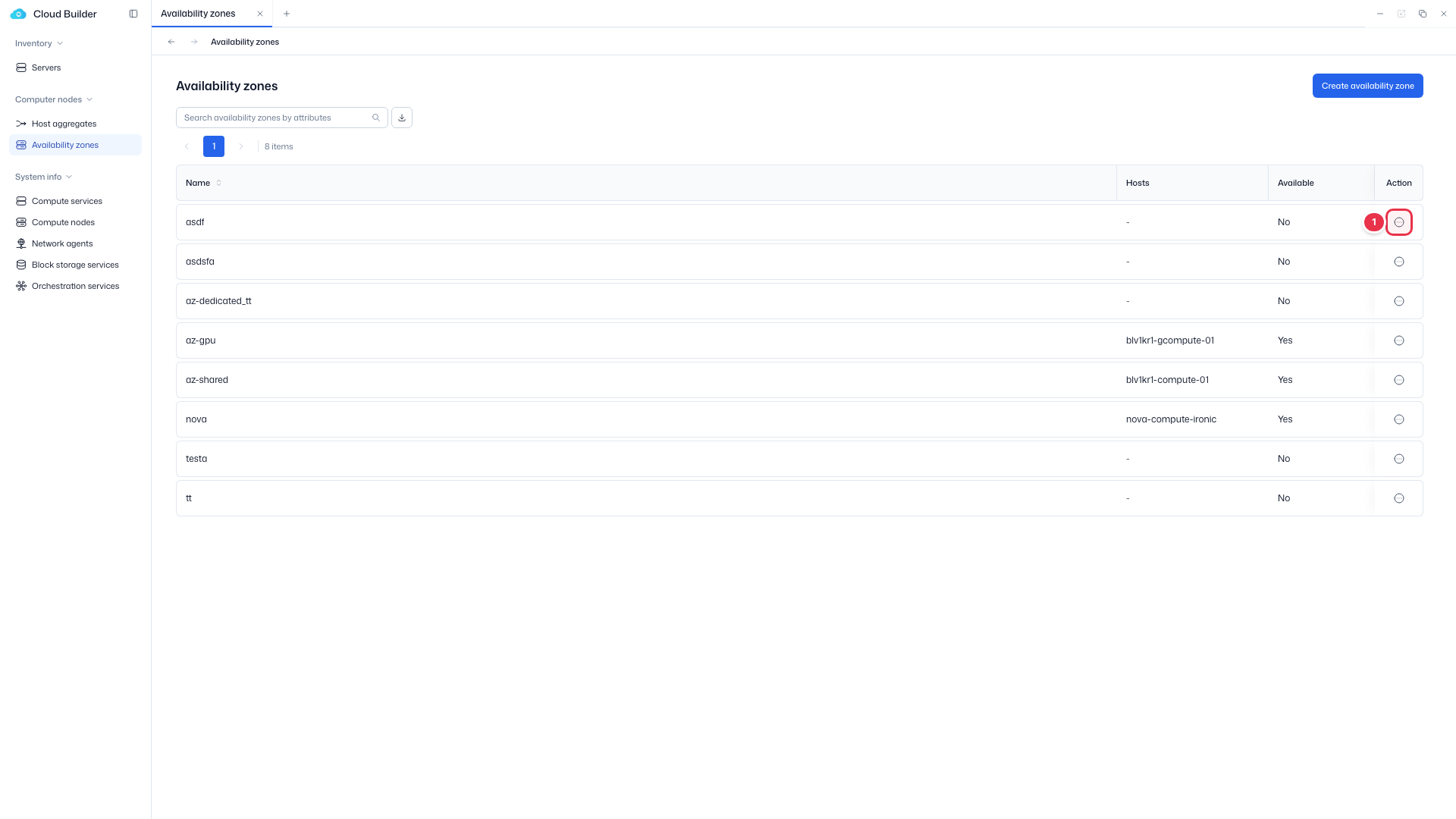
Use Delete in the row actions to delete the availability zone.
Delete entry (row action)
Choose Delete from the row menu. Disabled if it contains hosts.
Delete confirmation modal
Delete the availability zone.
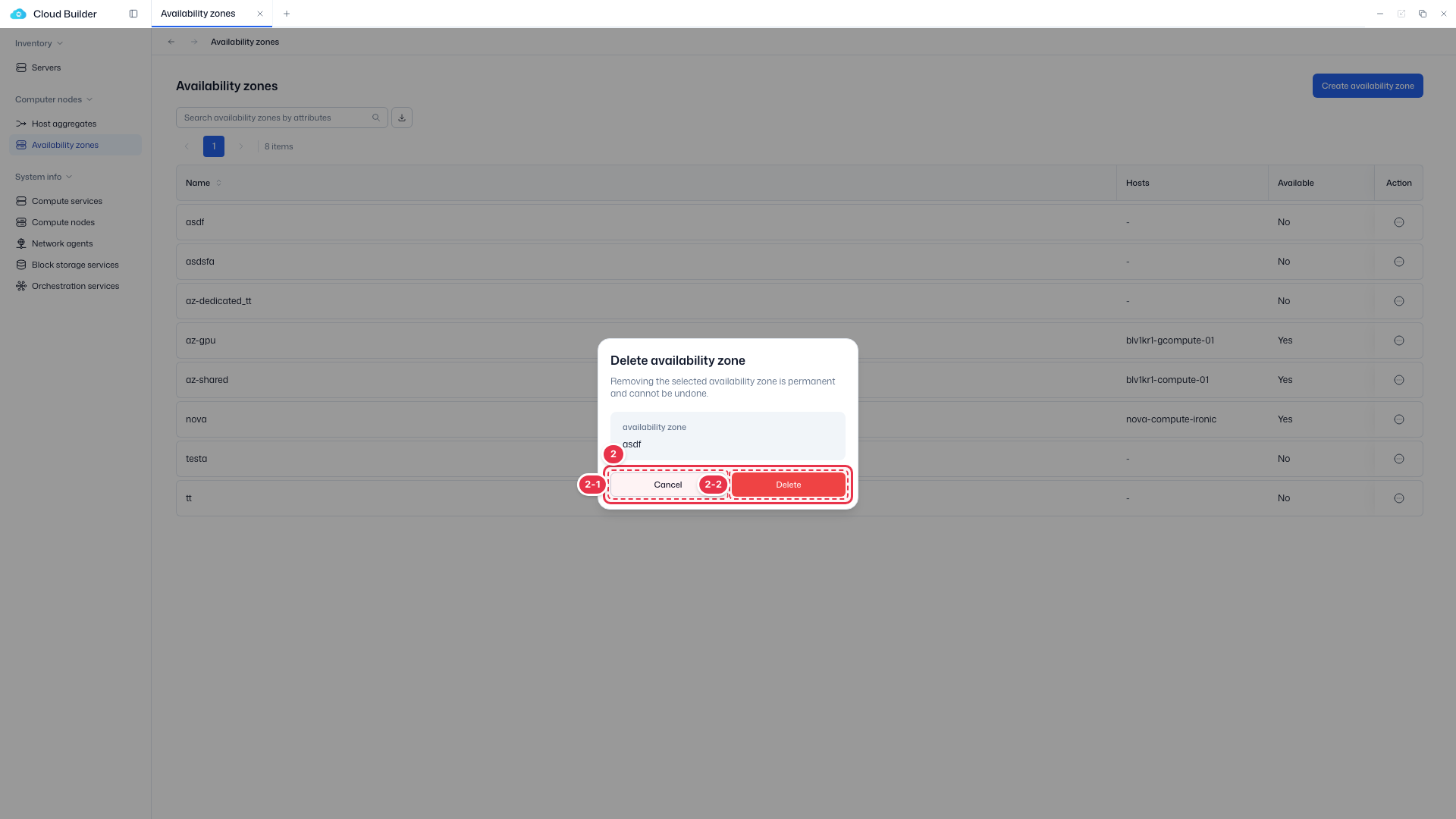
| No. | Feature | Item | Description |
|---|---|---|---|
| 2-1 | Cancel | Cancel | · Close. |
| 2-2 | Delete | Delete | · Permanently delete. |
Delete constraint
If it contains hosts, Delete is disabled. Tooltip: "Remove all hosts from the availability zone before deleting". This is because deleting an AZ would leave its hosts in a "no membership" state, which can cause scheduling errors.