

View the KMS dashboard
The Overview of System Mode KMS summarizes the platform-wide status of encryption keys, certificates, and secrets on a single screen.
System Mode only — Requires system administrator (SysAdmin) privileges.
Open the dashboard
Opening the KMS app shows Overview by default. You can return to it anytime from the sidebar (No. 1).
- Encryption Keys (No. 2) — Counts of scheduled/not scheduled keys and a list of keys past their rotation deadline.
- Certificates (No. 3) — Counts of valid, expiring, expired, and revoked certificates, and a list of certificates that need attention (expiring soon).
- Secrets (No. 4) — Counts of active, expired, deactivated, and deleted secrets.
1 Sidebar (SNB)
Use the left sidebar to move between the four KMS screens (Overview, Encryption Keys, Secrets, Certificates).
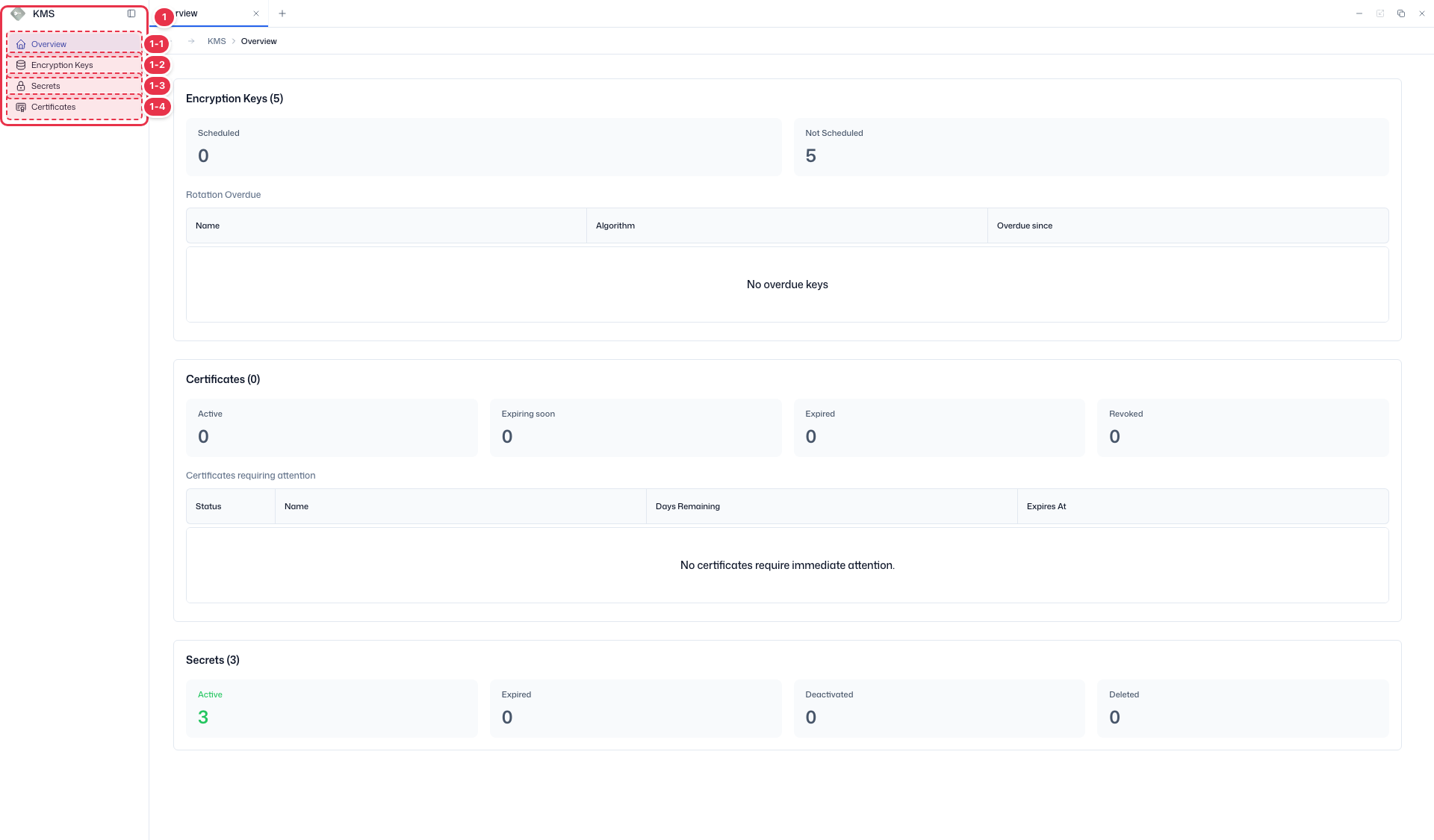
| No. | Feature | Item | Description |
|---|---|---|---|
| 1-1 | Overview | Overview | · Summary dashboard for keys, certificates, and secrets. |
| 1-2 | Encryption keys | Encryption Keys | · Encryption key list — rotate, archive, destroy. |
| 1-3 | Secrets | Secrets | · Manage secret values, versions, and expiration. |
| 1-4 | Certificates | Certificates | · View, renew, and revoke TLS certificates. |
2 Encryption keys summary
Rotation schedule status of all platform keys and any keys past their rotation deadline.
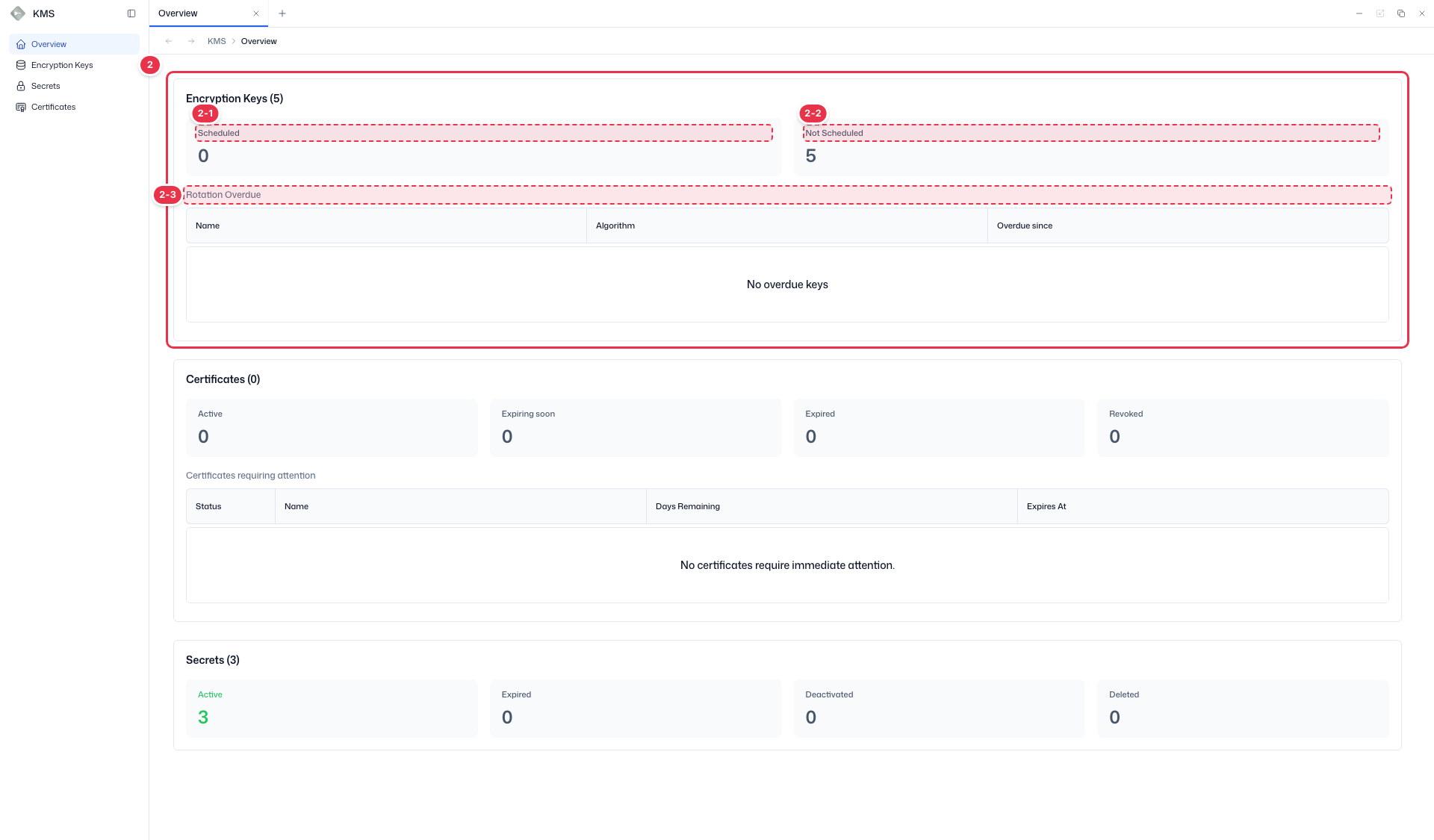
| No. | Feature | Item | Description |
|---|---|---|---|
| 2-1 | Scheduled | Scheduled | · Number of keys with automatic rotation scheduled. |
| 2-2 | Not scheduled | Not Scheduled | · Number of keys without automatic rotation. |
| 2-3 | Rotation overdue | Rotation Overdue | · Keys past their next rotation date (Name, Algorithm, Overdue since). |
3 Certificates summary
Certificate counts by status and certificates that need attention (expiring soon).
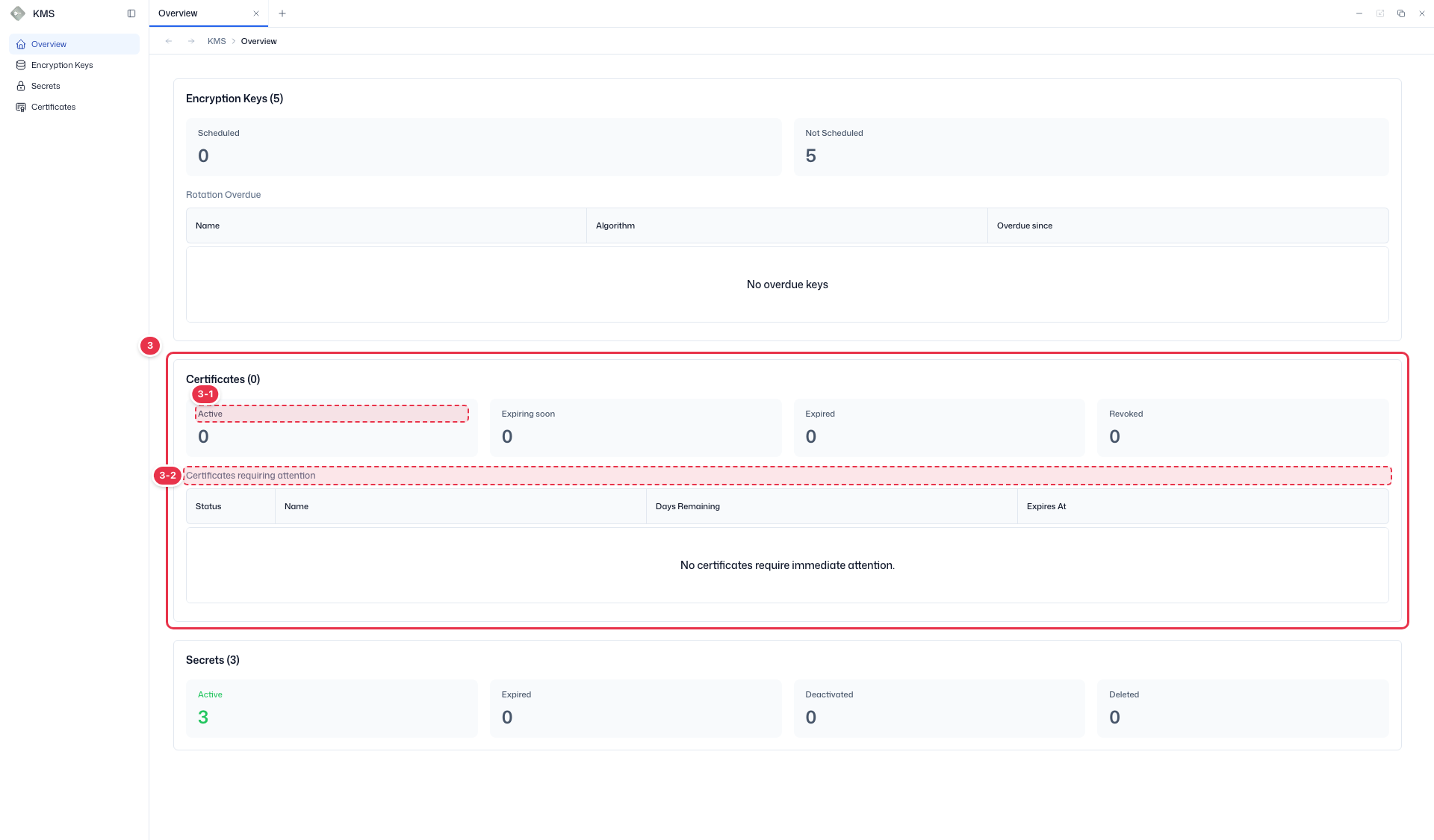
| No. | Feature | Item | Description |
|---|---|---|---|
| 3-1 | Status summary | Active / Expiring soon / Expired / Revoked | · Counts of valid, expiring, expired, and revoked certificates. |
| 3-2 | Needs attention | Certificates requiring attention | · Certificates that need renewal soon (Status, Name, Days Remaining, Expires At). |
4 Secrets summary
Secret counts by status (Active, Expired, Deactivated, Deleted).
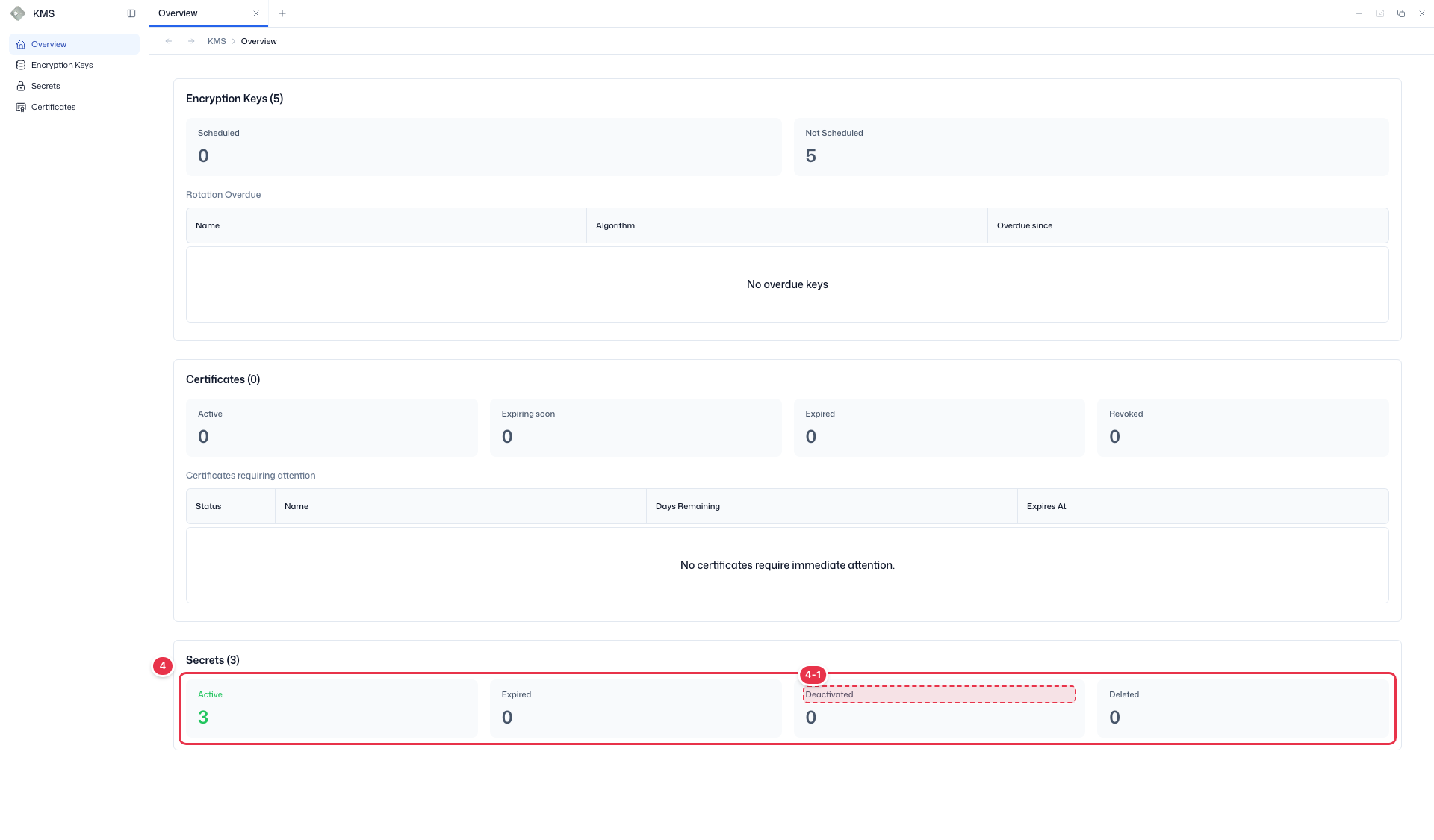
| No. | Feature | Item | Description |
|---|---|---|---|
| 4-1 | Status summary | Active / Expired / Deactivated / Deleted | · Counts of active, expired, deactivated, and deleted secrets. |
Using it
- When a key appears under Rotation Overdue, rotate it immediately in Manage encryption keys.
- Certificates under Certificates requiring attention should be renewed in Manage certificates.