

Floating IPs (Admin)
Administrators can manage Floating IPs across all tenants.
Sidebar (SNB)
The Network group in the left sidebar of Compute Admin. It manages the resources of all tenants in one place, and clicking an item opens that resource screen.
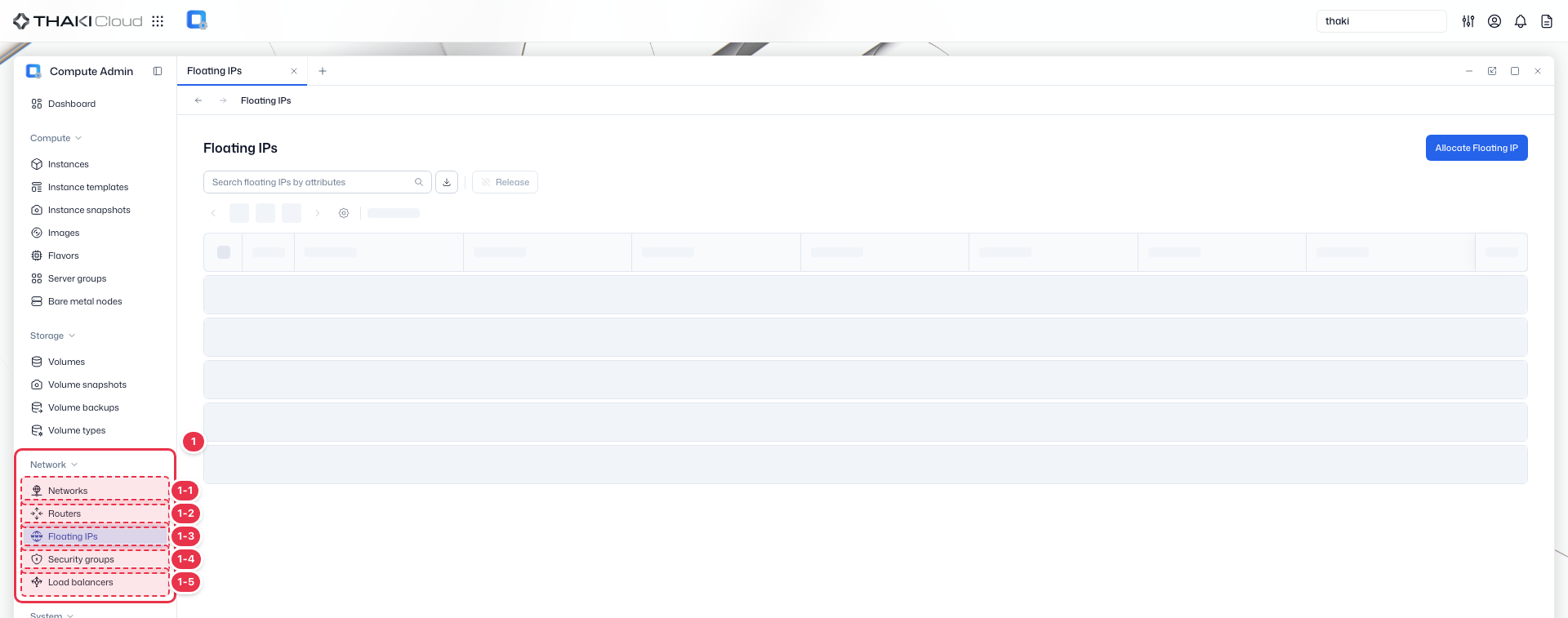
| No. | Feature | Item | Description |
|---|---|---|---|
| 1-1 | Network | Networks | · Manages virtual networks and subnets. |
| 1-2 | Network | Routers | · Manages routers and their external gateway connections. |
| 1-3 | Network | Floating IPs | · Manages the Floating IP pool and allocations. |
| 1-4 | Network | Security Groups | · Manages security groups and their inbound/outbound rules. |
| 1-5 | Network | Load Balancers | · Manages load balancers and listeners. |
Title header
The content header that shows the title of the current screen (Floating IPs).

Search · Toolbar
The area for searching the list, exporting to CSV, and running bulk actions on the selected items. An administrator works on the resources of all tenants without selecting a tenant.

| No. | Feature | Item | Description |
|---|---|---|---|
| 3-1 | Search | Attribute search field | · Filters the list by attributes such as name, ID, tenant, and status. |
| 3-2 | Export | Download CSV | · Exports the current list as a CSV file. |
| 3-3 | Bulk action | Release | · Releases the selected Floating IPs. |
Allocate Floating IP
Allocates a new Floating IP from the pool.

List
A table that shows the Floating IPs of all tenants with their associated target, internal fixed IP, and network.
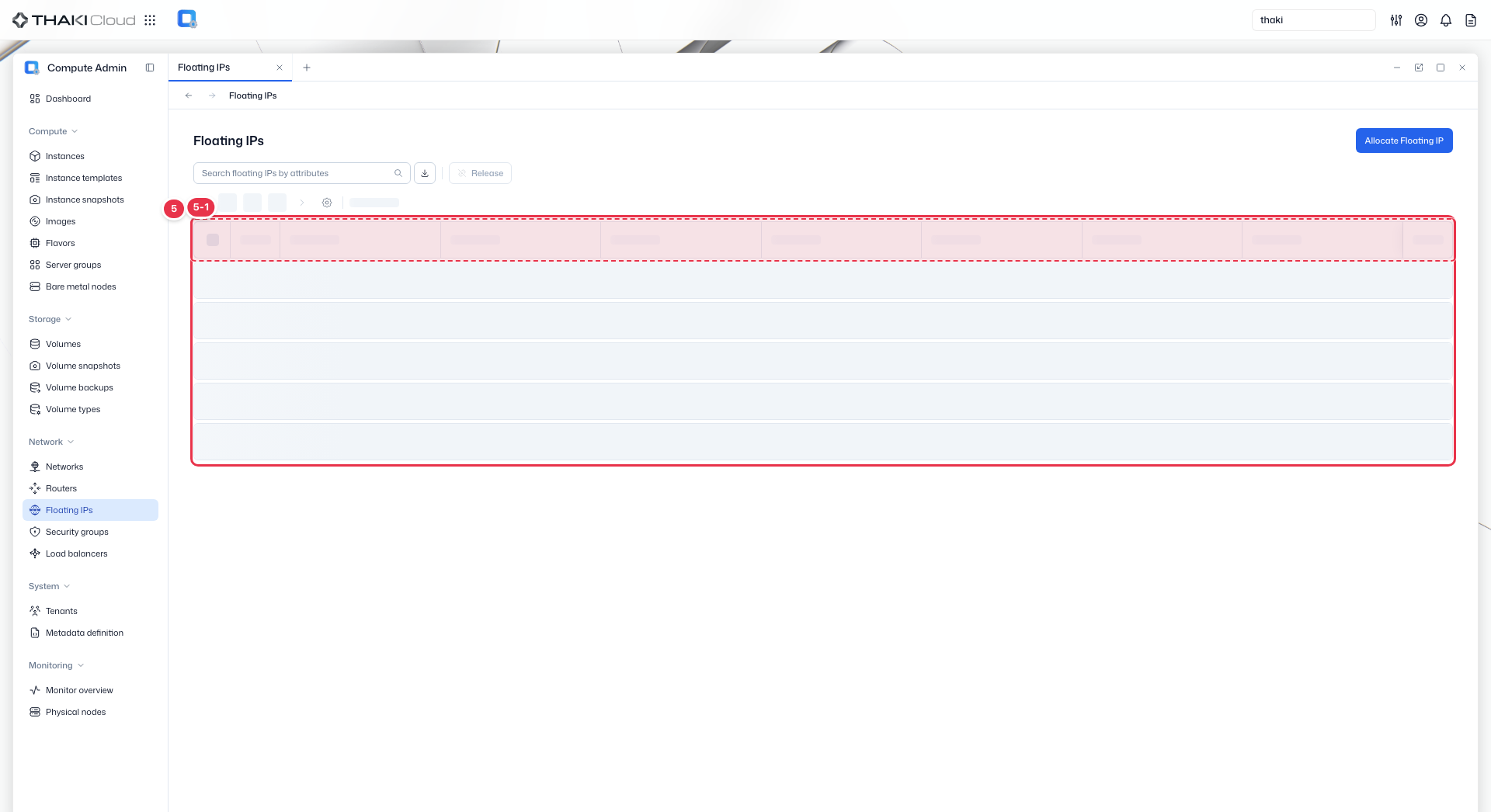
| No. | Feature | Item | Description |
|---|---|---|---|
| 5-1 | List columns | Status | The Floating IP status. |
| Floating IP | The Floating IP address and ID. | ||
| Tenant | The owning tenant. | ||
| Description | The description. | ||
| Associate to | The associated target (an instance, a load balancer, and so on). | ||
| Fixed IP | The mapped internal fixed IP. | ||
| Network | The network the Floating IP belongs to. | ||
| Created at | The creation date and time. | ||
| Action | The row menu: Disassociate, Release (Release is disabled while the Floating IP is associated). |
Key features
- Cross-tenant view: View Floating IPs across all projects
- Search and filter: Find Floating IPs by address or tenant
- Association status: Track which instances are using Floating IPs
Available actions
Above the list there is an Allocate Floating IP button and a Release button that releases the selected Floating IPs. The Action menu on each row offers the actions below.
| Action | Description |
|---|---|
| Disassociate | Detach a Floating IP from the resource it is associated with |
| Release | Release the Floating IP |
Release disabled
Release is shown disabled while the Floating IP is associated with a resource. Disassociate it first.