

OSDs
An OSD (Object Storage Daemon) is Ceph's core component that stores the actual data, and each OSD maps to a single disk. On this screen you view OSD status, capacity, and performance.
- Navigation path: Storage Admin › Cluster › OSDs
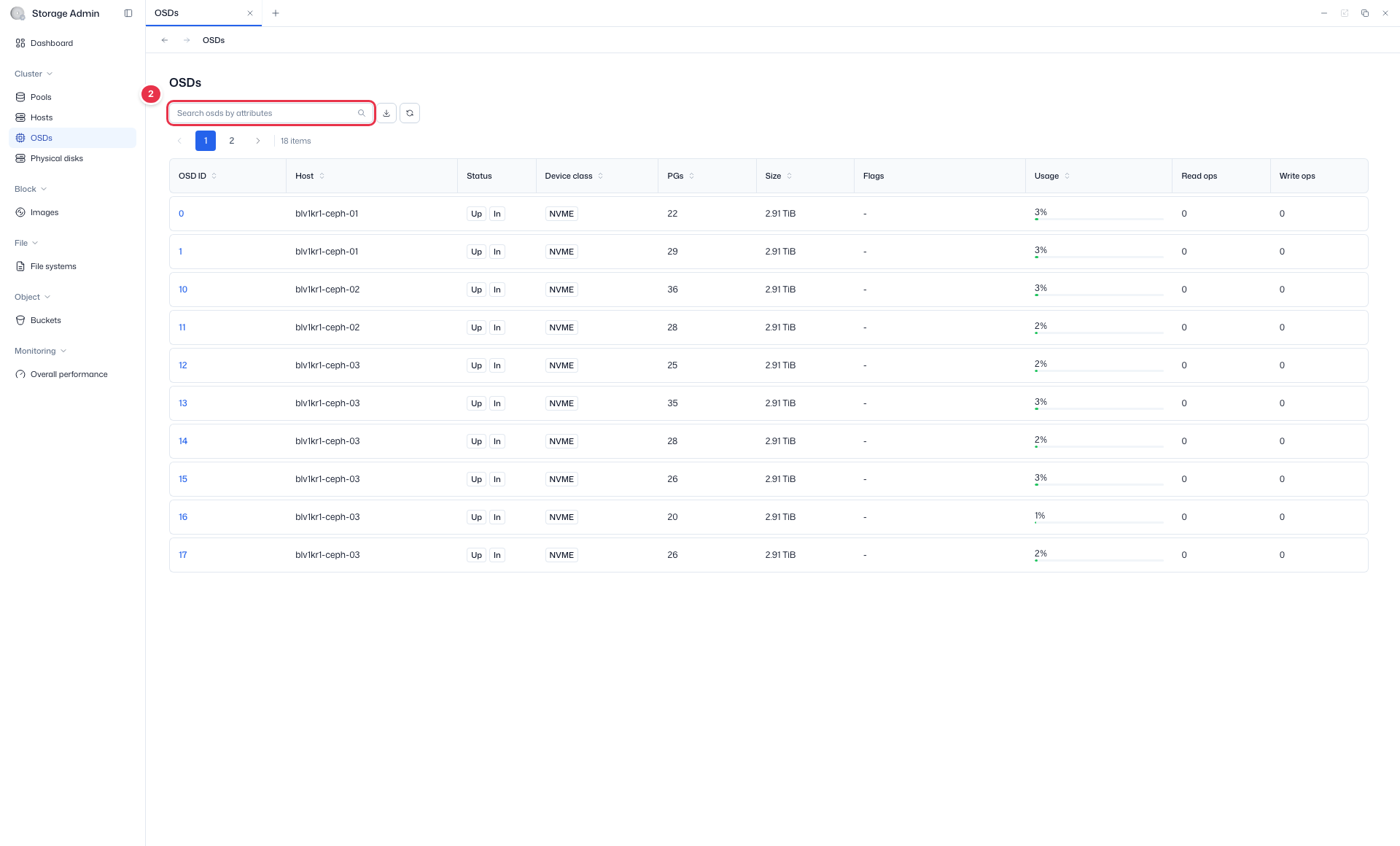
- Search:
Search osds by attributes· Read-only
Sidebar (SNB)
Use the left sidebar to move to each Storage Admin screen (Cluster·Block·File·Object·Monitoring).
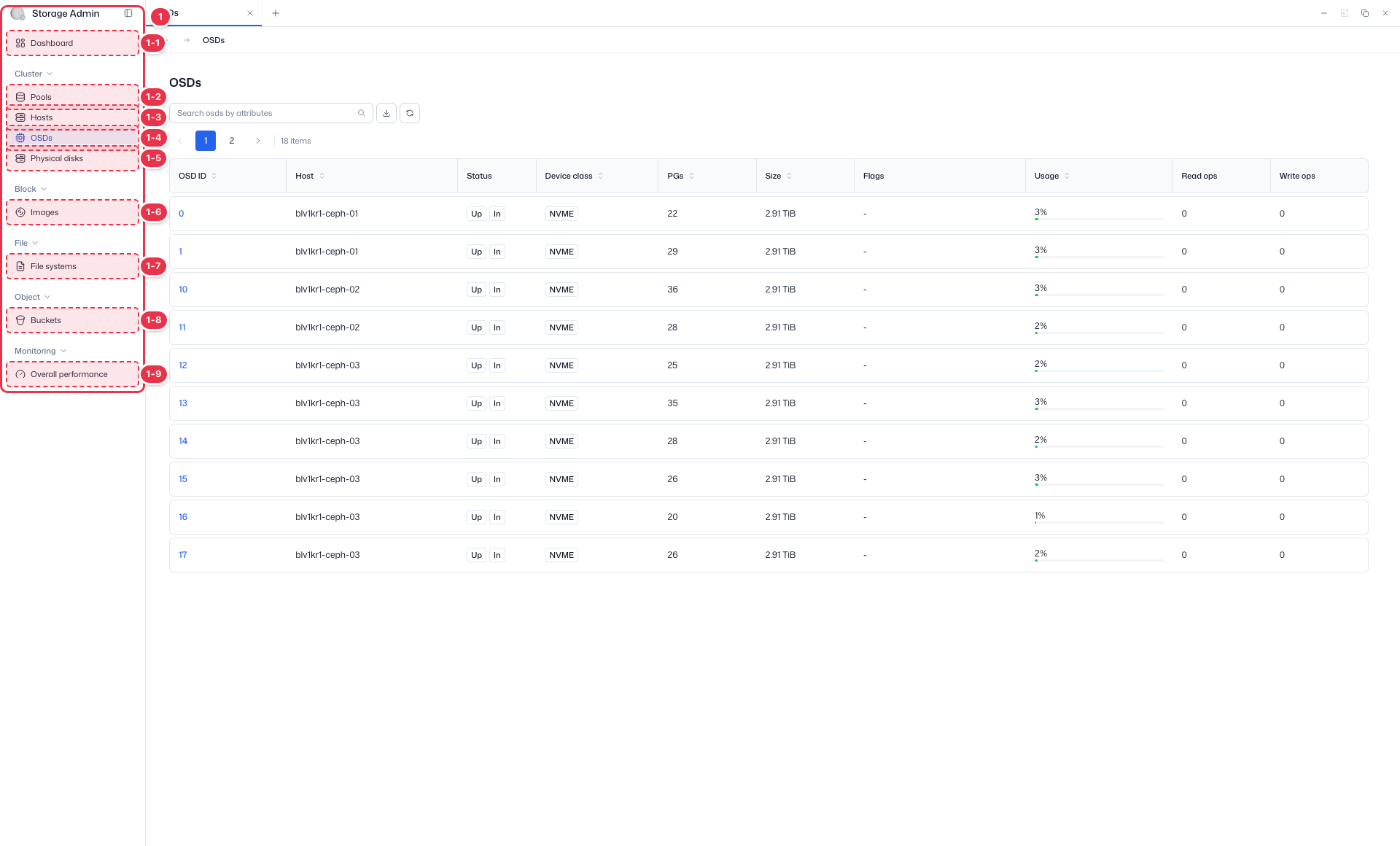
| No. | Feature | Item | Description |
|---|---|---|---|
| 1-1 | Dashboard | Dashboard | · Inventory·Capacity·Cluster utilization summary. |
| 1-2 | Pools | Pools | · View Ceph storage pools·PGs. |
| 1-3 | Hosts | Hosts | · Storage node hardware·OSD configuration. |
| 1-4 | OSDs | OSDs | · Object Storage Daemon status·capacity. |
| 1-5 | Physical disks | Physical disks | · View physical disks·Identify. |
| 1-6 | Images | Images | · RBD block images. |
| 1-7 | File systems | File systems | · CephFS file systems. |
| 1-8 | Buckets | Buckets | · System-wide S3 buckets. |
| 1-9 | Overall performance | Overall performance | · Pools·OSDs·Hosts·Images performance metrics. |
Search
Search the list by attribute.
List table
Object Storage Daemon (OSD) status·capacity (view).
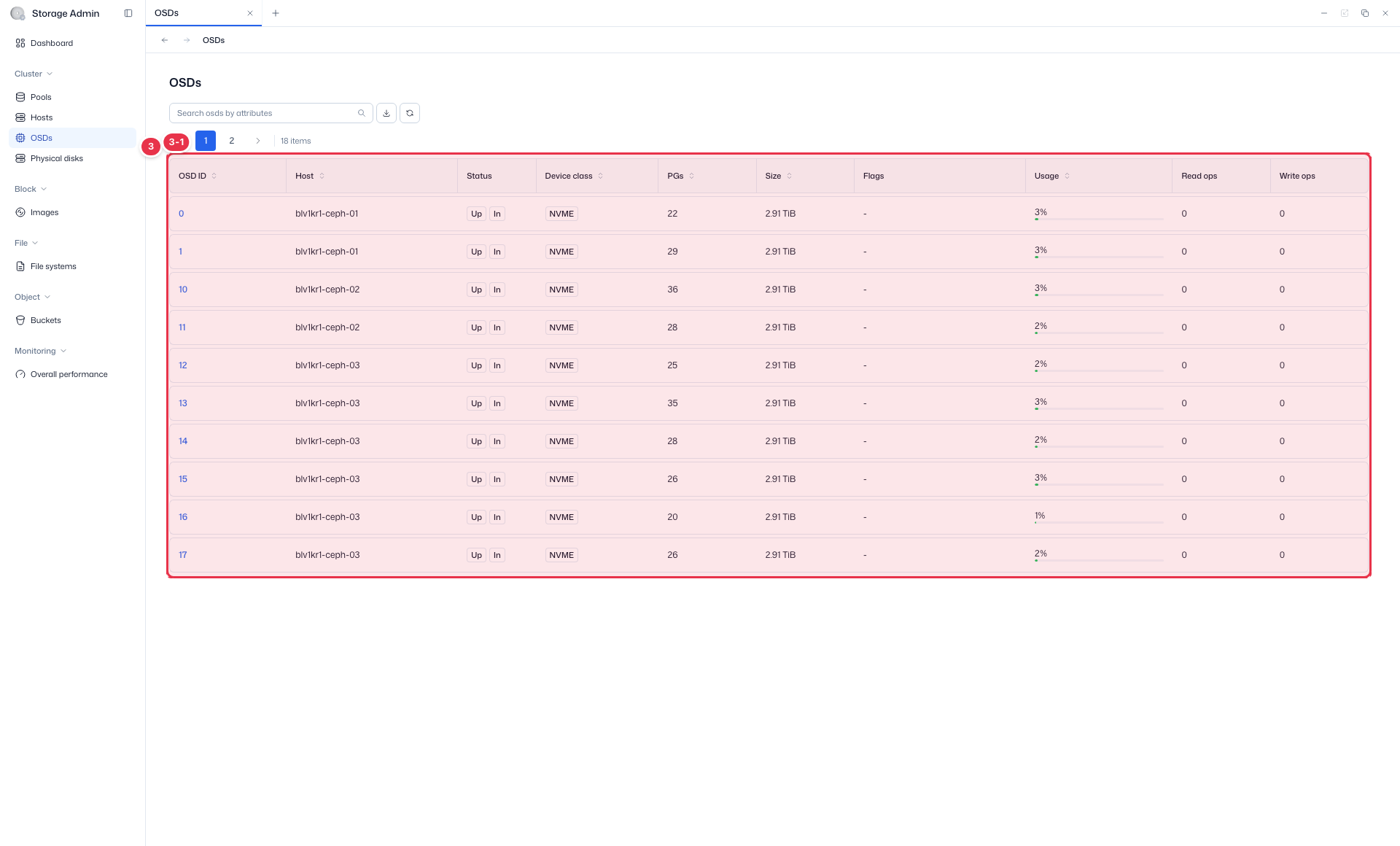
| No. | Feature | Item | Description |
|---|---|---|---|
| 3-1 | Columns | OSD ID / Host | OSD identifier / owning host. |
| Status / Flags | up·down / in·out and other flags. | ||
| Device class | Device class (hdd/ssd, etc.). | ||
| PGs / Size / Usage | Placement Group count, size, usage. | ||
| Read ops / Write ops | Read·write IOPS. |
Status and flag reference
| Combination | Meaning |
|---|---|
| up + in | Operating normally, serving data |
| up + out | Operating but not serving data |
| down + in | Stopped, data rebalancing pending |
| down + out | Excluded from the cluster |
Status indicates up/down (running), and Flags indicate in/out (whether it is part of the service).
Detail (OSD Detail)
Clicking an OSD ID navigates to the detail screen. It has 4 tabs: Details · Devices · Device health · Performance.
Click the OSD ID to go to the detail view. It has 4 tabs.
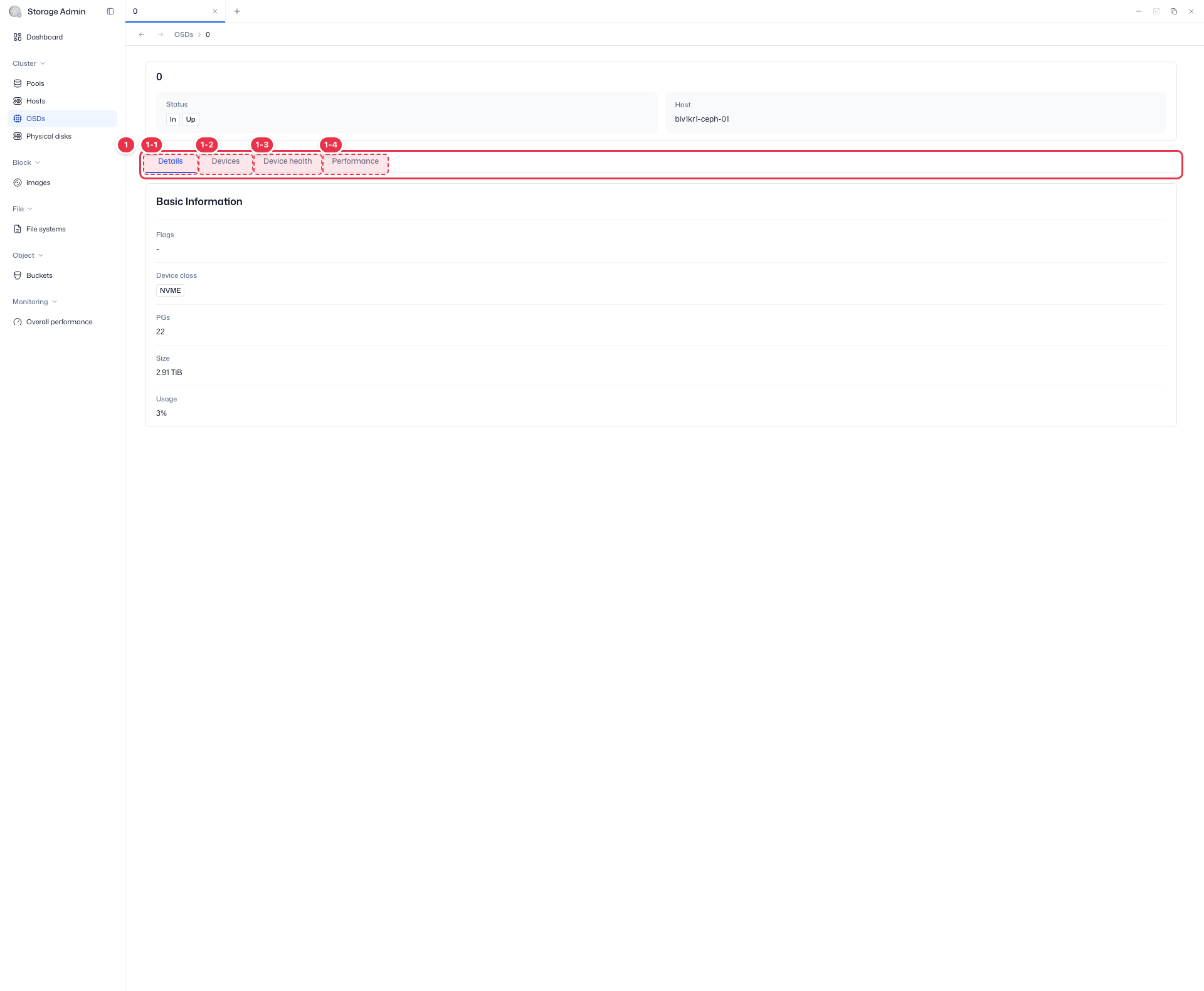
| No. | Feature | Item | Description |
|---|---|---|---|
| 1-1 | Details | Details | · OSD ID·Host·Status·Device class·PGs·Size·Usage·Device path. |
| 1-2 | Devices | Devices | · Device·Type·Size. |
| 1-3 | Device health | Device health | · Health Status·Life Remaining·Temperature·Power On Hours (S.M.A.R.T). |
| 1-4 | Performance | Performance | · OSD IOPS·Throughput·Latency(Apply/Commit)·Capacity Used. |