

Create a Cluster
Provision a new Kubernetes cluster.
Prerequisites
- Aegis account with cluster creation permissions
- Tenant to associate with the cluster
- External network, tenant network, and subnet configured
Steps
1. Open the creation form
From the Container app home screen, click Create Cluster.
A form with three sections (Basic Information / Networking / Node Configuration) opens.
2. Basic Information
| Field | Description | Default |
|---|---|---|
| Name | Unique cluster name | — |
| Kubernetes Version | Version to install | v1.34.0 |
| Container Network | CNI plugin | Kube OVN |
| Tenant | Tenant to own the cluster | — |
| Description | Optional description | — |
3. Networking
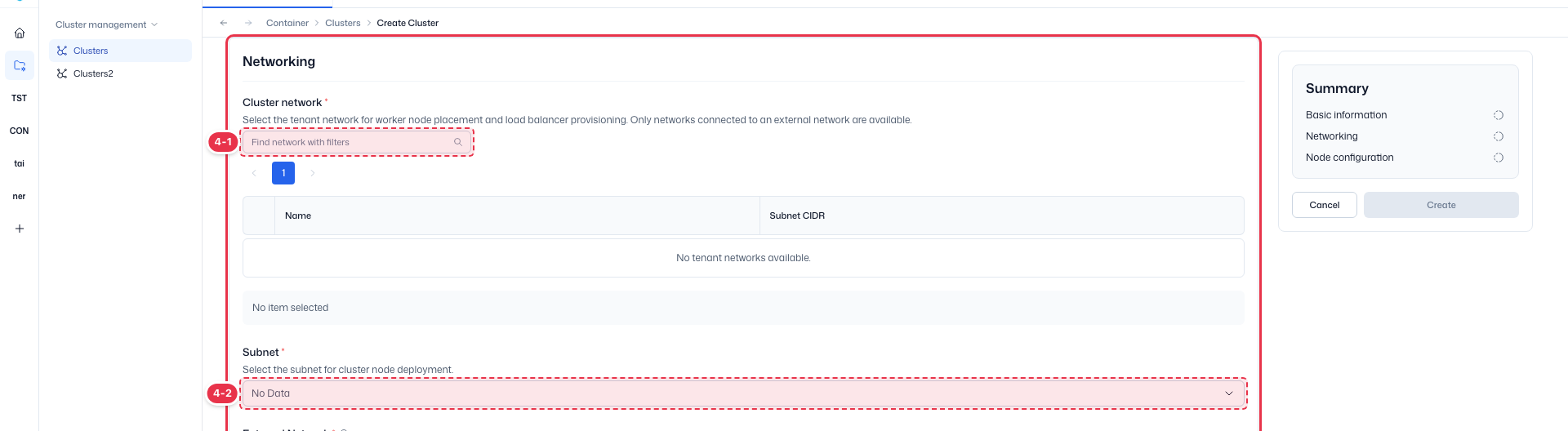
| # | Field | Description |
|---|---|---|
| 4-1 | Cluster Network | Network for worker node placement and load balancer provisioning. Only networks connected to an external network are selectable. |
| 4-2 | Subnet | Subnet for node IP allocation. The External Network is set automatically based on the selected subnet. |
4. Node Configuration
Configure Control Planes and Worker Nodes separately.
Control Planes
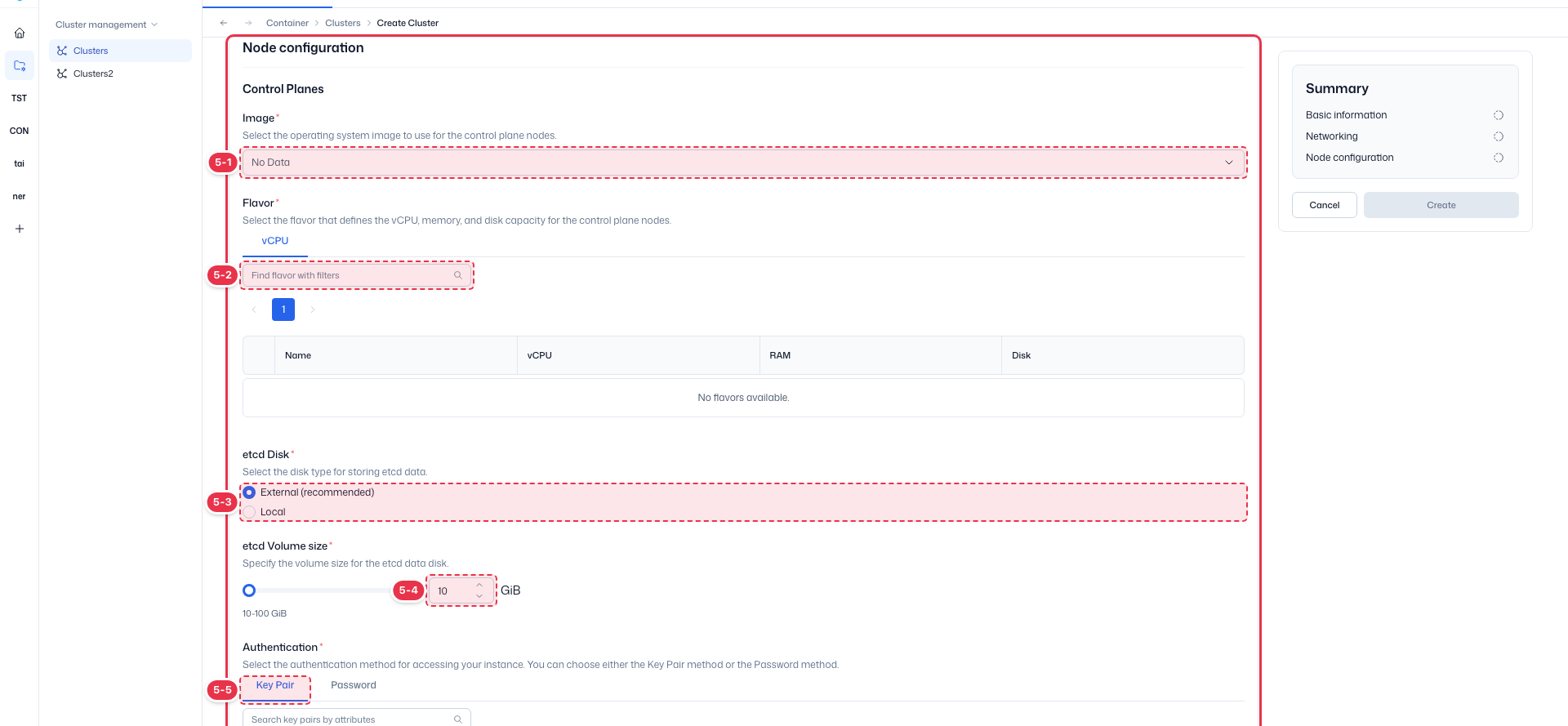
| # | Field | Description |
|---|---|---|
| 5-1 | Image | OS image for the control plane nodes (e.g. ubuntu_24.04_tk_base). |
| 5-2 | Flavor | vCPU/memory/disk spec, selected from the vCPU tab. |
Below the image, also set etcd Disk (External (recommended) stores etcd on an external volume; default size 10 GiB) and Authentication (Key Pair or Password).
Worker Nodes
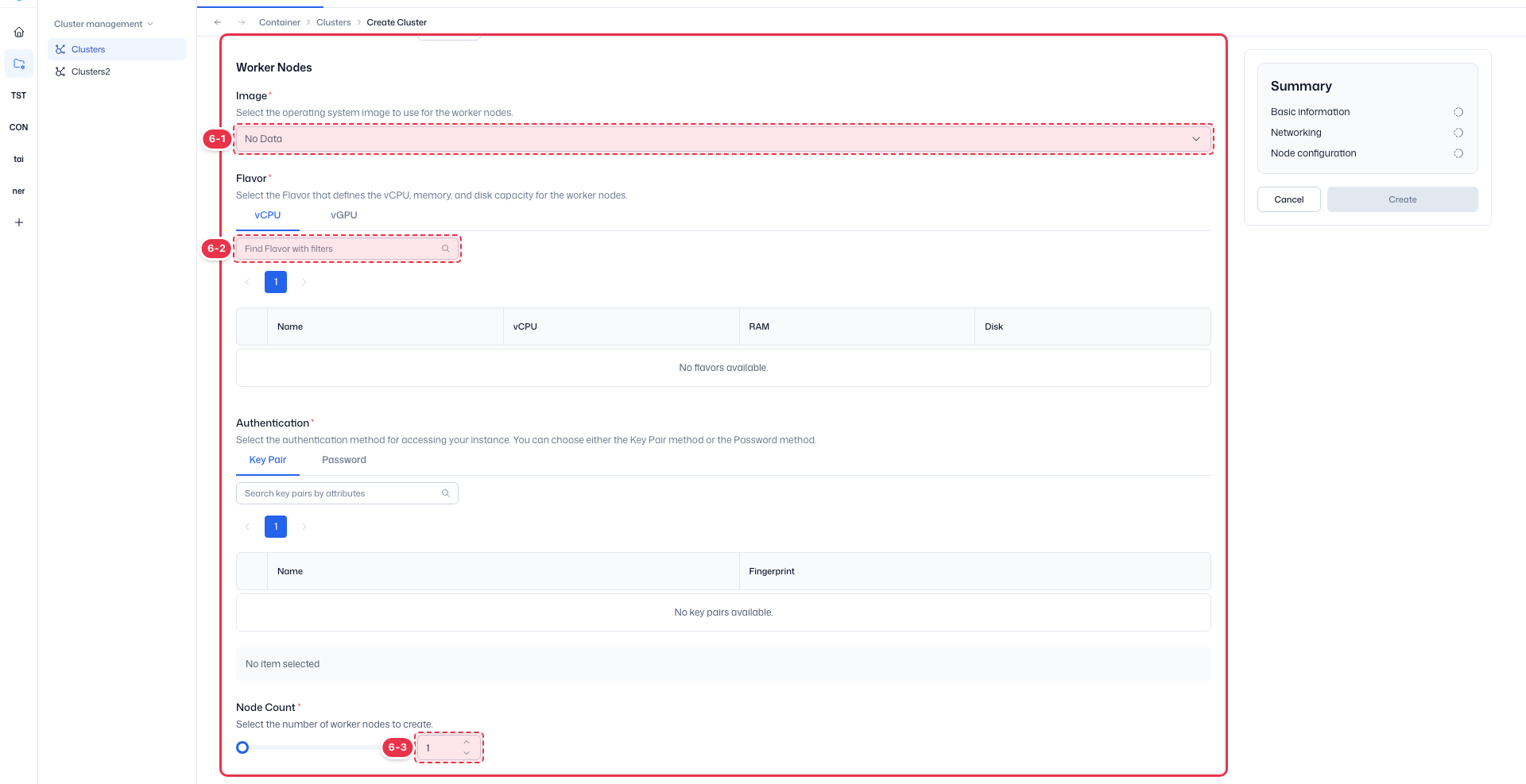
| # | Field | Description |
|---|---|---|
| 6-1 | Image | OS image for the worker nodes. |
| 6-2 | Flavor | Worker node spec, selected from the vCPU/vGPU tab. |
Set Node Count at the bottom of the section to choose how many worker nodes to create, based on your workload size.
5. Confirm creation

| # | Field | Description |
|---|---|---|
| 7-1 | Create | Enabled once every section is complete; click to create the cluster. |
| 7-2 | Cancel | Cancel and return to the list. |
When all sections are checked in the Summary panel, click Create.
Result
The new cluster appears in the home list. When Status turns green, the cluster is operational.