

Monitor Overview (Admin)
Monitor Overview shows the state of the compute infrastructure at a glance.
Sidebar (SNB)
The Monitoring group in the left sidebar of Compute Admin. It manages the resources of all tenants in one place, and clicking an item opens that resource screen.
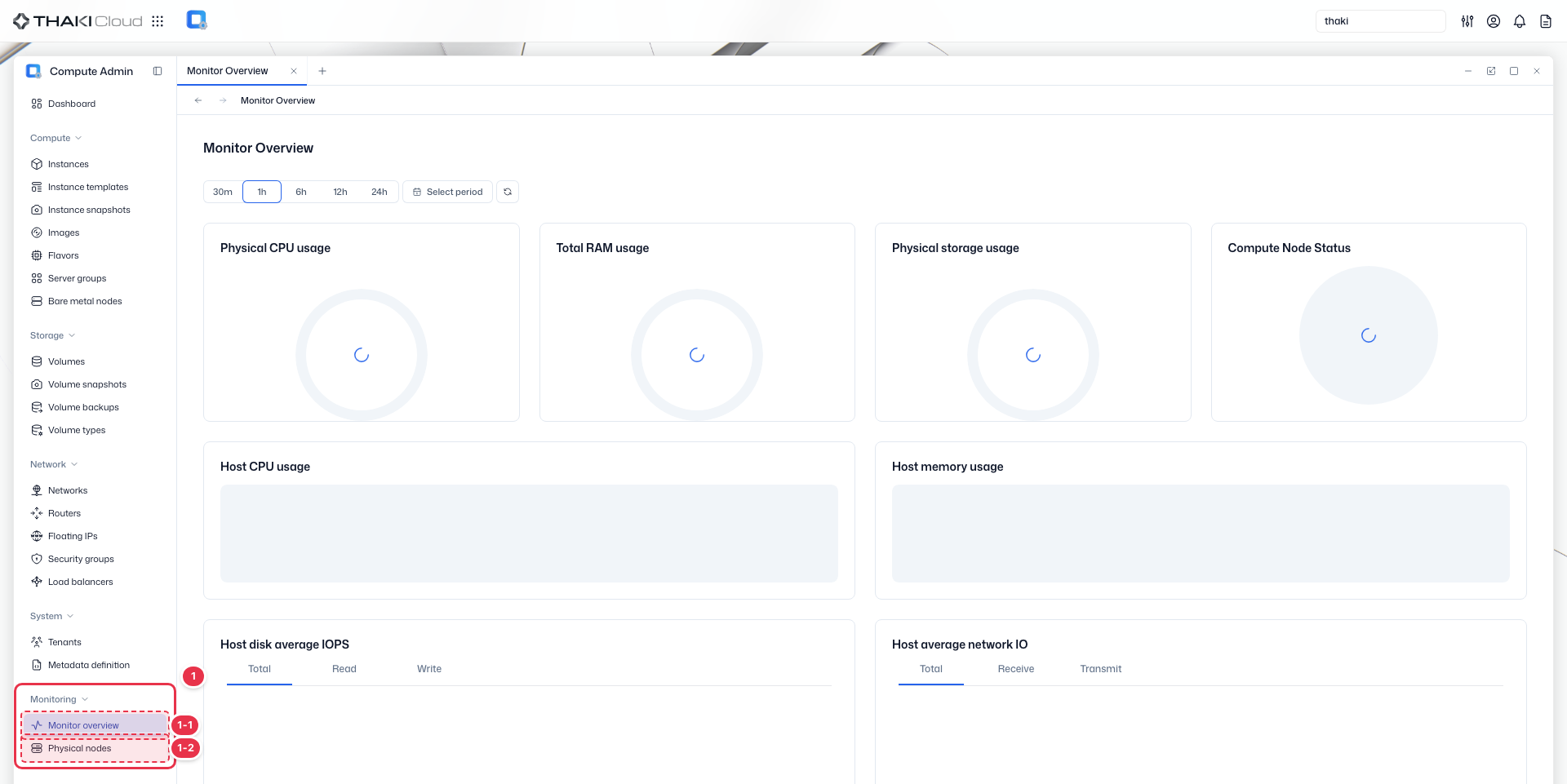
| No. | Feature | Item | Description |
|---|---|---|---|
| 1-1 | Monitoring | Monitor overview | · Shows a monitoring overview of overall resource usage and status. |
| 1-2 | Monitoring | Physical nodes | · Shows the status of the physical compute nodes. |
Title header
The content header that shows the title of the current screen (Monitor Overview).

Time range controls
Controls for selecting the time range of the monitoring metrics and refreshing them.

| No. | Feature | Item | Description |
|---|---|---|---|
| 3-1 | Time range | 30m / 1h / 6h / 12h / 24h | · Quickly selects a range from the last 30 minutes to the last 24 hours. |
| 3-2 | Time range | Select period | · Sets the start and end times of the query directly. |
Summary cards
Summary cards that show the cluster-wide physical resource usage and the compute node status at a glance.
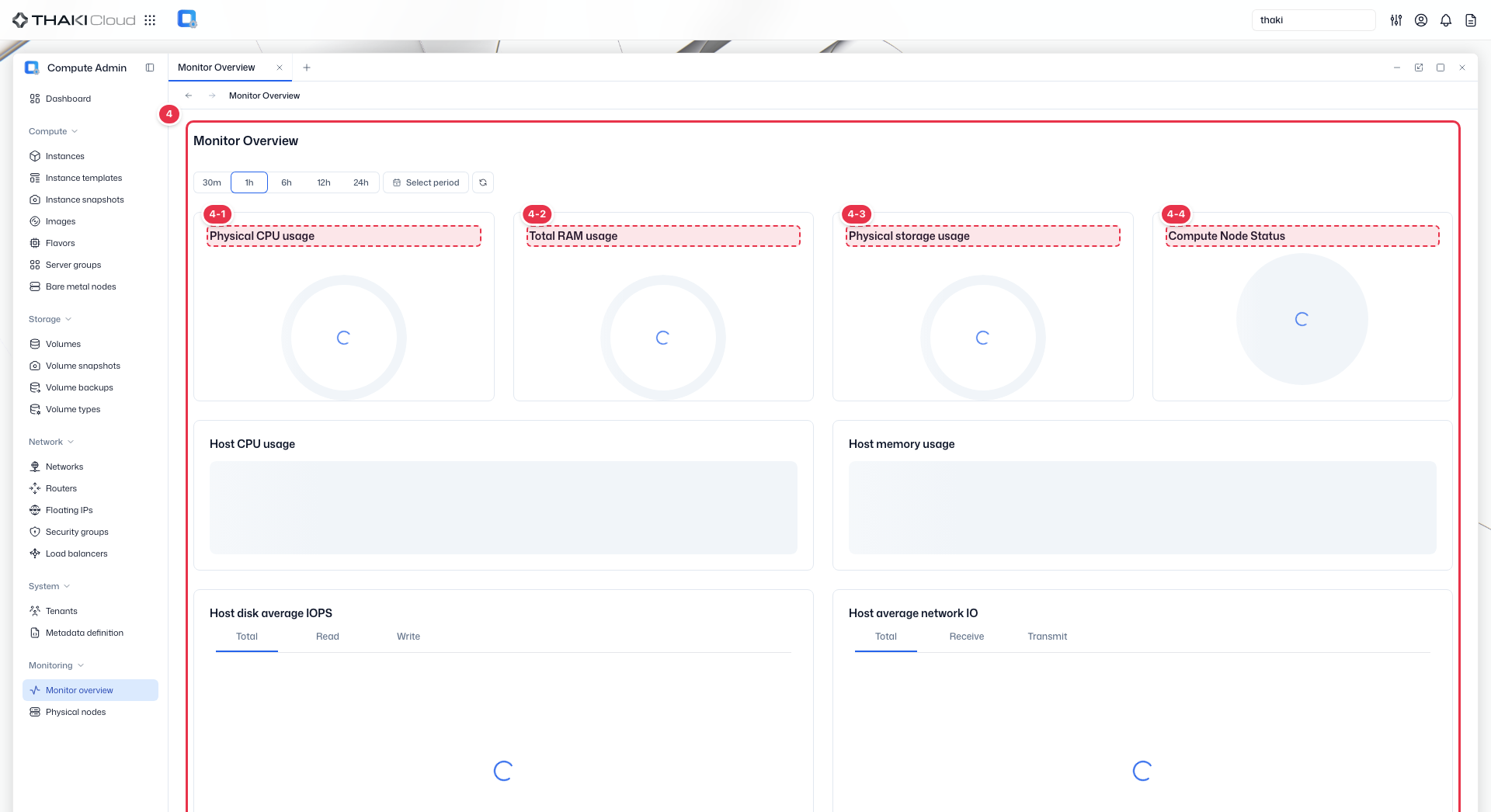
| No. | Feature | Item | Description |
|---|---|---|---|
| 4-1 | CPU | Physical CPU Usage | · The physical CPU core usage (used cores/total cores). |
| 4-2 | Memory | Total RAM Usage | · The total memory usage (used/total capacity). |
| 4-3 | Storage | Physical Storage Usage | · The physical storage usage. |
| 4-4 | Node status | Compute Node Status | · The Up/Down ratio of the compute nodes. |
Host detail charts
Detail charts that show the CPU and memory usage per host and the trends in disk IOPS and network IO.
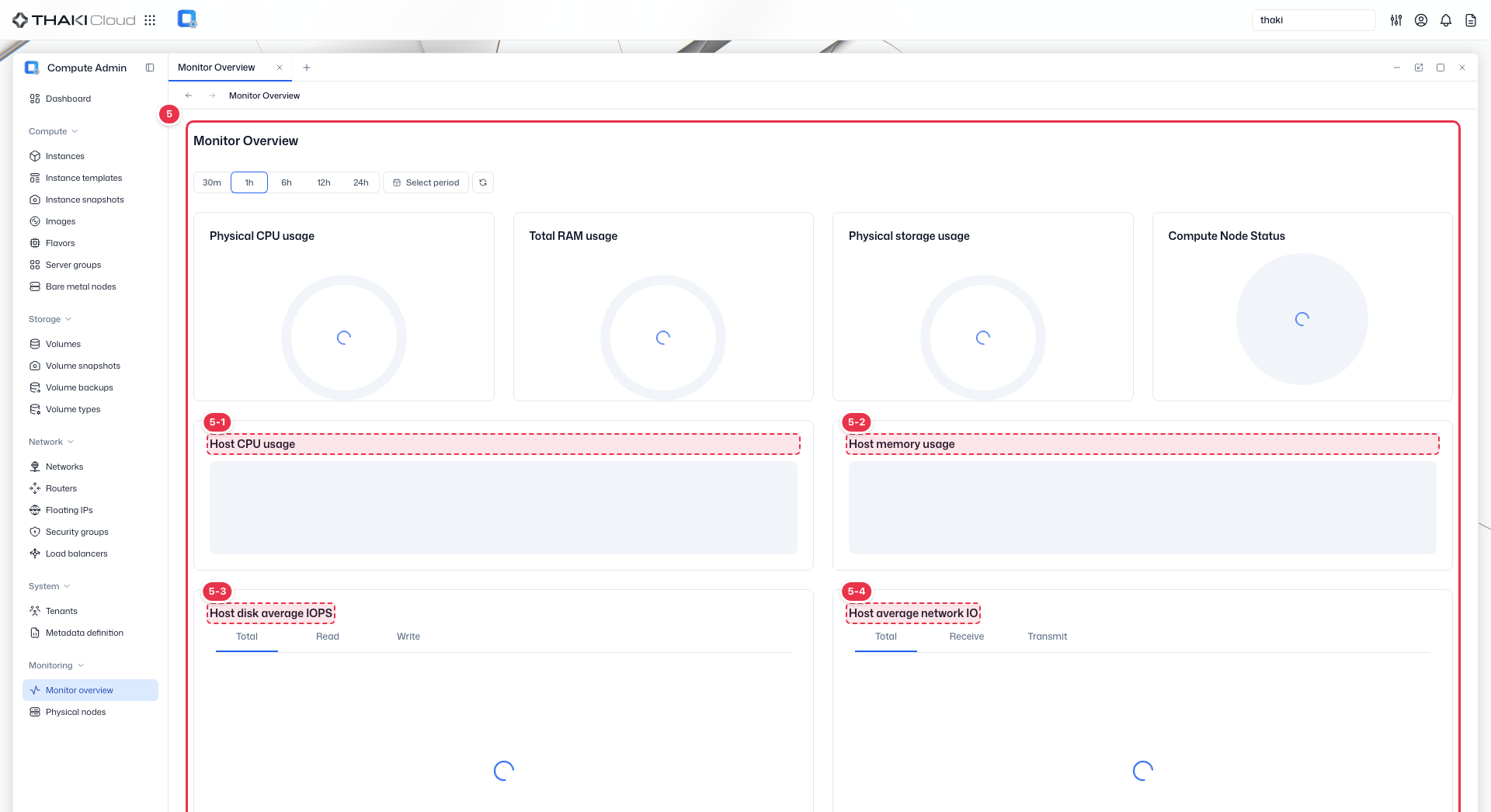
| No. | Feature | Item | Description |
|---|---|---|---|
| 5-1 | CPU | Host CPU Usage | · The CPU usage per host. |
| 5-2 | Memory | Host Memory Usage | · The memory usage per host. |
| 5-3 | Disk | Host Disk Average IOPS | · The average disk IOPS per host (Total/Read/Write). |
| 5-4 | Network | Host Average Network IO | · The network IO per host (Total/Receive/Transmit). |
Key features
- Infrastructure health: Overall system status at a glance
- Resource utilization: CPU, memory, and storage usage across the cluster
- Capacity planning: Track available vs used resources
Dashboard components
Overall summary
| Metric | Description |
|---|---|
| Physical CPU usage | Physical CPU utilization with used/total cores |
| Total RAM usage | Total RAM utilization with used/total capacity |
| Physical storage usage | Physical storage utilization with used/total capacity |
| Compute Node Status | Share of compute nodes that are Up or Down |
Per-host metrics
| Metric | Description |
|---|---|
| Host CPU usage | Used cores and utilization per host |
| Host memory usage | Used memory and utilization per host |
| Host disk average IOPS | Average disk IOPS per host (Total, Read, Write) |
| Host average network IO | Average network IO per host (Total, Receive, Transmit) |
Available actions
| Action | Description |
|---|---|
| 30m / 1h / 6h / 12h / 24h | Choose the recent time range to display |
| Select period | Set a custom time range |
| Refresh | Reload dashboard data |
| Expand | Enlarge a chart |
| Hide All | Hide every series in a chart |