

Overall Performance
A screen for real-time monitoring of the entire cluster's performance, split by resource type (Pools · Hosts · OSDs · Images).
- Navigation path: Storage Admin › Monitoring › Overall performance
- Range: 30m · 1h · 6h · 12h · 24h, or specify directly with Period
Sidebar (SNB)
Use the left sidebar to move to each Storage Admin screen (Cluster·Block·File·Object·Monitoring).
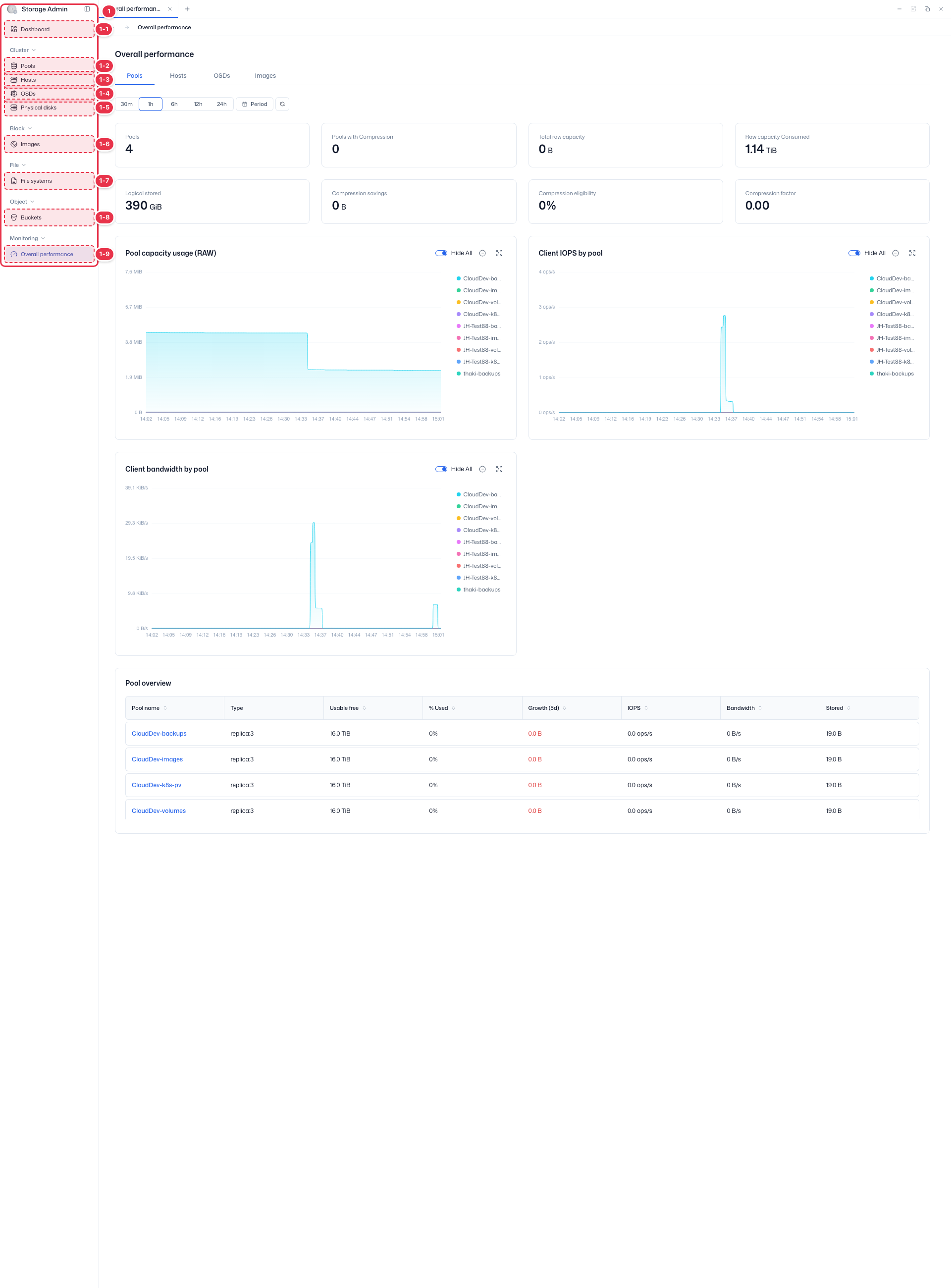
| No. | Feature | Item | Description |
|---|---|---|---|
| 1-1 | Dashboard | Dashboard | · Inventory·Capacity·Cluster utilization summary. |
| 1-2 | Pools | Pools | · View Ceph storage pools·PGs. |
| 1-3 | Hosts | Hosts | · Storage node hardware·OSD configuration. |
| 1-4 | OSDs | OSDs | · Object Storage Daemon status·capacity. |
| 1-5 | Physical disks | Physical disks | · View physical disks·Identify. |
| 1-6 | Images | Images | · RBD block images. |
| 1-7 | File systems | File systems | · CephFS file systems. |
| 1-8 | Buckets | Buckets | · System-wide S3 buckets. |
| 1-9 | Overall performance | Overall performance | · Pools·OSDs·Hosts·Images performance metrics. |
Tabs
4 tabs that break down performance by resource type.
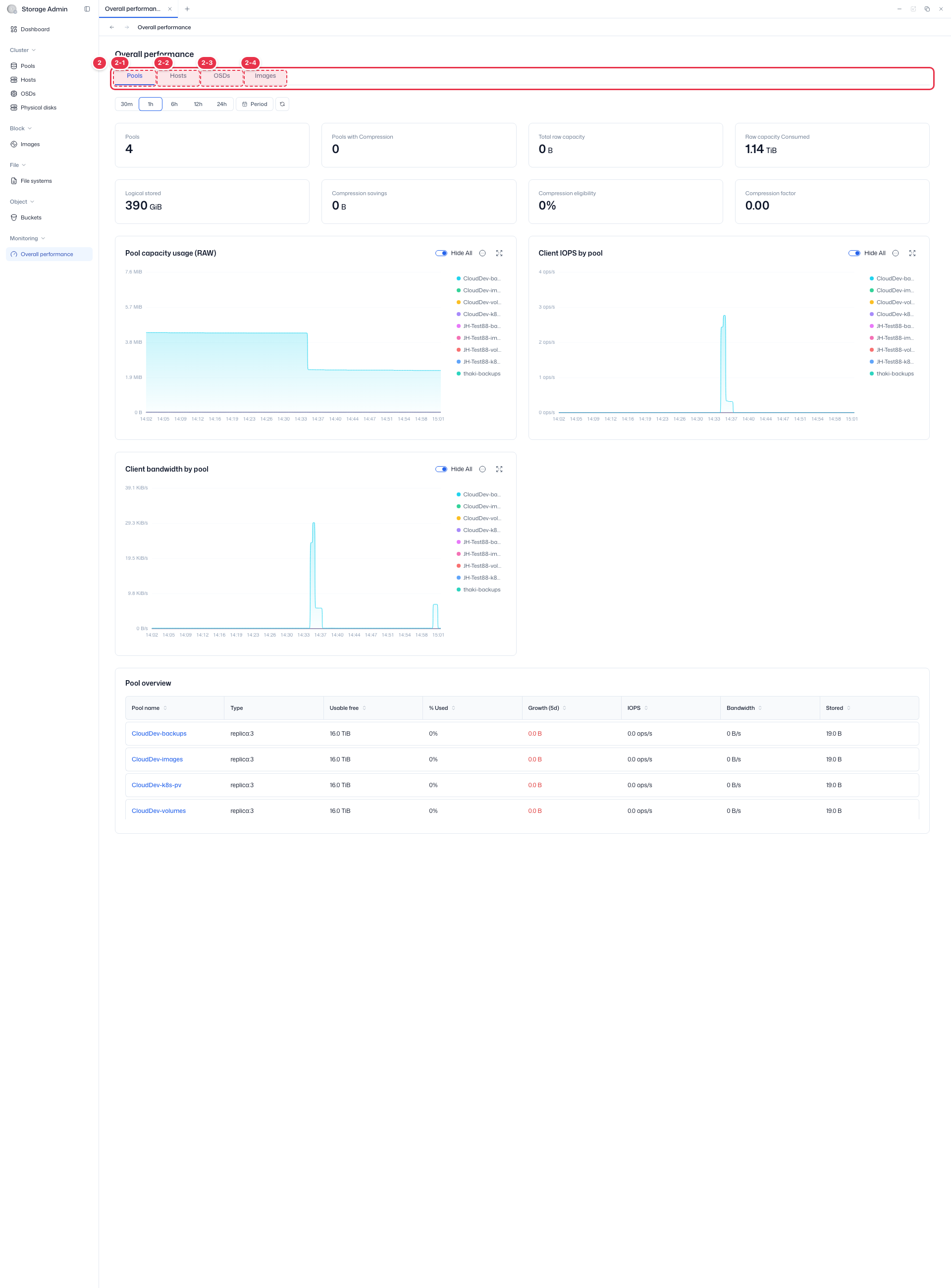
| No. | Feature | Item | Description |
|---|---|---|---|
| 2-1 | Pools | Pools | · Per-pool capacity·IOPS·bandwidth·compression metrics. |
| 2-2 | Hosts | Hosts | · Per-host performance metrics. |
| 2-3 | OSDs | OSDs | · Per-OSD performance metrics. |
| 2-4 | Images | Images | · Per-image performance metrics. |
Summary · performance charts (Pools tab)
Shows summary cards and performance charts for the selected period (Pools tab example).
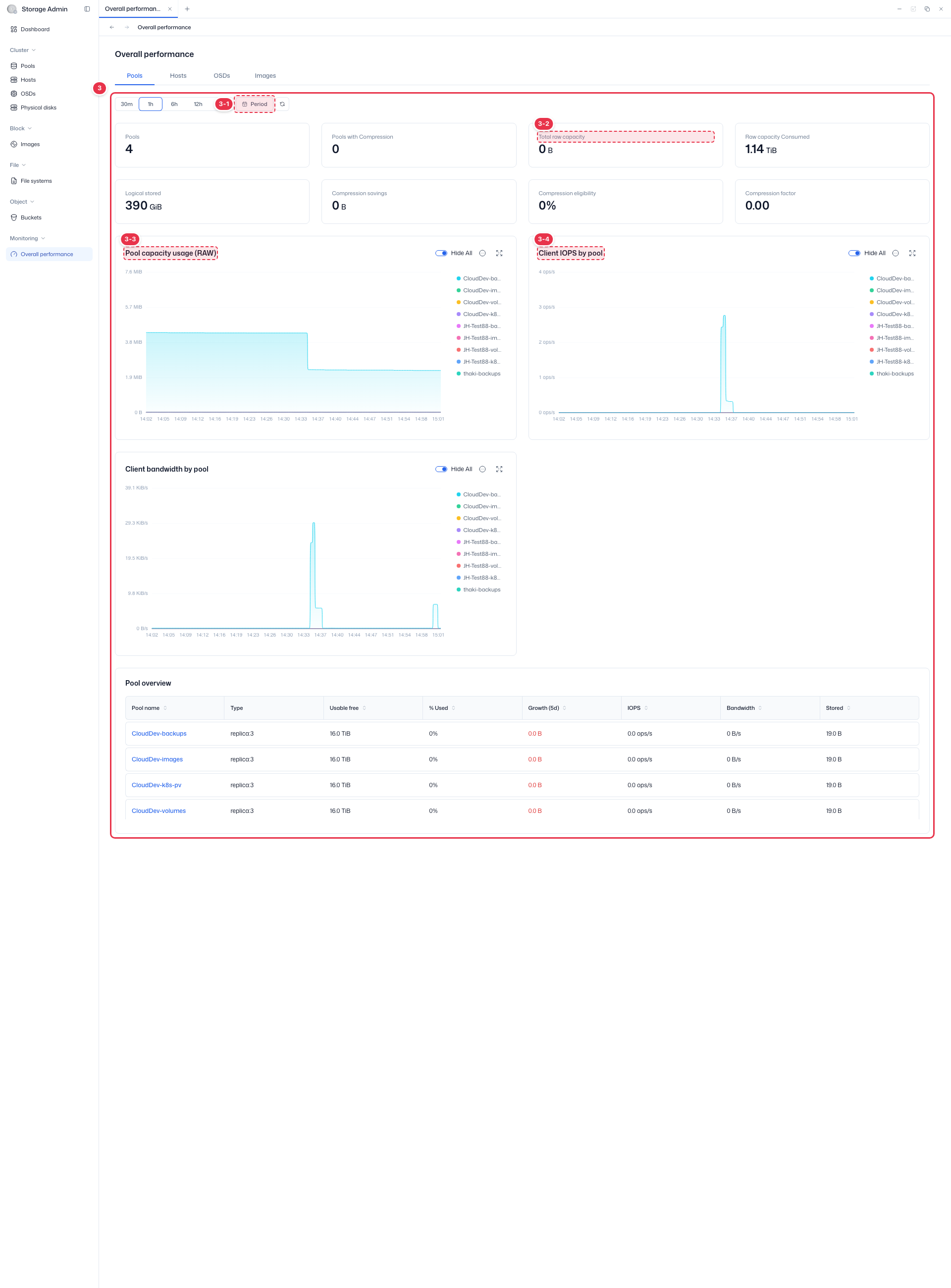
| No. | Feature | Item | Description |
|---|---|---|---|
| 3-1 | Period selection | 30m~24h · Period | · Select the performance aggregation period. |
| 3-2 | Summary cards | Total raw capacity, etc. | · Summary cards such as Pools count·compression·RAW capacity·Logical stored. |
| 3-3 | Capacity chart | Pool capacity usage (RAW) | · Per-pool RAW capacity usage trend. |
| 3-4 | IOPS chart | Client IOPS by pool | · Per-pool client IOPS trend. |
Hosts tab
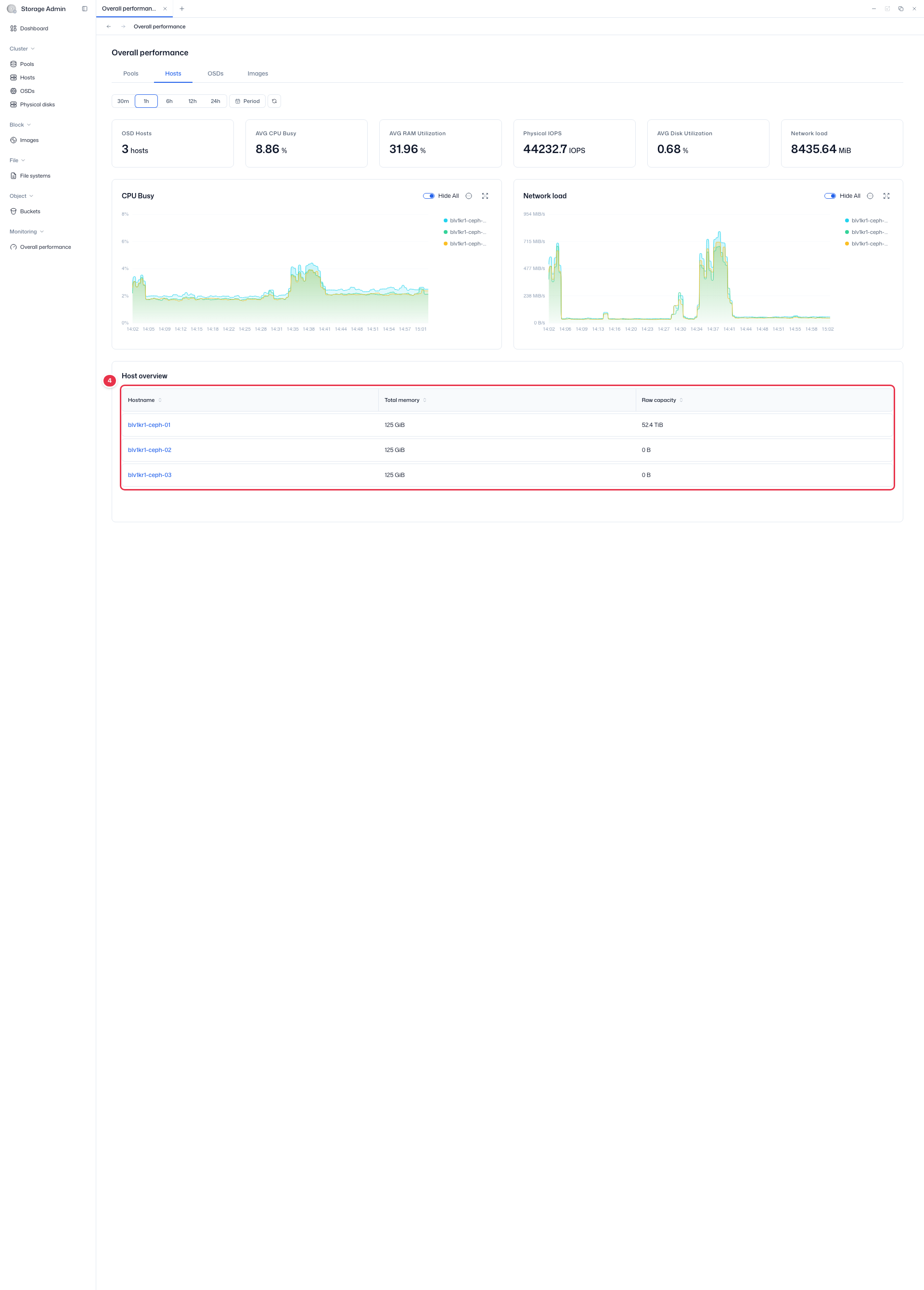
Cards: OSD Hosts · AVG CPU Busy · AVG RAM Utilization · Physical IOPS · AVG Disk Utilization · Network load. Charts: CPU Busy · Network load. Host overview table at the bottom (Hostname · Total memory · Raw capacity).
OSDs tab
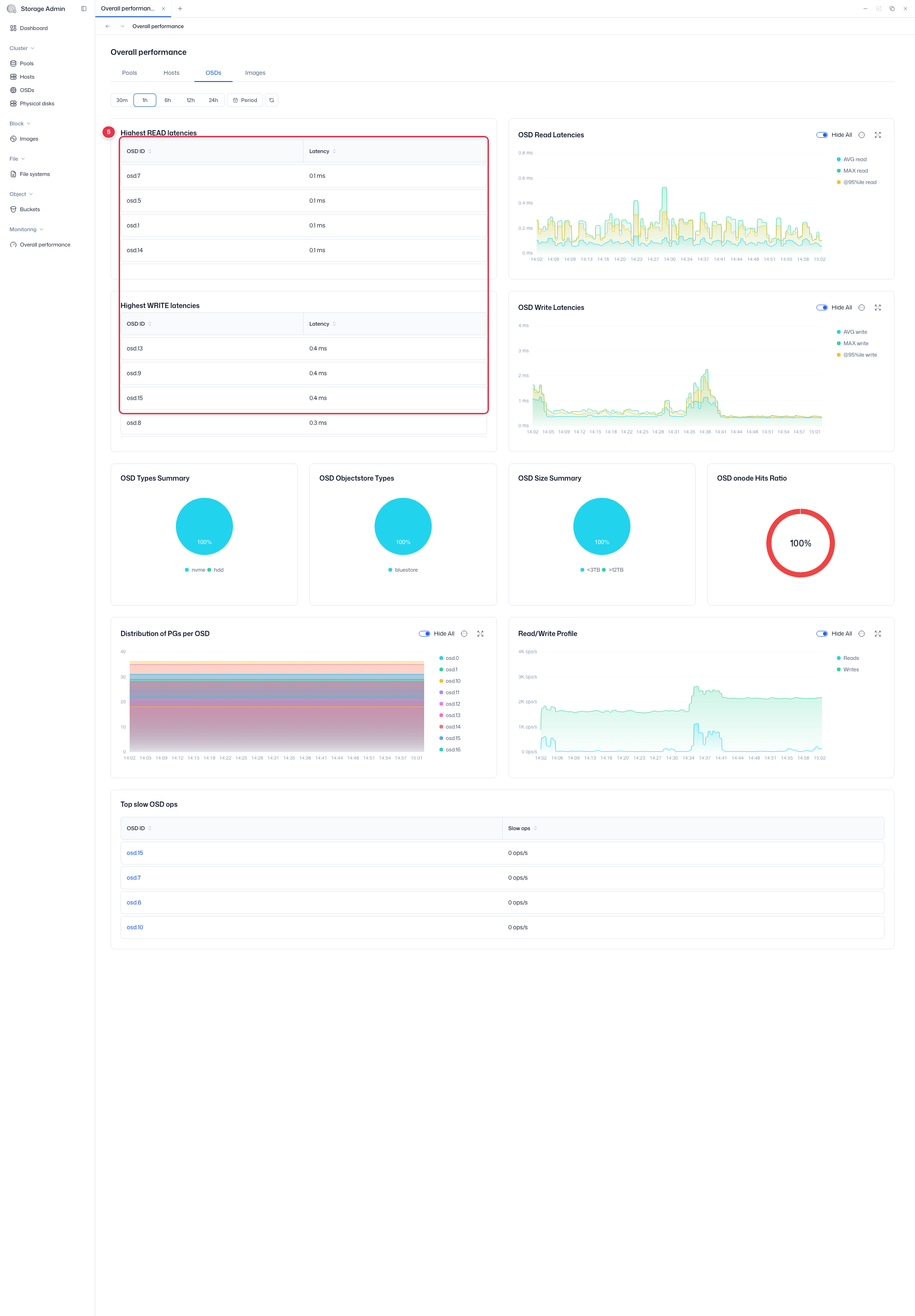
Highest READ latencies · Highest WRITE latencies tables (OSD ID · Latency) and OSD Read Latencies · OSD Write Latencies charts (AVG/MAX/95%ile).
Images tab
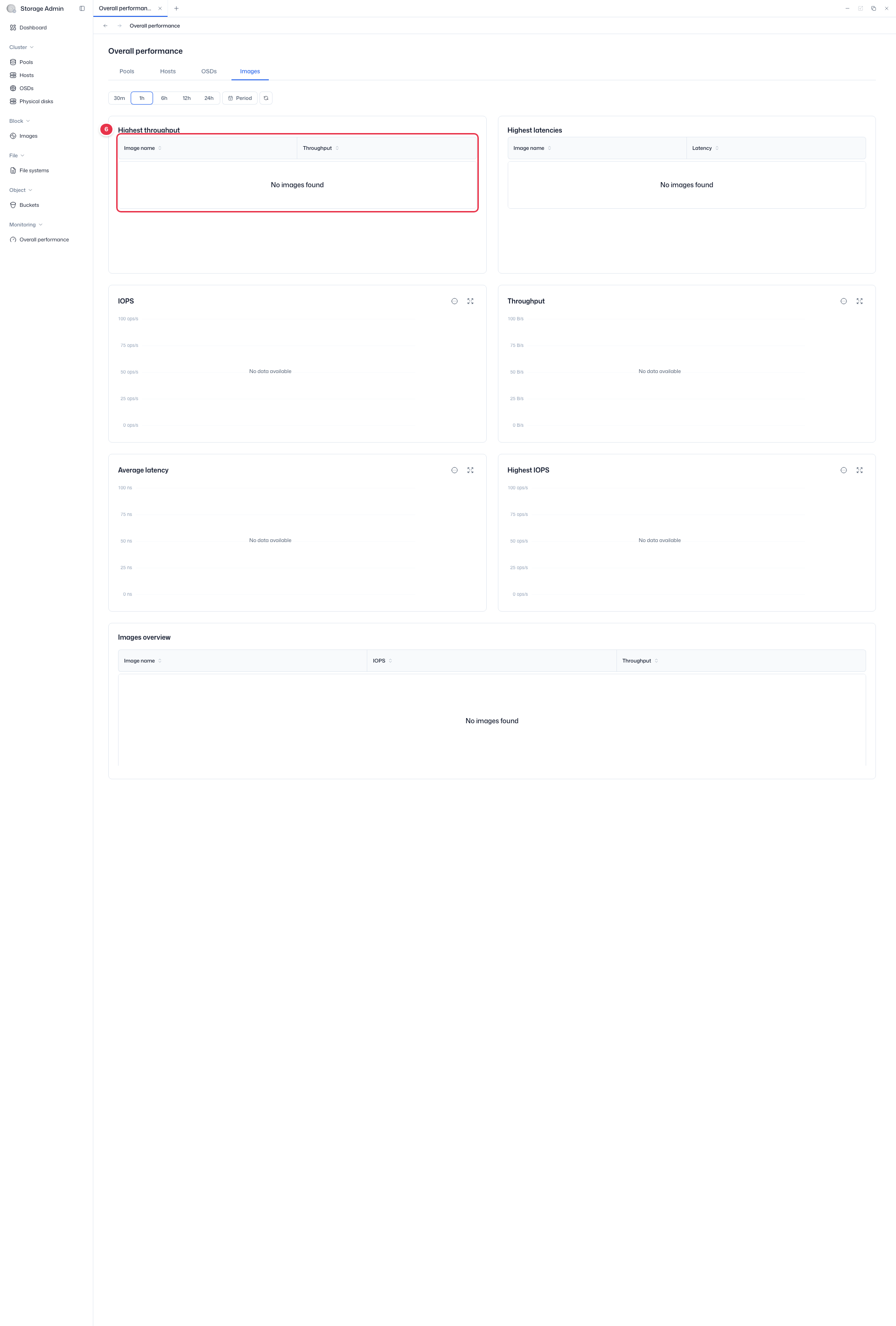
Highest throughput · Highest latencies tables (Image name · Throughput/Latency) and per-image IOPS · Throughput · Average Latency charts.
Layout by tab
Each tab consists of summary cards + performance charts + an Overview table. Charts are time-series based on the selected range, and the top-right icons let you expand, view data, and download CSV.
Pools tab
- Cards: Pools · Pools with Compression · Total raw capacity · Raw capacity Consumed · Logical stored · Compression Savings · Compression Eligibility · Compression Factor
- Charts: Pool capacity usage (RAW) · Client IOPS by pool · Client bandwidth by pool
- Pool Overview: Click a Pool name → navigate to Pool Detail
Hosts tab
- Cards: OSD Hosts · AVG CPU Busy · AVG RAM Utilization · Physical IOPS · AVG Disk Utilization · Network load
- Charts: CPU Busy · Network load
- Host overview: Hostname · Total memory · Raw capacity (click Hostname → Host Detail)
OSDs tab
- Tables: Highest READ latencies · Highest WRITE latencies (OSD ID · Latency)
- Charts: OSD Read Latencies · OSD Write Latencies (AVG · MAX · 95%ile)
Images tab
- Tables: Highest throughput · Highest latencies (Image name · Throughput/Latency)
- Charts: Per-image IOPS · Throughput · Average Latency