

Catalog
The Catalog lists the apps (Helm charts) and operator packages you can deploy to a cluster. Review the icon, version, description, and delivery type (Helm / Operator-managed) before installing.
Prerequisites
- Access to the Container app
- The target cluster is Active
- A namespace ready for the installation
Click the target cluster's icon at the far left to enter the cluster, then go to App catalog → Catalog.
Browse the Catalog
Browse installable apps and operators by category. Each card shows the icon, version, and description along with delivery-type (Helm / Operator-managed) and category tags.
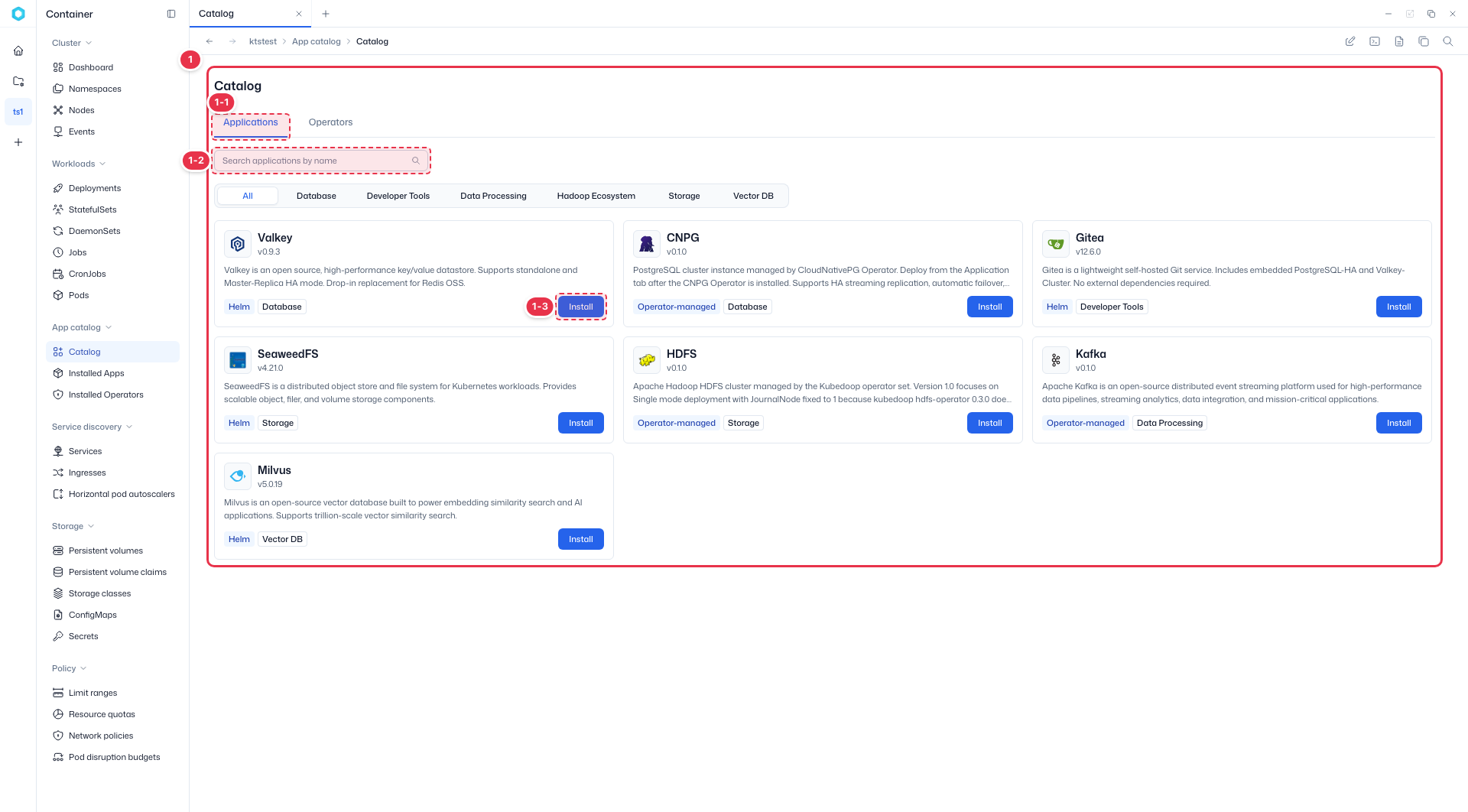
| No. | Feature | Description |
|---|---|---|
| 1-1 | Applications / Operators | The Applications tab lists Helm-based apps; the Operators tab lists installable operators. |
| 1-2 | Search · Category | Search apps by name, or filter the list by category (Database, Developer Tools, Data Processing, Storage, Vector DB, etc.). |
| 1-3 | Install | Start an installation from an app card. Helm-tagged apps install directly; Operator-managed apps (CNPG, HDFS, Kafka, etc.) require their operator to be installed first from the Operators tab. |
Installing an app opens a 4-step wizard: Target & Version → Mode template → Dependency → Values YAML. The example below uses the Helm app Valkey.
Install ① Target & Version
Set the install target and version.

| No. | Field | Description |
|---|---|---|
| 2-1 | Namespace | Namespace to install into. (required) The cluster is fixed to the current cluster. |
| 2-2 | User app name | Release name. Lowercase letters, numbers, and hyphens. (required) |
| 2-3 | Chart version | Chart version to install. (required) |
| 2-4 | Continue | Move to the next step (Mode template). |
Install ② Mode template
Choose a deployment mode and resource size. Valkey offers Single / HA modes and small / medium / large sizes; the values are filled in accordingly.
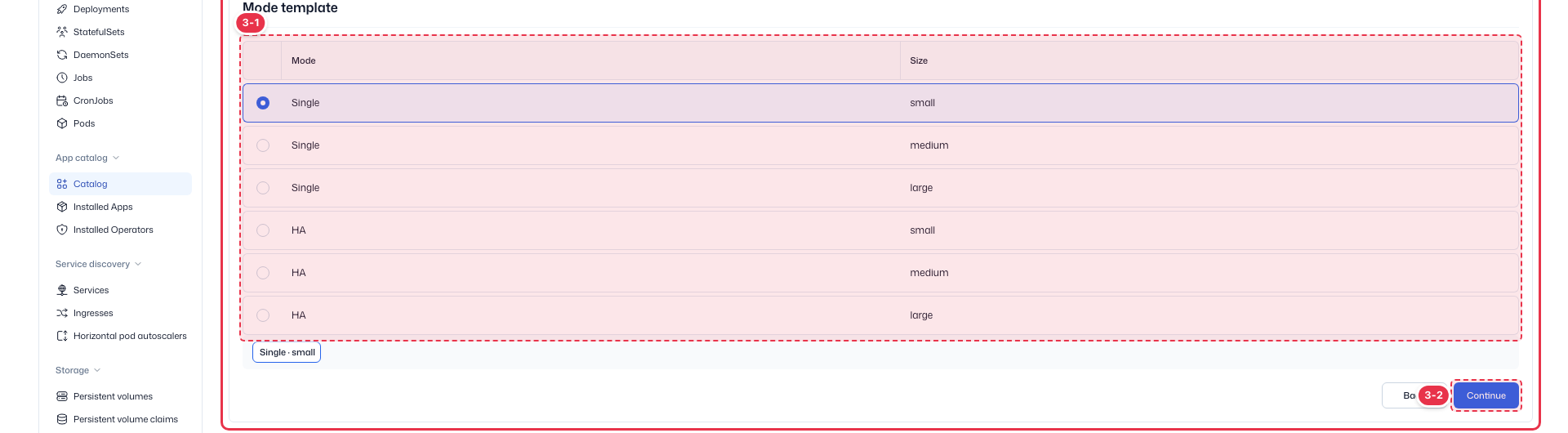
| No. | Field | Description |
|---|---|---|
| 3-1 | Mode · Size | Pick one Mode (Single/HA) × Size (small/medium/large) combination. Default is Single · small. |
| 3-2 | Continue | Move to the Dependency step. |
Install ③ Dependency
Specify external resources the app depends on. For Valkey Single mode, only the StorageClass for the PVC is needed.

| No. | Field | Description |
|---|---|---|
| 4-1 | Storage Class | StorageClass for the Single-mode PVC. Leave empty to use the cluster default StorageClass. |
| 4-2 | Continue | Move to the final Values YAML step. |
Install ④ Values YAML
Review and edit the generated Helm values — the final step. Resources, authentication, storage, and other values can be edited directly.
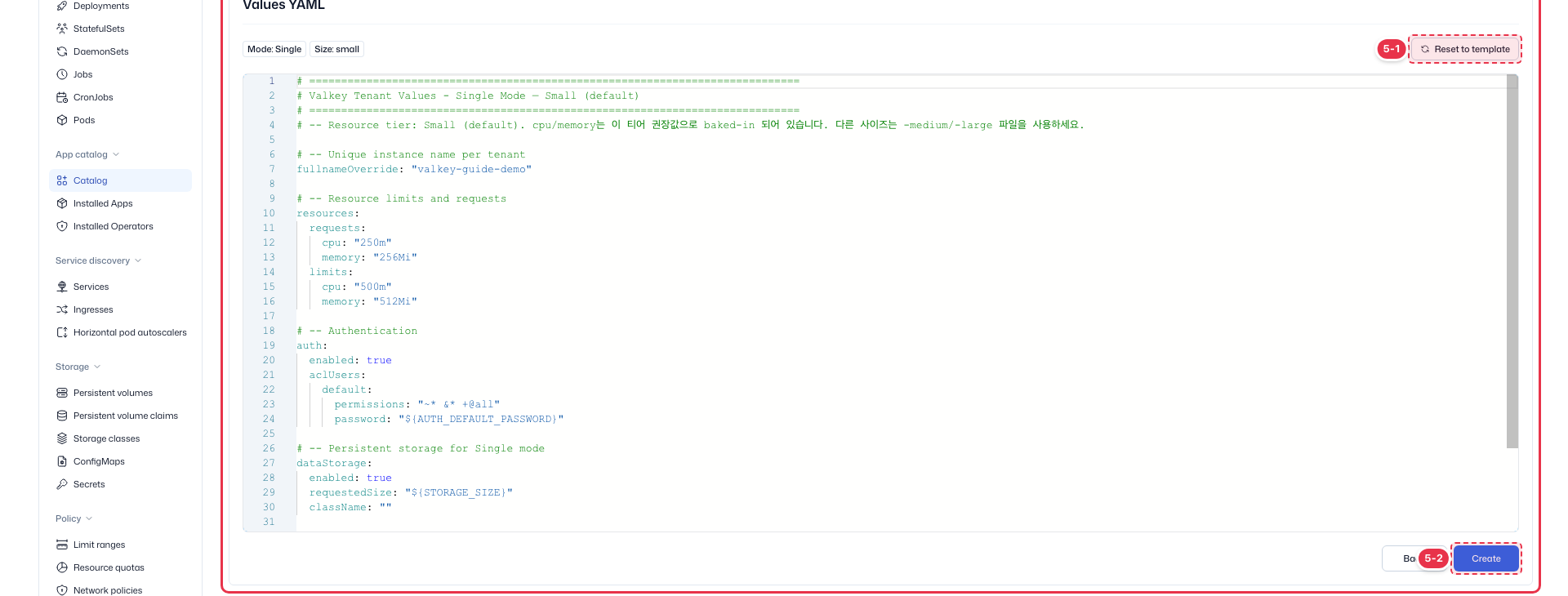
| No. | Field | Description |
|---|---|---|
| 5-1 | Reset to template | Refill with the default values for the selected Mode · Size, discarding manual edits. |
| 5-2 | Create | Run the installation once you finish reviewing. The installed app appears under Installed apps. |
Operator-managed apps
Apps tagged Operator-managed (CNPG, HDFS, Kafka, etc.) require their operator to be installed first from the Operators tab. Helm-tagged apps install without an operator.