

Installed operators
Installed operators lists the operators you installed from the Catalog's Operators tab. An operator is a prerequisite for installing and running Operator-managed apps such as CNPG, HDFS, and Kafka.
Prerequisites
- Access to the Container app
- The target cluster is selected
- At least one operator installed from the Catalog's Operators tab
Click the target cluster's icon at the far left to enter the cluster, then go to App catalog → Installed operators.
Installed operators list
Installed operators appear in a list. Click an App name to open its detail.
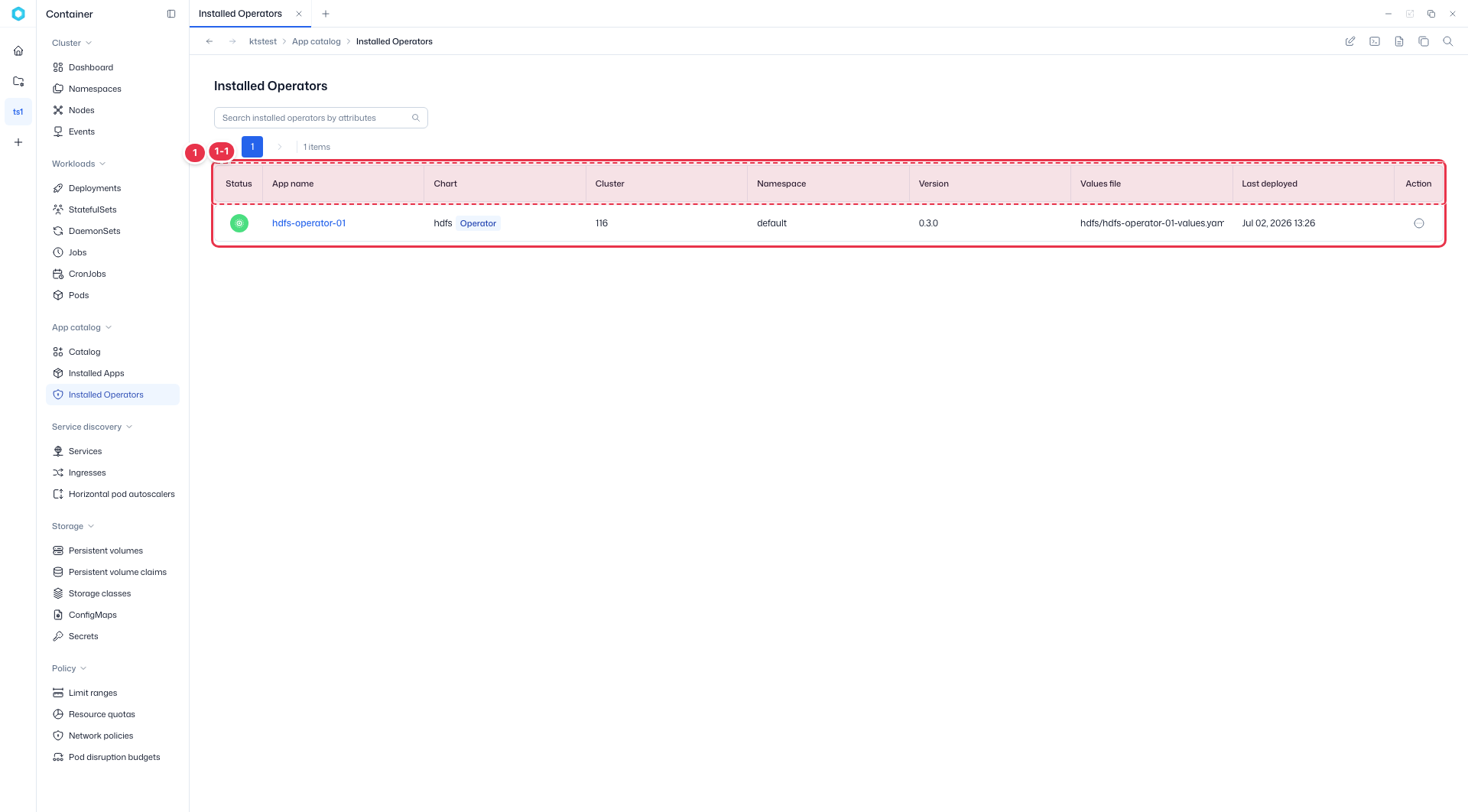
| Column | Description |
|---|---|
| Status | Operator status, shown as an icon. |
| App name | The operator instance name. Click to open its detail. |
| Chart | Chart name with the delivery-type tag. |
| Cluster / Namespace | The cluster and namespace it is installed in. |
| Version | Installed version. |
| Values file | Path of the values file used for the install. |
| Last deployed | When it was last deployed. |
| Action | Row menu — Download YAML, Delete. |
Row Action menu

| No. | Action | Description |
|---|---|---|
| 2-1 | Download YAML | Download the operator manifest as a YAML file. |
| 2-2 | Delete | Delete the operator. |
Operator detail
Click an App name in the list to open its detail view.

| No. | Feature | Description |
|---|---|---|
| 1-1 | Delete | Delete this operator. Clean up the apps it manages first. |
| 1-2 | Summary cards | Status, App name, Chart name, Version, Namespace, and Last deployed. |
| 1-3 | Tab | Review the operator's applied Values (YAML). Unlike apps, there are no Connection Info / Credentials tabs. |
| 1-4 | Copy · Download | Copy the Values content or download it as a file. |
Delete order
Before deleting an operator, clean up the Operator-managed apps it manages first. Deleting the operator first may leave custom resources that cannot be reclaimed cleanly.
Apps vs. operators
| Installed apps | Installed operators | |
|---|---|---|
| Target | Releases of Helm-tagged apps | Operators for Operator-managed apps |
| Role | Deploy the app stack directly | Manage the custom resources the app uses |
| Order | Install directly | Install the operator first, then the app |