

Volume Backups (Admin)
Administrators can manage the volume backups of all tenants.
Sidebar (SNB)
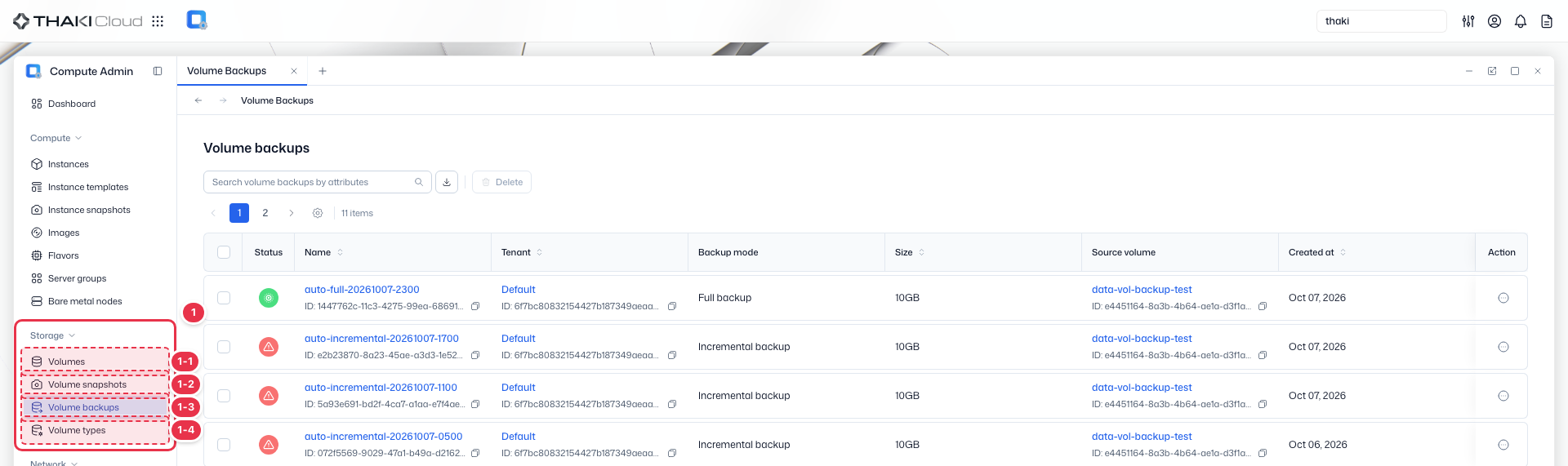
The Storage group in the left sidebar of Compute Admin. It manages the resources of all tenants in one place, and clicking an item opens that resource screen.
| No. | Feature | Item | Description |
|---|---|---|---|
| 1-1 | Storage | Volumes | · Manages block storage volumes across tenants. |
| 1-2 | Storage | Volume Snapshots | · Lists and manages volume snapshots. |
| 1-3 | Storage | Volume Backups | · Lists and manages volume backups. |
| 1-4 | Storage | Volume Types | · Lists volume types with their encryption and visibility. |
Title header
The content header that shows the title of the current screen (Volume Backups).

Search · Toolbar
The area for searching the list, exporting to CSV, and running bulk actions on the selected items. An administrator works on the resources of all tenants without selecting a tenant.

| No. | Feature | Item | Description |
|---|---|---|---|
| 3-1 | Search | Attribute search field | · Filters the list by attributes such as name, ID, tenant, and status. |
| 3-2 | Export | Download CSV | · Exports the current list as a CSV file. |
| 3-3 | Bulk action | Delete | · Deletes the selected items (a confirmation modal appears). |
List
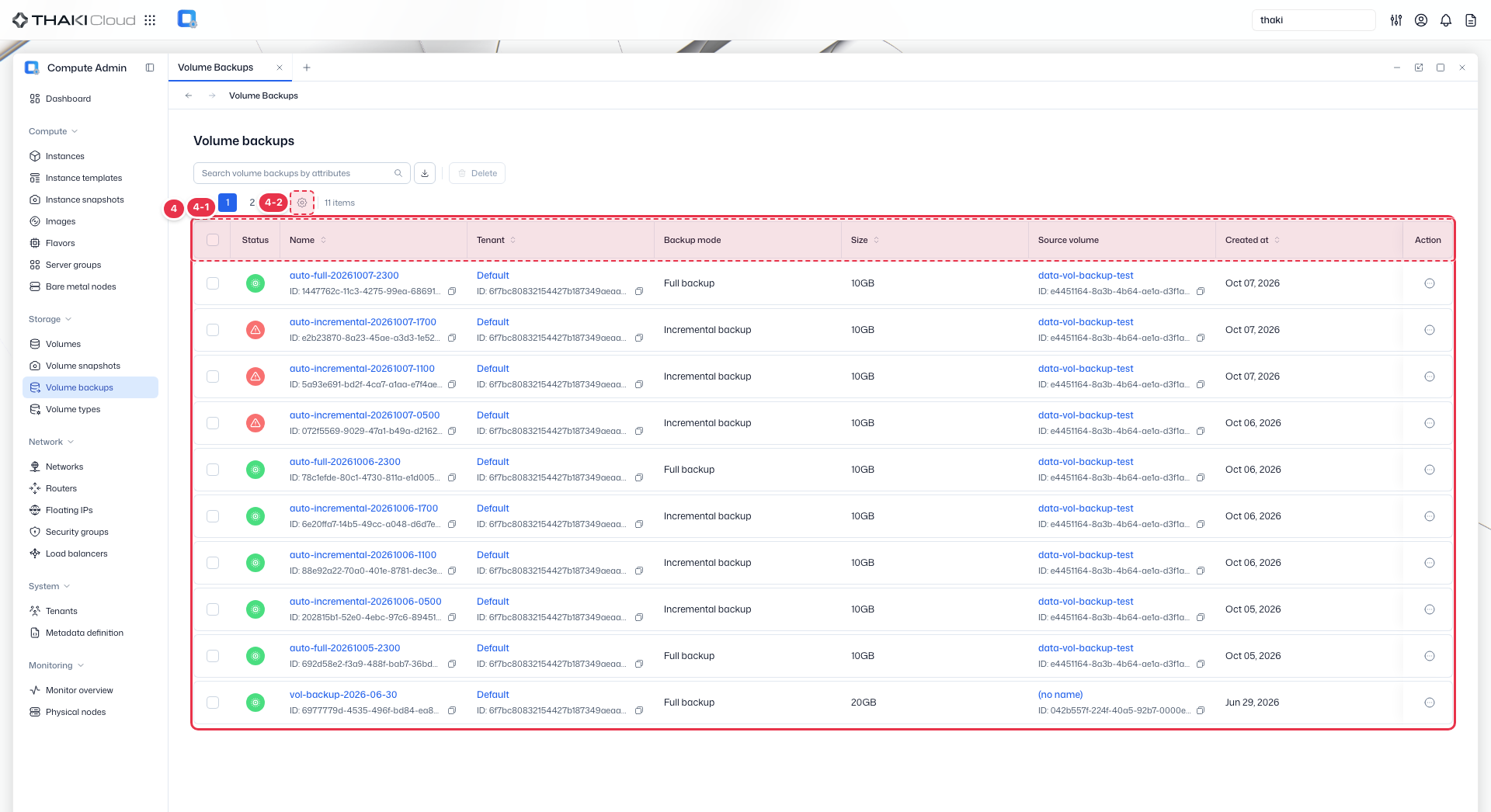
A table that shows the volume backups of all tenants with their status, backup mode, and source volume.
| No. | Feature | Item | Description |
|---|---|---|---|
| 4-1 | List columns | Status | The backup status. |
| Name | The backup name and ID. | ||
| Tenant | The owning tenant. | ||
| Backup mode | The backup mode (Full backup and so on). | ||
| Size | The backup size. | ||
| Source volume | The source volume. | ||
| Created at | The creation date and time. | ||
| Action | The row menu: Update status, Delete. | ||
| 4-2 | View settings | View preferences button | · Opens the View Preferences drawer, where you choose which columns to show. |
Key features
- Cross-tenant view: View and manage backups across all projects
- Search and filter: Find backups by name, ID, or tenant
- Status management: Manually update backup status
- Detail view: Review backup configuration and history
Available actions
Above the list is the bulk button Delete, which becomes active when you select rows. The actions below run from each row's Action menu.
| Action | Description | Availability |
|---|---|---|
| Update status | Manually update backup status | available, error status |
| Delete | Permanently remove backup | available, error status |
Status update
Use Update status to correct backup status when it is inconsistent with the actual state.