

Tenants (Admin)
Tenants are the project units that separate resource ownership and access.
Sidebar (SNB)
The System group in the left sidebar of Compute Admin. It manages the resources of all tenants in one place, and clicking an item opens that resource screen.
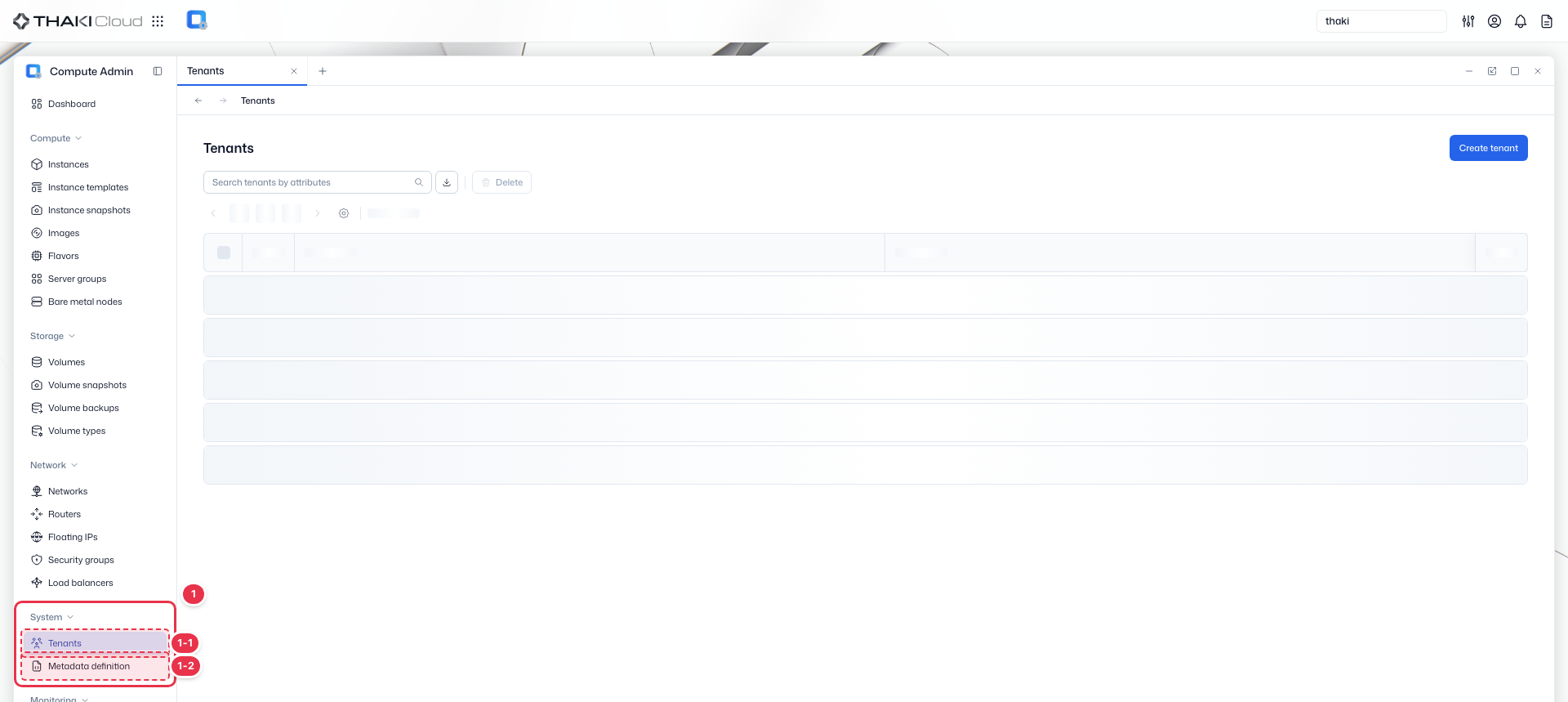
| No. | Feature | Item | Description |
|---|---|---|---|
| 1-1 | System | Tenants | · Creates and manages tenants (projects). |
| 1-2 | System | Metadata definition | · Manages metadata definitions (namespaces). |
Title header
The content header that shows the title of the current screen (Tenants).

Search · Toolbar
The area for searching the list, exporting to CSV, and running bulk actions on the selected items. An administrator works on the resources of all tenants without selecting a tenant.

| No. | Feature | Item | Description |
|---|---|---|---|
| 3-1 | Search | Attribute search field | · Filters the list by attributes such as name, ID, tenant, and status. |
| 3-2 | Export | Download CSV | · Exports the current list as a CSV file. |
| 3-3 | Bulk action | Delete | · Deletes the selected items (a confirmation modal appears). |
Create tenant
Creates a new tenant (project).

List
A table that shows all tenants (projects) in the domain with their name and description.
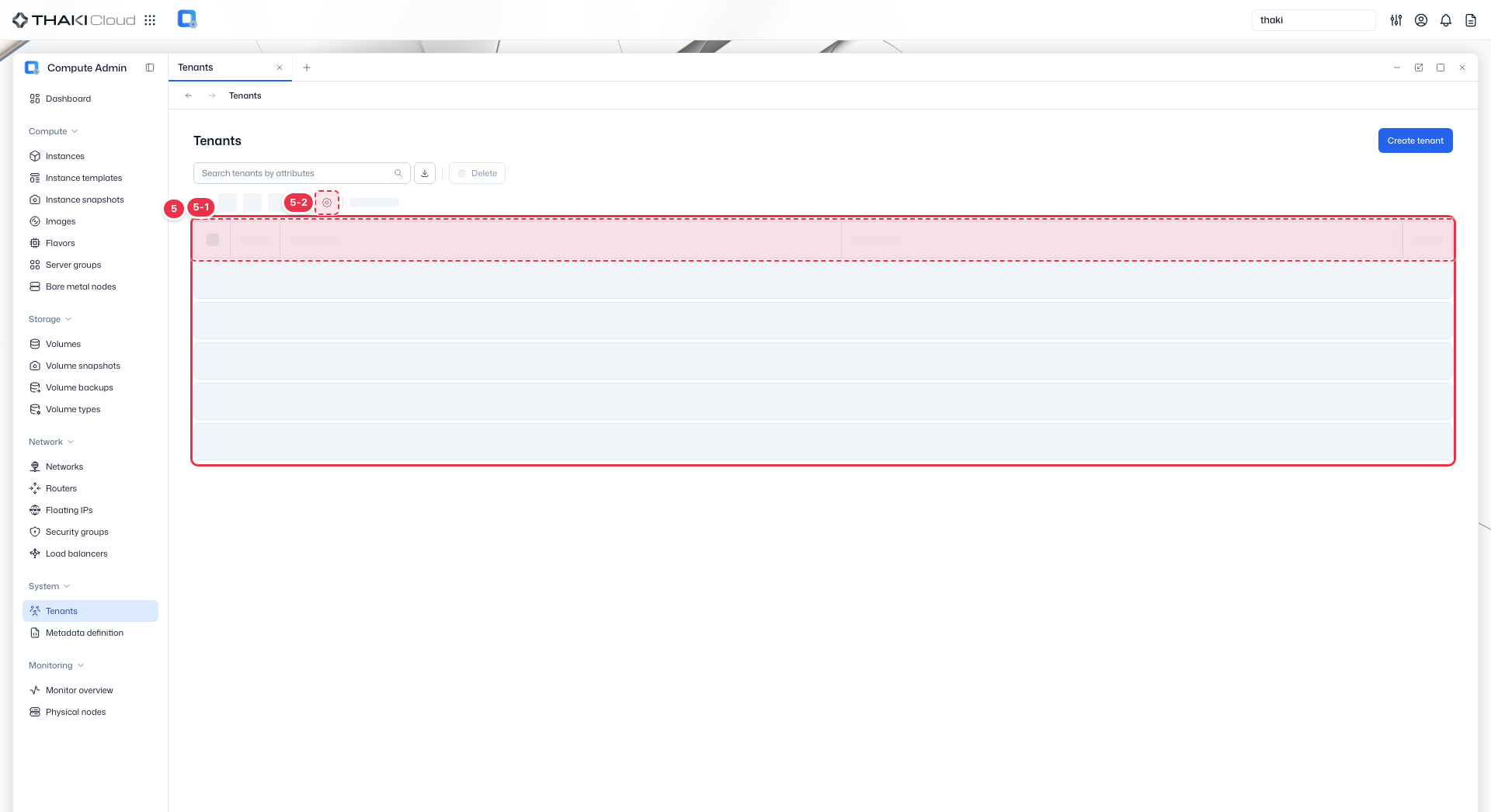
| No. | Feature | Item | Description |
|---|---|---|---|
| 5-1 | List columns | Status | The tenant status. |
| Name | The tenant name and ID. | ||
| Description | The description. | ||
| Action | The row menu: Modify quotas, Edit, Manage member, Delete. | ||
| 5-2 | View settings | View preferences button | · Opens the View Preferences drawer, where you choose which columns to show. |
Key features
- Project management: Create and manage OpenStack projects (tenants)
- Quota control: Set resource quotas per tenant
- Member management: Assign users and roles to tenants
- Search: Find tenants by name or ID
Available actions
Above the list there is a Create tenant button and a Delete button that removes the selected tenants. The Action menu on each row offers the actions below.
| Action | Description |
|---|---|
| Modify quotas | Set compute, storage, and network quotas |
| Edit | Update tenant name and description. The default tenant cannot be edited |
| Manage member | Add/remove users and assign roles |
| Delete | Permanently remove tenant. The default tenant cannot be deleted |
Tenant deletion
Deleting a tenant removes all resources owned by that tenant (instances, volumes, networks). This action cannot be undone.