

Manage Server Groups
Create server groups, set policies, and delete server groups.
This guide walks through the screen below.
Search and toolbar
The area for searching the list, exporting CSV, and running bulk actions on selected rows.

| No. | Feature | Item | Description |
|---|---|---|---|
| 2-1 | Search | Attribute search box | · Filters the list by attributes such as name, ID, and status. |
| 2-2 | Export | Download CSV | · Exports the current list as a CSV file. |
| 2-3 | Bulk action | Delete | · Deletes the selected items (a confirmation modal appears). |
Create Server Group
Creates a new server group (affinity/anti-affinity).

List
A table that shows instance placement policy groups with their name, member instances, and policy.
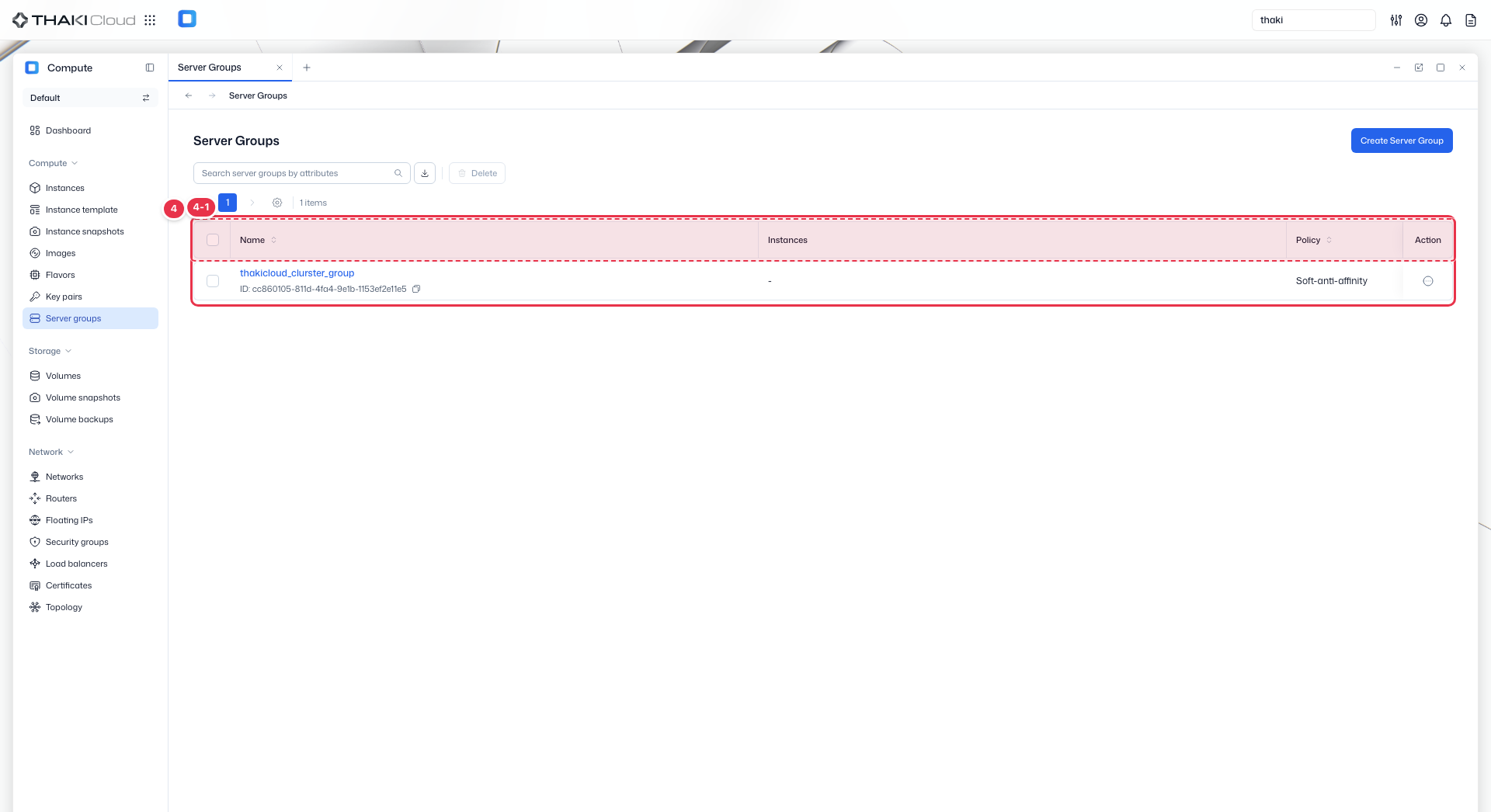
| No. | Feature | Item | Description |
|---|---|---|---|
| 4-1 | List columns | Name | The server group name and ID. |
| Instances | The number of instances in the group. | ||
| Policy | The placement policy (affinity, anti-affinity, and so on). | ||
| Action | The menu that opens from the button at the end of the row: Create instance (create an instance that belongs to this group) · Delete. |