

View Pod Logs
View container logs from a running Pod in real time to check application behavior and diagnose errors.
Prerequisites
- Access to the Container app
- A Pod whose logs you want to view
Click the target cluster's icon at the far left to enter the cluster, then go to Workloads → Pods. On the row of the Pod you want, open the Action (...) menu at the far right and select View logs.
Open the log view (row Action menu)
Click the Action button on the Pod row to open the actions menu.
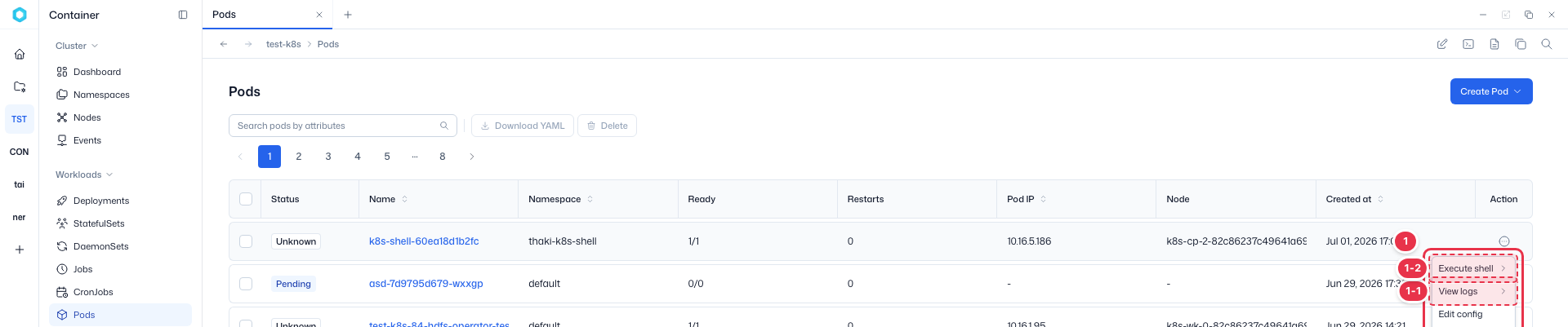
| No. | Action | Description |
|---|---|---|
| 1-1 | View logs | Opens the Pod log view. |
| 1-2 | Execute shell | Opens a shell session into the container. |
Select the target container
Hover over View logs to open the list of containers in the Pod. Select the container whose logs you want, and its logs open in the bottom console.
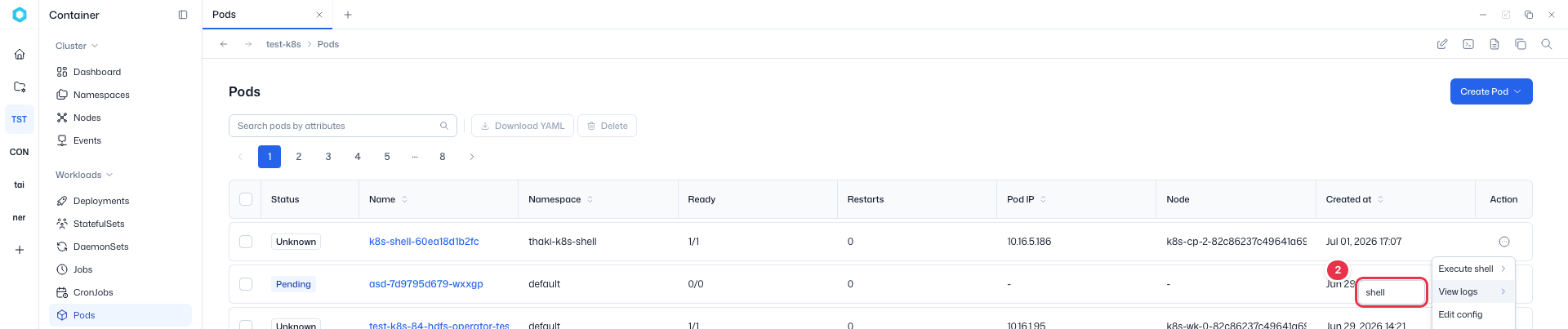
For deeper investigation, use Execute shell to open a shell directly into the container.