

Hosts
A screen for viewing the hardware configuration and status of the storage nodes (hosts) that make up the Ceph cluster.
- Navigation path: Storage Admin › Cluster › Hosts
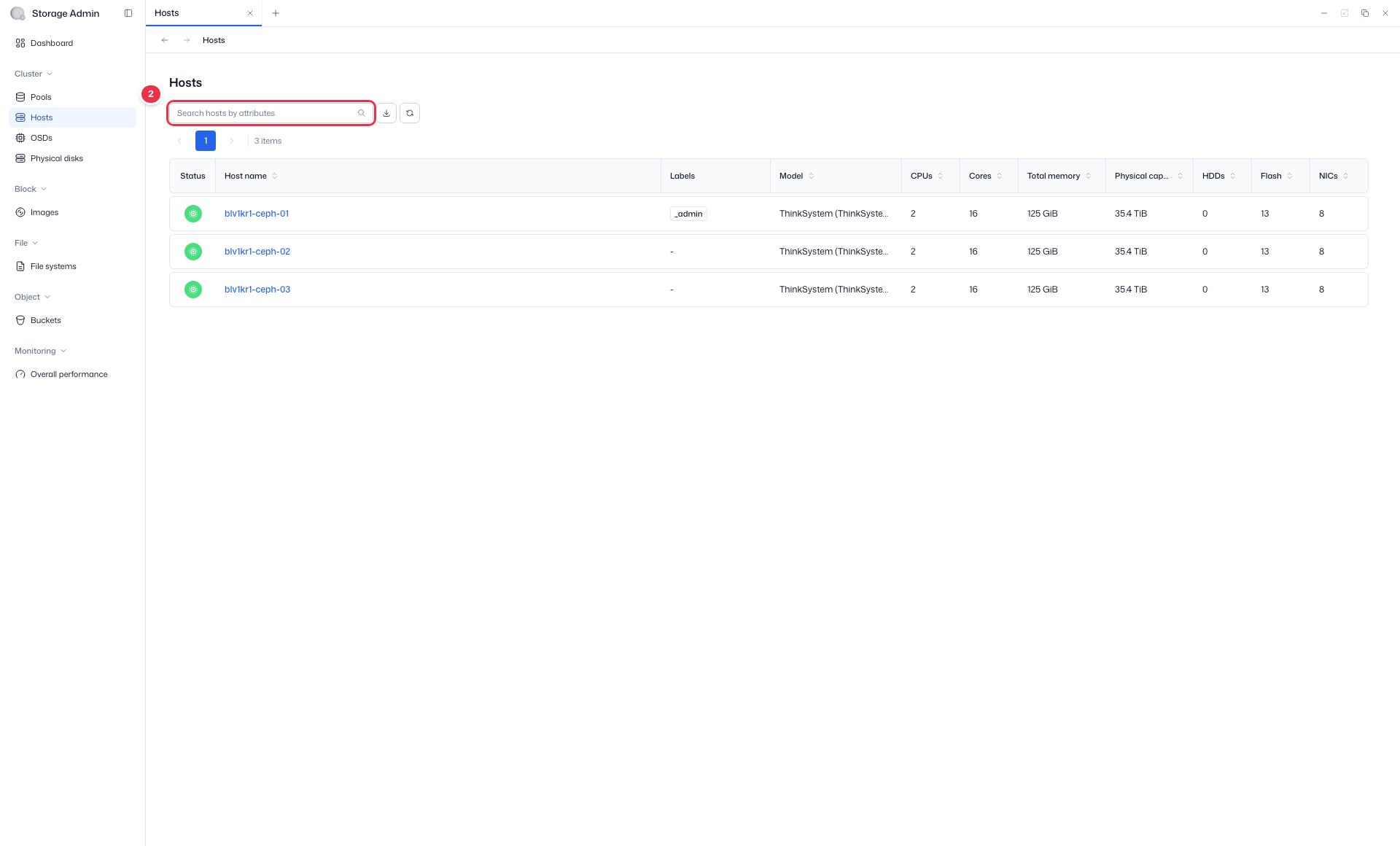
- Search:
Search hosts by attributes· Read-only
Sidebar (SNB)
Use the left sidebar to move to each Storage Admin screen (Cluster·Block·File·Object·Monitoring).
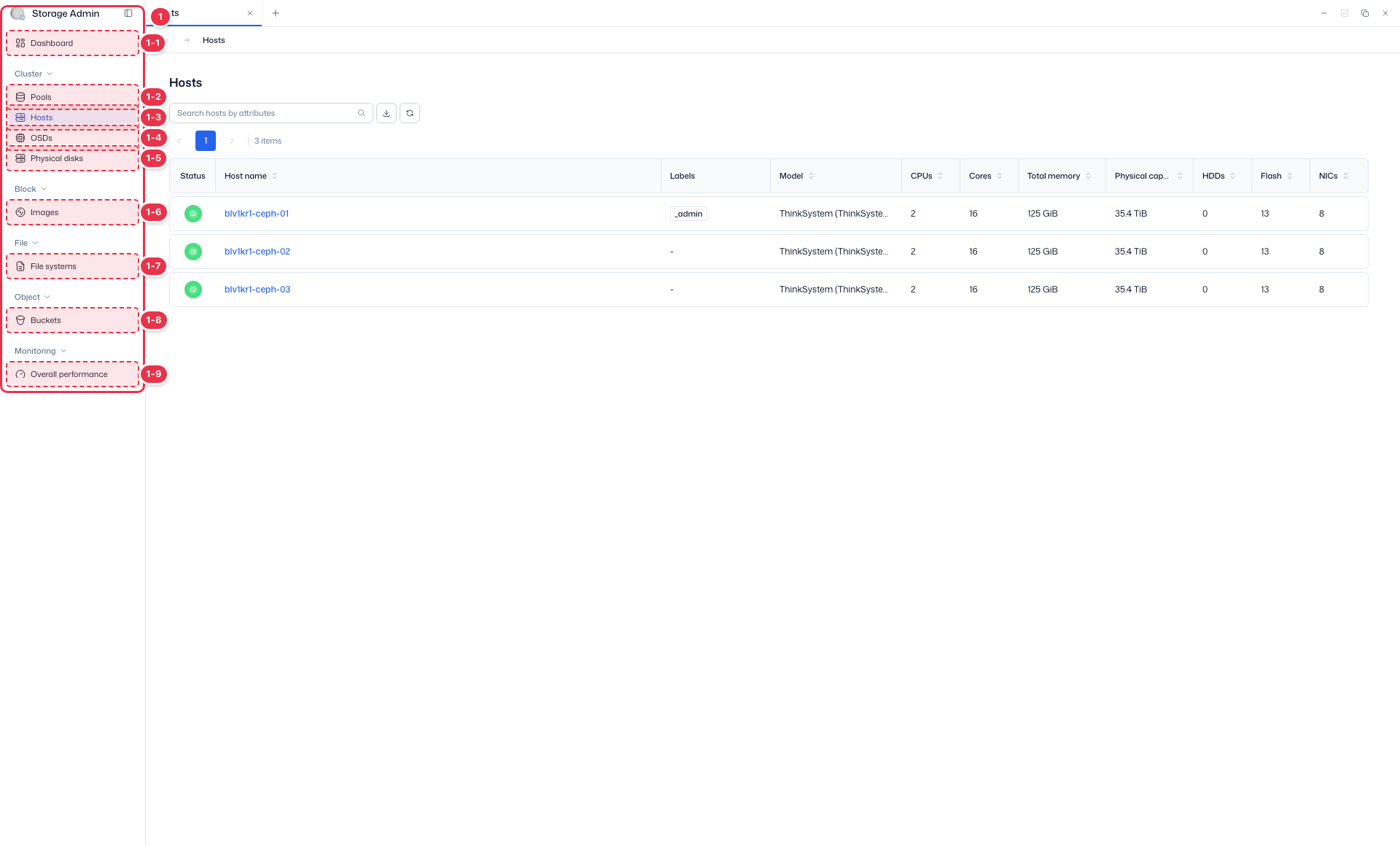
| No. | Feature | Item | Description |
|---|---|---|---|
| 1-1 | Dashboard | Dashboard | · Inventory·Capacity·Cluster utilization summary. |
| 1-2 | Pools | Pools | · View Ceph storage pools·PGs. |
| 1-3 | Hosts | Hosts | · Storage node hardware·OSD configuration. |
| 1-4 | OSDs | OSDs | · Object Storage Daemon status·capacity. |
| 1-5 | Physical disks | Physical disks | · View physical disks·Identify. |
| 1-6 | Images | Images | · RBD block images. |
| 1-7 | File systems | File systems | · CephFS file systems. |
| 1-8 | Buckets | Buckets | · System-wide S3 buckets. |
| 1-9 | Overall performance | Overall performance | · Pools·OSDs·Hosts·Images performance metrics. |
Search
Search the list by attribute.
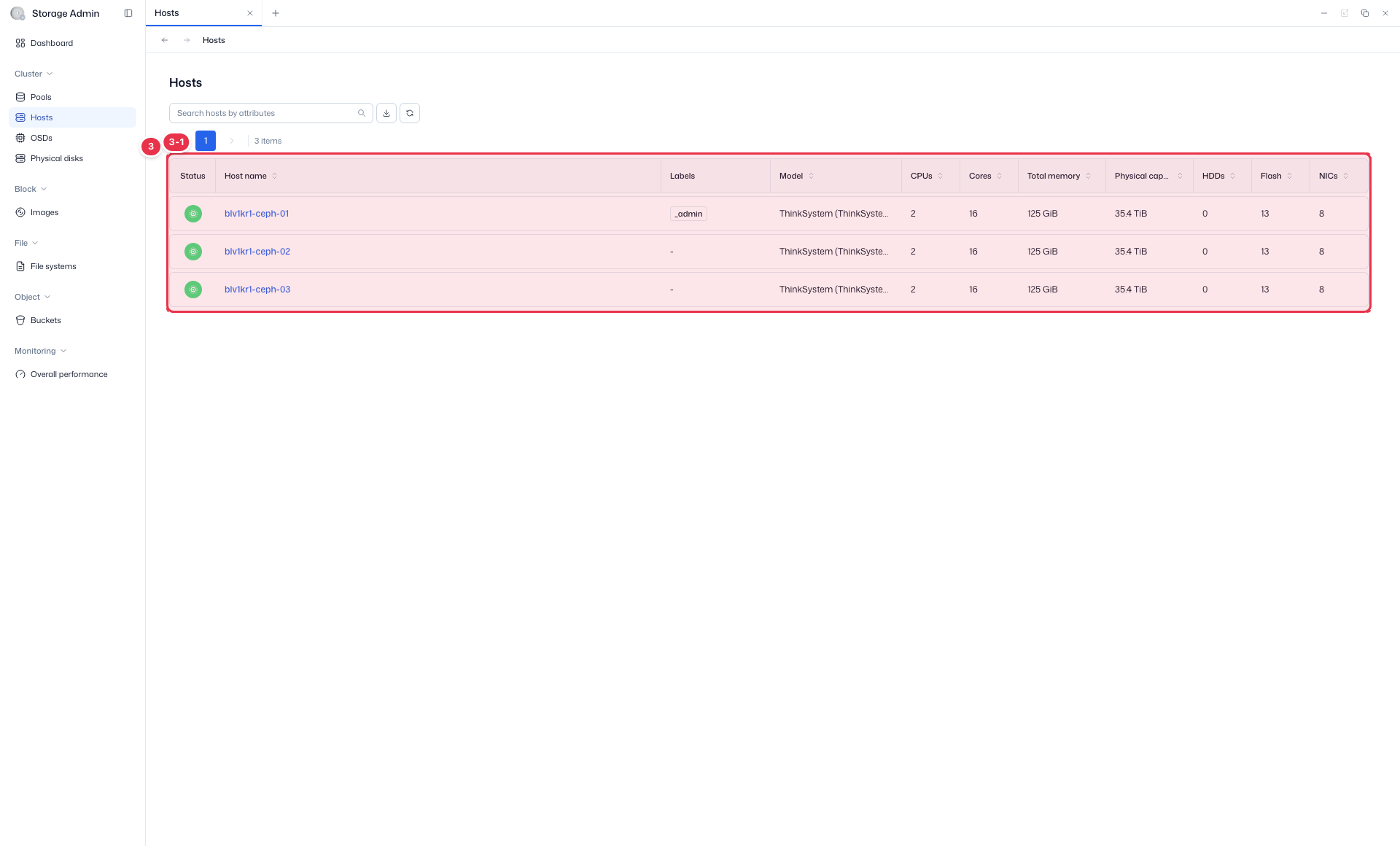
List table
Storage node (host) hardware status (view).
| No. | Feature | Item | Description |
|---|---|---|---|
| 3-1 | Columns | Status / Host name | Host status / name. |
| Labels / Model | Labels / hardware model. | ||
| CPUs / Cores / Total memory | CPU·core count, total memory. | ||
| Physical capacity | Physical storage capacity. | ||
| HDDs / Flash / NICs | Disk·flash·NIC counts. |
Detail (Host Detail)
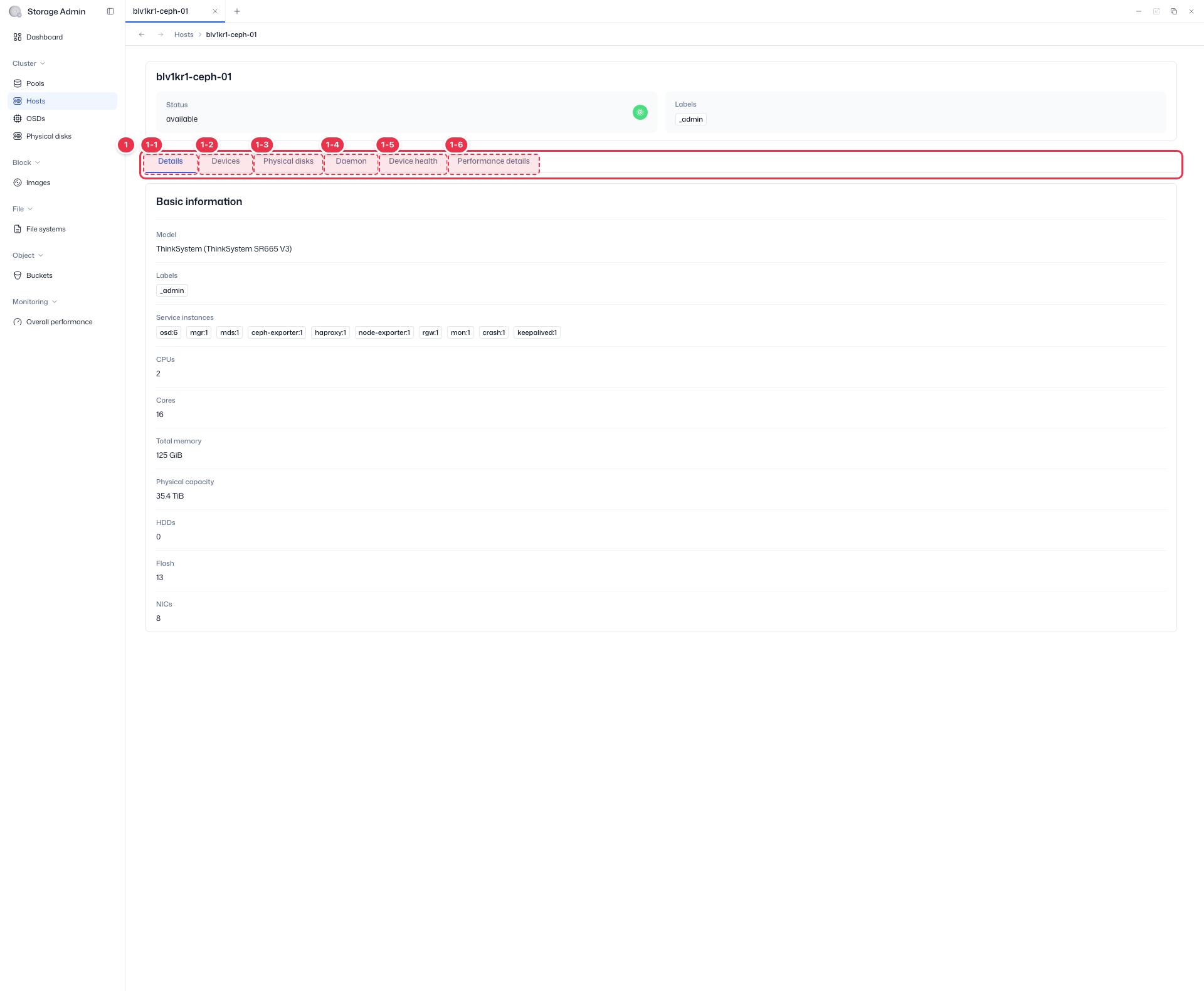
Clicking a Host name navigates to the detail screen. It has 6 tabs: Details · Devices · Physical disks · Daemon · Device health · Performance details.
Click the host name to go to the detail view. It has 6 tabs.
| No. | Feature | Item | Description |
|---|---|---|---|
| 1-1 | Details | Details | · Hostname·Status·Labels·Services·Model·Memory·HDDs/SSDs/NICs·Arch/OS. |
| 1-2 | Devices | Devices | · Device (path)·Type·Size. |
| 1-3 | Physical disks | Physical disks | · Same columns as the Physical Disks list (host scope). |
| 1-4 | Daemon | Daemon | · Daemon·Version·Status·Last Refreshed·CPU/Memory Usage·Events. |
| 1-5 | Device health | Device health | · S.M.A.R.T (Health·Life·Temp·Power On Hours). |
| 1-6 | Performance details | Performance details | · CPU/RAM Utilization·Disk IOPS/Throughput/Latency. |