

List Flavors
View the list of Compute Flavors (Instance specifications).
This guide walks through the screen below.
Type tabs
Tabs that split the Flavors list by type.

| No. | Feature | Item | Description |
|---|---|---|---|
| 2-1 | Type tab | CPU | · General CPU flavors. |
| 2-2 | Type tab | GPU | · GPU-accelerated flavors. |
| 2-3 | Type tab | NPU | · NPU-accelerated flavors. |
| 2-4 | Type tab | Bare Metal | · Bare metal node flavors. |
Search and toolbar
The area for searching the list and exporting CSV.

| No. | Feature | Item | Description |
|---|---|---|---|
| 3-1 | Search | Attribute search box | · Filters the list by attributes such as name, ID, and status. |
| 3-2 | Export | Download CSV | · Exports the current list as a CSV file. |
List
A table that shows the available instance specifications (flavors) with their vCPU, RAM, and disk. A flavor itself cannot be edited or deleted, but you can create an instance or a template from it.
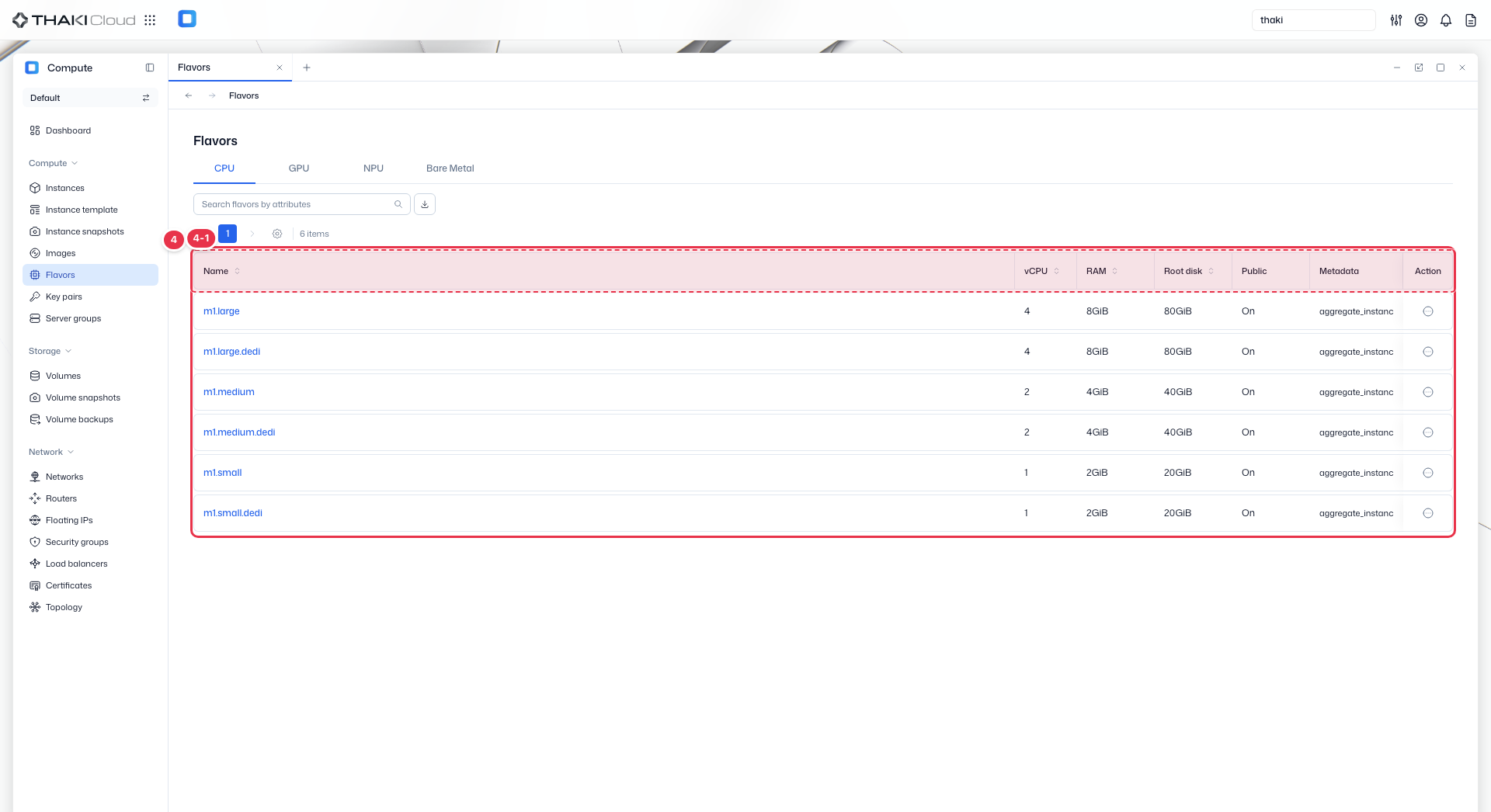
| No. | Feature | Item | Description |
|---|---|---|---|
| 4-1 | List columns | Name | The flavor name. |
| vCPU | The number of virtual CPU cores. | ||
| RAM | The memory size. | ||
| Root disk | The root disk size. | ||
| Public | Whether the flavor is public. | ||
| Metadata | Additional metadata (accelerators and so on). | ||
| Action | The menu that opens from the button at the end of the row: Create instance · Create instance template (create an instance or template from this flavor). There is no edit or delete. |
Flavor action menu
Flavors are specifications registered by an administrator, so regular users can only view them and cannot edit or delete them. Start the actions below from the Action button at the end of each row in the list.
| Action | Description | Related docs |
|---|---|---|
| Create instance | Opens the instance creation screen with this Flavor selected. | Create an Instance |
| Create instance template | Opens the instance template creation screen with this Flavor selected. | Manage Instance Templates |
Flavor details
Click a Flavor name in the list to open its detail page. The top shows a summary of the ID, category, vCPU, RAM, root disk, and public flag along with the Create instance and Create instance template buttons, and the content below is split into tabs.
| Tab | Content |
|---|---|
| Details | Basic information: flavor name · category Specification: vCPU · RAM · root disk (GPU/NPU Flavors also show the type and count) Security: public or not Metadata: keys and values set on the Flavor |
| Instances | Lists the Instances created with this Flavor. It shows the status, name, lock state, OS, fixed IP, availability zone, and creation time, and you can search by attribute. Clicking an Instance name opens its detail page, and the Action button at the end of a row opens that Instance's web console. |
| Parameters | Shows the Flavor's raw settings as JSON. It contains the ID, name, RAM (MiB), disk, vCPU, public flag, and extra_specs (category, placement pool, and so on). Use it to troubleshoot or cross-check specifications. |